
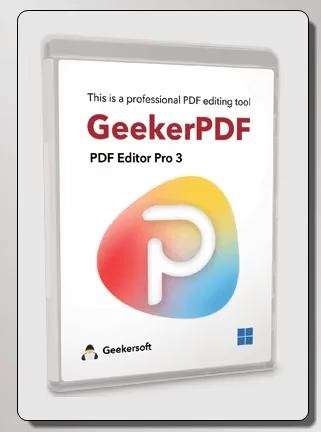
🎁 GEEKERPDF GIVEAWAY · OCTOBER 2026 · WORTH $39.99
Edit, convert, OCR and sign PDFs — free Pro licence for a whole year
Geekersoft is giving away GeekerPDF Pro for Windows. Edit text and images right inside a PDF, merge and split files, turn scans into editable text with OCR, add or remove watermarks and convert PDFs to Word, Excel or PowerPoint — without a monthly subscription.
Windows 11/10/8/7
Version 3.3.1
12 MB download
⏳ 1-year licence

⚡ Quick Read
- What: GeekerPDF Pro 3.3.1, an all-in-one PDF editor for Windows (normally $39.99 a year or $19.99 a month).
- Giveaway: a free 1-year Pro licence code — no sign-up, no card.
- Does: edit PDF text and images, OCR, merge/split, watermark, encrypt, e-sign and convert to Word/Excel/PowerPoint.
- Catch: updates are limited to version 3.x, there’s no technical support, and it’s Windows-only.
- Deadline: no end date announced — activate today before the code stops working. Jump to the licence code ↓
What is GeekerPDF?
Most people only need to change a PDF a few times a month — fix a typo in an invoice, sign a form, pull a table into Excel or combine scanned pages into one file. Adobe Acrobat is overkill for that, and many “free” online PDF tools make you upload private documents to someone else’s server.
GeekerPDF from Geekersoft is a lightweight desktop PDF editor that works offline on your PC. Open a file by dragging it into the window, then edit text in place, add new paragraphs, annotate, sign, watermark and export. The installer is only about 12 MB, so it runs comfortably on older laptops too.
For a limited time, Geekersoft is sharing an official licence code that unlocks every Pro feature for one year — the same plan that normally costs $39.99.
Key features at a glance
- Edit text like a Word file. Add, change, move or delete text in a PDF with one click — no need to go back to the original document.
- Edit images. Insert, replace, resize or remove pictures and logos.
- OCR for scanned PDFs. Text Recognition (OCR) under the Tools menu turns scans and photos into searchable, editable text.
- Convert PDFs. Export to Word, Excel, PowerPoint or images while keeping the layout.
- Organise pages. Merge several PDFs into one, split a big file, extract, insert, rotate or delete pages.
- Annotate. Highlight, underline, add wavy lines, arrows, shapes, text boxes and comments while you read.
- Watermarks and backgrounds. Add or remove watermarks and page backgrounds.
- Protect and sign. Encrypt or decrypt PDFs with a password, add handwritten or electronic signatures and apply Bates numbering for legal files.

GeekerPDF Free vs Pro: what the licence unlocks
Without a licence, GeekerPDF runs as a limited trial. The giveaway code removes those limits for 12 months. Here’s what Geekersoft currently charges for the same Pro licence on Windows:
| Plan (individual) | Official price | With this giveaway |
| Monthly | $19.99/month | — |
| Yearly | $39.99/year | $0 for 1 year |
| Lifetime | $59.99 one-time | — |
💡 Tip: Prices are from Geekersoft’s Windows store in October 2026 and change often with promotions. Business plans cost more.
Giveaway terms at a glance
| Software | GeekerPDF Pro (Geekersoft PDF Editor) 3.3.1 |
| Normal price | $39.99/year |
| Giveaway licence | 1-year Pro licence code |
| Updates | Version 3.x updates only, during the licence term |
| Support | No technical support included |
| System | Windows 11/10/8.1/8/7 (the Mac version isn’t part of this offer) |
| Deadline | No end date announced — the code can stop working without notice |
How to get GeekerPDF Pro for free
It takes about two minutes. One tip before you start: copy and paste the licence code instead of typing it — a single wrong character gives an invalid-code error.
Share this giveaway on any network. One click unlocks the download links and codes below.
A new tab opens to share this page. Come back here — your content unlocks automatically.
⚠️ Important: The licence covers version 3.x for one year, with no technical support. Activate it now even if you don’t need it today — once Geekersoft stops accepting the code, it won’t work on new installs.
Who should grab it (and who can skip it)
👍 Worth it if you edit invoices, forms, resumes or study notes, you need to pull text out of scanned pages, or you want to keep confidential documents off online converters. Pair it with Vovsoft OCR Reader for bulk text extraction and Coolmuster PDF Locker for extra protection.
👎 Skip it if you’re on a Mac, you want a permanent free tool (see our best truly free PDF editors), or you mainly work with right-to-left languages such as Arabic — readers have reported that Arabic text isn’t handled well.
📊 Techno360 Verdict: a light, capable Acrobat alternative for a year
GeekerPDF Pro covers the PDF jobs most people actually do — editing text, merging and splitting, OCR, conversion, watermarks and signatures — in a small, simple Windows app that keeps your files on your own PC. It isn’t a lifetime licence and support isn’t included, but for $0 it’s an easy way to skip a $39.99 subscription for the next 12 months.
- Best for: students, freelancers and small offices editing everyday PDFs
- Watch out for: 1-year term, 3.x-only updates, no Mac version in this offer
- Rating: Recommended grab
Frequently asked questions
Is the GeekerPDF Pro giveaway really free?
Yes. The licence code unlocks GeekerPDF Pro for one year at no cost. You don’t need to create an account or enter payment details.
How long does the free GeekerPDF licence last?
One year from activation. During that time you get updates within version 3.x. After it expires you can keep the trial features or buy a yearly or lifetime plan.
Can GeekerPDF edit scanned PDFs?
Yes. Use Text Recognition (OCR) from the Tools menu to turn a scanned page or photo into editable, searchable text, then edit it like any other PDF.
Can I convert PDF to Word or Excel with GeekerPDF?
Yes. GeekerPDF Pro converts PDFs to Word, Excel, PowerPoint and image formats, and it can merge and split files too.
Does GeekerPDF support Arabic?
Geekersoft lists the interface in English, French, German, Spanish, Portuguese, Japanese, Indonesian and Chinese — Arabic isn’t included, and readers have reported problems editing Arabic text. Test your own files during the giveaway before relying on it.
Is there a Mac version?
GeekerPDF is available for Mac, but this giveaway is for the Windows version only (Windows 11, 10, 8.1, 8 and 7).
The licence code says invalid. What should I do?
Copy and paste the code without extra spaces and make sure you installed the official 3.x build linked above. If it still fails, the giveaway has most likely ended.
Need more PDF tools? Read our ultimate guide to PDF tools for Windows, check the private, no-upload Osenpa PDF Tools, or grab Vovsoft PDF to Text Converter free. New licences land every day — browse the Techno360 Free Stuff hub before they expire.