
Offer status: Active at the time of writing • Platform: Windows 7–11 & macOS 10.10+ (Intel & Apple Silicon) • License term: 1 year • Giveaway ends: November 15, 2026
⚡ Quick Read
- What you get: A free 1-year license for Leawo Blu-ray Player Premium (regular price $44.95/year, or $99.95 lifetime).
- What it does: Region-free playback of 4K UHD Blu-ray, Blu-ray, DVD, ISO and HD video, plus lossless Blu-ray/DVD to MKV conversion.
- The catch: Name and email only — but the license must be activated within 5 days.
- Time to claim: About 3–5 minutes, from form to activation.
Most Windows PCs and Macs still can’t play a Blu-ray disc out of the box — Windows has no built-in Blu-ray playback, and macOS has never supported it. Commercial players fill that gap, but they’re usually expensive and often locked to a single disc region.
Leawo Blu-ray Player is one of the few that handles 4K UHD Blu-ray, regular Blu-ray and DVD from any region, on both Windows and Mac. The Premium edition adds a built-in Blu-ray to MKV converter, and right now Leawo’s 2026 Halloween Giveaway is handing out a full 1-year Premium license for free. Here’s what you get, how to claim it, and what to watch out for.
What is Leawo Blu-ray Player Premium?
Leawo Blu-ray Player is a free, region-free media player for Windows and macOS. The free edition plays 4K Blu-ray, Blu-ray, DVD, ISO image files and almost any video or audio format. Premium is Leawo’s 2-in-1 combo: the same player plus a Blu-ray/DVD to lossless MKV converter that copies your discs to MKV files without decoding or re-encoding — so the original video, every audio track and every subtitle are preserved.
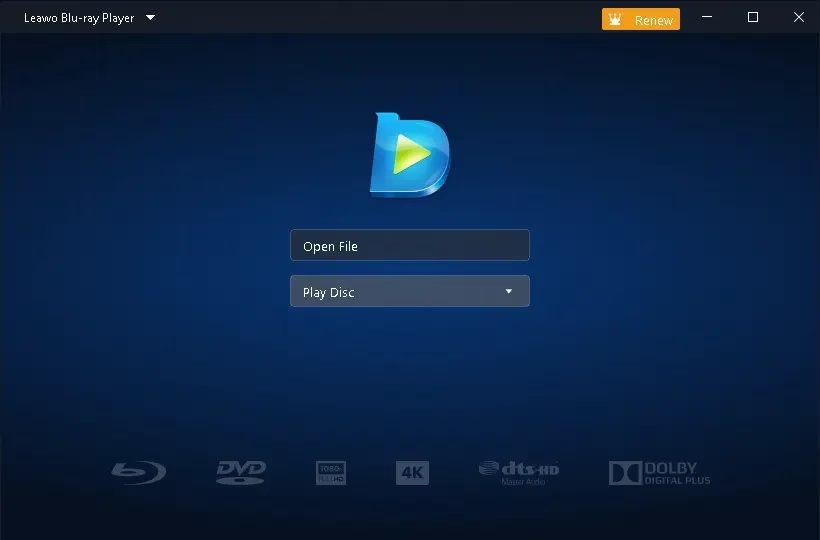
The interface is clean and simple: insert a disc or drop in a file and it starts playing. Power users still get detailed control over video, audio and subtitle settings when they want it.
Key features of Leawo Blu-ray Player Premium
- 4K UHD Blu-ray playback: Plays 4K UHD Blu-ray discs, folders and ISO files, plus 4K and HD video files.
- Truly region-free: Plays Blu-ray regions A, B and C and DVD regions 0–6 without touching your drive’s region setting.
- No burning needed for ISO files: Play Blu-ray/DVD folders and ISO image files directly from your hard drive.
- Lossless Blu-ray/DVD to MKV (Premium): Back up discs to MKV with original quality, all audio tracks and all subtitles kept intact.
- Cinema-grade audio: Supports Dolby, DTS, AAC, TrueHD and DTS-HD decoding, including 5.1 and 7.1 channel output.
- Plays almost any format: MP4, MKV, AVI, WMV, FLV, MOV, MPEG and more, plus a wide range of audio and playlist formats.
- Virtual disc menu control: A virtual controller panel lets you navigate Blu-ray/DVD menus during playback.
- Custom subtitles and audio tracks: Choose your track, load external subtitles, and change subtitle font, size, style, colour and offset.
- Built-in playlist: Queue and manage multiple media files at once.
Playback and picture controls
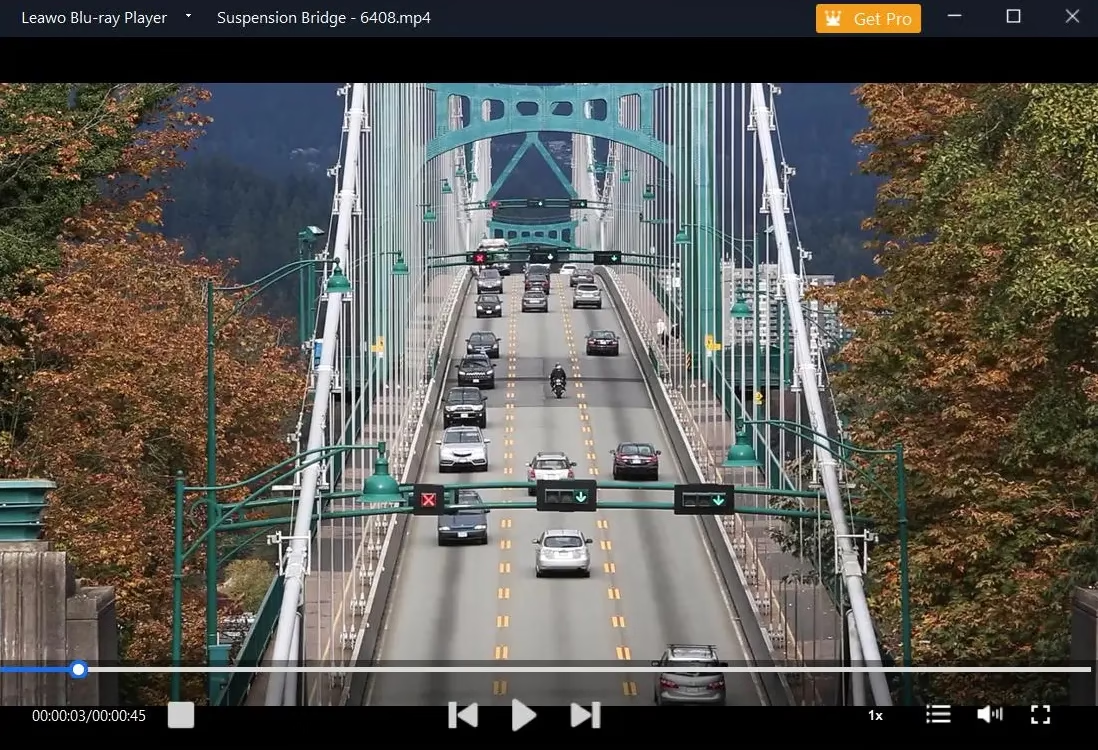
Go full screen, adjust volume, build a playlist, keep the window on top of others and jump to any point in the video. Advanced users can fine-tune deinterlacing, cropping, view mode, zoom, brightness, contrast, gamma and post-processing.
Personal preferences
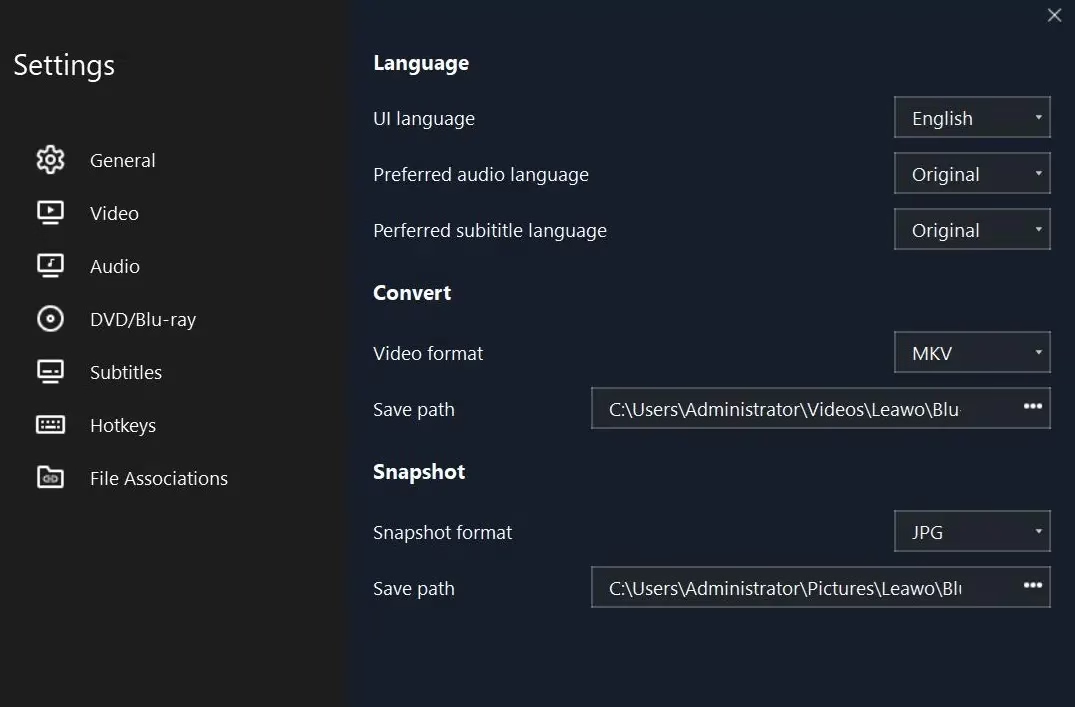
Set discs to play automatically on insert, change the interface skin, language and background, adjust power settings, and customise subtitle character set and styling — all from one settings panel.
Free vs Premium: what the giveaway unlocks
| Feature | Free | Premium (giveaway) |
|---|---|---|
| 4K UHD Blu-ray, Blu-ray & DVD playback | ✔ | ✔ |
| Region-free playback | ✔ | ✔ |
| ISO & folder playback | ✔ | ✔ |
| Dolby / DTS / TrueHD audio | ✔ | ✔ |
| Blu-ray/DVD to lossless MKV converter | — | ✔ |
| Regular price | Free | $44.95/year or $99.95 lifetime |
System requirements
| Requirement | Windows | Mac |
|---|---|---|
| OS | Windows 7, 8, 8.1, 10, 11 | macOS 10.10 Yosemite and later |
| Processor | 1 GHz or above | 1 GHz Intel or Apple M1/M2 |
| RAM | 512 MB (1 GB+ recommended) | 512 MB (1 GB+ recommended) |
| Other | DirectX 9.0c, Blu-ray/DVD drive | Blu-ray/DVD drive, Java SE 6 Runtime |
How to get Leawo Blu-ray Player Premium for free
The whole process takes a few minutes. Here’s exactly how it works:
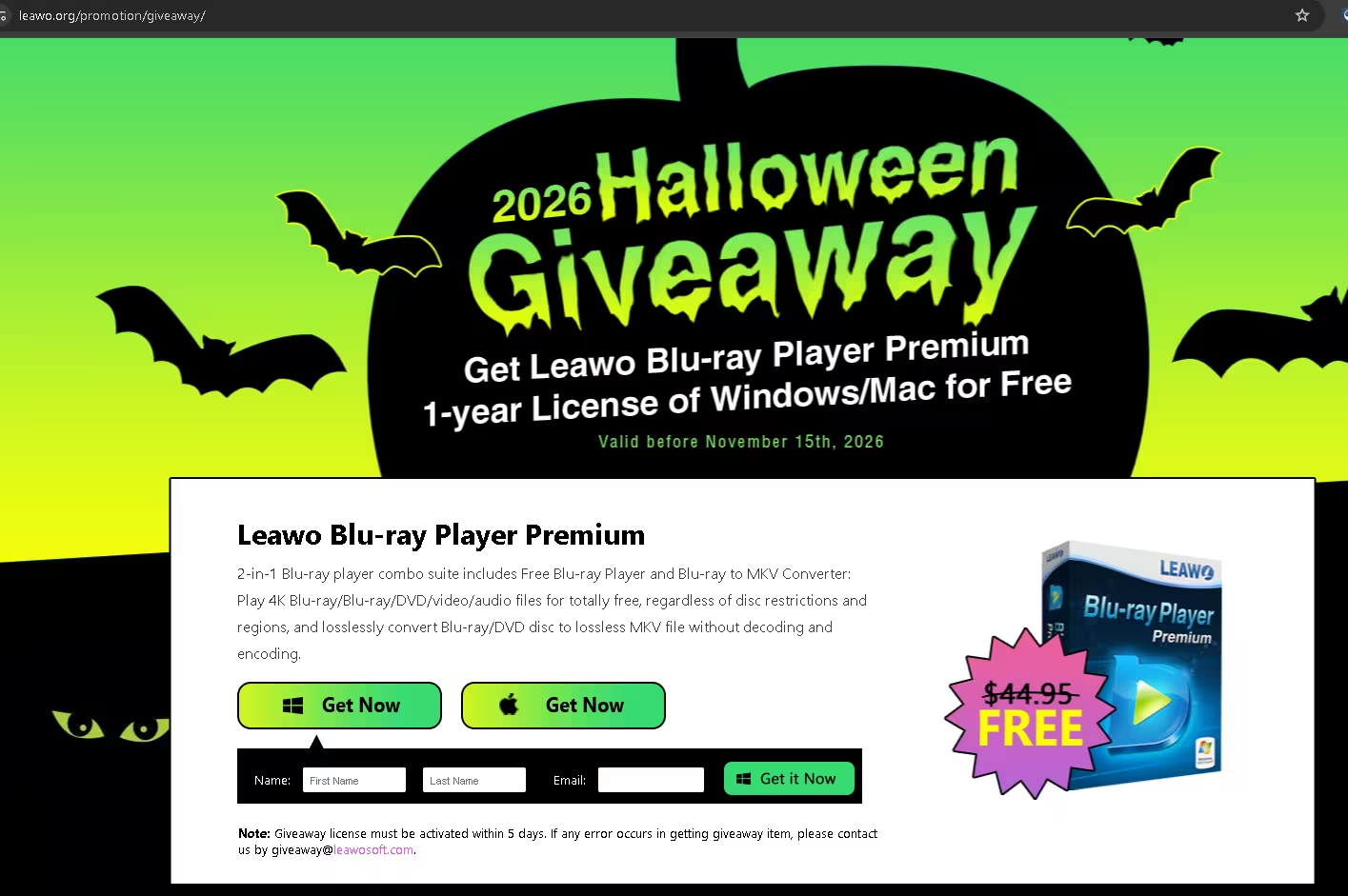
- Open the giveaway page. Visit Leawo’s official 2026 Halloween Giveaway page.
- Pick your platform. Click the Get Now button under the Windows or Apple logo, depending on your computer.
- Enter your details. Type your first name, last name and a valid email address, then click Get it Now.
- Copy your license code. The code and a download link appear on the page, and Leawo also emails them to you — check your spam folder if it doesn’t arrive.
- Download and install. Get the installer from the giveaway page or the official Leawo download page, then install and launch the program.
- Activate Premium. Click Get Pro on the main screen, choose Register, paste your license code and confirm. Premium is now unlocked for one year.
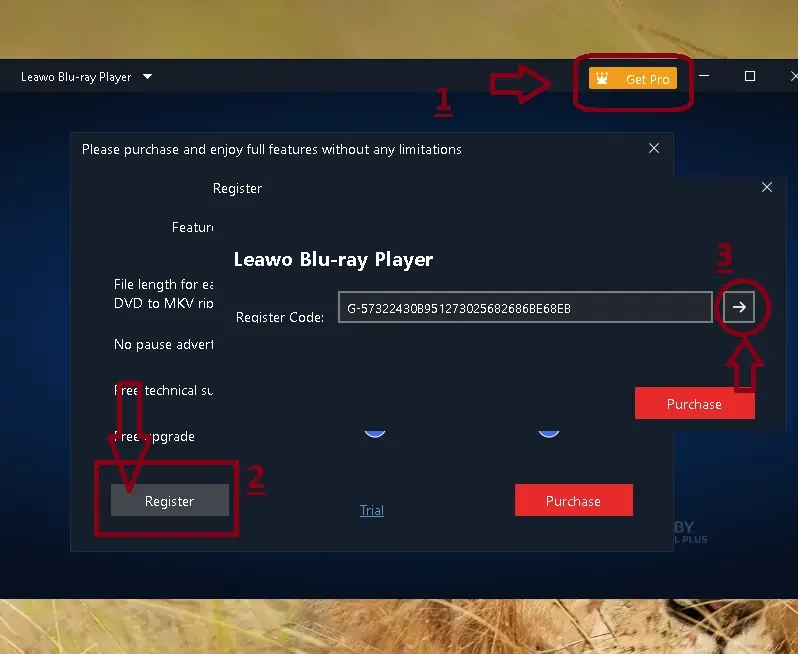
💡 Tip: Activate the code the same day you get it. Leawo says giveaway licenses must be activated within 5 days. If anything goes wrong while claiming, Leawo’s giveaway support address is giveaway@leawosoft.com.
⚠️ Things to know before you install
- This is a 1-year license, not lifetime. After it ends, the MKV converter goes back to its locked state, but the free player keeps working.
- You need a physical Blu-ray drive to play or convert discs. Most modern laptops don’t have one, so an external USB drive may be needed.
- On Mac, Leawo lists Java SE 6 Runtime as a requirement for the player.
Who should grab this?
If you own a Blu-ray or DVD collection — especially imported discs from other regions — this is an easy grab. It’s also useful if you want to back up your discs as MKV files for Plex, Jellyfin or a media drive, since the Premium converter keeps every audio and subtitle track. If you only stream and have no disc drive, the free edition’s file playback is enough on its own.
✅ The Verdict
Leawo Blu-ray Player is already one of the better free options for playing Blu-ray on Windows and Mac. The Premium upgrade adds a genuinely useful lossless MKV backup tool on top, which is the part that normally costs money.
A $44.95 license for a two-minute signup is a solid deal for anyone with a disc collection. Just activate it within 5 days and claim it before the November 15, 2026 deadline.
More Leawo giveaways on Techno360
Building a free media toolkit? Browse our video converters hub and the latest free software giveaways, then check out these Leawo picks:
- Leawo DVD Creator — Free License Key Giveaway — burn videos to DVD with custom menus.
- Leawo Video Converter Pro — Free License — convert between 180+ video and audio formats.
- Leawo Screen Recorder — Free License — record your screen, webcam and audio on Windows.
- Leawo Photo Enlarger — Free 1-Year License — upscale photos with AI.
- Leawo Photo Enhancer — Free 1-Year License — one-click AI photo fixes.
Frequently asked questions
Is the Leawo Blu-ray Player Premium giveaway really free?
Yes. You only enter your name and email on Leawo’s official giveaway page to get a 1-year Premium license. No purchase or payment details are required. The offer is valid before November 15, 2026.
How long do I have to activate the license code?
Leawo says giveaway licenses must be activated within 5 days of receiving them, so install and register the software right away.
Can Leawo Blu-ray Player play 4K UHD Blu-ray discs?
Yes. Leawo lists support for 4K UHD Blu-ray discs, folders and ISO files, as well as standard Blu-ray, DVD and 4K video files. You need a compatible Blu-ray drive to play physical discs.
Is Leawo Blu-ray Player region-free?
Yes. It plays Blu-ray regions A, B and C and DVD regions 0 to 6 without changing your drive’s region setting.
What is the difference between the free and Premium versions?
The free version handles playback. Premium adds a Blu-ray/DVD to lossless MKV converter that copies discs without re-encoding and keeps all audio tracks and subtitles.
What happens when the 1-year license expires?
The Premium features lock again unless you renew or buy a license. The free Blu-ray player keeps working, and MKV files you already created stay on your computer.
Written by Ramakanth
Ramakanth is the lead writer and a co-founder of Techno360. He earned his degree at Anna University, spent several years in IT support, and has been covering Windows software, security, and freebies here since 2008. He reviewed the official Leawo giveaway page and product specs directly before updating this guide.
Transparency note: This is an official promotional giveaway run by Leawo Software. Techno360 does not host cracked or pirated software. Giveaway terms, pricing and availability are set by Leawo and can change at any time — always confirm on the official page before installing.