
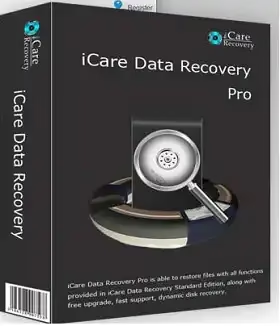
iCare Data Recovery Pro is one of those tools you reach for when things go wrong — and they always do at the worst possible time. Whether you accidentally deleted a folder, emptied the Recycle Bin too quickly, or your hard drive suddenly shows up as RAW, this software can dig through the mess and pull your files back out.
Losing files is genuinely stressful. Photos, work documents, project files — once they’re gone, that sick-stomach feeling kicks in fast. The good news is that when a file gets deleted from your PC, the actual data doesn’t vanish instantly. The space it occupied is just marked as available, and until something new overwrites it, there’s a solid chance of getting it back. That’s exactly the window iCare Data Recovery works within.
The software handles all the usual data loss situations — accidental deletion, formatted drives, partitions that went missing, RAW file systems, and even drives that Windows can no longer read. It works with pretty much every type of storage you’d throw at it: internal hard drives, external HDDs, USB flash drives, SD cards, memory sticks, and more.
What iCare Data Recovery Pro Can Do
Here’s a quick rundown of what this tool recovers and where it works:
- Recover office documents, photos, videos, music, emails, and more
- Works with hard drives, external drives, USB drives, SD cards, CF cards, XD cards, SanDisk cards, MicroSD, pen drives, and any PC-compatible storage
- Get data back from RAW drives or drives the OS can’t read
- Recover files deleted from the Recycle Bin
- File recovery after accidental format — even if Windows was reinstalled
- Recover data after a hard disk crash or system boot failure
- Recover files lost during partitioning errors, partition merges, or resizing gone wrong
- Supports NTFS and FAT file systems (FAT12, FAT16, FAT32, NTFS/NTFS5), plus Mac HFS/HFS+
- Fully compatible with Windows 11, 10, 8.1, 8, 7, Vista, XP, and 2000
Features of iCare Data Recovery Pro

iCare Data Recovery Pro main window — choose between Deep Scan, Advanced File Recovery, or Lost Partition Recovery
When you open the software, it greets you with three recovery modes. Picking the right one depends on what happened to your files:
- Deep Scan Recovery — Thorough scan of the entire drive, best when other methods fail
- Advanced File Recovery — Quick scan for recently deleted or lost files
- Lost Partition Recovery — Designed specifically for drives where partitions have gone missing or become inaccessible
The first step in any recovery is selecting the partition or drive you want to scan. You can also plug in external storage devices — both NTFS and FAT formatted — and if a device doesn’t show up right away, there’s a refresh button to re-detect it. The wizard-style interface keeps things straightforward, walking you through each step without requiring any technical know-how.
System Requirements
- OS: Windows 11 / 10 / 8.1 / 8 / 7 / Vista / XP / 2000
- File Systems: FAT12, FAT16, FAT32, NTFS, NTFS5, HFS, HFS+
- Storage Support: HDD, SSD, USB Flash Drive, SD Card, External Hard Drive, Memory Card, CF Card
- License: Free (with limitations) and Pro (full access, unlimited recovery)
iCare Data Recovery Pro vs Free Version
The free version lets you scan and preview lost files, but caps recovery at 1GB. That’s fine for a few documents or photos, but if you’ve lost a full folder of RAW images or a video project, you’ll hit that wall quickly.
The Pro version removes the cap entirely — unlimited recovery, all file types, all storage devices. That’s why grabbing a free Pro license when it’s available is worth it.
If you want to compare your options before deciding, check out our list of 5 Best Completely Free Data Recovery Software for Windows — it covers tools with no recovery limits at all.
How to Get iCare Data Recovery Pro for Free
The developer is making the Pro version available at no cost for a limited time. Here’s how to get it:
Share this giveaway on any network. One click unlocks the download links and codes below.
A new tab opens to share this page. Come back here — your content unlocks automatically.


