
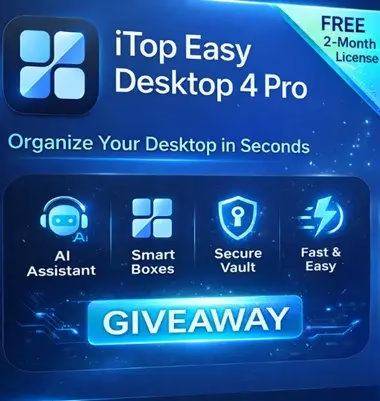
Are you tired of a messy desktop cluttered with icons, screenshots, and random folders? iTop Easy Desktop 4 Pro turns that chaos into a clean, beautiful, and highly productive workspace in just a few clicks

Contents
iTop Easy Desktop Pro 4: 1‑Click Desktop Makeover
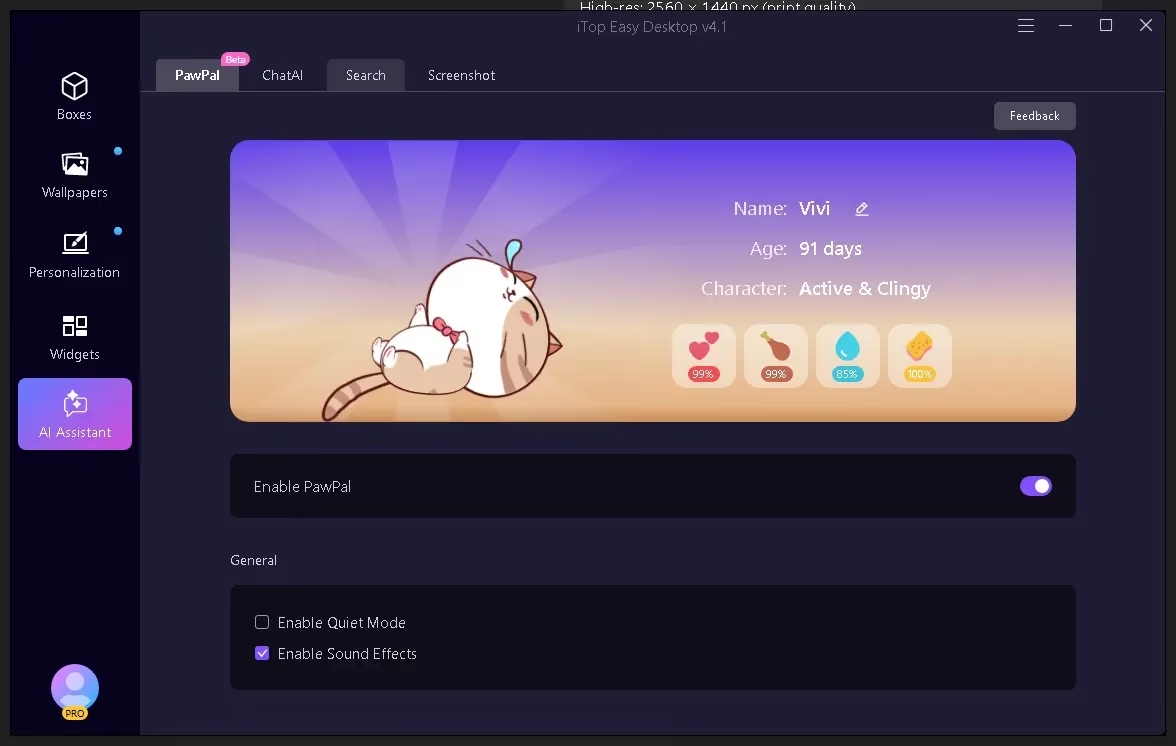
With iTop Easy Desktop 4, you can automatically group and organize everything on your desktop into smart, customizable boxes.
Files, folders, shortcuts, and even web links can be neatly sorted by type, name, date, or custom rules—no more manual dragging and rearranging.

Key improvements in version 4:
Smart Boxes with Box Rules: Auto-sort files into the right box as soon as they land on your desktop.
- New visual layout system: Adjust spacing, transparency, and colors so your desktop looks modern and distraction-free.
- Layout & Themes: Save different layouts and theme combinations for work, gaming, and personal use, then switch with a click
Once set up, Box Rules keep your desktop organized automatically, so you don’t have to clean it every week.
Highlights:
Box appearance customization: Control transparency, colors, borders, and spacing to match your wallpaper and style.
Theme system: Choose from built‑in themes or create your own combination of wallpaper, box styles, and widget placements.
- Dynamic/live wallpapers: Combine your organized boxes with videos, photos, or animated wallpapers for a desktop that looks alive yet stays functional.
A visually consistent layout reduces mental clutter and keeps you more focused during long work sessions.
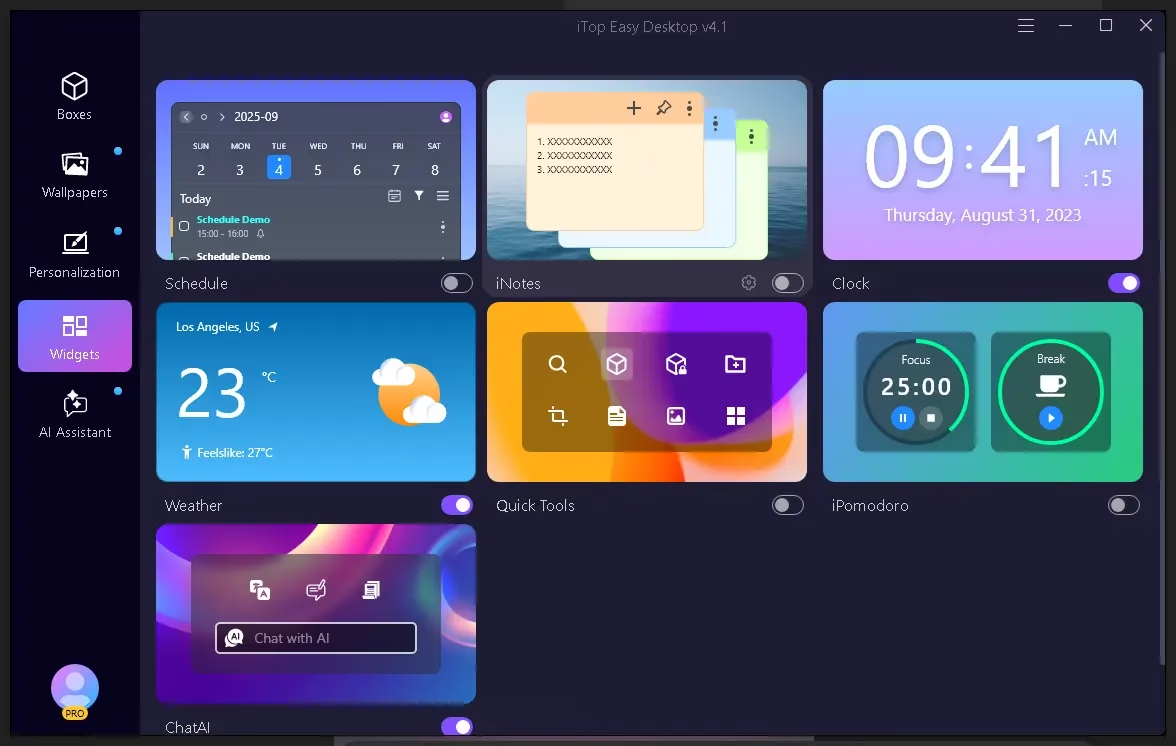
Widgets, Quick Actions, and Smart Workflow Tools
iTop Easy Desktop 4 Pro is more than just a desktop organizer—it’s a productivity hub that keeps your essential tools in one place
Popular widgets and tools include
Schedule & Task widgets: Manage tasks and daily plans directly from the desktop, with smart reminders and quick access.
- Weather, Clock, Notes: Keep track of time zones, quick memos, and forecasts without opening separate apps.
iPomodoro & Focus tools: Use focus timers to work in deep work sessions and avoid distractions.
Folder Portal & Quick Actions: Create portals to any folder or app so you can open them instantly from your desktop layout.
- Snapshot/Screenshot: Capture full‑screen, windowed, or scrolling screenshots without leaving your workflow
These widgets and quick tools turn your desktop into a central control panel for work, study, or content creation.
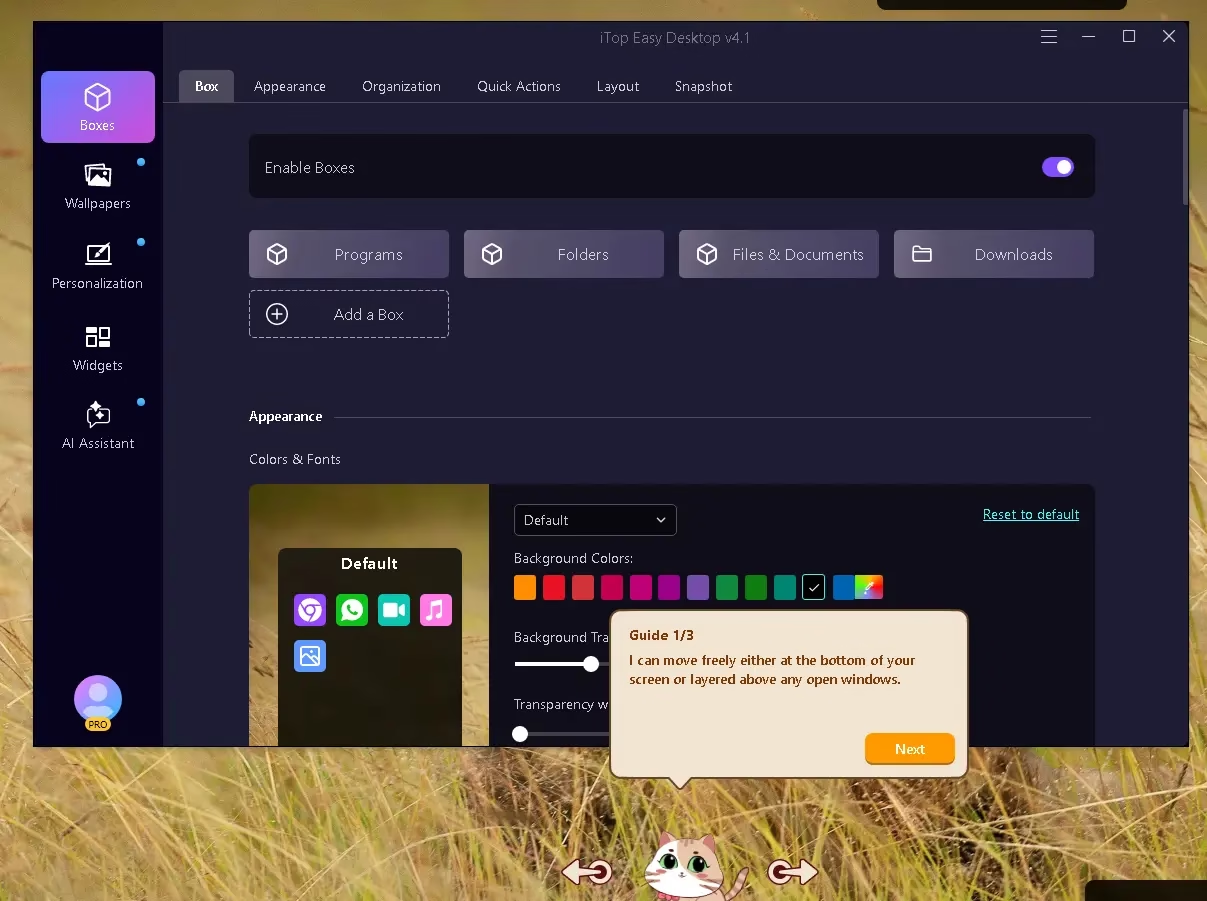
Built‑in AI Assistant and Smart Search
Like the previous version, iTop Easy Desktop 4 includes an integrated AI assistant that helps with everyday tasks right on your desktop.
You can use the AI assistant to:
Generate ideas and outlines for emails, reports, or social posts.
Translate text and rewrite content more clearly.
Answer quick questions without opening a browser tab, keeping you in your work context.
On top of that, the improved search helps you find files, folders, and shortcuts across your desktop boxes more quickly.
Privacy, Security, and Convenience Features
If you often share your screen or work on sensitive documents, iTop Easy Desktop 4 Pro includes several handy privacy features.
Notable capabilities:
Private Boxes: Create password‑protected boxes for confidential files, screenshots, and documents.
One‑click desktop hide: Instantly hide all icons and boxes for meetings and screen recordings.
- Auto‑align and layout protection: Your box arrangements stay intact even after restarts or resolution changes.
These options make it easy to switch between professional presentations and personal work without exposing everything on your desktop
System Compatibility
iTop Easy Desktop 4 supports modern Windows systems and is lightweight enough for everyday machines.
Platform: Windows desktop.
It is compatible with both Windows 11 and Windows 10, and depending on the build, it may also support older versions of Windows.
The installation process necessitates both standard desktop permissions and elevated rights.
You can install it either from the official website or supported software platforms and then upgrade to Pro with a license code

🆓 How to Get the Free 6-Month License
- Visit the official download page.
- Download and install the app.
- Launch the app; on the app’s main interface, click “Signup” and create an account.
- After logging in to your account, click the User (profile) icon, then select “Link Activation Code.”
- Enter this giveaway key to activate:
New Code: BTGAJ-9XR8U-ZKD8H-PAAA1
Note: The above code provides a 2-month Pro subscription for free.
[Previous Codes]
485VW-XSL3E-ZZH7X-JQYA1
[OR]
T9VBM-PWZ32-DMQ5N-PZFA1
Note: The above codes provide a 12-month Pro subscription for free
8NVCS-XGPZ4-7K7PB-9BGA1
[OR]
GV3ZM-SAJVY-MGTAG-EPWA1
Note: The above codes provide a 6-month Pro subscription for free

📌 Final Thoughts
iTop Easy Desktop 4 Pro is no longer just a simple desktop organizer—it is a full workspace transformation tool that blends smart auto‑organization, customizable layouts, powerful widgets, and AI assistance into one package
Whether you are a student, professional, gamer, or creator, it helps you keep your desktop clean, focused, and visually appealing while saving time on everyday tasks
If you love a tidy and efficient Windows setup, this is a wonderful time to try iTop Easy Desktop 4 Pro using the currently available free license offers and see how it changes your daily workflow.
Is iTop Easy Desktop free to use?
iTop Easy Desktop has a free version with basic features. The Pro version adds Smart Boxes, AI-powered organization, live wallpapers, and more customization options. Techno360 shares free Pro license codes that let users activate the full version at no cost.
What are Smart Boxes in iTop Easy Desktop?
Smart Boxes are intelligent containers in iTop Easy Desktop that automatically group and organize files, shortcuts, and web links by type, name, date, or custom rules. They keep your desktop tidy without requiring manual organization, and can auto-sort new files as they appear.
Does iTop Easy Desktop support Windows 11?
Yes, iTop Easy Desktop 4 Pro fully supports Windows 11 and Windows 10. It integrates seamlessly with Windows desktop environment and works alongside your existing icons, files, and shortcuts without replacing or altering the native Windows interface.
Can iTop Easy Desktop use AI to organize files?
Yes, iTop Easy Desktop 4 Pro includes an AI Assistant that can intelligently categorize and organize desktop files using artificial intelligence. The AI suggests organization rules based on file types and your usage patterns to create a smarter desktop layout.
Does iTop Easy Desktop support live wallpapers?
Yes, iTop Easy Desktop Pro includes a live wallpaper feature that lets you set animated or dynamic backgrounds on your Windows desktop. It includes a built-in library of wallpapers and supports custom video or animated wallpapers without significantly impacting system performance.


Discover more from Techno360
Subscribe to get the latest posts sent to your email.
You must be logged in to post a comment.