
🎁 Free License Giveaway · Limited Time
Turn iPhone HEIC Photos into JPG on Windows — Free
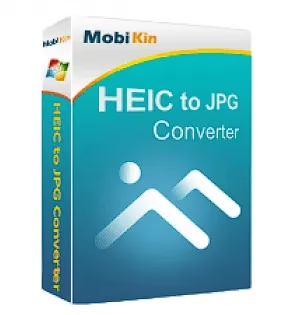
Windows still can’t open iPhone photos everywhere. MobiKin HEIC to JPG Converter batch-converts unlimited HEIC/HEIF images to JPG or PNG offline, keeps EXIF data, and the full 1-year license (worth $29.95) is free with the code below.
💰 $29.95 → FREE
🖥️ Windows 11/10/8/7
📅 1-Year License
Shot photos on an iPhone and now Windows, Google Photos uploads or your office PC refuse to open them? Since iOS 11, iPhones save pictures in Apple’s space-saving HEIC format, which many Windows apps and websites still don’t accept. MobiKin HEIC to JPG Converter fixes that in one click. Right now you can unlock the full Windows version with a free 1-year license instead of paying $29.95. Below you’ll find the registration code, download link, setup steps and what’s new in version 3.10.8.
⚡ Quick Read
- ➜ Software: MobiKin HEIC to JPG Converter v3.10.8 (Windows)
- ➜ Licensed email:
mobikin@giveawayoftheday.com - ➜ License code: in the key box below
- ➜ Regular price: $29.95/year (currently on sale at $9.95) — free with this giveaway
- ➜ License length: 1 year, 1 PC
- ➜ Catch: Shared giveaway code — it may stop working once MobiKin closes the offer
🎁 MobiKin HEIC to JPG Converter Free License Code
This is an open giveaway, not a contest: there’s no form, no sign-up and no winner draw. Everyone registers with the same email and license code. Copy both exactly — the code is case-sensitive — and paste them into the program’s registration window.
📧 Licensed Email
mobikin@giveawayoftheday.com
🔑 License Code
0700573A298046D0704132d22058AA30DD60AB49A9D567F2567A10FB
1-year license · Valid while the giveaway lasts
Download MobiKin HEIC to JPG Converter →
How to Get MobiKin HEIC to JPG Converter for Free
The whole process takes about two minutes:
- 1Download the installer. Grab the official MobiKin HEIC to JPG Converter setup file (about 7 MB) directly from MobiKin’s server.
- 2Install and launch it. Run the setup, follow the wizard and open the program. It starts in trial mode.
- 3Open the registration window. Click the key icon in the program’s title bar, then click Register.
- 4Enter the giveaway details. Paste
mobikin@giveawayoftheday.comas the licensed email and the long license code from the box above, then click Register. - 5Done. The full version is now active for one year. Restart the program if the trial label doesn’t disappear immediately.

What Is MobiKin HEIC to JPG Converter?
HEIC (High Efficiency Image Coding) is Apple’s version of the HEIF standard. It stores photos at roughly half the size of a JPEG with the same visual quality, which is why iPhones and iPads use it by default. The downside is compatibility: plenty of Windows apps, photo printers, older editors and upload forms still only accept JPG or PNG.
MobiKin HEIC to JPG Converter is a small, ad-free Windows utility that solves exactly that. You drop in HEIC or HEIF files — one, a folder, or an entire camera roll copied from your iPhone’s DCIM folder — choose JPG or PNG, and click Convert. Everything happens offline on your PC, so your personal photos are never uploaded to a website.

Key Features
🖼️ HEIC to JPG/JPEG
Convert HEIC/HEIF photos to JPG, the format every app, website and printer understands.
🎨 HEIC to PNG
Export lossless PNG files when you need maximum quality for editing or web graphics.
⚡ Unlimited batch conversion
Add as many photos as you like and convert them all in one click.
🖱️ Drag and drop
Drop files straight onto the window or use the Add HEIC button.
🎚️ Adjustable quality
Set JPG quality up to 100%; MobiKin recommends 90% or above to keep detail.
📍 Keep EXIF data
Preserve camera model, date, time and GPS location in converted JPG files.
🔒 Offline & ad-free
No uploads, no watermarks, no pop-up ads — your photos stay on your PC.
🌍 Multilingual interface
Available in English plus Hindi, Korean, Russian, Turkish, Dutch, Japanese, French, German, Spanish and more.
Good to know: the quality slider and EXIF option apply to JPG output only. PNG exports are lossless, so there’s no quality setting, and EXIF metadata is not carried over.
What’s New in the Latest Version
MobiKin has kept the converter updated since its 2022 launch. Highlights from the official changelog:
- v3.10.8 (Jun 2025): added Korean, Russian, Indonesian, Hindi, Turkish and Dutch interfaces.
- v3.10.6 (May 2025): fixed potential crashes and installation errors.
- v3.0.19 (Jan 2025): fixed conversion failures with photos taken on iOS 18.
- v3.0.14 (May 2024): fixed wrong image orientation when converting some HEIC photos to JPEG.
- v3.0.3 (Mar 2024): thumbnails, a file-type column and support for files named .heic that are really JPG or PNG.
Giveaway Details at a Glance
| Detail | What you get |
|---|---|
| Product | MobiKin HEIC to JPG Converter 3.10.8 (Windows) |
| Regular price | $29.95/year for 1 PC (sale price $9.95) |
| Giveaway price | Free |
| License type | 1-year license, 1 PC |
| Input formats | HEIC, HEIF |
| Output formats | JPG, JPEG, PNG |
| System requirements | Windows 11/10/8/7, 1 GHz CPU, 1 GB RAM, 1 GB free disk space |
| Installer size | About 7 MB |
Can’t Windows 11 Open HEIC Files Already?
Partly. Windows 11’s Photos app can display HEIC images only after you install Microsoft’s free HEIF Image Extensions, and many HEIC files also need the HEVC Video Extensions, which cost $0.99 in the Microsoft Store. Even then, viewing is not converting — you still can’t attach those photos to most web forms, older editors or print kiosks. Converting to JPG once is the simplest way to make them work everywhere.
Tip for iPhone users: to get JPGs automatically, open Settings > Photos and set Transfer to Mac or PC to Automatic, or switch Settings > Camera > Formats to Most Compatible to shoot in JPEG (bigger files, though).
Giveaway Terms & Limitations
- The license lasts 1 year; after that the program goes back to trial mode.
- It’s a shared giveaway code. If MobiKin withdraws it or it reaches its activation limit, registration will fail.
- Only the Windows version is covered. The Mac edition is sold separately.
- Converts still photos only — HEIC Live Photo video parts and HEVC videos are not converted.
- The license is for personal use and may not be resold.
If the code no longer works, MobiKin’s official store currently sells the 1-year license for $9.95 and a lifetime license for $19.95 (1 PC), with a 30-day money-back guarantee. Note that the paid 1-year plan renews automatically.
✅ The Verdict
MobiKin HEIC to JPG Converter does one job and does it well: add iPhone photos, pick JPG or PNG, click Convert. Unlimited batch conversion, adjustable quality and EXIF preservation make it far more practical than one-at-a-time online converters — and your private photos never leave your PC.
It has no editing, resizing or WebP output, and the free license runs for just one year. But if you regularly move photos from an iPhone to Windows, it’s an easy grab.
Our take: Grab it ★ 4.3 / 5
Download HEIC to JPG Converter (Free) →
More Free Photo & iPhone Tools
- MobiKin Assistant for iOS Free License — manage and back up iPhone data on Windows without iTunes.
- Vovsoft Batch Image Resizer Free License — shrink your converted JPGs in bulk.
- Vovsoft Image Combiner Free License — merge several photos into one image.
- Ashampoo Photo Optimizer 10 Free — one-click photo enhancement.
- MobiKin Transfer for Mobile Free License — move data between iPhone and Android.
Frequently Asked Questions
Is MobiKin HEIC to JPG Converter really free?
Yes. With the giveaway registration details in this article (licensed email plus license code) you can unlock the full Windows version, which normally costs $29.95 for a 1-year, 1-PC license. If the code has already been used up or withdrawn, the program will simply stay in trial mode.
What is the MobiKin HEIC to JPG Converter license code?
Register with the email mobikin@giveawayoftheday.com and the license code 0700573A298046D0704132d22058AA30DD60AB49A9D567F2567A10FB. Copy both exactly as shown, without spaces, into the program's Register window.
How long does the free license last?
It is a 1-year license. After it expires the program reverts to the trial version unless you buy a license. Your already-converted JPG and PNG files keep working forever.
Which formats does MobiKin HEIC to JPG Converter support?
It imports HEIC and HEIF files and exports JPG, JPEG or PNG. You can batch convert unlimited photos in one session, set the output quality and keep EXIF data in JPG files.
Does it work on Windows 11?
Yes. The latest version (3.10.8) supports Windows 11, 10, 8 and 7 and needs only a 1 GHz CPU, 1 GB of RAM and 1 GB of free disk space. A separate Mac version is sold on its own.
Can Windows 11 open HEIC files without extra software?
Not out of the box on every PC. The Photos app needs Microsoft's free HEIF Image Extensions, and some HEIC files also need the HEVC Video Extensions, which cost $0.99 in the Microsoft Store. A converter like MobiKin turns the photos into JPG so they open everywhere without codecs.
How do I stop my iPhone from saving photos as HEIC?
Go to Settings > Camera > Formats and pick Most Compatible to shoot in JPEG. To keep HEIC on the phone but get JPGs on a PC, go to Settings > Photos and set Transfer to Mac or PC to Automatic.
Product details verified against MobiKin’s official site on October 11, 2026. Giveaway terms are set by the developer and may change without notice. Techno360 is not affiliated with MobiKin.