


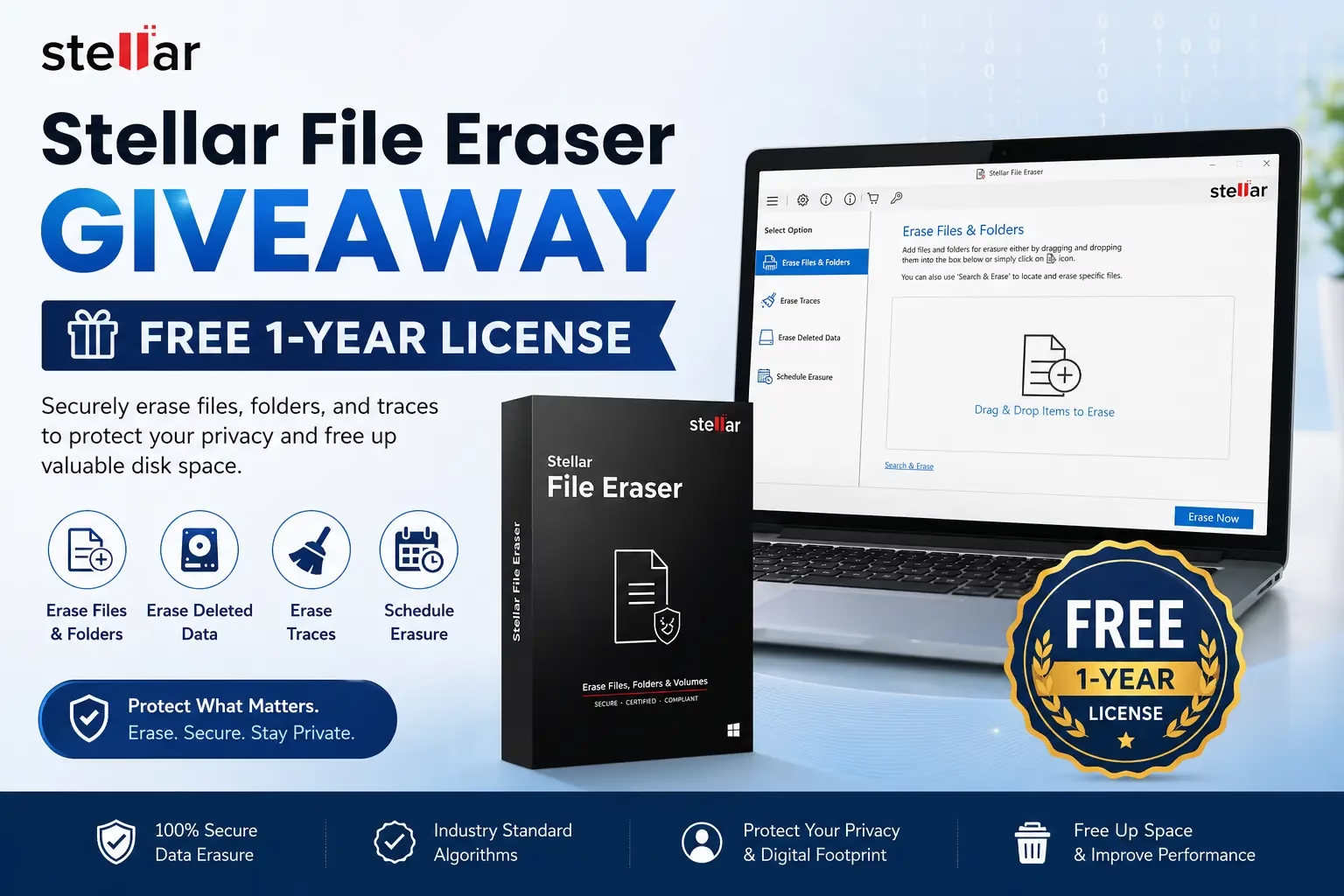
Stellar File Eraser is a powerful and secure file deletion tool designed for Windows users who prioritize data privacy and permanent file removal.
This professional-grade file wiping software permanently erases confidential files, folders, volumes, saved login passwords, and other sensitive information stored on laptops, desktops, or servers, making recovery absolutely impossible.
Unlike the standard delete function, which only removes file references from the file system, Stellar File Eraser uses advanced data destruction algorithms to permanently overwrite your data multiple times, ensuring complete and irreversible deletion. This makes it the ideal solution for individuals and organizations dealing with sensitive information.

Why Choose Stellar File Eraser?
Stellar File Eraser helps organizations and individuals meet compliance requirements for protecting customer data, employee records, and confidential information, particularly when dealing with regulations like GDPR and data privacy laws. Businesses use this secure file eraser tool to comply with legal requirements and destroy personal data securely after terminating services or contracts.
For individuals, Stellar File Eraser protects your personal data from falling into the wrong hands by permanently removing:
- Financial records and banking information
- Medical and health documents
- Personal correspondence and emails
- Password-protected files and credentials
- Browser history and temporary internet files
- System cache and temporary files
Stellar File Eraser – Key Features
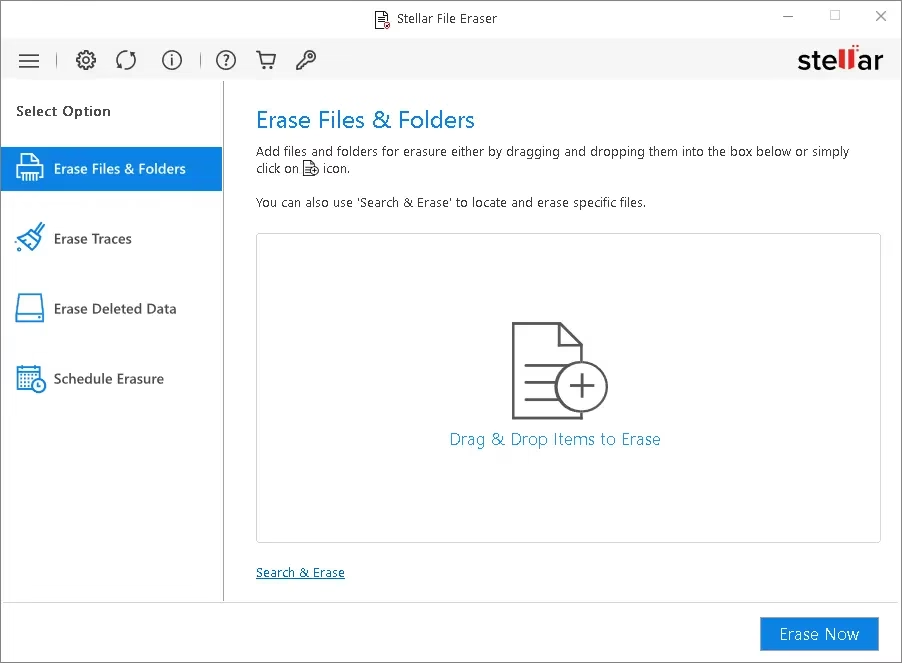
1. Erase Specific Files and Folders—Drag, drop, and permanently delete selected files and folders with complete assurance of permanent removal
2. Wipe Entire Drives – Securely wipe entire storage devices before selling or donating your computer
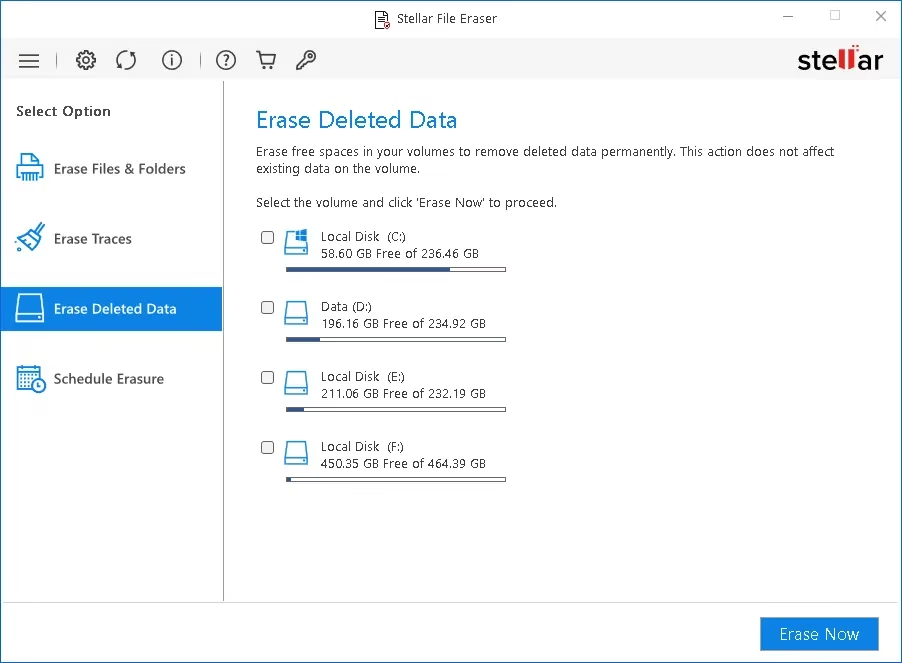
3. Free Space Erasure– Erase previously deleted files from free hard drive space to prevent recovery attempts
4. Multiple Erasure Algorithms – Includes DoD 5220.22-M, Zero-Fill, and Random Data overwriting methods with verification options
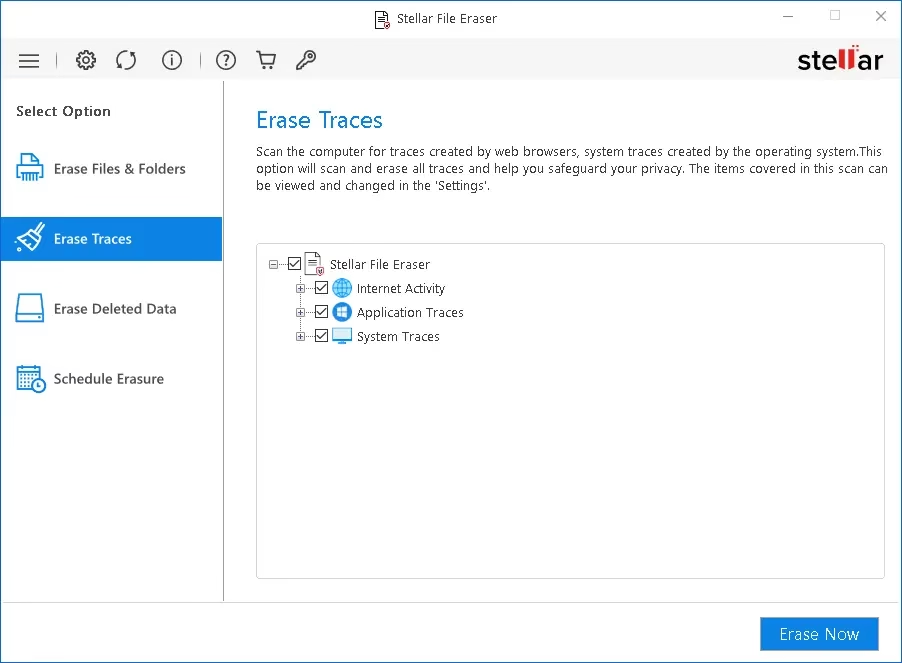
5. System Traces Cleanup – Removes system activity traces and temporary files that degrade PC performance
6. Application Traces Removal – Erases traces from installed applications and browser history
7. Internet Activity Cleanup – Completely removes browsing history, cookies, autocomplete data, and saved passwords from all major browsers (Chrome, Firefox, Safari, Edge, Opera)
8. Scheduled Wiping Tasks—Automate file erasure at specific times, days, and frequencies without manual intervention
9. Erasure List Management—Create custom erasure lists with specific files and folders for scheduled batch deletions
10. Multi-Platform Support – Supports FAT, exFAT, and NTFS file systems for maximum compatibility
11. Light and Dark Mode—Choose your preferred interface theme for comfortable usage
12. File Search Function – Locate files by name or extension before erasure
13. Fast Simultaneous Erasure—Erase multiple files simultaneously for improved efficiency
14. Safe Volume Erasure—Erase entire logical discs or volumes without affecting OS or applications
How to Get a Stellar File Eraser Free License in 2026?
Stellar File Eraser typically sells for $29.99, but you can get a free 1-year license through the official giveaway program:
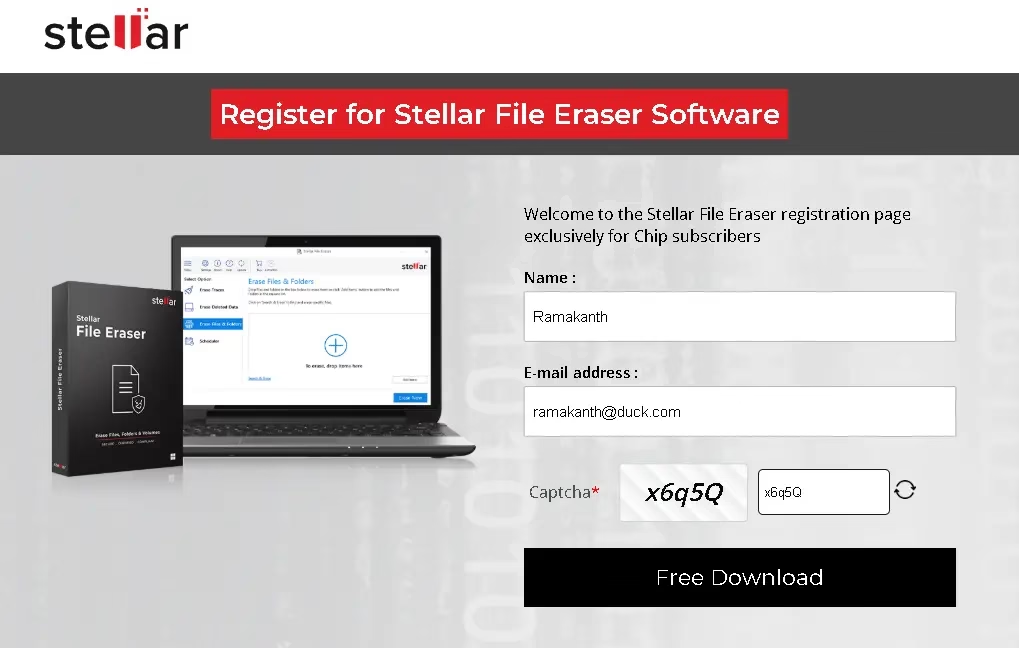
Step 1: Register for the Free License
Visit the official Stellar File Eraser giveaway page at stellarinfo.com. Enter your full name, valid email address, and complete the captcha verification.

Step 2: Email Verification
Check your email inbox (including spam folder) for a confirmation message from Stellar support (support@stellarinfo.com). Click the verification link to confirm your registration.
Step 3: Receive Activation Key
You’ll receive a second email containing your unique 1-year license activation key. Save this key securely, as you’ll need it for installation.
Step 4: Download the Installer
Download the Stellar File Eraser installation file from https://cloud.stellarinfo.com/StellarFileEraser.exe
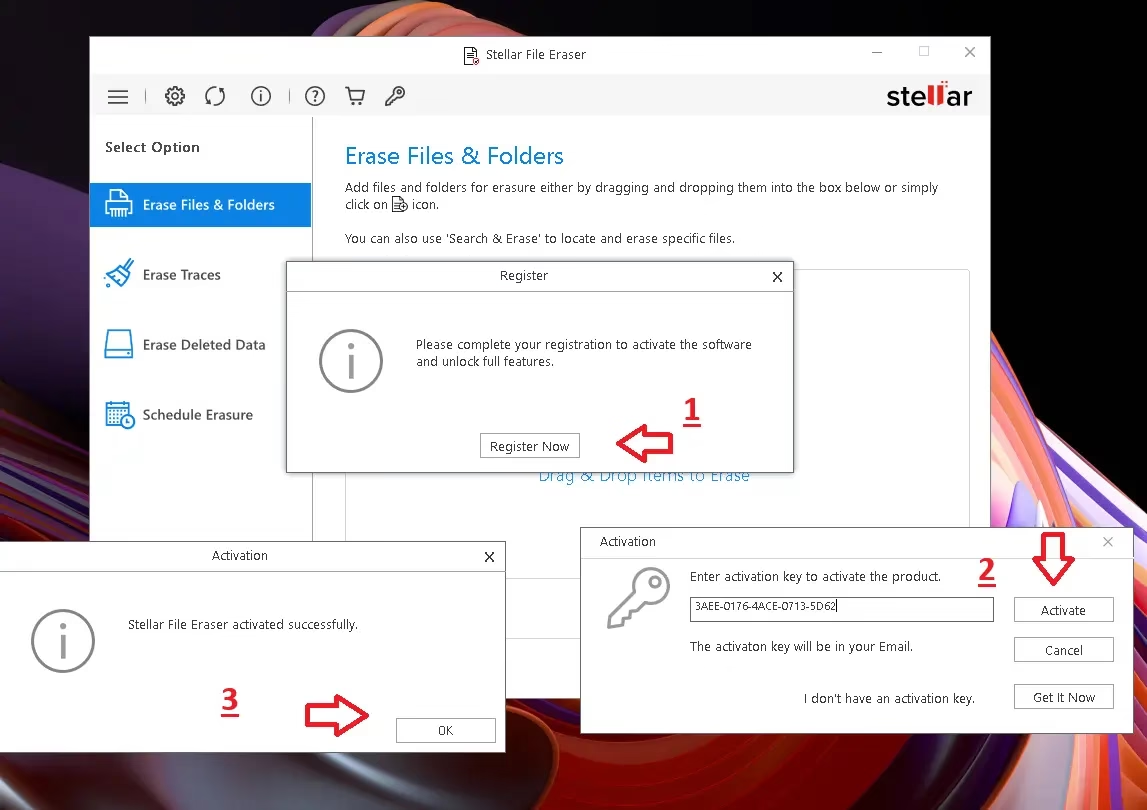
Step 5: Install and Activate
Run the installer and follow the setup wizard. After installation, launch the application, click the “Register” button, paste your activation key, and click “Activate” to register the full version.

System Requirements
- Operating System: Windows 7, 8, 10, or Windows 11
- RAM: Minimum 2GB (4GB recommended)
- Disk Space: 100MB free space for installation
- Browser: Internet Explorer, Chrome, Firefox, or Edge (for cleaning browser data)
Stellar File Eraser vs Alternatives
Stellar File Eraser stands out among file eraser tools due to the following:
- User-friendly interface—accessible to both technical and non-technical users
- Comprehensive feature set—covering files, browser history, system traces, and free space
- Military-grade erasure algorithms ensuring data cannot be recovered by forensic tools
- Regular updates-for compatibility with the latest Windows versions
- Professional certification and ISO 9001 standards compliance
- Excellent customer support- available 24/7
Final Thoughts
Stellar File Eraser is an essential tool for anyone who values digital privacy and data security. Whether you’re an individual protecting personal information or a business ensuring compliance with data protection regulations, this secure file deletion software provides complete peace of mind.
The free 1-year license giveaway makes it an excellent opportunity to experience professional-grade file erasure without any financial investment.
Get your free Stellar File Eraser license today and take control of your digital privacy!
Related Articles – File Eraser Tools & Data Security
Explore these related resources to enhance your digital privacy and security:
• Windows Security Tips: Protect Your PC From Malware and Threats
• Best Free Privacy Tool for Windows Computers
• How to Clear Browser History and Cache – Complete Guide
• Data Protection Software Comparison: Features and Pricing
• Secure File Deletion vs Regular Delete: What’s the Difference


