
We installed TotalAV, ran a full scan and then tried to remove it
In this TotalAV review we tested version 7.1.17 on Windows 11: protection, scans, extra tools and removal. The lab scores are good. Using it every day is a different story: pop-up offers on almost every screen, a false alarm on a legitimate video-editor file, and an uninstall that got stuck.
Tested on Windows 11TotalAV 7.1.17November 2026No affiliate links
⚡ Quick Read
What: TotalAV, a UK-based antivirus suite owned by the US group Point Wild. It covers Windows, Mac, Android and iOS.
What we tested: version 7.1.17 on a Windows 11 PC: install, first scan, full scan, extra tools and uninstall.
The good: strong results from independent labs, a clean interface and a useful Gaming Mode.
The catch: constant upsells, a false positive on a legitimate AVS Video Editor DLL, a 150-minute full scan, 3.08 GB on disk and an uninstall that stalled.
Verdict: it protects you, but there are better choices. Jump to the verdict ↓
What is TotalAV?
TotalAV is an antivirus suite from Total Security Limited, a company based in Fareham, England. It started in 2016 and has been heavily advertised ever since. Many “best antivirus” lists rank it near the top, and many of those lists earn a commission on each sale.
Who owns it matters. In December 2024 Total Security merged with Pango Group, and the combined company was renamed Point Wild. Point Wild’s brands include Hotspot Shield, Betternet, UltraAV and the review site Comparitech. Total Security’s own tax-strategy page says the UK group is ultimately owned by Point Wild Holdings, Inc. So the publisher is British, but the parent company is American.
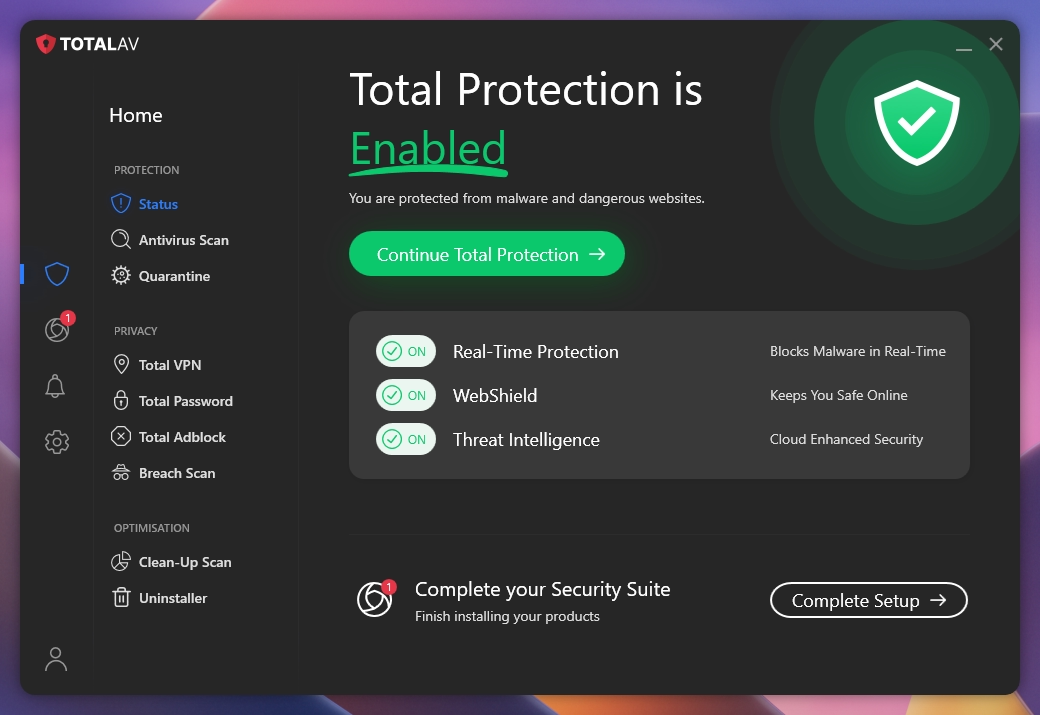
Besides the antivirus engine, the Windows app includes a Clean-Up Scan, an app uninstaller, a Breach Scan for your email address, and links to three extra products: Total VPN, Total Password and Total Adblock.
TotalAV plans and pricing
These are the regular yearly prices on TotalAV’s own pricing page, checked on 24 November 2026:
| Plan | Devices | What it adds | Regular price / year |
|---|---|---|---|
| TotalAV Plus | 4 | Real-time antivirus, clean-up tools, Total Adblock | $99 |
| Internet Security | 6 | Everything in Plus, plus the Safe Browsing VPN | $129 |
| Total Security | 8 | Everything in Internet Security, plus Total Password | $149 |
Almost nobody pays those prices in the first year. Introductory offers are common: reviewers report about $19–$29, $39 and $49 for the first year of the three plans. Our own copy kept showing “70% off” and “60% off” pop-ups too. The important part: your plan renews automatically at the full price. The pricing page says renewals happen at “the then-regular rate”. Prices in pounds, euros and rupees vary by region.
Refunds: annual and biannual plans have a 30-day money-back guarantee. Monthly and quarterly plans, and add-ons, have 14 days. To get a refund you must cancel the subscription completely. Just turning off auto-renewal does not count as cancelling.
Installing TotalAV
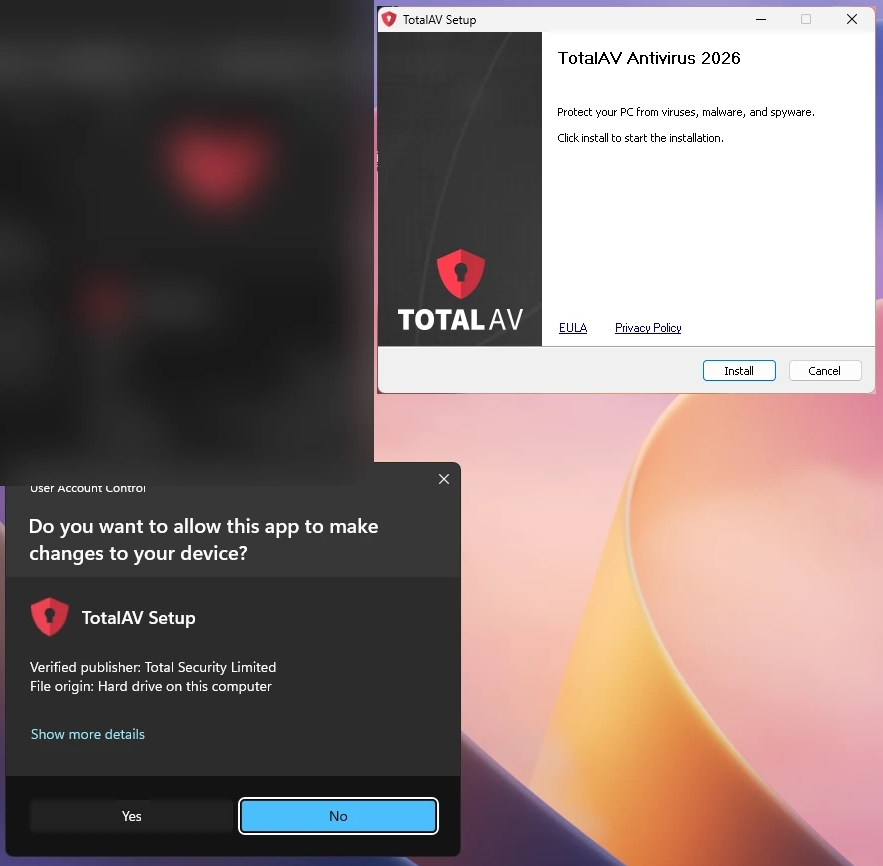
The download is a small 219 KB stub installer. Windows showed the publisher as Total Security Limited, which matches the company behind the product, so the file was genuine.
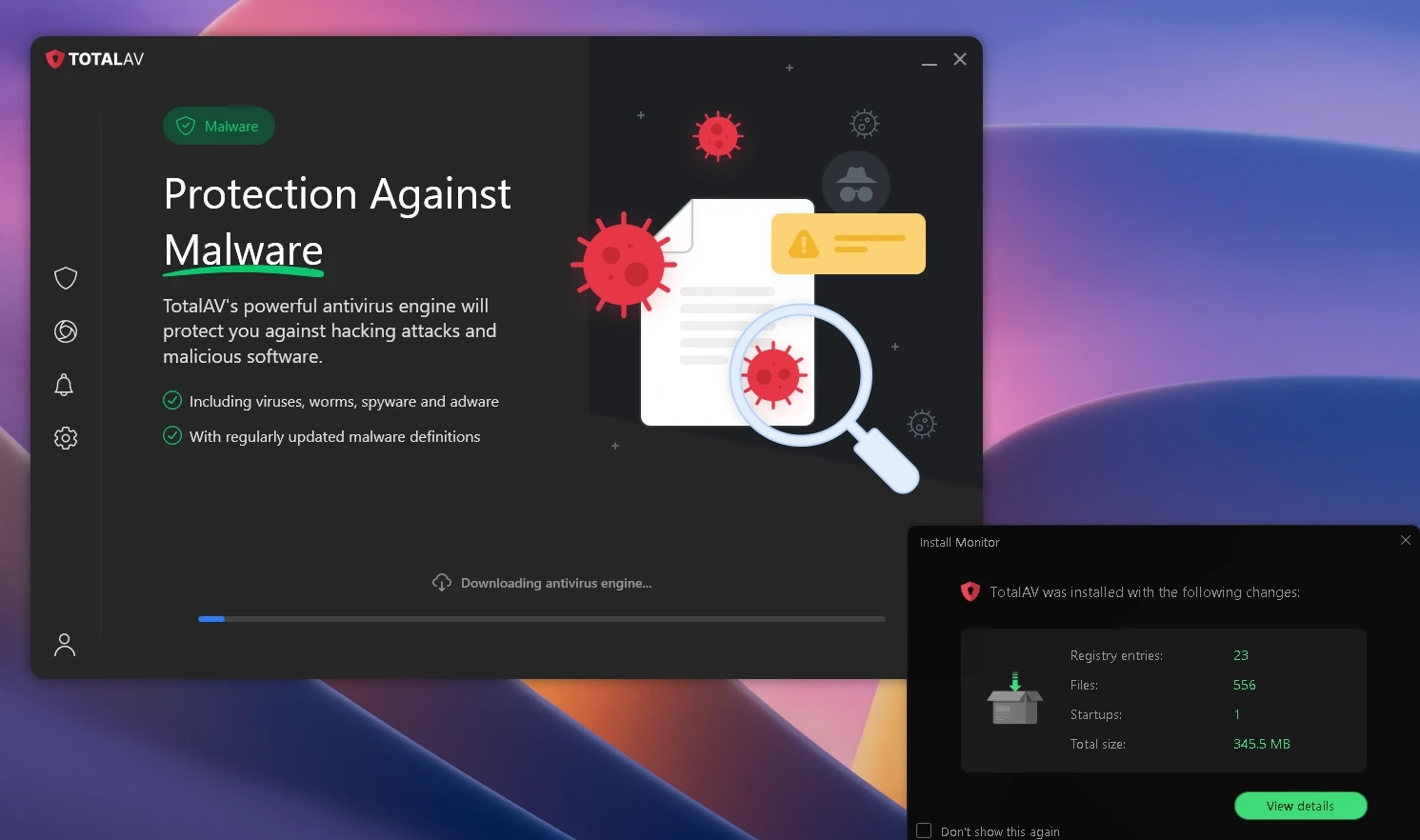
After setup finishes, TotalAV downloads its antivirus engine separately. IObit Uninstaller’s Install Monitor logged 23 registry entries, 556 files, 1 startup item and 345.5 MB at that point. That figure only covers the first stage.
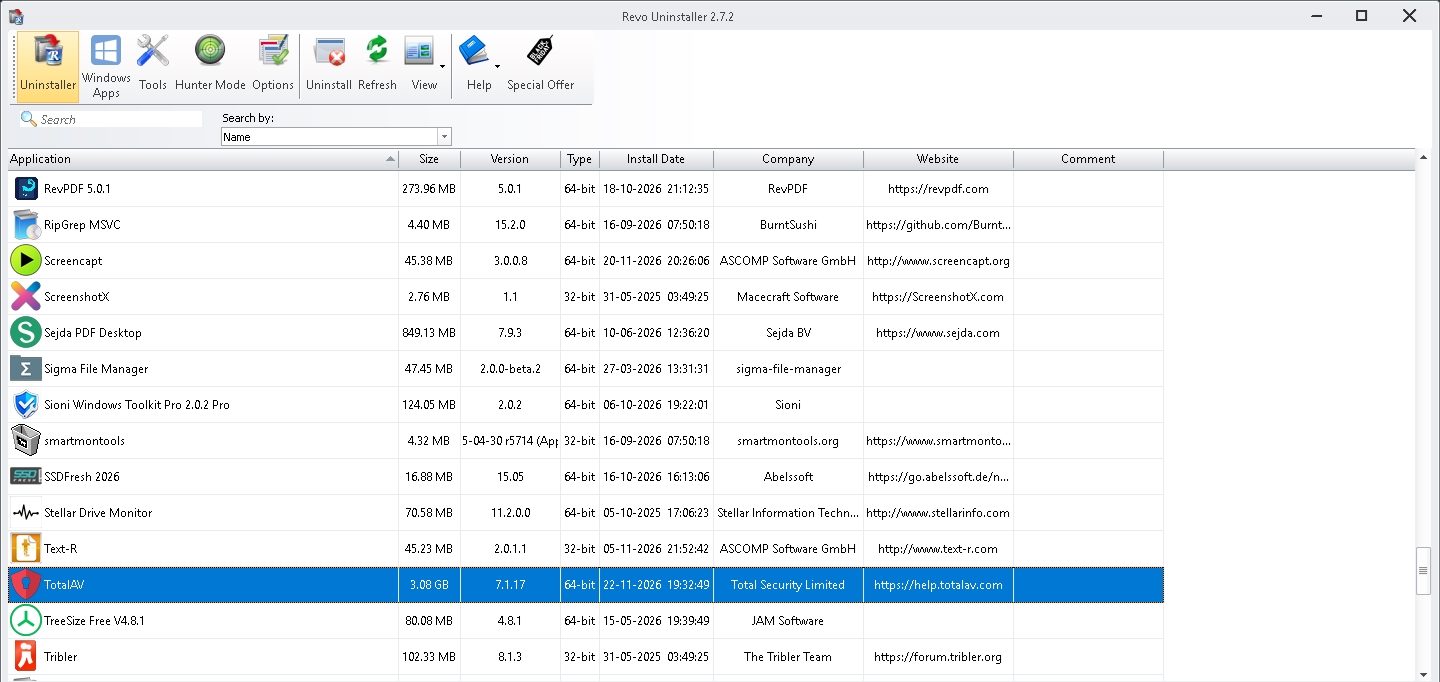
Later, Revo Uninstaller listed TotalAV 7.1.17 at 3.08 GB. Revo’s figure is the size Windows reports for the app, so the real footprint can vary with definitions and installed components. Either way, it is a lot for an antivirus app. Microsoft Defender, by comparison, is built into Windows and needs no download at all.
First scan and the dashboard
TotalAV runs an Initial Scan straight away. On our PC it found no malware, but reported 2 tracking cookies, 7 autorun programs, 3,533 browser history entries, 538 browser cookies and 488 junk files (65.29 MB). Then it showed a big green Resolve Issues button.
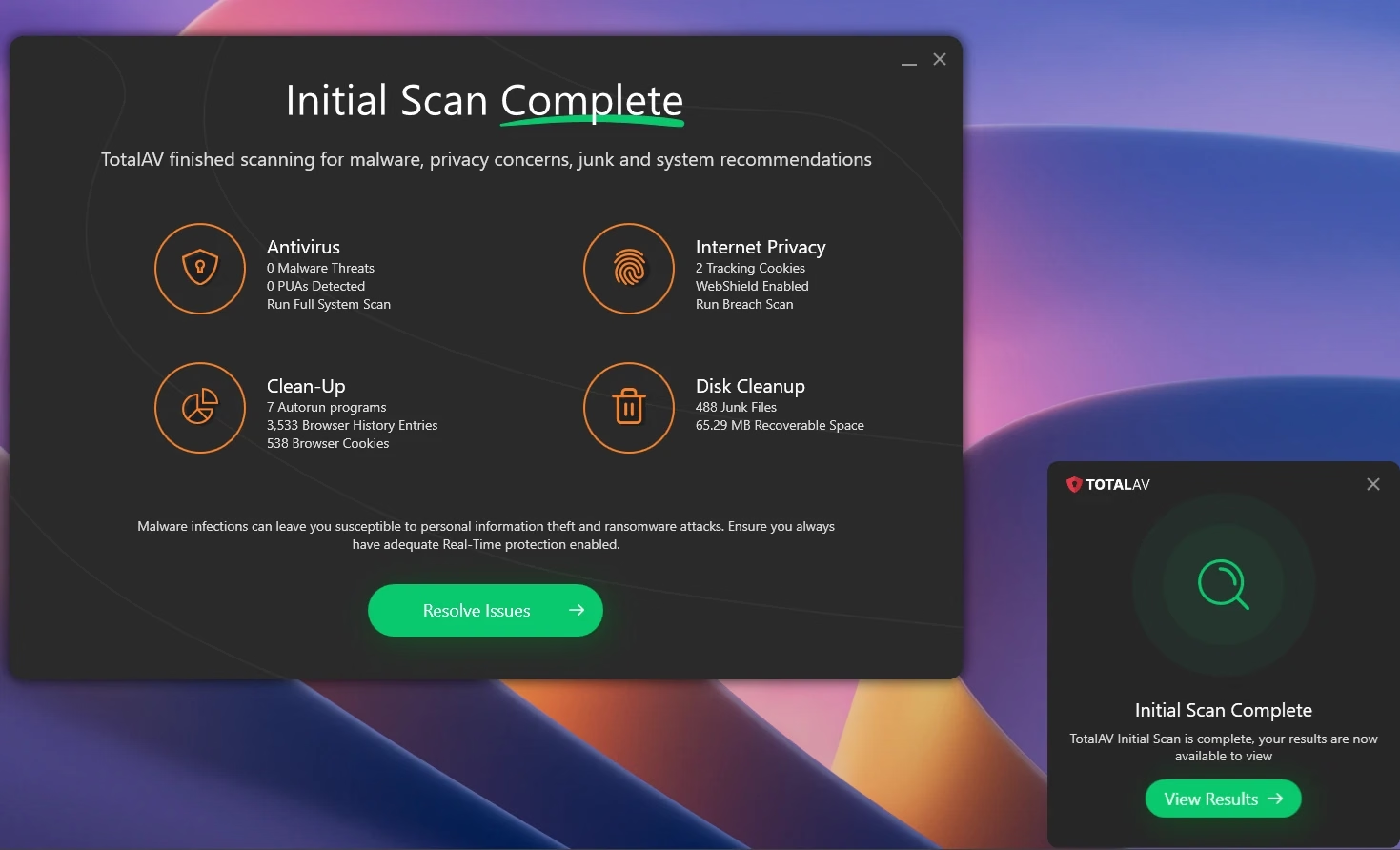
Browser history and cookies are not security problems. Listing them next to malware results makes a clean PC look like it needs fixing. Older “PC optimiser” tools did the same thing.
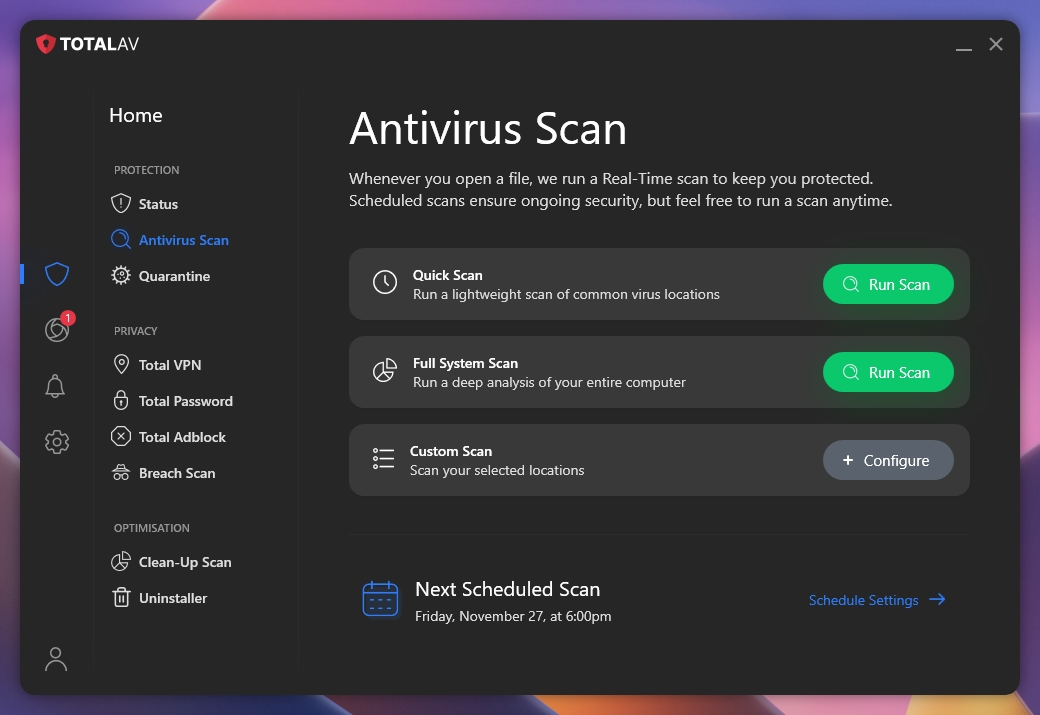
The main window itself is tidy. A left sidebar groups everything under Protection, Privacy and Optimisation. Quick, Full System and Custom scans are one click away, and a weekly scheduled scan is set up automatically.
The full system scan: 150 minutes and a false positive
We ran a Full System Scan on a PC with several drives. It took about 150 minutes. That is slow, so start it before lunch, not before a meeting.
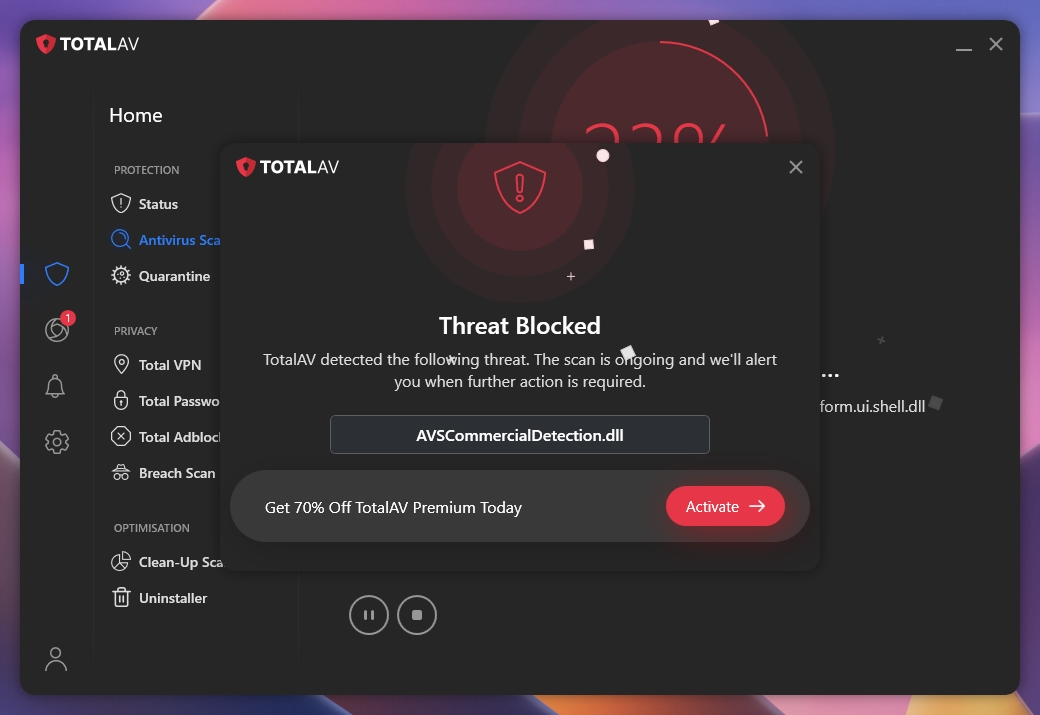
Every time the scan found something, TotalAV showed a “Threat Blocked” pop-up. Each pop-up included the same offer: “Get 70% Off TotalAV Premium Today”. Putting a sales pitch inside a malware alert is a poor choice. A worried user may tap the big red Activate button without thinking.
AVSCommercialDetection.dll: why we think it is a false positive
One of the files TotalAV quarantined was AVSCommercialDetection.dll, which it labelled Trojan.Risk.BitMiner, the kind of name used for crypto-mining malware.
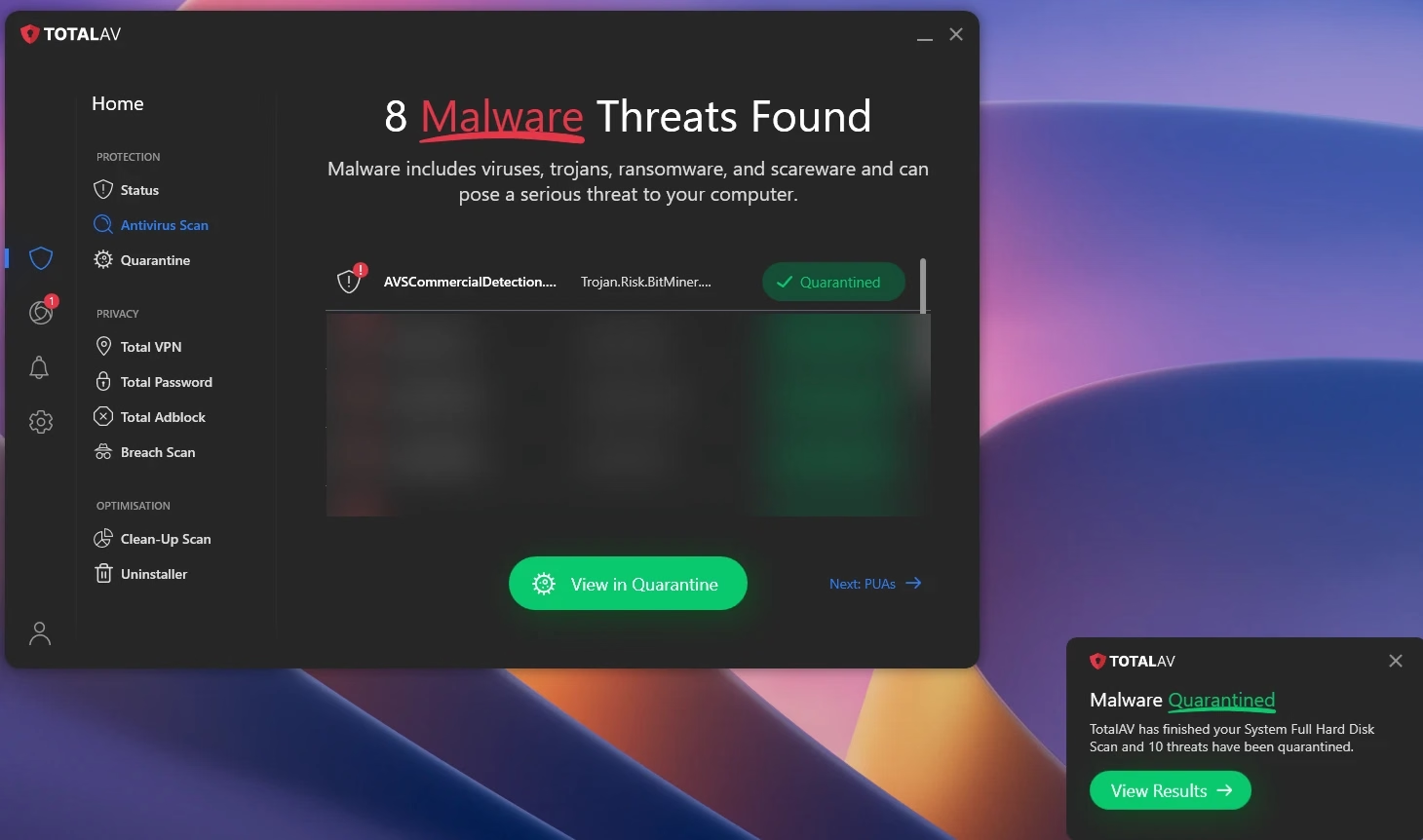
A note on the numbers: the results screen says 8 malware threats, while the pop-up says 10 threats were quarantined. The “Next: PUAs” link suggests the other 2 were potentially unwanted apps, but the screenshot alone does not prove that.
On our PC the file belongs to AVS Video Editor from Online Media Technologies Ltd. AVS’s video tools have long included a feature that detects and removes TV commercials from recordings, which likely explains the file name. We found nothing publicly linking this DLL to crypto-mining.
We call it a likely false positive, not a confirmed one. We have not checked the file’s SHA-256 hash and have no confirmation from AVS or TotalAV. Our view rests on the file’s link to AVS Video Editor and the lack of any evidence tying it to mining.
False positives matter. They can break software you rely on and leave you wondering whether a program you trust is really infected. If TotalAV flags the same file on your PC, check it before you restore it:
- Note the full file path. It should be inside the AVS4YOU or AVS Video Editor program folder.
- Look up the file’s SHA-256 hash on VirusTotal first. If the hash has no results, upload the file only if you are happy for it to be shared with security vendors and researchers. Weigh the results together with the file path and digital signature: zero detections alone do not prove a file is safe.
- If the file is clean and in the right folder, restore it from Quarantine in the TotalAV sidebar and add it to Settings → Allow List so the next scan does not flag it again.
This fits what the labs found. In AV-Comparatives’ September 2026 Malware Protection Test, TotalAV raised 15 false alarms on clean files.
Upsells everywhere
The constant selling is the part we liked least. Here is every upgrade prompt we saw during a normal test:
⚠️ Upgrade prompts we counted
- Every threat alert: “Get 70% Off TotalAV Premium Today”.
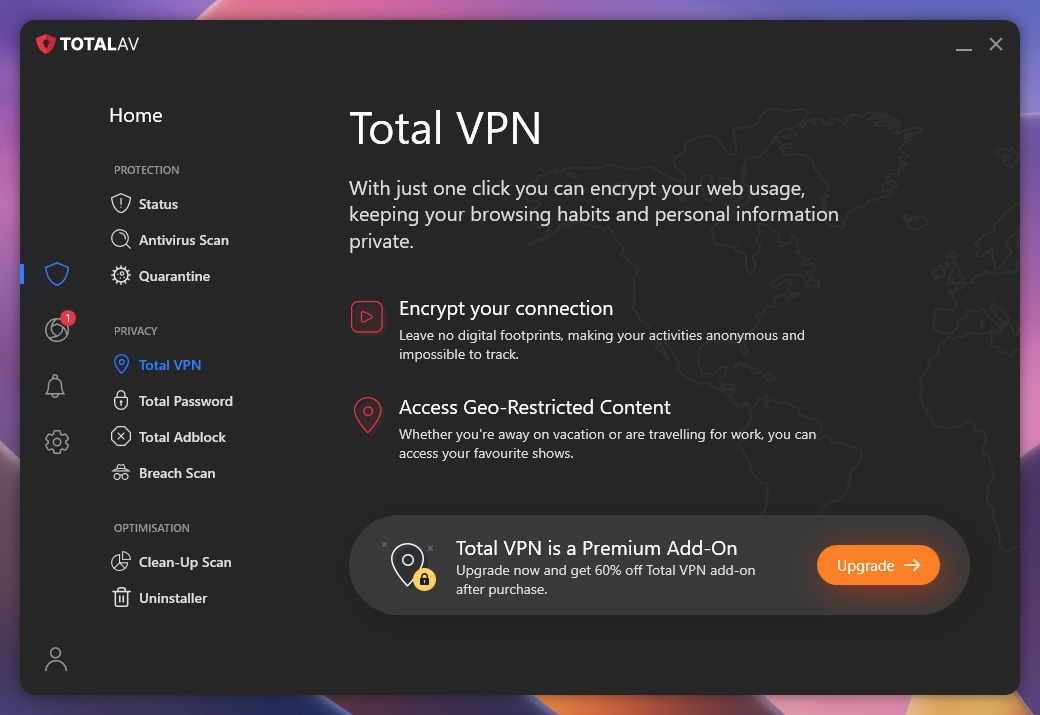
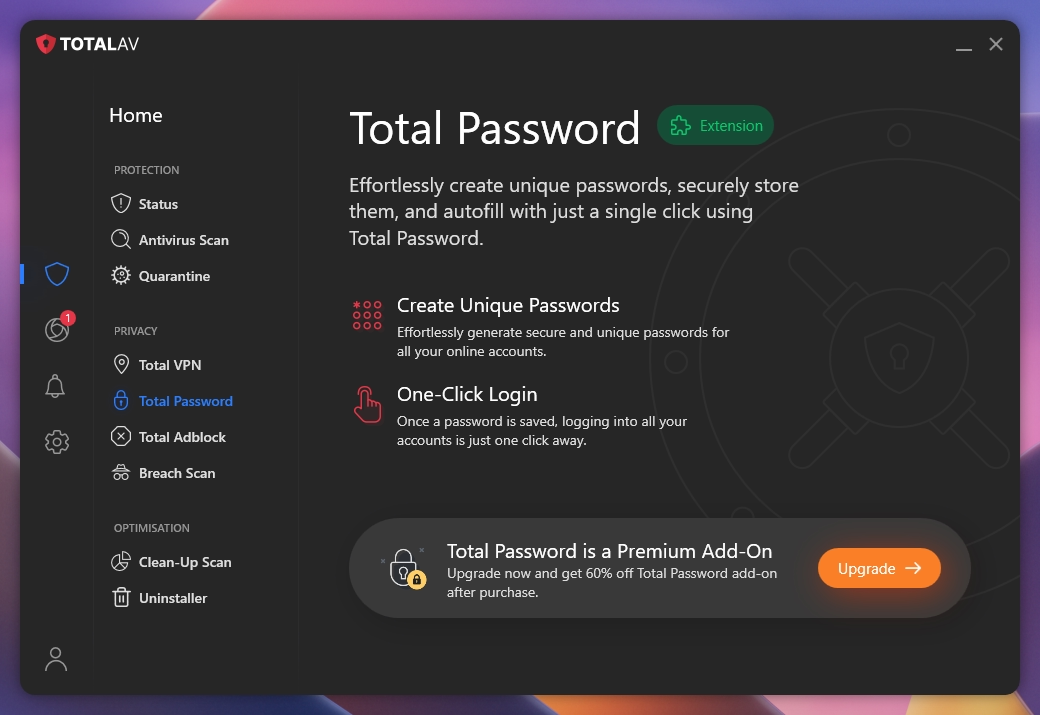
- Total VPN and Total Password: both are “Premium Add-Ons” with a “60% off” Upgrade button.
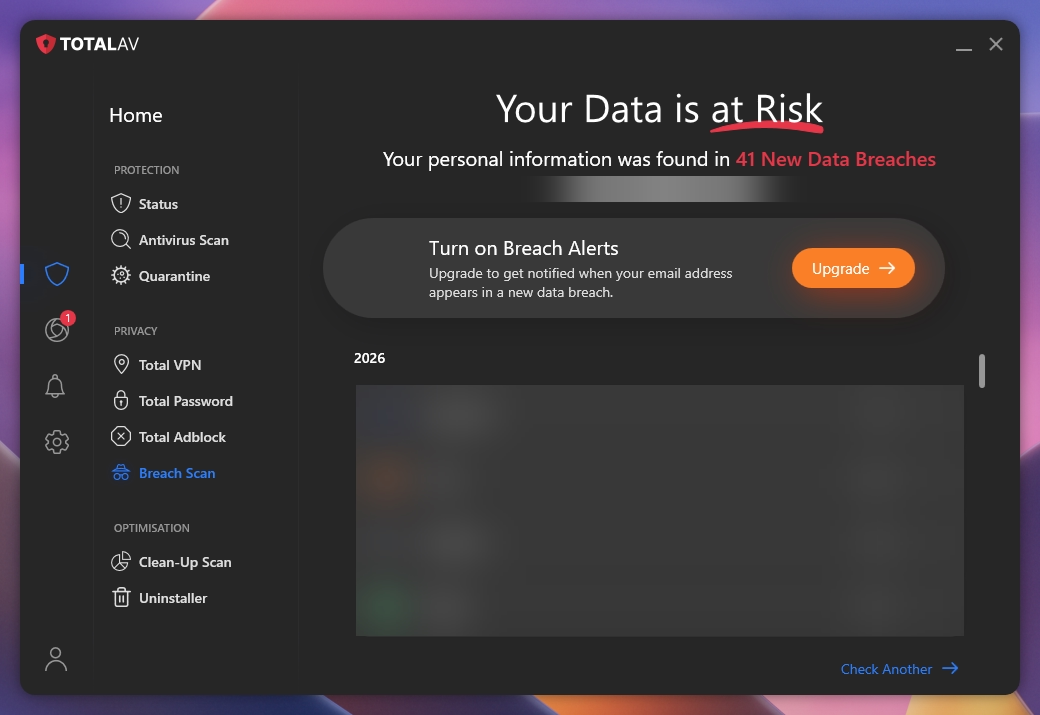
- Breach Scan: breach alerts are locked behind an Upgrade button.
- Dashboard: a permanent “Complete your Security Suite” banner and a red notification badge.
- Uninstall: a full-screen “Get Total Protection for Just $1” offer before removal.
None of this is hidden or illegal. But this much hard selling is rare among big-name antivirus brands today, and in TotalAV it is on almost every screen.
Extra tools: Breach Scan, VPN, Password and Adblock
Breach Scan
Enter an email address and TotalAV lists the known data breaches it appears in. The address we checked was found in 41 breaches. The list is useful, but alerts for new breaches cost extra. Have I Been Pwned offers the same check and free alerts.
Total VPN and Total Password
Both appear in the sidebar but are paid add-ons. Clicking either one shows an upgrade screen, not a working tool. If you want a VPN or password manager, keep them separate from your antivirus. Then you can switch antivirus later without losing your passwords.
Total Adblock
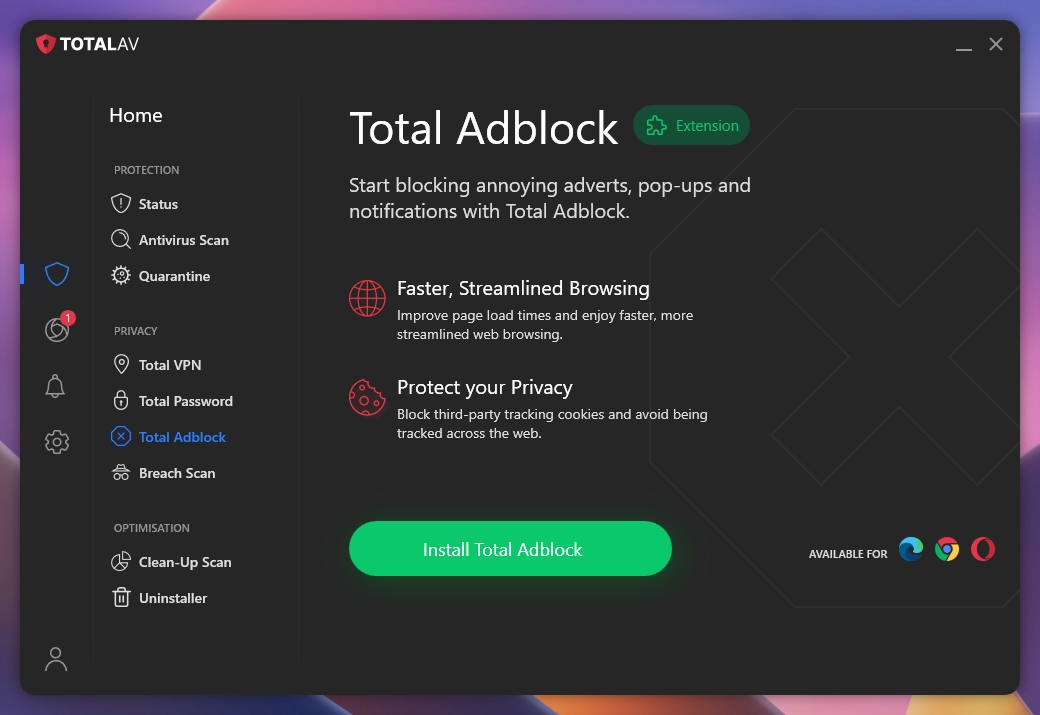
Total Adblock is a browser extension for Edge, Chrome and Opera. It is not a system-wide blocker. Free extensions such as uBlock Origin Lite do the same job without an account.
Settings worth knowing about
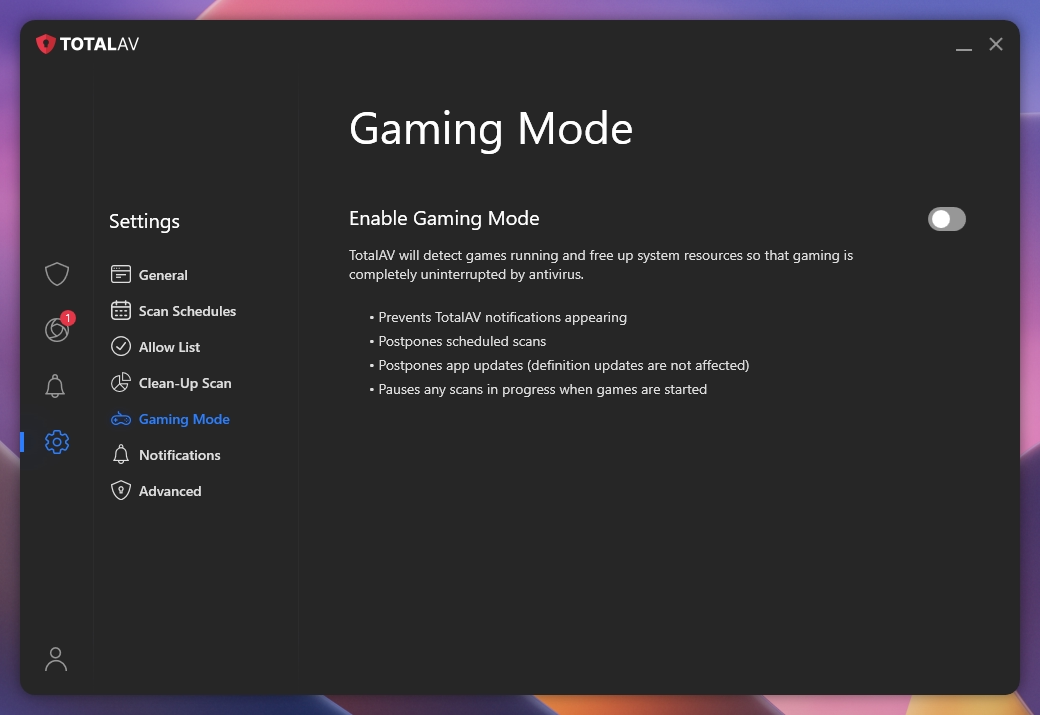
There are some good things here. Gaming Mode detects running games, then hides notifications, postpones scheduled scans and app updates, and pauses a running scan. Virus definitions still update. It is off by default, so gamers should turn it on.
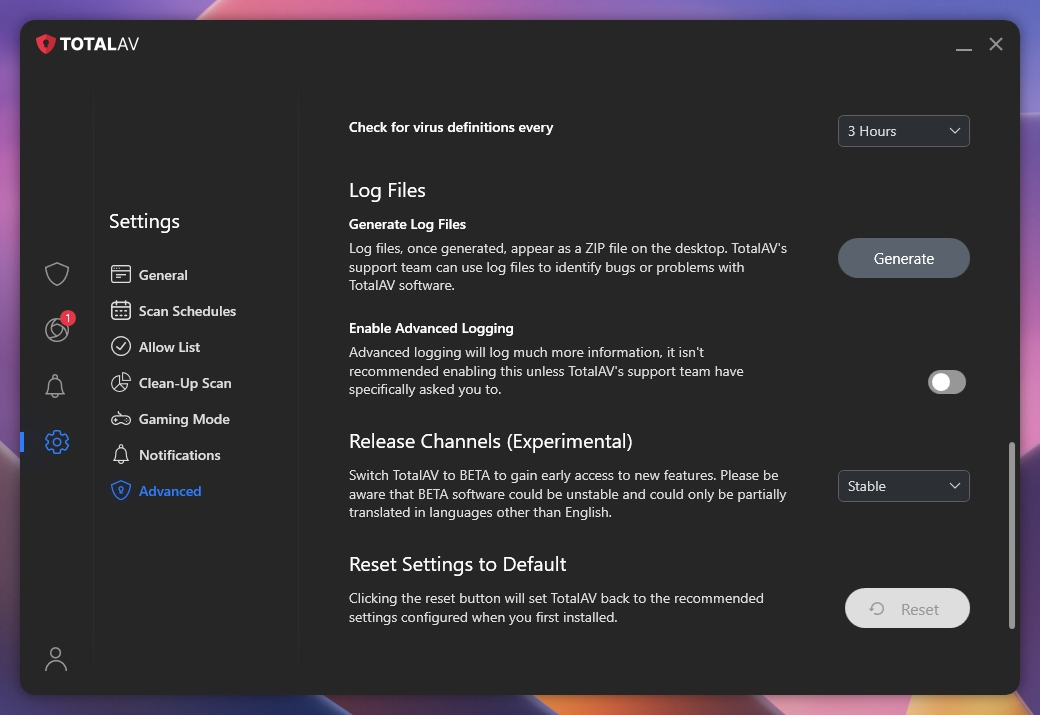
Under Advanced you can set how often it checks for new virus definitions (every 3 hours by default), create log files for support, and switch between the Stable and Beta release channels.
What the independent labs say
Our test shows what TotalAV is like to use. It cannot measure detection rates. That needs hundreds or thousands of real malware samples, which is what the test labs do. AV-TEST scores three things out of 6: Protection (how well threats are blocked), Performance (how much the PC slows down) and Usability (mainly false alarms). AV-Comparatives reports a protection percentage and gives an award level. Here are the most recent published results:
| Lab and test | TotalAV result |
|---|---|
| AV-TEST, Windows home users, August 2026 | Top Product: Protection 6/6, Performance 5.5/6, Usability 6/6 |
| AV-Comparatives Real-World Protection, Feb–May 2026 | ADVANCED+ (highest award) |
| AV-Comparatives Real-World Protection, Jul–Oct 2026 | 98.0% protection (8 of 400 cases compromised), ADVANCED |
| AV-Comparatives Malware Protection, September 2026 | 99.97% protection, 15 false alarms, ADVANCED |
AV-TEST also gave TotalAV its Best Usability 2025 award. So the independent results are encouraging, but not perfect: the latest Real-World Protection round dropped from ADVANCED+ to ADVANCED, and the Malware Protection test recorded 15 false alarms.
One important caveat: both labs tested older TotalAV 6.x versions, not the 7.1.17 we installed. AV-Comparatives notes that it kept testing version 6 at TotalAV’s request, even though version 7 had become available. So these results show how version 6 performed in the lab, not how 7.1.17 performs. A high protection rate alone also does not make a product the best choice, which is why everyday use matters too.
Uninstalling TotalAV: where it went wrong
When you uninstall, TotalAV first shows a full-screen offer: “Get Total Protection for Just $1”. The Uninstall button sits next to a bright green Upgrade Now button.
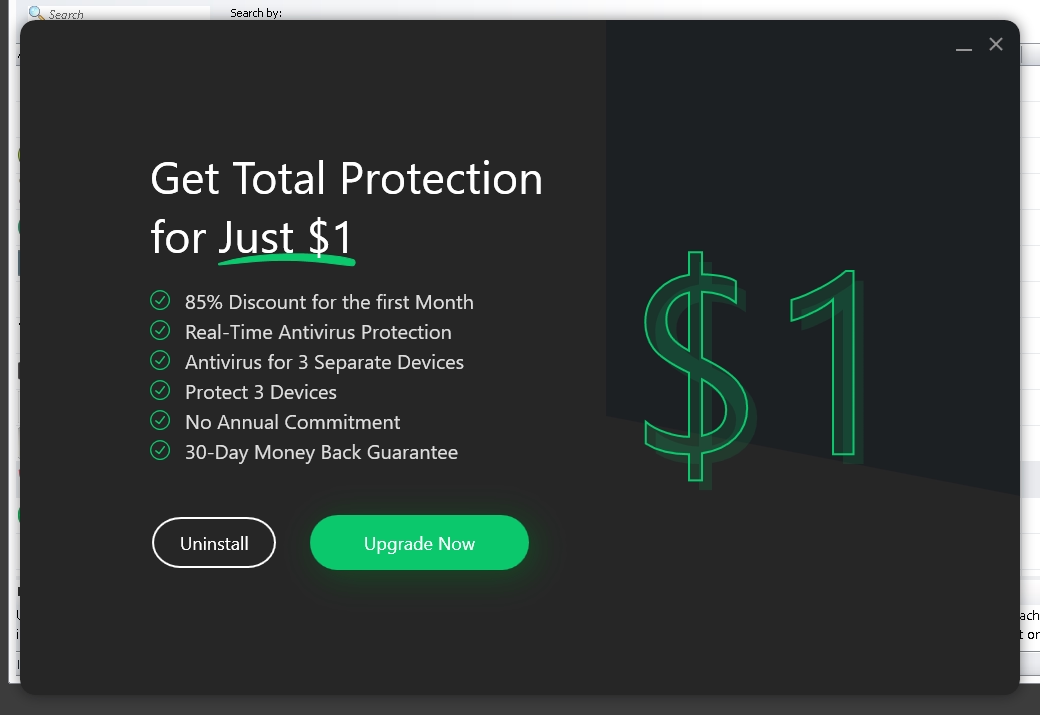
After we clicked Uninstall, removal stuck for more than an hour and did not finish properly. After a restart, we removed TotalAV with IObit Uninstaller.
If you get stuck too, here is what worked for us:
- First cancel your subscription in your TotalAV account online. Uninstalling the app does not stop billing.
- Try the normal route: Settings → Apps → Installed apps → TotalAV → Uninstall.
- If it hangs, restart Windows and use a third-party uninstaller with a leftover scan, such as IObit Uninstaller, Wise Program Uninstaller or Ashampoo UnInstaller. Use its forced-uninstall option. Review the leftovers it finds before deleting them, and only remove files and registry entries that clearly belong to TotalAV.
- Restart again and check that Microsoft Defender has turned itself back on: open Windows Security and look under Virus & threat protection.
Is TotalAV safe and legit?
Yes, TotalAV is legitimate software. The installer is signed by Total Security Limited, a registered UK company, and the main test labs certify it. It is not malware.
“Legit” and “recommended” are not the same thing, though. TotalAV’s affiliate marketing is also so widespread that many glowing reviews you will find were paid for by the sale. Read any TotalAV review, this one included, with that in mind. We have no affiliate deal with TotalAV.
Who should buy TotalAV, and who can skip it
It could suit you if you want a simple paid suite for several devices (4 to 8, depending on the plan), you can get it at the introductory price, and you will remember to cancel or renegotiate before renewal.
Skip it if you dislike pop-up offers, have little disk space (3.08 GB on our PC), use tools that a twitchy engine might flag, or just want good protection without extra hassle. Microsoft Defender comes with Windows 11, costs nothing, and also earned ADVANCED+ in AV-Comparatives’ February–May 2026 Real-World test. Our best free antivirus for Windows 11 guide compares the free options using the same lab data.
TotalAV vs Microsoft Defender
The obvious question is why you would pay for TotalAV when Windows 11 already includes Microsoft Defender. Here is how they compare:
| TotalAV | Microsoft Defender | |
|---|---|---|
| Real-time protection | Yes | Yes |
| AV-Comparatives Real-World, Feb–May 2026 | ADVANCED+ | ADVANCED+ |
| Built into Windows | No (3.08 GB install on our PC) | Yes |
| Cost | $99–$149 a year after intro offer | Included with Windows |
| Upgrade prompts | Frequent in our test | None in the antivirus itself |
| Extras | Breach Scan, Gaming Mode, paid VPN, password manager and ad blocker | Firewall, ransomware folder protection, SmartScreen |
In AV-Comparatives’ February–May 2026 Real-World Protection Test, both products received ADVANCED+. One award does not mean identical protection in every situation, but for Windows 11 users who mainly need antivirus protection, Microsoft Defender is a strong free starting point. TotalAV’s extras have to justify its subscription cost.
How we tested
- A Windows 11 PC with several drives, tested in November 2026.
- TotalAV 7.1.17, installed from the official download (publisher: Total Security Limited).
- We ran the Initial Scan and a Full System Scan, checked the extra tools and settings, then uninstalled the app.
- IObit Uninstaller logged the installation; Revo Uninstaller showed the installed size; IObit Uninstaller completed the removal.
- Detection rates come from AV-TEST and AV-Comparatives, not from our own test. We keep the two separate.
More security tools on Techno360
- Best Free Antivirus for Windows 11 in 2026 (Lab-Tested & Ranked)
- 360 Total Security Premium Free License Key: 1-Year Giveaway
- UnHackMe Free License Key – Anti-Rootkit Software for Windows
- IObit Black Friday 2026 Deal
📊 Our verdict
TotalAV’s detection engine is good, and the labs back that up. But in daily use it feels like a sales funnel: discount offers inside malware alerts, add-ons that are only upgrade screens, a 3.08 GB footprint and an uninstall that needed outside help. Our false positive on a legitimate AVS Video Editor DLL matches the high false-alarm count AV-Comparatives found. It works, but most people can get the same protection free from Microsoft Defender, or a calmer experience from other paid suites.
Our recommendation: most Windows 11 home users should start with Microsoft Defender. Consider TotalAV only if you want its extras and are fine with the renewal price and frequent upgrade prompts.
👍 Pros
- Top Product (AV-TEST) and ADVANCED+ / ADVANCED (AV-Comparatives) results in 2026
- Clean, easy-to-follow interface
- Useful Gaming Mode; definitions checked every 3 hours
- Signed installer from a registered UK company
👎 Cons
- Upgrade offers in threat alerts, add-ons, Breach Scan and the uninstaller
- Likely false positive on a legitimate AVS Video Editor DLL
- Full scan took about 150 minutes; 3.08 GB installed
- Uninstall stuck for over an hour on our PC
- Big jump from intro price to renewal price ($99–$149 a year)
TotalAV FAQ
Is TotalAV a virus or a scam?
No. TotalAV is real antivirus software from Total Security Limited, a registered UK company owned by Point Wild, and independent labs certify it. Its heavy advertising and upsells annoy many users, but it is not malware.
Who owns TotalAV?
Total Security Limited in Fareham, England publishes it. Since the December 2024 merger with Pango Group, the company has been part of Point Wild, a US-based group that also owns Hotspot Shield and Comparitech.
Why did TotalAV flag AVSCommercialDetection.dll as a Trojan?
On our PC, TotalAV labelled this AVS Video Editor file as Trojan.Risk.BitMiner. We think it is a false positive. Check the file path and its VirusTotal result before restoring it from Quarantine and adding it to the Allow List.
How long does a TotalAV full scan take?
On our multi-drive Windows 11 PC, a Full System Scan took about 150 minutes. It will be faster on a PC with fewer files or a single fast SSD.
How do I uninstall TotalAV if it gets stuck?
Cancel your subscription online first. Then try Settings → Apps. If removal hangs, restart and use a third-party uninstaller with a forced-uninstall and leftover scan. IObit Uninstaller worked for us.
Is TotalAV better than Microsoft Defender?
Both earned ADVANCED+ in AV-Comparatives’ February–May 2026 Real-World Protection Test. Defender is free, built into Windows and shows no upsells. For most home users, Defender plus sensible browsing is enough.