
Have you ever forgotten a password to an important PDF, Word document, Excel spreadsheet, or a ZIP archive? If so, you know how frustrating it can be to get locked out of your own files. Today, we have an exciting giveaway for you — a free 6-month license for TunesKit File Password Recovery, a powerful all-in-one tool that can unlock password-protected PDF, Office, and RAR/ZIP files with ease.
In this post, we’ll walk you through everything you need to know about TunesKit File Password Recovery — its features, how it works, and most importantly, how to claim your free 6-month license right now!
Contents
- 1 What is TunesKit File Password Recovery?
- 2 Key Features of TunesKit File Password Recovery
- 3 Unlock PDF Files with Ease
- 4 Unlock Office Files (Excel, Word, PowerPoint)
- 5 How to Use TunesKit File Password Recovery (3 Simple Steps)
- 6 Free 6-Month License Giveaway — How to Claim
- 7 Why Choose TunesKit File Password Recovery?
- 8 Final Verdict
What is TunesKit File Password Recovery?
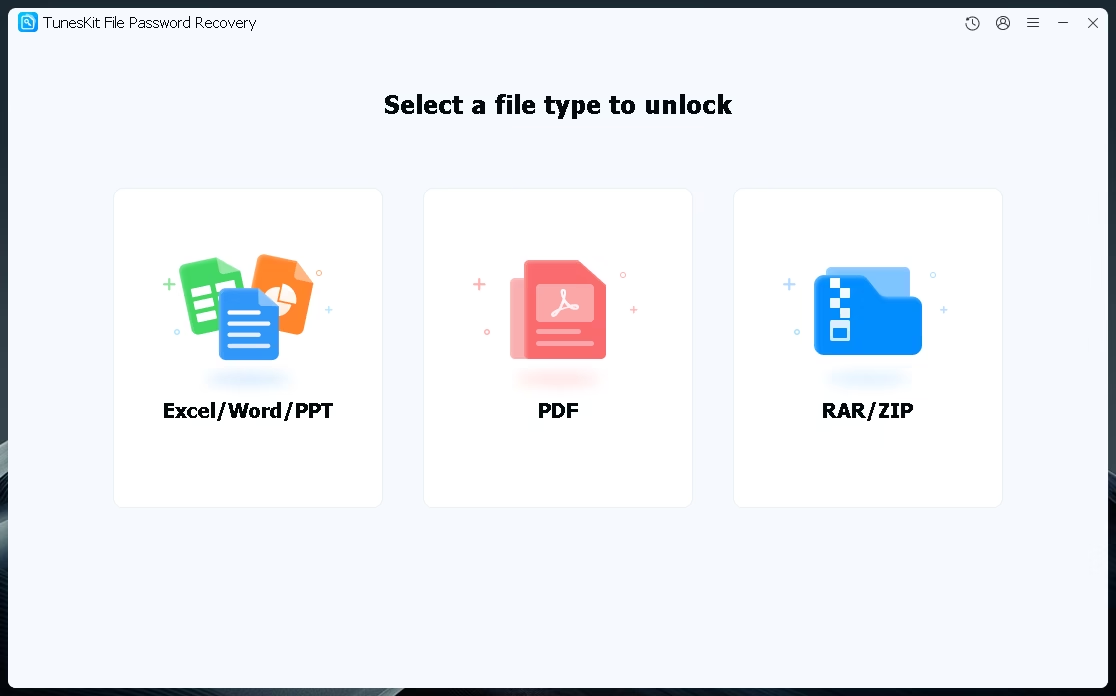
TunesKit File Password Recovery is a professional 6-in-1 file password recovery and remover tool for Windows and macOS. It supports up to six different file types — PDF, Excel, Word, PowerPoint, ZIP, and RAR — making it the most versatile document unlock solution available today.
Whether your file is locked by an open password that prevents you from viewing it, or restricted from editing, copying, printing, and sharing, TunesKit has you covered. With three advanced decryption modes and GPU acceleration, it delivers up to a 99.9% success rate — all while keeping your original file content completely intact.
Key Features of TunesKit File Password Recovery
6-in-1 File Support
TunesKit supports six of the most commonly used file formats: PDF, Excel, Word, PowerPoint, ZIP, and RAR. Whether you’re dealing with a personal document, a business report, or a compressed archive, TunesKit can handle it all in one unified interface.
Two Types of Password Removal
TunesKit handles both types of document passwords. The first is the User/Open password, which prevents you from opening and viewing the file altogether. The second is the Owner/Permissions password, which blocks actions like editing, printing, copying, and sharing even after the file is open. TunesKit can recover and remove both password types across PDF, Excel, Word, and PowerPoint files.
Three Smart Decryption Modes
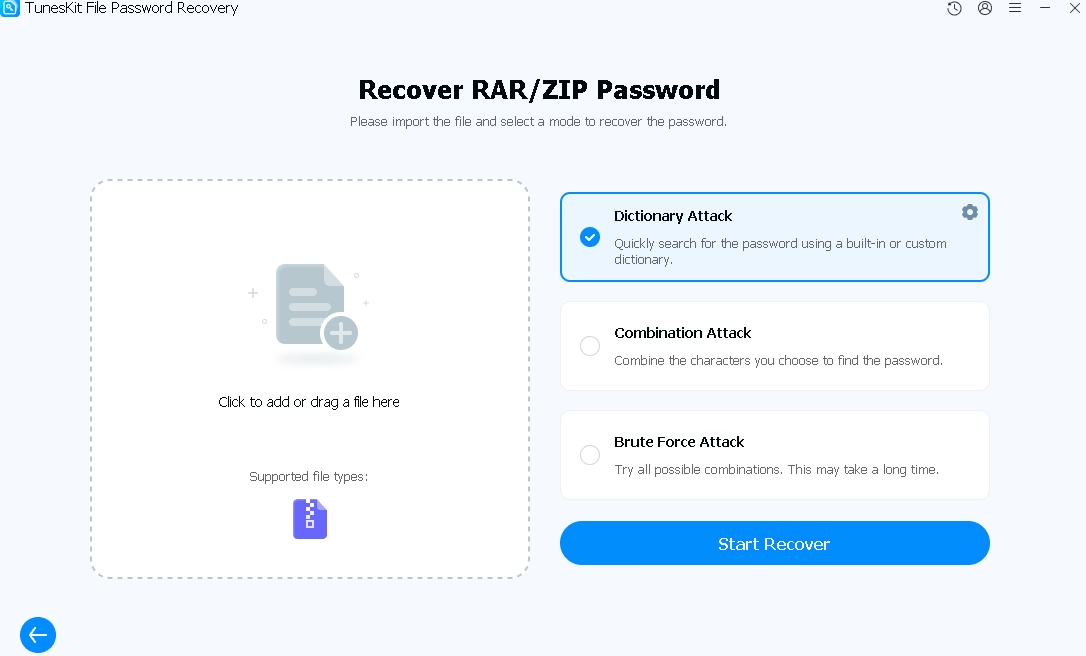
Powered by advanced algorithms, TunesKit offers three powerful attack modes to maximize recovery success:
- Dictionary Attack: Rapidly scans for the correct password using a built-in or user-defined wordlist. Ideal for common or predictable passwords.
- Combination Attack: Allows you to customize character sets to generate password combinations based on partial knowledge of the password.
- Brute Force Attack: Systematically tries every possible combination until the password is found. Best for complex or completely unknown passwords.
Up to 10X Faster Speed with GPU Acceleration
TunesKit leverages GPU acceleration to dramatically speed up the password recovery process — up to 10X faster than conventional tools. This means you spend less time waiting and more time working with your unlocked files.
Auto-Save Recovery Progress
Don’t worry about losing progress if you need to pause. TunesKit automatically saves your recovery session, so you can resume exactly where you left off without starting over from scratch.
100% Safe and Local Processing
All decryption happens locally on your computer. Your documents are never uploaded to any cloud server, ensuring complete privacy and security throughout the process. Your file’s original content remains fully intact after recovery.
Unlock PDF Files with Ease
Locked out of an important PDF? TunesKit File Password Recovery offers two dedicated PDF unlock modes to restore your access in minutes.
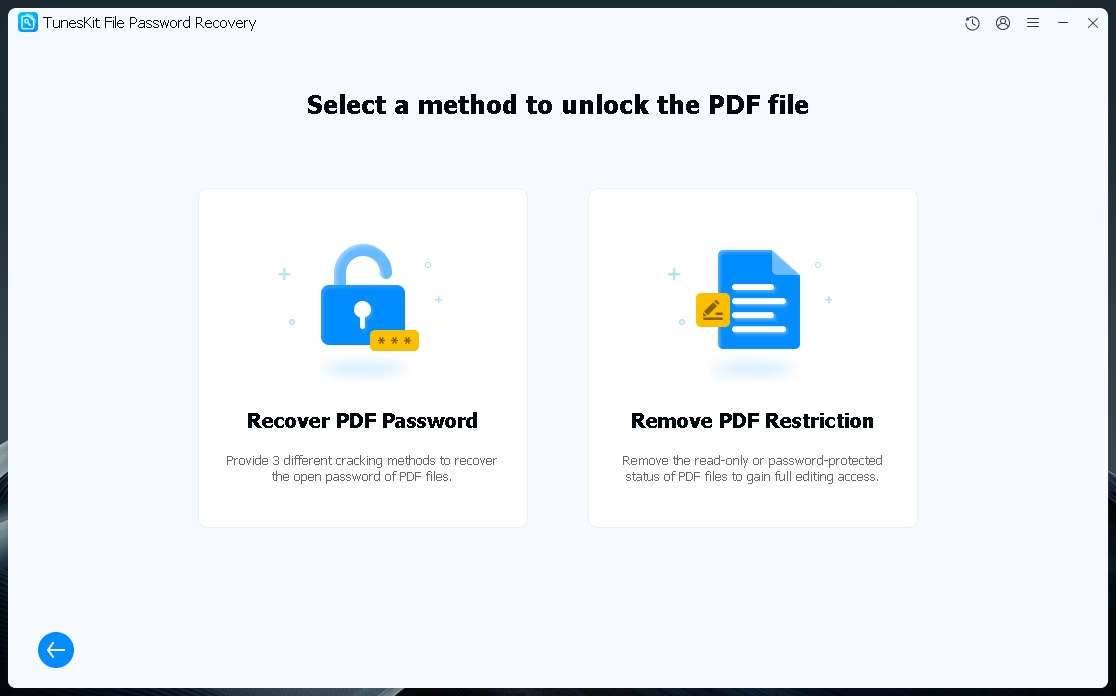
- Recover PDF Password: Uses three cracking methods to recover the open password of any protected PDF file.
- Remove PDF Restriction: Instantly removes read-only or permission-based protection, giving you full editing, copying, and printing access.
Unlock Office Files (Excel, Word, PowerPoint)
TunesKit also fully supports Microsoft Office files. Whether you’ve forgotten the password to an Excel workbook, a Word document, or a PowerPoint presentation, TunesKit can recover it fast.
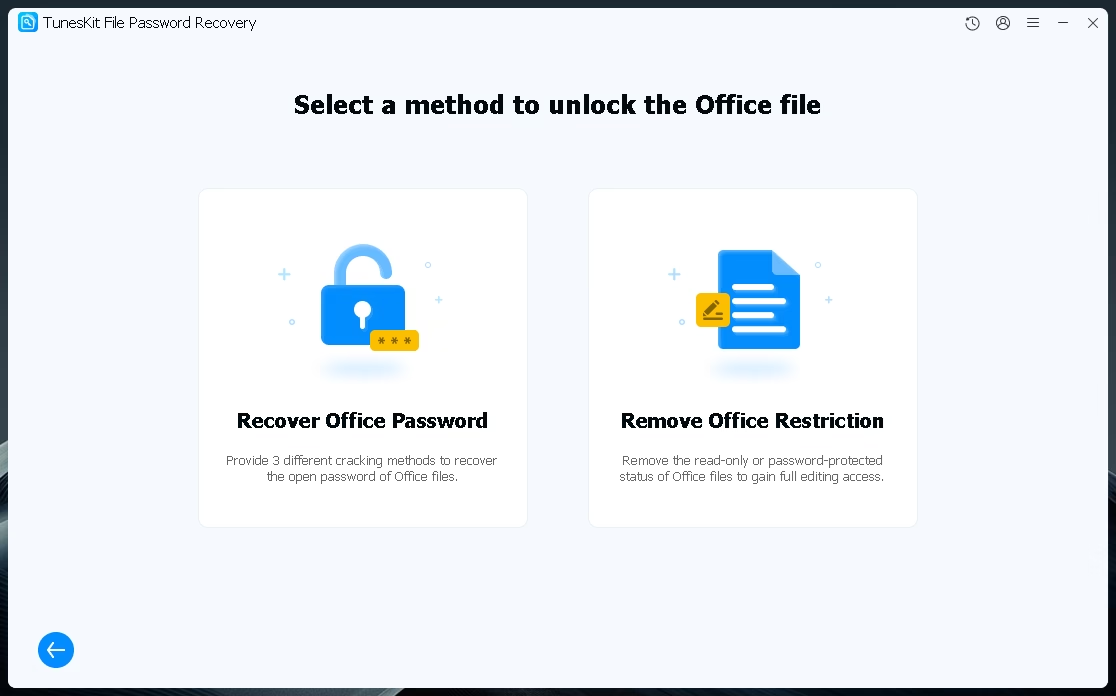
- Recover Office Password: Recovers forgotten open passwords for Excel, Word, and PowerPoint files with a proven 99% success rate.
- Remove Office Restriction: Removes read-only or editing restrictions instantly, restoring full document access and control.
How to Use TunesKit File Password Recovery (3 Simple Steps)
Using TunesKit is incredibly straightforward. You don’t need any technical knowledge — just follow these three simple steps:
- Import your password-protected file by dragging and dropping it into the interface or clicking to browse.
- Select a decryption mode (Dictionary, Combination, or Brute Force) based on what you remember about the password.
- Click “Start Recover” and let TunesKit work its magic. Your password will be recovered in minutes.
For removing permissions (editing restrictions), simply choose “Remove Office Restriction” or “Remove PDF Restriction,” import the file, and click “Start Remove.” It’s done in seconds.
Free 6-Month License Giveaway — How to Claim
We’re excited to offer our readers a completely free 6-month license for TunesKit File Password Recovery. Here’s how to get it:
Step 1: Download & Install TunesKit File Password Recovery
Download the software from the official giveaway link: https://download.tuneskit.com/FilePasswordRecoveryGA.exe
Once downloaded, run the installer and follow the on-screen instructions to complete the installation. Then launch the app.
Step 2: Register with Your Email and License Code
On the app’s main interface, click the profile icon in the top-right corner of the window. A registration popup will appear. Enter your email address and the following license code:
License Code:
15551c160dd506d07a09124104c55c19453206bc82
Then click the “Register” button to activate your free 6-month license.
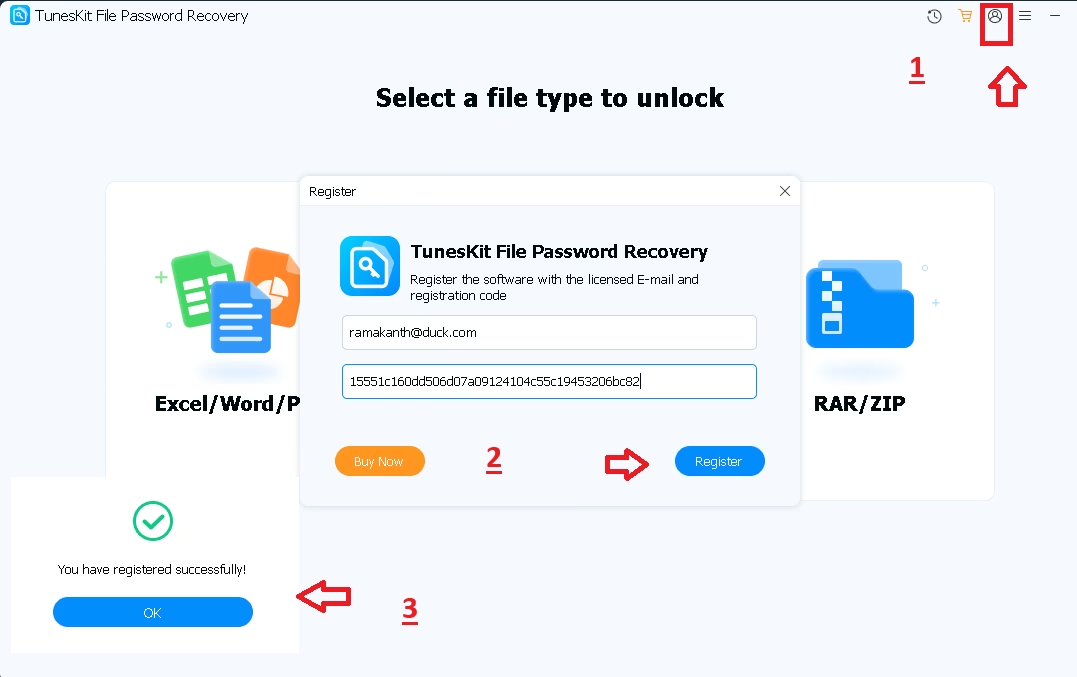
Step 3: Enjoy Your Free License!
Once registered successfully, you’ll see a confirmation message: “You have registered successfully!” Click OK and you’re all set to enjoy the full features of TunesKit File Password Recovery for 6 months — absolutely free!
Why Choose TunesKit File Password Recovery?
With so many file unlock tools available, here’s why TunesKit stands out from the competition:
- Widest file support: Supports 6 different file formats including PDF, Excel, Word, PPT, ZIP, and RAR — all in one app.
- Local decryption: Your files never leave your computer, ensuring 100% privacy and data security.
- Unlimited file unlocking: No restrictions on the number of files you can process.
- Free lifetime updates: Always stay up to date with the latest improvements.
- 24/7 customer support: Get help whenever you need it from the TunesKit support team.
- Intuitive UI: Clean, beginner-friendly interface that requires no technical expertise.
Final Verdict
TunesKit File Password Recovery is an exceptional tool for anyone who works with password-protected documents regularly. Its broad file format support, high success rate, GPU-accelerated speed, and privacy-first approach make it one of the best document password recovery tools on the market.
And with this exclusive free 6-month license giveaway, there’s absolutely no reason not to try it out. Don’t miss this limited-time opportunity — download TunesKit File Password Recovery today and regain access to all your locked files with just a few clicks!
Download Link: https://download.tuneskit.com/FilePasswordRecoveryGA.exe
Official Product Page: https://www.tuneskit.com/file-password-recovery/


Discover more from Techno360
Subscribe to get the latest posts sent to your email.