


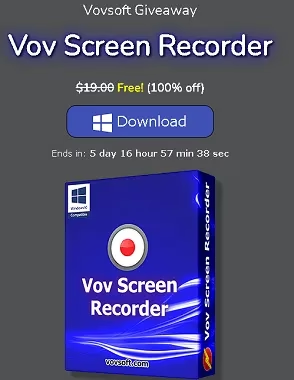
Vov Screen Recorder is a helpful and easy-to-use program that can record your computer screen and save the MKV video to your hard drive.
A screen recorder’s usefulness extends beyond the realm of the home user into the professional world. A business may use screen recording software to create product demos for sales or to attract investment. In contrast, an individual may use it to create tutorials or share their desktop activity online.
Businesses require more sophisticated and feature-rich screen recorders, which are not capable of meeting the needs of a simple screen recorder. In contrast, this Vovsoft may be the best choice for home users who only need to record a video tutorial.
About Vov Screen Recorder:
This is a great tool for recording computer screen activity. If you want to record any on-screen action, you can use this Screen Recorder and then share it with others, post it on social media, send it to a client as a product demo, or upload it to a video hosting site like YouTube.
In the first place, you should know that Vov Screen Recorder is the easiest screen recording software you can find. The only function of this app is to record your entire screen and store the resulting video locally on your desktop.


You shouldn’t expect a lot of customization options or a sleek design because of its limited purpose. The developers’ primary goal was to make the app do its one thing as simply and efficiently as possible, so they kept the core components as simple as they could be.
There are two buttons on this one-window interface: one that starts recordings and one that stops them. The good news is that there is a shortcut key combination for each of these two fundamental commands, allowing for more efficient process control.
Popular video formats like AVI, QuickTime Video (MOV), MP4, MPEG, FLV, WMV, and Matroska Video (MKV) are all supported. Sounds from your computer or microphone can be included as well. The FFmpeg project’s libraries are already built into and used by this Vov software, so no additional video codecs are needed. Hardware acceleration from AMD, Intel, and NVIDIA GPUs are supported, along with multiple monitors and software encoding (H264 and HEVC).
Key Features of Vov Screen Recorder:
- Lightweight screen recorder.
- Supports encoding in both software and hardware.
- Multiple displays are supported.
- Allows for the recording of sound from a microphone.
- Interface available in multiple languages.
- Can record in full screen and in different regions.
- Allows highlighting with the mouse.
- Allows for the recording of in-game audio.
- Installer and portable versions are available.
- Supported operating systems include Windows 11, Windows 8, and Windows 8.1 (both 32-bit and 64-bit editions).
Vov Screen Recorder Giveaway:
Visit this giveaway page: https://vovsoft.com/giveaway/
You will see a license code and a download link. Until June 22, 2025, you can take advantage of this giveaway.
Download the software from https://vovsoft.com/files/
or the portable version from https://vovsoft.com/files/portable.zip
Install the software, launch the app, and activate it using the license code below.
L4TFK-BR1EH-QU9N1


