


🤖 The Honest Truth About Free AI Apps
Most “free” AI apps on the Play Store are bait — you type three messages before a paywall lands in your face. I spent weeks testing dozens of AI apps on a mid-range Android phone to find the ones that are actually free and actually useful in 2026. No subscriptions. No tricks. Just solid tools that make your phone smarter without emptying your wallet. Every fact below was re-checked against the latest app updates before publishing. Let’s get into it.
⚡ Quick Read — 30 Seconds
- Best all-rounder: Google Gemini (free, built into Android)
- Most popular assistant: ChatGPT (free tier now runs unlimited text chats)
- Best for writing: Claude (handles long documents carefully)
- Best for research: Perplexity (real-time answers with sources)
- Best unlimited free AI: DeepSeek (no subscription, huge context)
- Best for typing: Grammarly Keyboard (fixes grammar everywhere)
- Best for video: CapCut (AI captions, background removal)
- Best for photos: Snapseed (Google-owned, zero ads, zero watermarks)
- Best for homework: Photomath + Google Lens (both free)
- Best for design: Canva (Magic Design builds layouts from text)
- ⭐ Bonus pick: Kimi (free, 1-million-token context for long documents)
Your Android phone is already packed with computing power. The right free AI apps turn that power into a personal assistant, a photo studio, a math tutor, and a video editor — all without spending a single rupee. Below are the ten I keep coming back to after testing dozens of alternatives.
Google Gemini
Best All-Rounder
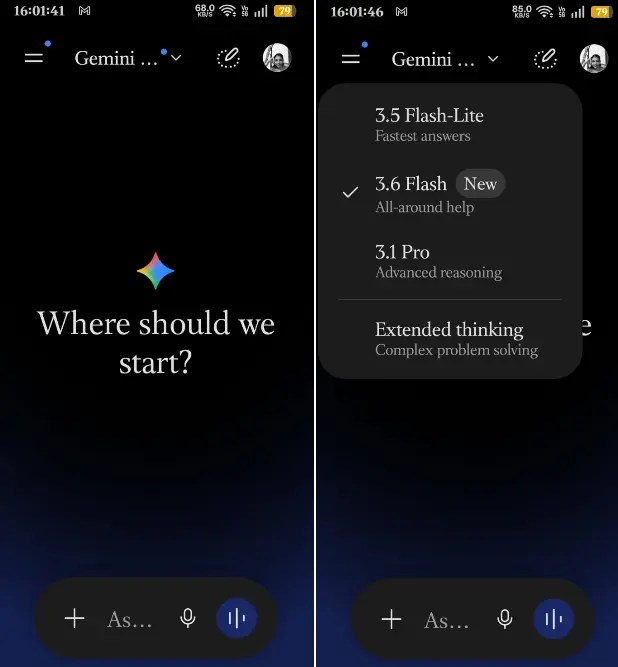

Gemini has quietly become the default brain on Android phones. On newer devices it replaced the old Google Assistant entirely — and for good reason. Ask it to summarise a long email, draft a reply, find a photo from last month, or describe a home-screen widget and have it built for you. As of mid-2026, the free app defaults to Gemini 3.6 Flash for everyday chat, with a daily allowance of the more capable Gemini 3.1 Pro for tougher reasoning — plus image generation, voice conversations (Gemini Live), and a few Deep Research reports a month.
What I like most is how deeply it hooks into the stuff you already use: Gmail, Google Docs, Maps, and YouTube. Ask it “What time is my flight tomorrow?” and it pulls the answer straight from your inbox. No copy-pasting. No app switching. It just works.
There is a catch. The free tier runs on daily usage caps (roughly 30 core prompts a day, plus separate limits for images and research), and the newest, most powerful models sit behind the paid Google AI plans — Plus at $4.99, Pro at $19.99, and Ultra at $99.99 a month. For everyday tasks, though, the free tier is more than enough.
✅ What Works
- Deep Android integration (widgets, settings, voice)
- Reads Gmail, Docs, and Calendar without extra setup
- Free Gemini 3.6 Flash plus a daily taste of Gemini 3.1 Pro
- Real-time web search and image generation built in
❌ What’s Missing
- Daily usage caps on the free tier
- Most powerful models locked to paid plans
- Occasionally overconfident with facts
ChatGPT
Most Popular
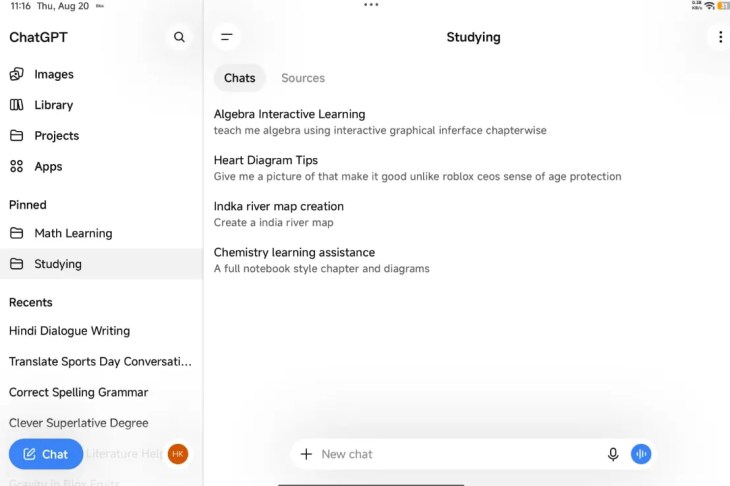

ChatGPT remains the most downloaded AI assistant on Google Play for a reason. As of August 2026, OpenAI’s Android app runs GPT-5.6 Luna for free users, which follows instructions well and handles math and coding better than earlier versions. The voice mode is genuinely handy when your hands are busy — cooking, driving, or lying in bed.
The big news for free users: OpenAI removed the old message cap. Text chats are now effectively unlimited on the free tier, with a new “Think” button for harder questions. Image generation, file uploads, and voice still have their own separate daily limits, and free users in some countries (including the US) now see ads at the bottom of certain answers. I use it to rewrite emails, explain confusing articles, and generate quick outlines for blog posts.
If you want the most capable models, faster responses, and no ads, ChatGPT Plus is $20 a month (there’s also a cheaper $8 Go tier). Honestly? The free version covers 90% of what most people need.
✅ What Works
- Unlimited free text chats (as of August 2026)
- Voice conversations feel natural
- Handles images, files, and web links
- Huge community for tips and custom GPTs
❌ What’s Missing
- Ads on the free tier in some regions
- Separate caps on images, files, and voice
- No deep Android system integration
Claude
Best for Writing
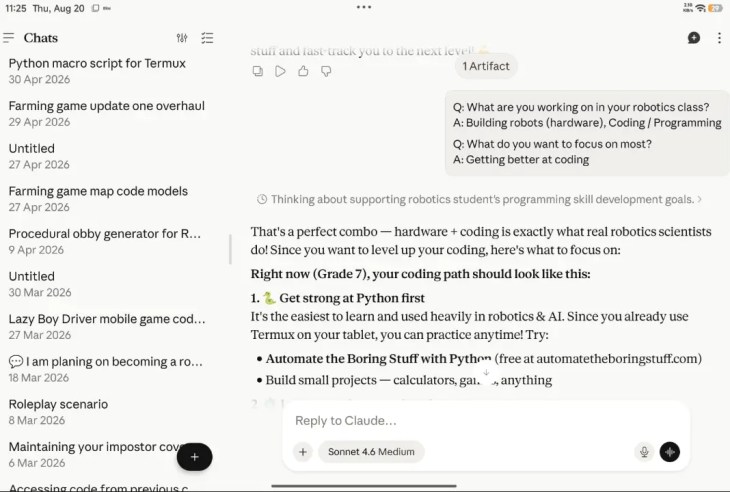

Anthropic’s Claude is the app I open when I need something written carefully. Paste a long PDF and ask it to pull out the key risks. Ask it to rewrite a message in three different tones. Have it walk through a complicated decision step by step. Claude’s responses tend to be more measured and detailed than most competitors — less hype, more substance.
The Android app is clean, fast, and keeps your history synced across web, iOS, and Android. The free tier is more capable than most people realise: it now includes web search, file uploads (up to 20 files per chat), Artifacts for interactive content, and cross-chat memory, all running on a capable Sonnet-class model. Heavy users will still bump into the rolling message limit fairly quickly.
Claude Pro ($20/month) unlocks the flagship Opus model, the 1-million-token context window, and much higher limits — which is what makes book-length document analysis practical. If you write reports, proposals, or anything where tone and accuracy matter, Claude earns a spot on your phone even if you also use Gemini or ChatGPT.
✅ What Works
- Best-in-class long-document handling
- Web search and file uploads on the free tier
- Projects and memory keep related work organised
- Careful, well-reasoned answers
❌ What’s Missing
- Free message limits hit fast with heavy use
- Flagship Opus model is Pro-only
- Smaller plugin ecosystem than ChatGPT
Perplexity
Best for Research
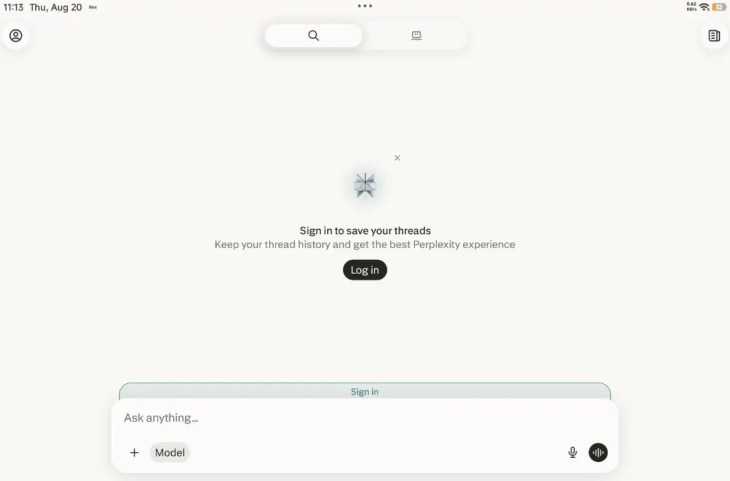

Perplexity does something simple but brilliant: it answers your questions and shows you exactly where the information came from. Every response includes clickable source citations, so you can verify facts instead of blindly trusting an AI hallucination. In an era where made-up answers spread fast, that matters.
The Android app includes a home-screen widget for quick searches and remembers context across follow-up questions. The free tier gives you unlimited basic cited searches, a handful of deeper “Pro Searches” per day, and limited file uploads (a small daily cap). I use it to fact-check a claim, research a topic for work, or dig into something technical where accuracy beats creativity.
It is not great at creative writing or coding, and heavier file analysis plus the ability to pick your own model (GPT, Claude, Gemini) sit behind Perplexity Pro ($20/month). But for research and fact-checking, Perplexity is the most trustworthy free AI tool on Android right now.
✅ What Works
- Every answer includes verifiable sources
- Home-screen widget for instant searches
- Context-aware follow-up questions
- Real-time web search built in
❌ What’s Missing
- Weaker at creative writing and code
- File uploads capped on the free tier
- Daily limit on deeper “Pro” searches
DeepSeek
Best Unlimited Free AI
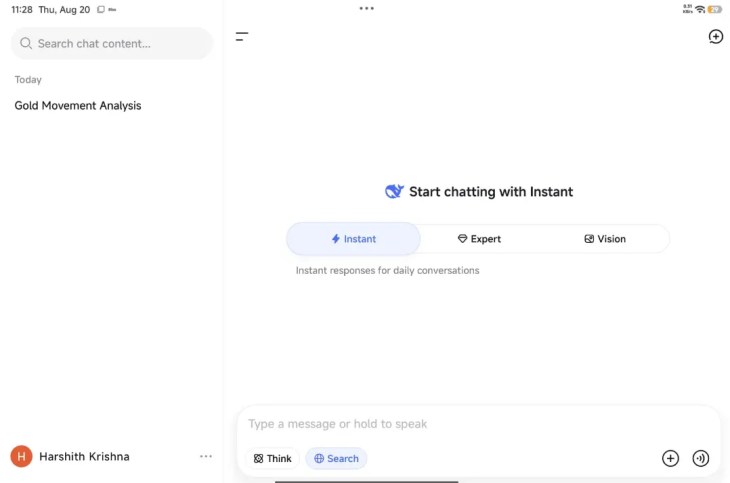

DeepSeek is the underdog that shook up the AI world in 2025 and kept the pressure on through 2026. It offers a fully free assistant with no subscription, no ads, and no “upgrade to continue” popups. It’s now powered by the V4 family — a fast V4-Flash for everyday chat and a stronger V4-Pro “DeepThink” mode for reasoning — with a genuinely huge 1-million-token context window, enough to paste an entire novel or codebase into one chat and ask questions about it.
By early 2026 the app had become the world’s second most-used AI assistant after ChatGPT, with roughly 130 million monthly users, and it’s easy to see why. Cross-device sync means you can start a chat on your phone and pick it up on your laptop. Responses can slow during peak demand, but when it works, it works remarkably well for a completely free service.
One honest caveat worth knowing: DeepSeek is a Chinese app, your data is stored on servers in China and subject to local law, and it censors topics sensitive to the Chinese government. Great for coding, math, and everyday questions — just don’t paste anything confidential.
✅ What Works
- Completely free — no subscription, no ads
- 1-million-token context window
- Cross-device conversation sync
- Strong at coding, math, and logic
❌ What’s Missing
- Data stored in China (privacy consideration)
- Censors China-sensitive topics
- Slower responses during peak times
Grammarly Keyboard
Best for Typing


Grammarly installs as your Android keyboard and watches over everything you type — emails, WhatsApp messages, Instagram captions, Google Docs. It catches grammar mistakes, suggests clearer phrasing, and even flags whether your email sounds too harsh or too casual. (Quick note: the parent company rebranded to Superhuman in late 2025, but the writing app is still called Grammarly and works exactly as before.)
The free tier covers basic corrections, clarity suggestions, and a monthly allowance of AI prompts. The full AI-powered rewrites — where it rewrites entire sentences to sound better — sit behind Grammarly Pro (around $12/month). Even the free version is a massive upgrade over the stock keyboard if you write a lot on your phone.
With roughly 40 million daily users, Grammarly is the standard for writing help across every platform. It’s strongest in English, but now also checks Spanish, French, German, Portuguese, and Italian. The tone detector alone has saved me from sending emails I would have regretted.
✅ What Works
- Works across every app you type in
- Real-time grammar and clarity fixes
- Tone detection prevents awkward messages
- Free tier is genuinely useful
❌ What’s Missing
- Full AI rewrites require Pro
- Deepest features are English-first
- Occasionally suggests overly formal phrasing
CapCut
Best for Video
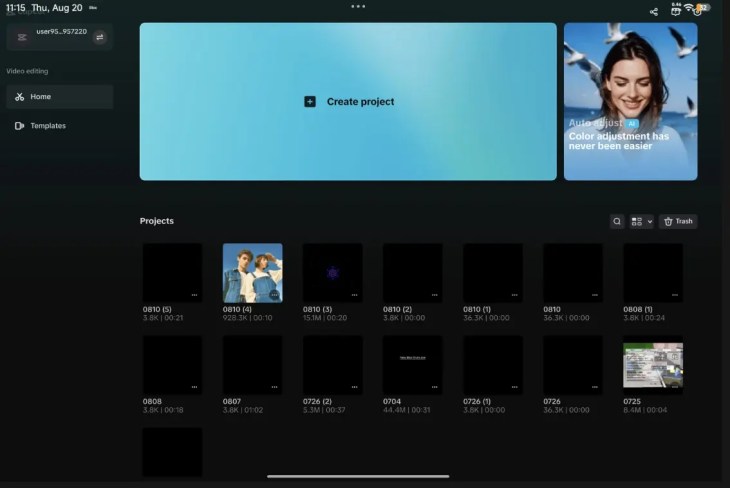
CapCut, from TikTok’s parent company ByteDance, is the most popular AI video editor on Android, and the free tier is still remarkably generous. A full multi-track timeline, keyframe animation, chroma key, speed ramping, auto-captions, AI voiceover, and a big royalty-free music library all ship without a subscription. Beat sync automatically matches your edits to the music, and the AI auto-cut can assemble a rough draft from raw footage in seconds.
I’ve used it to edit YouTube Shorts, Instagram Reels, and short family videos — all on my phone. Plain manual mobile exports are watermark-free at up to 1080p. The catch in 2026: some Pro-marked templates and effects add a watermark unless you pay, and the AI features (auto-captions now cover 20+ languages, background removal, auto-edits) come with monthly free limits. 4K export and the full AI toolkit require CapCut Standard ($9.99/month) or Pro ($19.99/month).
If you create short-form video content, CapCut is practically mandatory. It’s fast, intuitive, and packs professional-grade features into a free app — just keep an eye on those crown (👑) icons before you export.
🇮🇳 Note for Indian readers: CapCut is banned in India. As a ByteDance app, it was blocked in June 2020 under the 59 Chinese-apps ban, and as of 2026 it’s still gone from the Indian Play Store and App Store (the download link below won’t work here). VPN/APK workarounds exist but aren’t officially supported and carry security risks. Indian creators are better off with officially available editors like VN or InShot for watermark-free editing, or Canva (app #10) for AI-assisted video.
✅ What Works
- Watermark-free manual exports up to 1080p
- Auto-captions and AI voiceover (20+ languages)
- Beat sync and AI auto-cut for fast edits
- Huge free music and effects library
❌ What’s Missing
- Banned in India — not on official app stores
- 4K export locked behind a paid plan
- AI features (captions, background removal) capped monthly
- Pro-marked templates add a watermark
Snapseed
Best for Photos


Google’s Snapseed is the best free photo editor on Android, full stop. It handles everything from basic exposure tweaks to advanced RAW editing, HDR conversion, and perspective correction. The Healing brush removes unwanted objects in seconds, and one-touch masking isolates subjects instantly.
In May 2026, Google finally gave the Android version the update it had been missing for years — jumping straight from the old version to Snapseed 4.0. The release adds a built-in Snapseed Camera with real-time film simulations inspired by Kodak, Fujifilm, and Polaroid, plus smart masking, batch editing, non-destructive editing, and effects like halation and bloom. A follow-up update (v4.1, July 2026) added native RAW support for seven camera formats. All of this costs exactly zero rupees and shows zero ads.
Snapseed’s depth can overwhelm absolute beginners, and there’s no cloud sync between devices. But for a completely free app — no subscriptions, no in-app purchases, no watermarks — that’s a tiny trade-off.
✅ What Works
- Completely free — no ads, no watermarks
- RAW support, HDR, and 30+ pro tools
- 2026 update added a pro camera + film filters
- Smart masking and batch editing
❌ What’s Missing
- No cloud sync between devices
- Can overwhelm absolute beginners
- Exports create copies alongside originals
Photomath + Google Lens
Best for Students
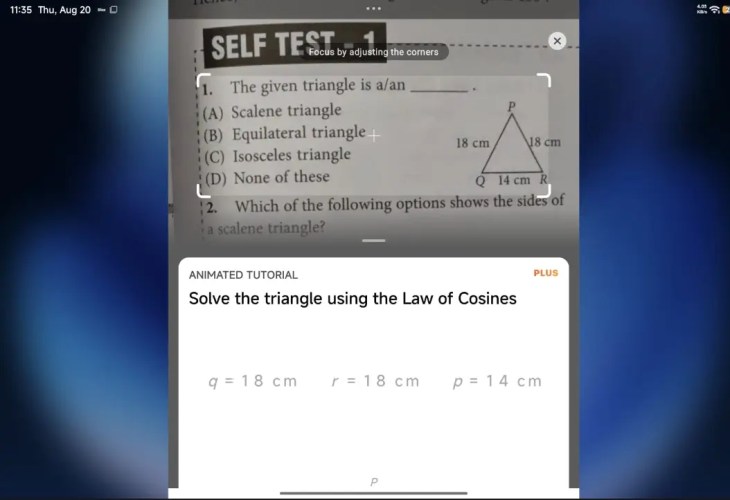

I’m bundling these two because they solve the same problem — homework help — in slightly different ways, and both are free.
Photomath (owned by Google) uses your camera to solve math problems. Point it at a handwritten or printed equation and it returns a step-by-step breakdown, covering arithmetic through calculus, and its OCR reads messy handwriting surprisingly well. The basic solutions are free; the animated tutorials and deeper walkthroughs need Photomath Plus ($9.99/month). It’s now cloud-powered, so it needs an internet connection.
Google Lens is the replacement for the old Socratic app, which Google discontinued and folded into Lens in 2025. It’s free and already built into most Android phones through the Google app and Google Photos. Point it at any question — math, science, literature, general knowledge — use the Homework/Ask feature, and it pulls step-by-step help, explanations, and relevant web results. Gemini now handles homework-style questions too, so between the two, students are well covered without spending a rupee.
If you’re a student, a parent helping with homework, or just someone who forgot how algebra works, these two belong on your home screen.
✅ What Works
- Camera-based solving for print and handwriting
- Free step-by-step math (Photomath)
- Multi-subject help via Google Lens
- Google Lens is free and pre-installed
❌ What’s Missing
- Photomath animated tutorials need Plus
- Both need an internet connection
- Weaker on advanced college-level material
Canva
Best for Design
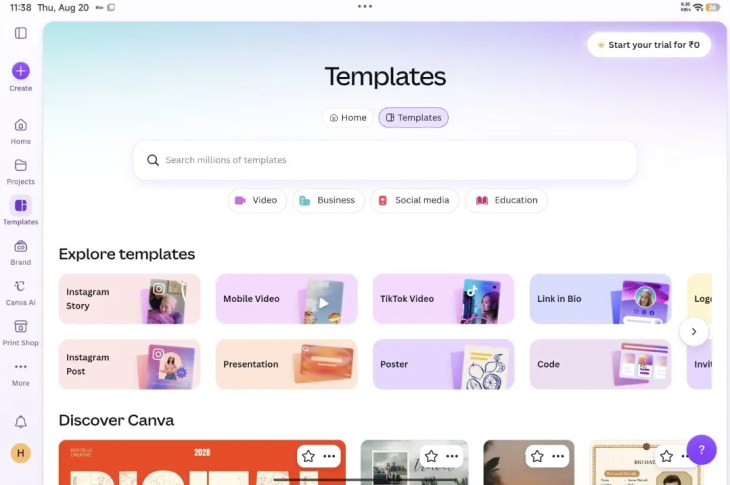

Canva’s free Android app is a full design studio in your pocket. Type a description like “Instagram post for a coffee shop grand opening” and Magic Design generates professional layouts in seconds. Magic Write drafts the copy for you. Background Remover handles photo edits automatically.
The free tier includes thousands of templates, direct publishing to social media, and enough design elements to keep a small business or content creator happy. AI image generation and some premium templates sit behind Canva Pro, but the free offering is far from stripped down.
I’ve used Canva on my phone to create presentation slides, YouTube thumbnails, and birthday invitations. It’s not quite as smooth as desktop for complex designs, but for quick, good-looking visuals on the go, it’s hard to beat.
✅ What Works
- Text-to-design generation with Magic Design
- AI copywriting built into the editor
- Direct publishing to Instagram, Facebook, etc.
- Thousands of free templates
❌ What’s Missing
- Some AI features require Pro
- Complex designs work better on desktop
- Free tier limits some stock photos
Kimi
Bonus — Long-Context Champion
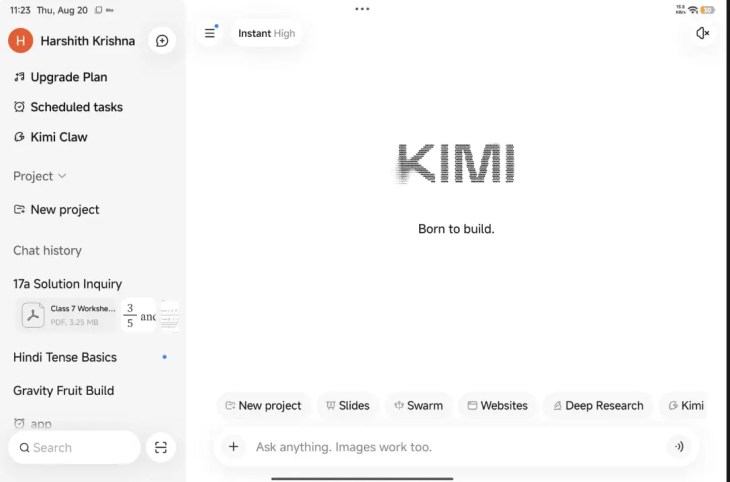

Kimi, from Beijing-based Moonshot AI, is the free assistant to watch in 2026. It made its name on one thing above all: handling enormous amounts of text. Its current flagship, Kimi K3 (released July 2026), carries a 1-million-token context window — drop entire books, long PDFs, or a full codebase into a single chat and it keeps track of all of it. If your work involves wading through long documents, this is the free app to try.
The free app does far more than chat. Built-in web search means answers come with fresh, citable sources, and its agentic “OK Computer” mode can build multi-page websites, slide decks, and spreadsheets from a single prompt. It also reads images and uploaded files and is genuinely strong at coding. All of this is available with no subscription — you’ll just occasionally hit a “too many people are chatting with Kimi” wait during peak hours.
Two things to keep in mind: like DeepSeek, Kimi is a Chinese app, so your data is stored on servers in China and subject to local law — fine for everyday tasks, not for anything confidential. And it’s strongest in English and Chinese. The good news for Indian readers: unlike CapCut, Kimi is freely available on the Indian Play Store.
✅ What Works
- 1-million-token context (K3) — ideal for long docs
- Free web search with sources + file/image uploads
- Agentic “OK Computer” builds sites, slides, sheets
- Strong at coding and research
❌ What’s Missing
- Data stored in China (privacy consideration)
- “Server busy” throttling at peak times
- Best in English and Chinese
📊 All 10 Apps at a Glance
| # | App | Best For | Free Tier | Key Feature |
|---|---|---|---|---|
| 1 | Google Gemini | Everyday AI tasks | Gemini 3.6 Flash + daily Pro | Deep Android + Google app integration |
| 2 | ChatGPT | General assistance | GPT-5.6 Luna, unlimited text | Voice mode + huge community |
| 3 | Claude | Writing & analysis | Web search + file uploads | Long-document processing |
| 4 | Perplexity | Research | Unlimited cited searches | Sourced answers with citations |
| 5 | DeepSeek | Unlimited free AI | No subscription, no ads | 1-million-token context (V4) |
| 6 | Grammarly | Typing help | Basic corrections | System-wide keyboard |
| 7 | CapCut | Video editing | 1080p, watermark-free exports | AI auto-captions & beat sync |
| 8 | Snapseed | Photo editing | Completely free | RAW + 2026 film camera |
| 9 | Photomath + Google Lens | Homework help | Free (Lens fully free) | Camera-based problem solving |
| 10 | Canva | Graphic design | Generous free tier | Magic Design from text prompts |
| ★ | Kimi (Bonus) | Long docs & research | Free, no subscription | 1-million-token context (K3) |
🏆 The Verdict: Start With These Three
You don’t need all ten apps. If you’re overwhelmed, start here:
1. Google Gemini — already on most Android phones, completely free, and hooked into Gmail, Calendar, and Maps. Use it for quick answers, drafting messages, and setting reminders.
2. Snapseed — the best free photo editor money cannot buy. No ads, no upsells, and the 2026 update made it even better.
3. CapCut — if you make any kind of video content, the free tier is so good you might never need to upgrade (just watch for those Pro template watermarks).
Once those three feel natural, add Perplexity for research, Claude for writing, and DeepSeek when you want unlimited free chats. Your phone just became a lot smarter — and your wallet didn’t get any lighter.
❓ Frequently Asked Questions
Are these AI apps really free, or will they ask for money later?
All ten offer genuinely free tiers. Some have optional paid upgrades (like Google AI Pro, ChatGPT Plus, or Claude Pro), but none lock basic functionality behind a paywall. DeepSeek and Google Lens have no paid consumer tier at all.
Which free AI app is best for older Android phones?
Google Gemini works best on Android 10+ with at least 3GB of RAM. For lighter devices, ChatGPT and DeepSeek run comfortably. Snapseed, Photomath, and Google Lens work on almost anything — though most of these apps need an internet connection to do the heavy lifting.
Do these apps collect my data?
Google-owned apps (Gemini, Snapseed, Photomath, Google Lens) follow Google’s privacy policy. DeepSeek stores data on servers in China, which is worth knowing before you paste anything sensitive. For privacy-focused alternatives, check our guide to the best open-source Android apps or our roundup of privacy apps that stop tracking.
Can I use these apps without a Google account?
Most require a Google account to download from the Play Store, but apps like DeepSeek and Perplexity let you sign up with an email address. For Google-free app sources, see our list of best alternative app stores for Android.
What is the best AI app for students in 2026?
Photomath is unbeatable for step-by-step math, and Google Lens (which absorbed the old Socratic homework tools) covers science, literature, and general questions. Pair them with Gemini for research and Grammarly for writing assignments, and you have a complete free toolkit.
🔗 More Android Guides You’ll Like
- 14 Best Free Android Apps in 2026 (Open-Source, Ad-Free, Privacy-First)
- 10 Best Privacy Apps for Android 2026: Stop Tracking, Reclaim Your Data
- 5 Best Android Launchers in 2026 (Nova Has a Problem)
- 5 Best Alternative App Stores for Android in 2026
- Twilight App Review 2026: Best Free Blue Light Filter for Android
💬 Over to You
Which free AI app do you use most on your Android phone? Did I miss a hidden gem? Drop it in the comments below — I read every single one, and the Techno360 community always surfaces great recommendations I’d never find on my own.
Last verified: August 2026. App versions, models, pricing, and features were re-checked against current sources at the time of publication. Some apps may update their free tiers after this date.