
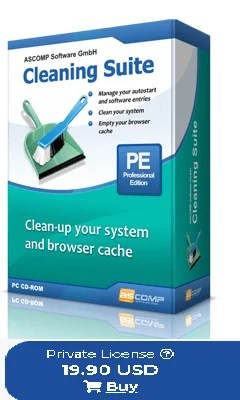
ASCOMP Cleaning Suite Pro is a powerful Windows PC cleaner and optimizer that removes junk files, cleans the registry, and speeds up your system. For a limited time, you can get the ASCOMP Cleaning Suite Pro full version free, making it one of the best Windows 11 tuning tools available for home users.
In this giveaway, you will learn how to download, activate, and use ASCOMP Cleaning Suite Pro to clean up your Windows 11 or Windows 10 PC, fix common performance issues, and keep your system running smoothly without paying for a license.
Contents
Download the ASCOMP Cleaning Suite Pro full version for free:
Normally the professional edition costs or sells for around USD 19.9 (private license), but today’s promo lets you get the Pro edition at no cost or for free.
Visit this new giveaway page or the other giveaway page.
Enter your first & last name and email address, select your country, and hit the “Send” button.
Within a few seconds, you will receive a confirmation email from ASCOMP Software; check your email inbox.

Note: If you didn’t receive the confirmation email, check your email junk box or spam folder.
Click the confirmation link. This. This link leads to your ASCOMP account page, where you can download the full version installer.
If you have an ASCOMP Software account, sign in to it by going to ascompsoftware.com/login/. Just type in your customer number and password.
On that webpage, click the “Download Full Version” link and download the installer.
Run the pre-activated or full-version installer, and complete the installation process.
That’s it, enjoy a 1-year subscription to Cleaning Suite Pro for free.
About ASCOMP Cleaning Suite Pro:
If your computer starts up slowly and your hard drive is getting full, it’s time to clean it up!
But how do you know what data is safe to delete and what is still needed?
Cleaning Suite has the answer!
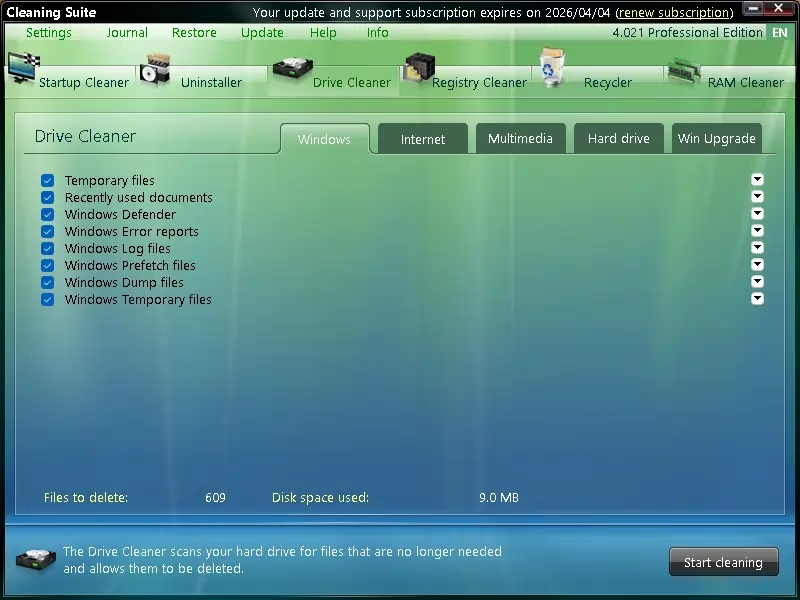
Six helpers analyze your system and enable deep cleaning operations. For example, you can delete temporary files, clear browser histories, caches, and cookies from all popular Internet browsers, and prevent installed applications and tools from starting automatically at system startup.

The Cleaning Suite, in a targeted manner, can also optimize the Windows Registry.
This Windows software proceeds very carefully to ensure unrestricted use of your computer even after the cleaning process. On top of that, the Cleaning Suite provides advanced features for the Windows Recycle Bin.
A restore center provides the ability to undo certain actions of the software at any time. The detailed journal also provides information about the entire cleaning history.
Key features of ASCOMP Cleaning Suite Pro
-
Deep junk file cleanup for Windows 11 and Windows 10, including temporary files, caches, and logs.
-
Startup optimizer to disable unnecessary programs and significantly reduce Windows boot time.
-
Safe registry cleaner to remove invalid entries and improve overall system stability.
-
Browser cleaner to delete history, cookies, and tracking data for better privacy.
-
Restore center and detailed log so you can undo cleaning changes if something goes wrong.
How to use ASCOMP Cleaning Suite Pro on Windows 11?
-
Install ASCOMP Cleaning Suite Pro on your Windows 11 or Windows 10 PC and launch the program.
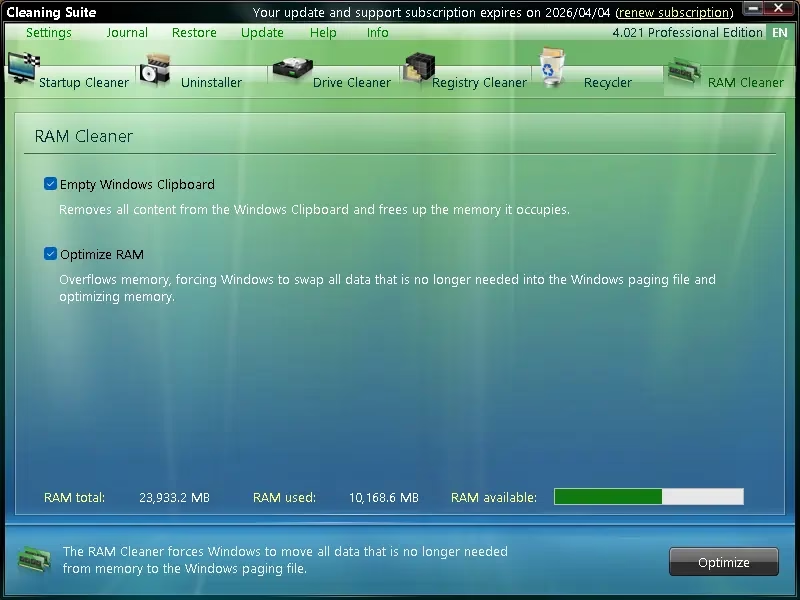
- The app’s main window displays six categories: Startup Cleaner, Uninstaller, Drive Cleaner, Registry Cleaner, Recycler, and RAM Cleaner.
- For example, to speed up Windows startup time, open the Startup section and disable apps you do not need to run at boot. You can do this by clicking “Autostart” under Startup Cleaner.
- Review the selected item and uncheck anything you want to keep before starting the cleanup.
- Before performing large cleanups, create a system restore point or use the built‑in restore center so you can revert changes if needed.
System requirements and license details
-
Supported operating systems: Windows 11, Windows 10, and earlier Windows versions supported by ASCOMP.
-
License type: Free full version license for private, non‑commercial use during this giveaway.
-
Regular price: Around USD 19.90 for the professional license, offered here as a limited‑time free Windows PC cleaner giveaway
Frequently Asked Questions (FAQ)
Is ASCOMP Cleaning Suite Pro safe for Windows 11?
A: Yes, ASCOMP Cleaning Suite Pro is compatible with Windows 11 and Windows 10, and it provides safe junk file and registry cleaning when you review the scan results before applying changes.
How long does the free ASCOMP Cleaning Suite Pro license last?
A: The free ASCOMP Cleaning Suite Pro license provided in this giveaway is typically valid for one year of use for private users; check the promo page for exact duration and terms.
Does Cleaning Suite Pro include a registry cleaner?
A: Yes, ASCOMP Cleaning Suite Pro includes a built‑in registry cleaner that scans for invalid or obsolete entries and helps improve system stability on Windows 11 and Windows 10.
Can I use ASCOMP Cleaning Suite Pro on multiple PCs?
A: In most giveaways, the free license is valid for one PC and for non‑commercial use; always read the license information on the ASCOMP promotion page before installing it on multiple systems.
Do I still need another PC cleaner with ASCOMP Cleaning Suite Pro?
A: For most home users, ASCOMP Cleaning Suite Pro is enough as a primary PC cleaner and optimizer, especially when combined with Windows Defender for security on Windows 11.
For more PC optimization giveaways, check our latest free full‑version software deals for Windows.


Discover more from Techno360
Subscribe to get the latest posts sent to your email.