
🎁 FREE GIVEAWAY · WINDOWS 10/11 · AI PHOTO OPTIMISER
One click, 193 looks: a $70 photo optimiser for $0
COLOR #8 fixes dull colours, flat light and noise with AI-tuned templates, then lets you fine-tune everything in an expert mode. Normally $70 / £63, right now you can add it to your Ashampoo account for nothing.
Price: $70 → $0 Version 8.23 Full version licence
⚡ Quick Read (30 seconds)
- What: Ashampoo COLOR #8, an AI-assisted photo optimiser with 193 one-click templates, RAW support and an expert mode with 245 filters.
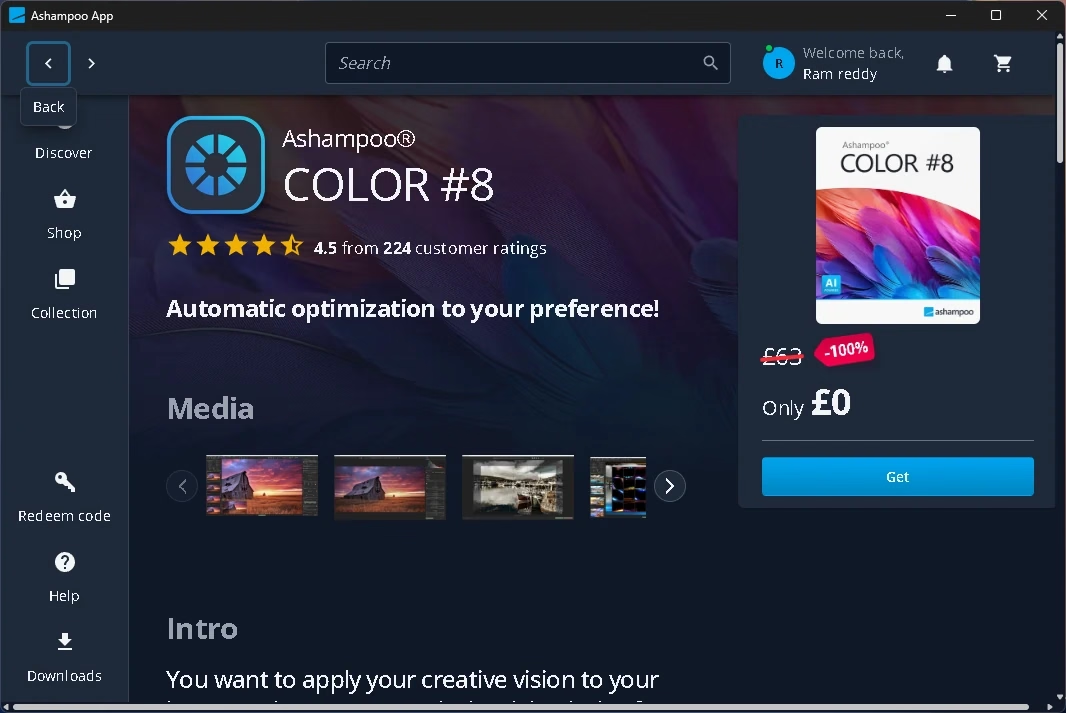
- Giveaway: The full version, normally $70 (£63), drops to $0 in the Ashampoo App.
- How: Run the 2 MB launcher, sign in with a free Ashampoo account, click Get, then install from your Collection.
- Catch: 64-bit Windows 10/11 only. The licence covers version #8; later major versions are paid. It installs the Ashampoo App alongside.
- Deadline: No end date announced. Claim it now: jump to the steps.
What is Ashampoo COLOR #8?
COLOR #8 is a Windows photo editor built for one job: making your colours, light and contrast look right with as little effort as possible. It is developed by Accelerated Vision, a studio in Kiel, Germany, and sold by Ashampoo.
You open a photo, and the program shows it with every template applied as a thumbnail. Pick the look you like and save. If you want more control, switch to expert mode and adjust or build your own templates. Ashampoo pitches it as one-click optimisation with no need for layers and masks.
ℹ️ Standard, not professional: Ashampoo also sells COLOR #8 professional ($100 list price). Extras that Ashampoo lists for the professional edition, such as dark frame and flat frame correction, the 3D lighting module and Lightroom Classic plug-ins, are not part of this giveaway.
Key features of COLOR #8
According to Ashampoo’s product page, COLOR #8 includes:
- 193 image templates in 12 categories, all revised with AI effects (26 of them new).
- Expert mode with 245 filters in eight groups: AI, masking, denoise/sharpen, geometry, exposure, colour, blur and artistic.
- RAW processing, so you can develop camera RAW files directly.
- Selective editing with area protection, plus a composing module with 12 layers, 80 backgrounds and 22 blend modes.
- Intelligent colour space (SCA) and emulation of 58 photo films.
- Smart brush that detects contours so you don’t paint over edges.
- “Replace image” to swap the photo inside a project, and a customisable interface built for HD and 4K screens.
- Hand-off to other editors, including Accelerated Vision’s SHARPEN #5 and BLACK & WHITE #8.
Giveaway terms at a glance
| Product | Ashampoo COLOR #8 (standard edition) |
|---|---|
| Version | 8.23 (build 8.23.04122, 64-bit, in our test) |
| Developer | Accelerated Vision UG, published by Ashampoo |
| Regular price | $70 / £63 list price (Ashampoo’s store had it on sale for $20 / £18 on 19 November 2026) |
| Giveaway price | $0 (100% off in the Ashampoo App) |
| Licence | Full version, linked to your Ashampoo account. No expiry was shown in our test. |
| Upgrades | Not included. COLOR #9 or later will be paid. |
| Operating system | Windows 11 or Windows 10, 64-bit |
| Download size | About 2 MB launcher; the Ashampoo App then downloads the rest |
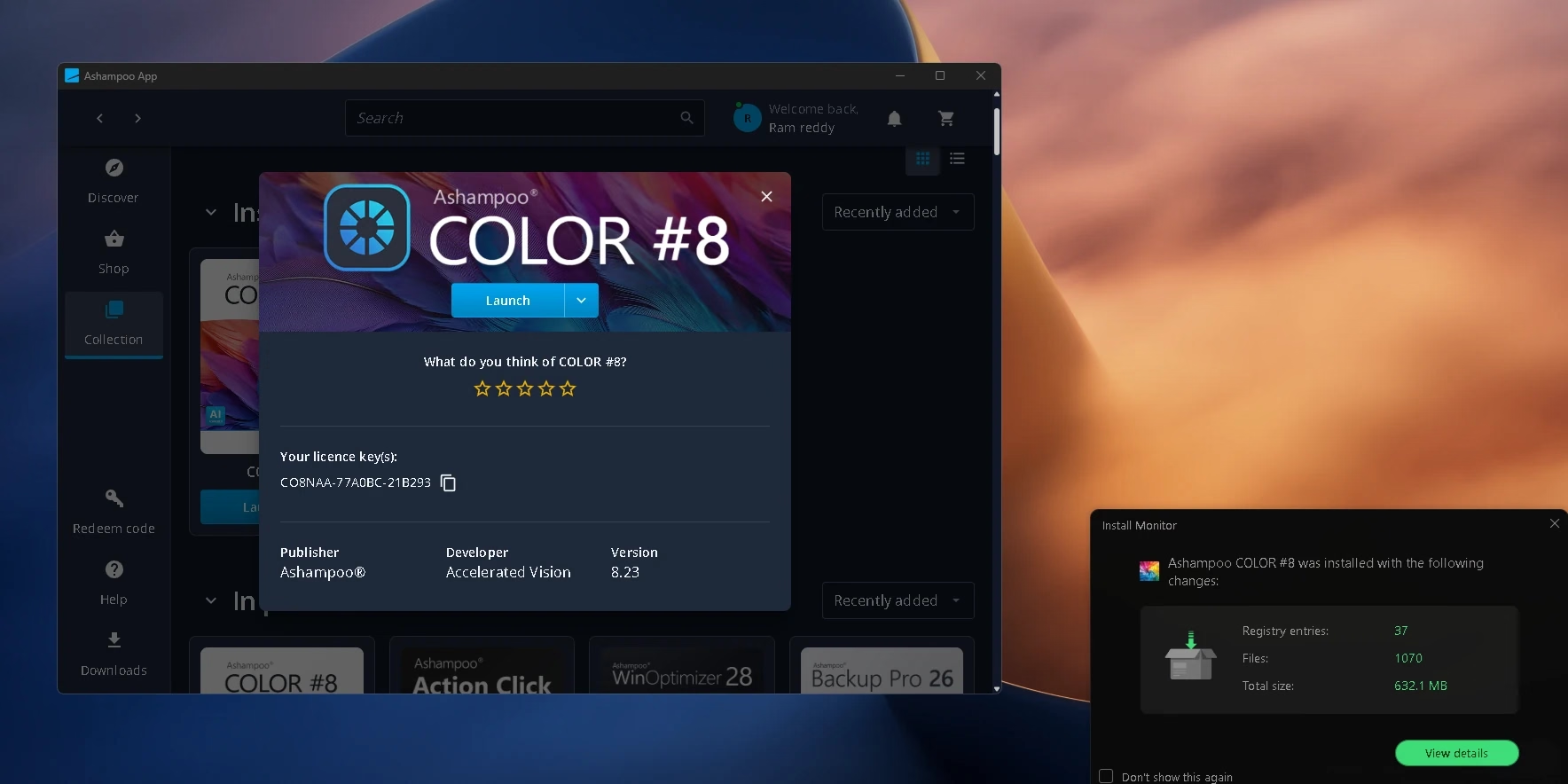
| Disk space (our test) | About 632 MB for COLOR #8 plus about 354 MB for the Ashampoo App |
| Account | Free Ashampoo account (email) required |
| Internet | Needed to claim, install and activate |
| Deadline | Not announced. The offer can end without notice. |
How to get Ashampoo COLOR #8 for free
The whole process takes about five minutes. Here’s what we did:
⬇️ Download Giveaway Installer (2 MB)
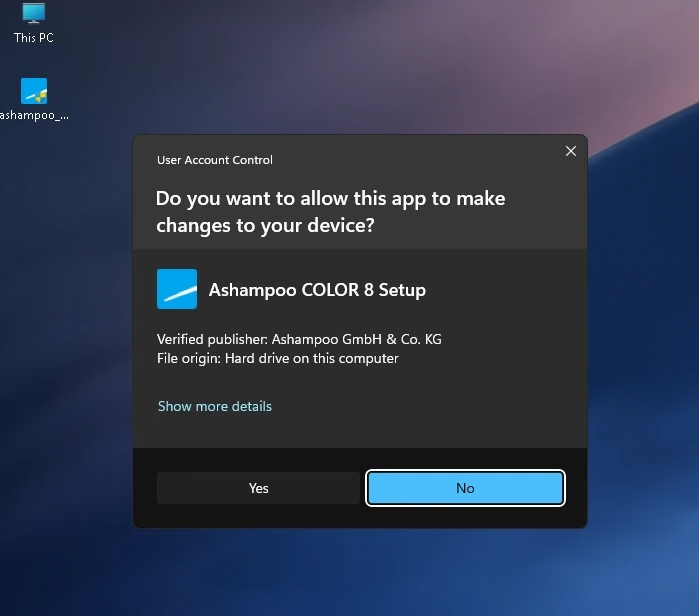
- Run the launcher. Windows asks for permission and should show Verified publisher: Ashampoo GmbH & Co. KG. Click Yes.
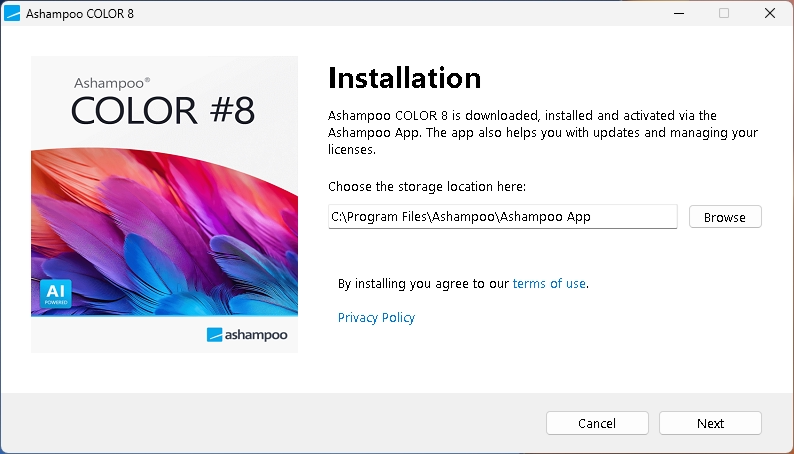
- Install the Ashampoo App. The setup window explains that COLOR #8 is downloaded, installed and activated through the Ashampoo App. Keep the default folder and click Next.
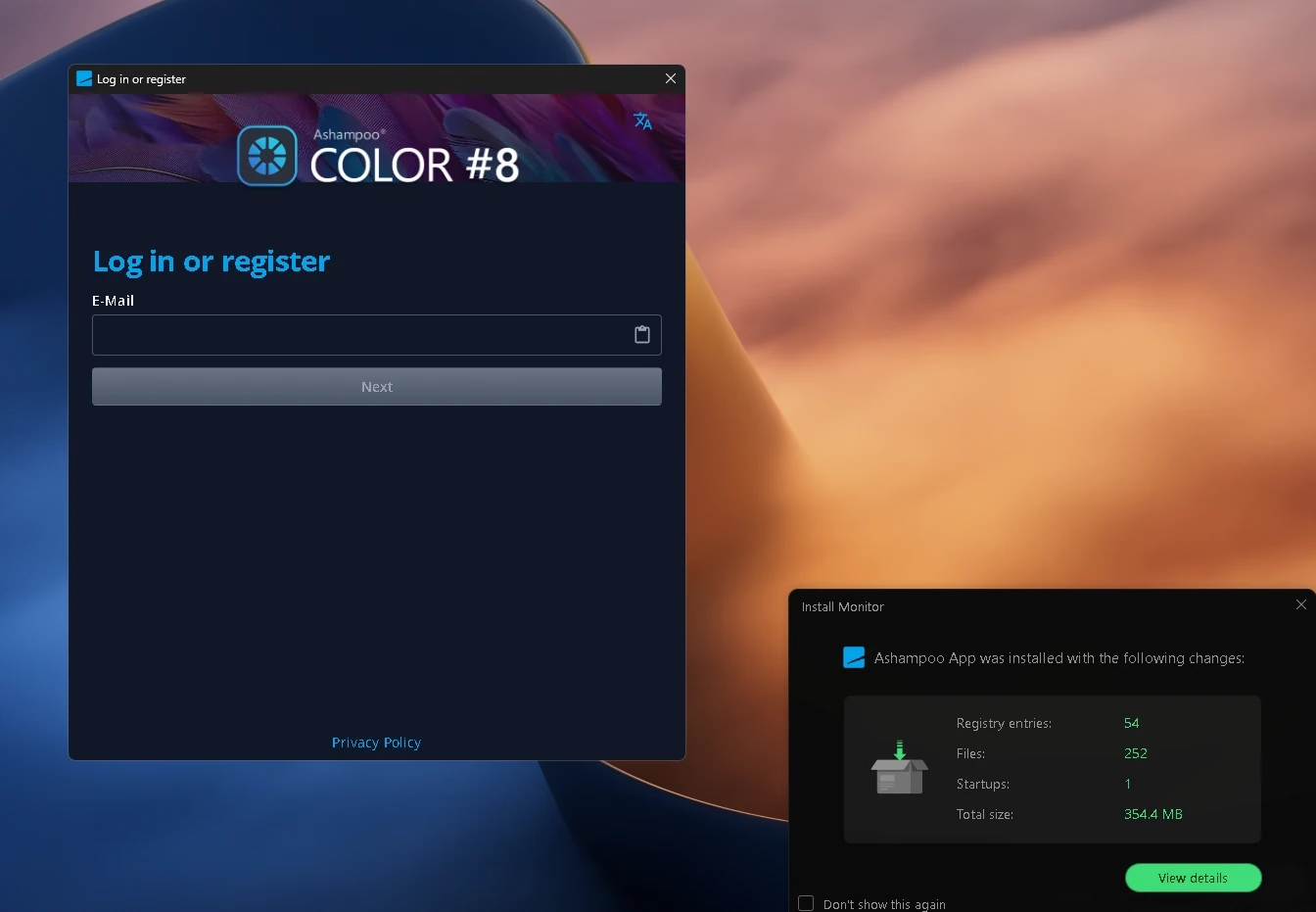
- Log in or register. Enter your email and follow the prompts. A new email creates a free account.
- Claim it. The COLOR #8 page opens. Check that the price shows 0 with a -100% badge (shown in your local currency), then click Get.
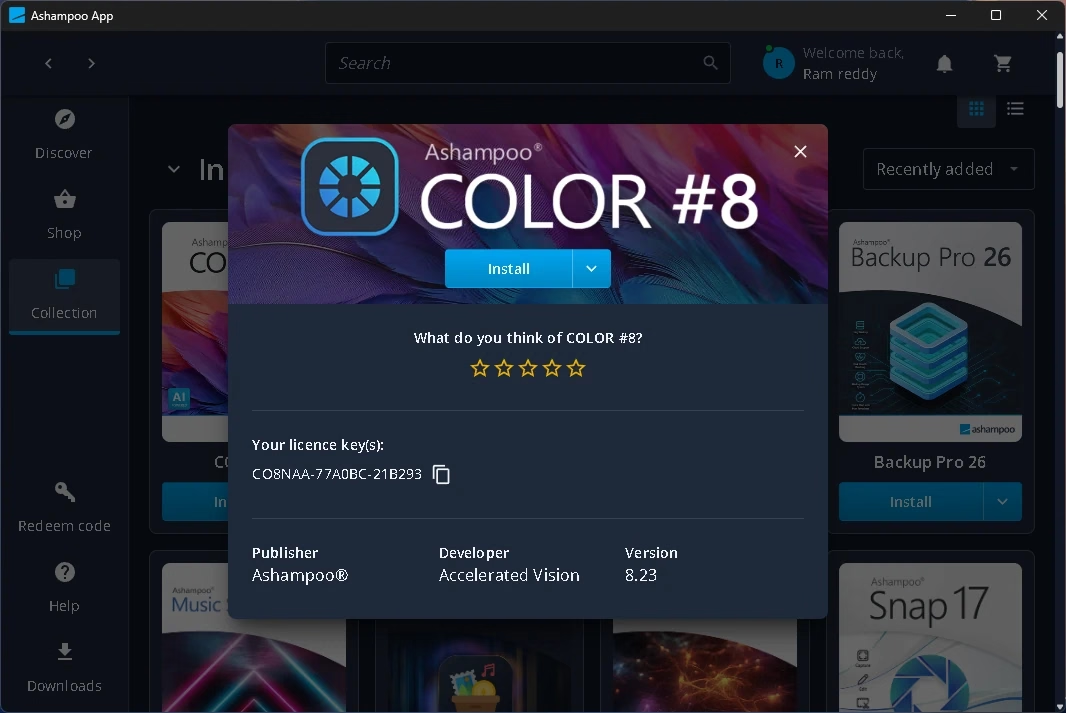
- Save your key and install. Open Collection, click COLOR #8, use the copy icon next to Your licence key(s) and paste it somewhere safe. Then click Install.
- Launch it. When the button changes to Launch, you’re done. Activation is handled by the app, so there’s nothing to type.
🔑 WHERE YOUR LICENCE KEY LIVES
Each account gets its own key. It looks like this:
XXXXXX-XXXXXX-XXXXXX
Find it any time under Ashampoo App → Collection → COLOR #8 → Your licence key(s). Copy and paste it rather than typing it.
🛠️ Not working? Try this
- Price isn’t 0: the offer has probably ended. Don’t enter payment details.
- No sign-in email: check spam and promotions, then request it again.
- Launcher blocked: SmartScreen or antivirus may pause new downloads. Check the publisher is Ashampoo GmbH & Co. KG before allowing it.
- Install fails: make sure you’re on 64-bit Windows 10/11 with about 1 GB free.
- Reinstalling later: sign in to the Ashampoo App with the same email. COLOR #8 stays in your Collection.
Hands-on: what we saw in our test
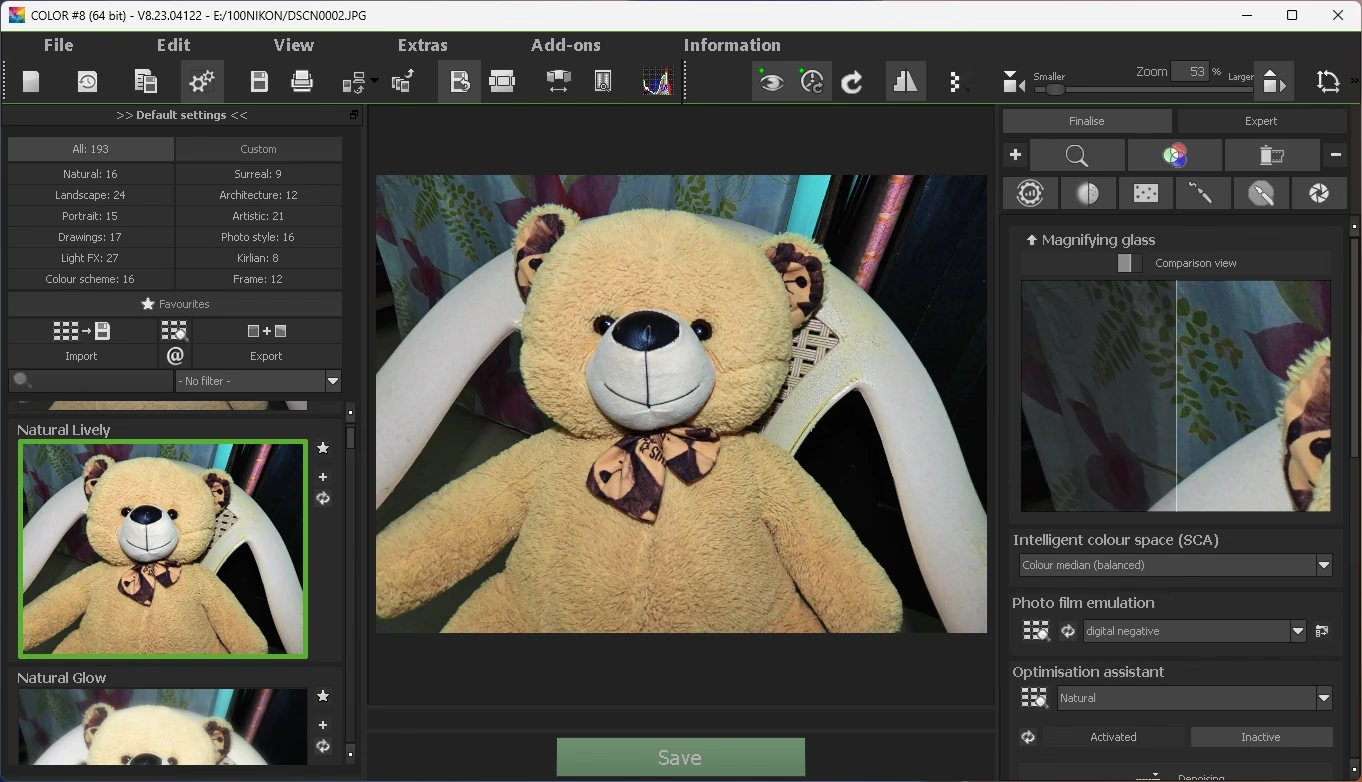
After installing, we opened a JPEG straight from a Nikon camera. The left panel instantly filled with previews of our own photo in each template. The counts matched Ashampoo’s claim: 193 templates across 12 categories, from Natural (16) and Landscape (24) to Light FX (27), Kirlian (8) and Frame (12).
On the right, the Finalise panel has a magnifying glass with a split comparison view, an intelligent colour space (SCA) menu, photo film emulation and an optimisation assistant. That’s a lot of options, but you can ignore all of them and just click a template you like, then Save.
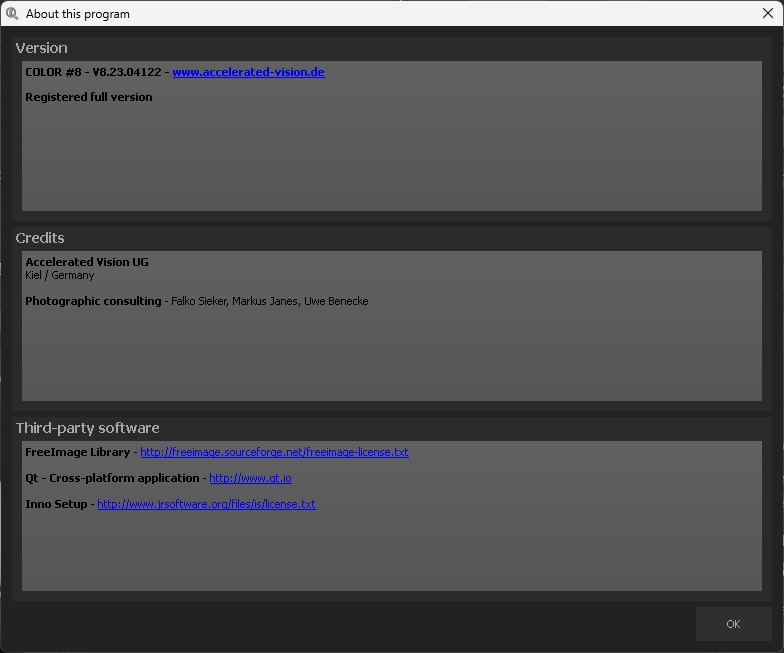
The Information → About window confirmed the result: “Registered full version”, version 8.23.04122.
One thing to know: the interface is dense and uses small icons. Beginners should stick to templates at first; the expert mode takes time to learn.
Is it safe?
Yes, as far as we could check. The giveaway launcher is a 2 MB Windows program digitally signed by Ashampoo GmbH & Co. KG with a GlobalSign EV code-signing certificate, and Windows shows it as a verified publisher. Its SHA-256 hash is:
6343890c3999431b8d9e99c1d67f266d34f50a06a703becbdc87aacf7c7cb098
What it changes: the launcher installs the Ashampoo App, which manages your licences and updates. In our test Install Monitor recorded one startup entry for it. You can turn that off in Task Manager → Startup apps if you only open the app occasionally. Expect product offers inside the app; you don’t have to buy anything.
Who should grab it, and who can skip it
👍 Grab it if you shoot on a phone or camera and want better colour and light without learning Lightroom or Photoshop, you shoot RAW and want a simple developer, or you like trying creative looks on holiday and family photos.
👎 Skip it if you need retouching, cloning or layered compositing like a full Photoshop alternative, you’re on a Mac or 32-bit Windows, or you don’t want another account and background app on your PC.
More free photo tools on Techno360
- UltraPic Pro free: AI photo editor giveaway
- Franzis HDR projects 10 free giveaway
- Franzis BLACK & WHITE projects full version free
- Franzis CutOut 10 free licence
- Ashampoo Music Studio 2027 free full version
- Ashampoo Backup Pro 26 free licence
- Browse every current giveaway
✅ Techno360 Verdict
COLOR #8 is one of the more useful Ashampoo giveaways: a genuine full version of a $70 photo optimiser that makes good-looking edits in one click and still has depth when you want it. The Ashampoo account and app are the only real price. Claim it while it’s free.
Pros
- 193 templates previewed on your own photo
- RAW support and a deep expert mode
- Full version, verified as registered in our test
- Signed launcher from Ashampoo
Cons
- Needs an Ashampoo account and the Ashampoo App
- No free upgrade to future major versions
- Busy interface with small icons
- 64-bit Windows only
Frequently asked questions
Is Ashampoo COLOR #8 really free?
Yes. During the giveaway the Ashampoo App shows a 100% discount and a price of 0. No payment details are needed.
Is the licence permanent?
It’s a full version licence for COLOR #8, and no expiry date was shown in our test. Future major versions (COLOR #9 and later) are not included.
Is this COLOR #8 or COLOR #8 professional?
It’s the standard COLOR #8. The professional edition, with extras such as Lightroom Classic plug-ins and dark/flat frame correction, is sold separately.
Does it work on Windows 7 or 32-bit Windows?
No. Ashampoo lists Windows 11 and 64-bit Windows 10 only.
Where do I find my licence key later?
Open the Ashampoo App, go to Collection and click COLOR #8. The key is listed under “Your licence key(s)” with a copy button.
Can I install it on a new PC later?
Yes. Install the Ashampoo App on the new PC, sign in with the same email, and install COLOR #8 from your Collection.
Does COLOR #8 edit RAW photos?
Yes. Ashampoo lists RAW processing as a standard feature, so you can develop camera RAW files directly.