
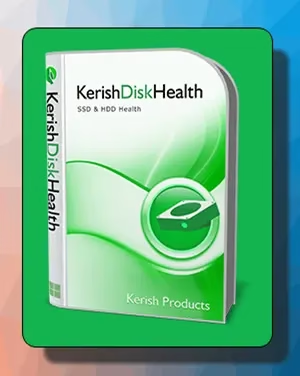
Kerish Disk Health is a lightweight Windows utility developed by Kerish Products that continuously monitors the physical condition of your hard drives and SSDs.
Unlike typical system cleaners that focus on software optimization, Kerish Disk Health zeroes in on one of the most overlooked aspects of PC maintenance—your storage drive’s health. A failing hard drive usually does not announce itself. One day your PC runs fine; the next it crawls with slowdowns, throws errors, or worse, loses your files permanently. This tool helps you stay ahead of that scenario.
In this article, we cover everything you need to know about Kerish Disk Health—its features, how it compares to alternatives, how to get the current free license giveaway (worth $24.95), and who should be using it.
Contents
- 1 What Is Kerish Disk Health?
- 2 Key Features of Kerish Disk Health
- 3 Kerish Disk Health Giveaway: Get a Free License (Worth $24.95)
- 4 Kerish Disk Health vs CrystalDiskInfo: Which Is Better?
- 5 Who Should Use Kerish Disk Health?
- 6 System Requirements
- 7 Is Kerish Disk Health Safe to Use?
- 8 Frequently Asked Questions (FAQ)
- 9 Final Verdict: Is Kerish Disk Health Worth It?
What Is Kerish Disk Health?
Kerish Disk Health is a dedicated disk monitoring application from Kerish Products LLP, the same company behind the well-known Kerish Doctor PC optimization tool. Released in 2025, Kerish Disk Health is a focused tool that does one thing exceptionally well: it tells you the real-time health of every connected HDD and SSD in your Windows PC.
The software reads S.M.A.R.T. (Self-Monitoring, Analysis, and Reporting Technology) data from your drives and presents it in a simple, easy-to-understand dashboard.
Instead of showing confusing raw attribute values, it converts them into a clear health percentage and lifespan estimate in months—so even non-technical users can understand whether their drive is healthy or approaching failure.
Key Features of Kerish Disk Health
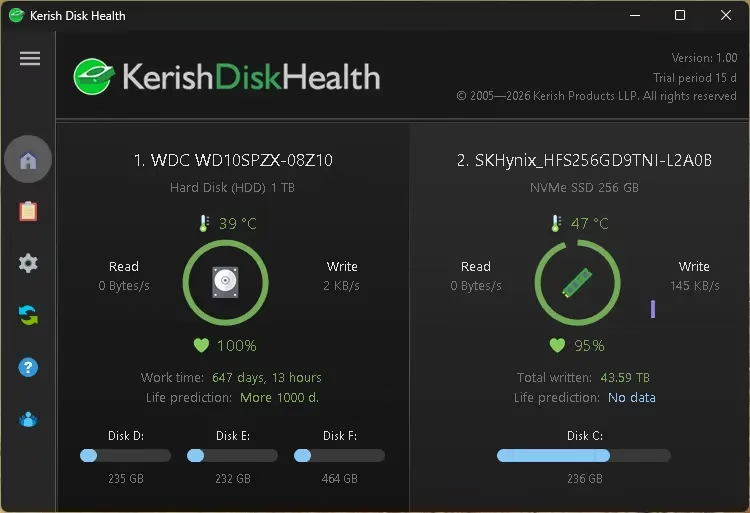
- Health Percentage Rating: Instantly see a percentage score for each drive. When the score drops toward a critical level, the software alerts you so you can plan a timely replacement rather than face a sudden crash.
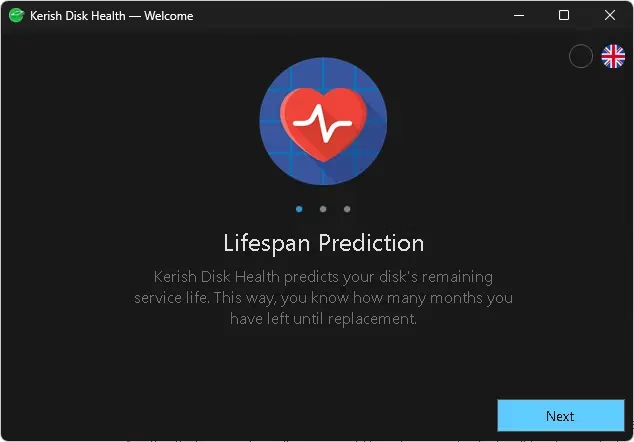
- Lifespan Prediction: One of Kerish Disk Health’s standout features is its ability to predict the estimated remaining service life of your drive in months. This is based on real-time S.M.A.R.T. analysis and helps you schedule backups or replacements proactively.
- Disk Thermometer: Overheating is one of the leading causes of premature drive failure. Kerish Disk Health continuously monitors the drive temperature and triggers a warning alert when temperatures exceed safe thresholds.
- S.M.A.R.T. Analysis: The software monitors all critical S.M.A.R.T. parameters in real time including reallocated sectors, pending sectors, uncorrectable errors, and power-on hours—the key indicators of drive health.
- Read/Write Monitoring: Track your drive’s read and write activity trends over time to detect anomalies or abnormal behavior that may indicate a problem.
- Weekly Reports: Kerish Disk Health generates weekly reports so you get a regular summary of each drive’s condition without needing to check manually.
- Multi-Drive Support: Monitor all your drives simultaneously from a single interface—whether you have one internal HDD, multiple SSDs, or both.
- Runs Silently in Background: The app is designed to be lightweight and run quietly in the system tray, using minimal resources while continuously watching your drives.
Kerish Disk Health Giveaway: Get a Free License (Worth $24.95)
Kerish Disk Health normally costs $24.95 for a 1-year personal license covering 1 to 3 PCs. Through a limited-time giveaway (thanks to Bitsdujour), you can claim a full license at no cost. Here is everything you need to know about the offer:
| Detail | Info |
|---|---|
| Version | Kerish Disk Health v1.00 |
| License Type | Personal |
| License Duration | 1 Year from activation |
| Supported OS | Windows 11, 10, 8 (8.1), 7 |
| Original Price | $24.95 (1-year, 1-3 |
| Free Updates | 12 months included |
How to Get Kerish Disk Health for Free (Step-by-Step)
- Visit the Giveaway Page: Go to the official giveaway page to obtain your free license code.
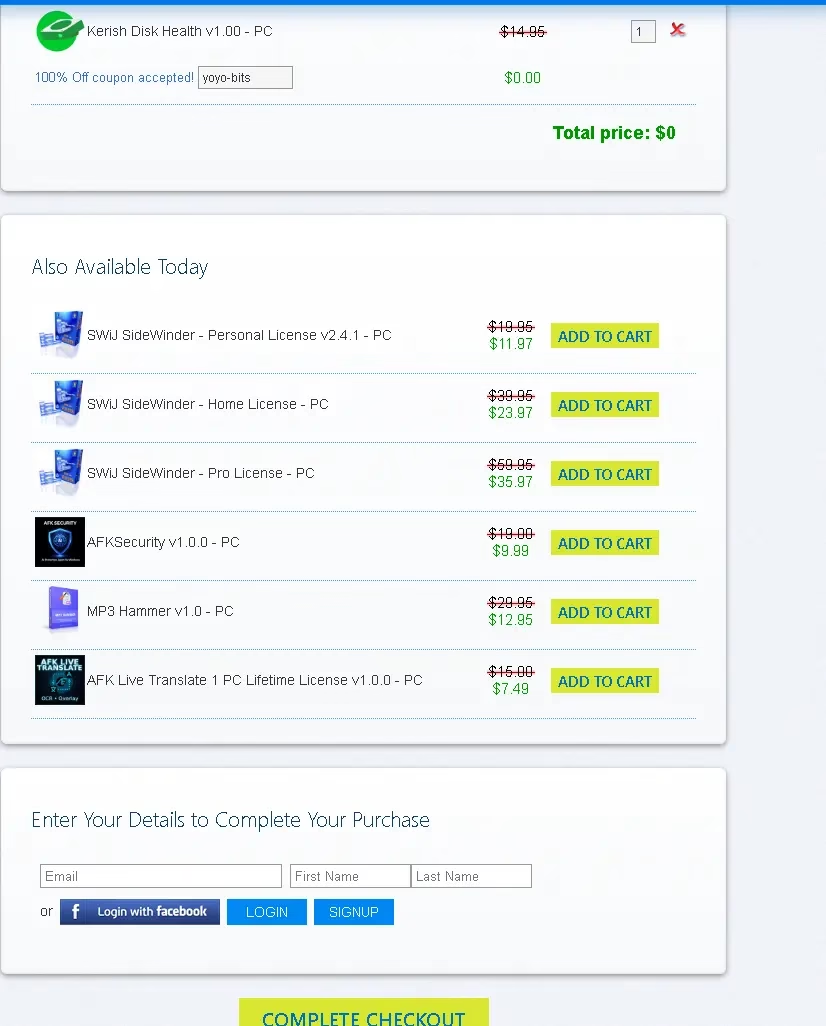
- On the Bitsdujour giveaway page, either sign up for an account or log in with your existing one. Then, finish the checkout process.
- Download the Installer: Download the official installer file Kerish_Disk_Health_1.00.exe directly from the Kerish Products website. Run the installer and follow the setup wizard to install it on your Windows PC.
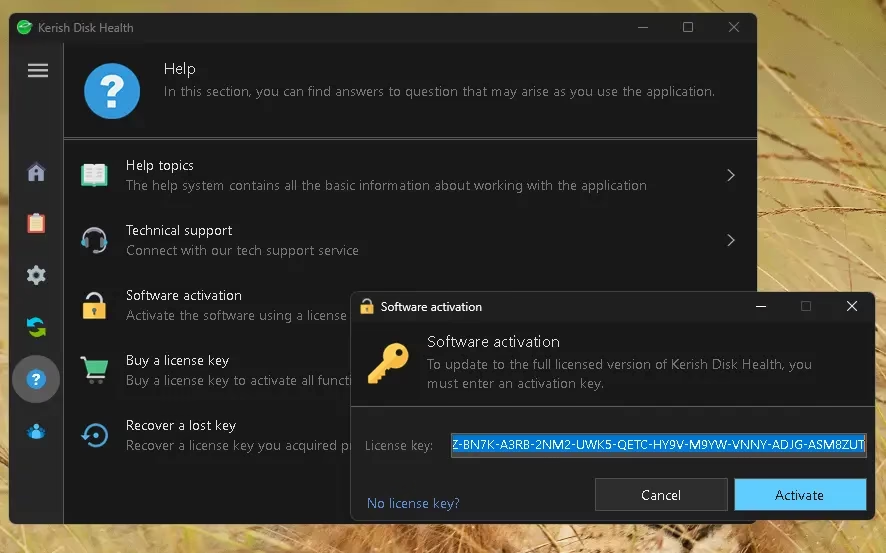
- Activate with the License Code: Once installed, open Kerish Disk Health. Click the help (?) button on the app’s main window. Then, select “Software activation.” In the pop-up window that appears, input the license code you got from the giveaway page and confirm activation.
- Start Monitoring: After activation, the software will begin scanning your installed drives immediately. You will see the health percentage, temperature, and lifespan estimate for each drive on the home screen.
Note: The giveaway license is valid for 1 year. Free updates are included for the first 12 months. After that, a discounted upgrade fee may apply for future major versions.
Kerish Disk Health vs CrystalDiskInfo: Which Is Better?
CrystalDiskInfo is the most popular free disk monitoring tool, but how does Kerish Disk Health compare? Here is a side-by-side breakdown:
| Feature | Kerish Disk Health | CrystalDiskInfo (Free) |
|---|---|---|
| Health Percentage | Yes – simple % score | No (shows raw SMART data) |
| Lifespan Prediction | Yes – in months | No |
| Temperature Monitoring | Yes with overheat alerts | Yes (no automatic alerts) |
| Weekly Reports | Yes | No |
| Beginner-Friendly UI | Yes – very simple | Moderate (raw data) |
| S.M.A.R.T. Analysis | Yes | Yes (detailed) |
| Price | $24.95/yr (free via giveaway) | 100% Free |
| Background Monitoring | Yes – continuous | Periodic |
Verdict: CrystalDiskInfo is excellent for technical users who want raw S.M.A.R.T. details. Kerish Disk Health is better suited for everyday users who want a quick, actionable health summary without decoding complex data. If you want a plain-language answer to “Is my drive okay?”, Kerish Disk Health wins.
Who Should Use Kerish Disk Health?
- Home PC Users: If you store important photos, documents, or personal files on your computer, you should have some form of disk monitoring. Kerish Disk Health gives you peace of mind without requiring technical knowledge.
- Students and Freelancers: If your work depends on a single laptop or desktop, a failing drive could mean a catastrophic loss. Use Kerish Disk Health to know when to back up urgently or replace a drive before it fails.
- Owners of Older Computers: HDDs in laptops and desktops that are 3+ years old start showing wear. Kerish Disk Health’s lifespan prediction feature is especially valuable for aging systems.
- Multi-PC Households: The personal license covers 1–3 PCs, making it practical for families who want to monitor the health of every computer in the house from a single license.
- Small Office Workers: For a small business or home office setup, keeping track of drive health across workstations prevents unexpected downtime and data loss incidents.
System Requirements
- Operating System: Windows 11, Windows 10, Windows 8/8.1, Windows 7, Windows Vista
- Architecture: 32-bit and 64-bit supported
- Storage Compatibility: HDD (Hard Disk Drive) and SSD (Solid State Drive)
- Internet: Required for license activation
- Installer Size: Lightweight (under 10 MB)
Is Kerish Disk Health Safe to Use?
Yes. Kerish Disk Health is developed by Kerish Products LLP, a legitimate software company with a long track record in PC utilities. The application is a passive monitoring tool—it only reads data from your drives using standard S.M.A.R.T. (Self-Monitoring, Analysis, and Reporting Technology). interfaces. It does not write to your drives, modify system files, or collect personal data. It is safe to install and run on any Windows PC.
Frequently Asked Questions (FAQ)
Is Kerish Disk Health completely free?
Kerish Disk Health is normally priced at $24.95 per year. Through the current limited-time giveaway, you can get a full 1-year personal license for free by visiting the giveaway page.
Does Kerish Disk Health work with SSDs?
Yes. Kerish Disk Health supports both HDDs (hard disk drives) and SSDs (solid-state drives). It reads S.M.A.R.T. data from both drive types and provides health scoring and temperature monitoring for each.
What happens after the 1-year giveaway license expires?
After 12 months, the license expires. You can either purchase a renewal or opt for a discounted upgrade as described in the giveaway terms. Free updates are included for the first year.
Can I use Kerish Disk Health on multiple computers?
The personal license covers 1 to 3 PCs, making it suitable for home users with multiple machines.
Is Kerish Disk Health better than CrystalDiskInfo?
Both tools serve similar purposes but target different users. CrystalDiskInfo provides raw S.M.A.R.T. data suitable for advanced users. Kerish Disk Health provides a simplified health percentage, lifespan estimation, and automatic alerts—making it more user-friendly for non-technical users.
Does it monitor NVMe SSDs?
Kerish Disk Health supports most solid-state drives. NVMe monitoring support may vary depending on the drive model and firmware. Check the official Kerish Products website for updated compatibility details.
Final Verdict: Is Kerish Disk Health Worth It?
Absolutely. Kerish Disk Health fills a real gap in the market—a simple, beginner-friendly disk monitoring tool that gives you a plain-language assessment of your drive’s health without drowning you in technical details. The health percentage, lifespan prediction, and temperature monitoring combination make it one of the most comprehensive tools for monitoring disk health available for beginners on Windows.
At $24.95 per year, it is reasonably priced, but getting it completely free via this giveaway is an exceptional deal. If you have important data on your PC—and who doesn’t—installing a disk monitoring tool like Kerish Disk Health is a smart and proactive move. Do not wait for your drive to fail. Grab this free license while it is available.


Discover more from Techno360
Subscribe to get the latest posts sent to your email.