
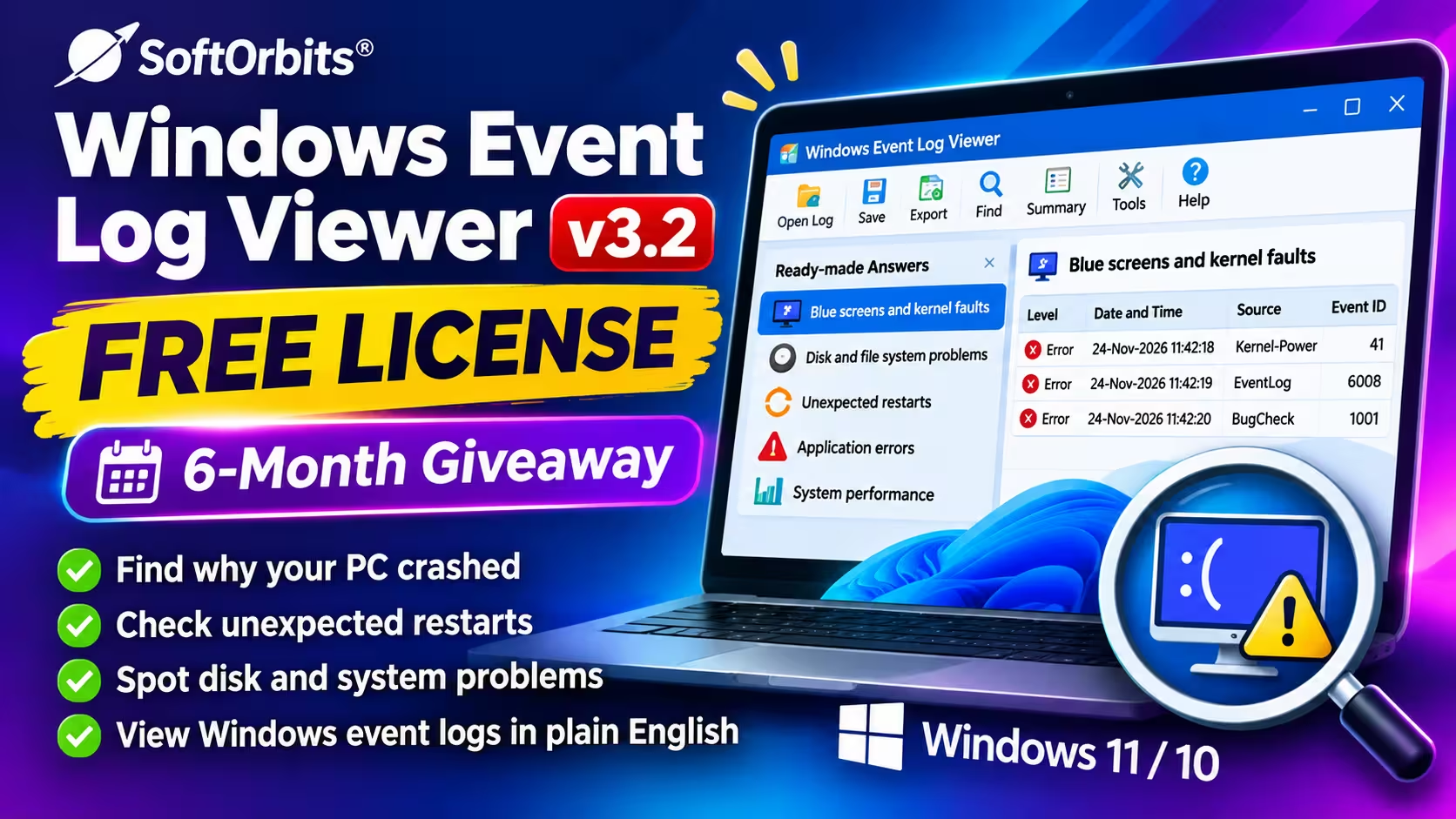
🎁 Free 6-month licence · Windows 7 to 11
Read your Windows event logs in plain English
Find out why your PC rebooted, crashed or slowed down, without digging through Event Viewer. SoftOrbits normally charges from $39.99 a month. This key gives you a full-featured licence for six months.
⚡ Quick Read
- What: Windows Event Log Viewer & Monitoring Software 3.2 by SoftOrbits, an event log viewer that explains Event IDs in plain words.
- Giveaway: Free full-featured licence for six months (not a permanent licence).
- How: Install, click I have a key…, paste the key and your email, then click Activate.
- Catch: Six months only, personal home use only, no free updates, no free support.
- Deadline: SoftOrbits has not announced an end date, so activate soon. Jump to the key ↓
What is SoftOrbits Windows Event Log Viewer?
Windows records many important system and application events, including crashes, unexpected restarts, failed sign-ins, service failures and disk warnings. The problem is reading it. The built-in Event Viewer shows thousands of rows of codes, and a log copied from another PC often just says “The description for Event ID cannot be found”.
Windows Event Log Viewer & Monitoring Software from SoftOrbits is a friendlier replacement. It opens your live logs and .evtx or .evt files from another computer, filters them down to what matters and explains each event in normal language. SoftOrbits lists version 3.2 as the current release on its official product page, and that is what we tested (build 3.2.0, dated 4 September 2026).
🔎 Seen it called “Windows Log Inspector”? Another giveaway site lists this same program as Windows Log Inspector 3.2. We downloaded both installers, and they are byte-for-byte identical (same SHA-256 hash) and signed by SoftOrbits Company Limited. Same app, different name. In the Microsoft Store it appears as “Event Log Viewing and Monitoring Software”.
Key features
- 15 ready-made answers. One-click views such as “Why the computer restarted”, “Blue screens and kernel faults”, “Applications that crashed or froze” and “Disk and file system problems”.
- Plain-English explanations. SoftOrbits says its built-in reference explains 181 common events and covered 94.6 percent of a working Windows log in its own measurement.
- Logs from other PCs. Open .evtx and old .evt files without importing them, or connect to another computer on your network.
- Damaged logs. A deep scan (“Deep scan for lost events” in the File menu) reads past a broken header to recover records that Event Viewer refuses to open.
- Live monitoring and alerts. Make a rule for an Event ID and get a tray notification when it fires, for example on a failed sign-in.
- Fast filters and summaries. Filter by level, source, date or Event ID ranges such as
10,100-200!150, merge two logs into one timeline and group a log by source. - Export. CSV, Excel, HTML and PDF, or straight into a Microsoft SQL Server table.
Giveaway terms
| Product | SoftOrbits Windows Event Log Viewer & Monitoring Software 3.2 |
|---|---|
| Normal price | From $39.99 a month (SoftOrbits product page) |
| Licence | Full-featured licence for 6 months (expires after that) |
| Use | Non-commercial, personal home use only |
| Updates | No free updates |
| Support | No free support |
| System | Windows 11, 10, 8.1, 8 and 7 (32 and 64-bit) |
| Download | EventLogViewerSetup.exe, about 68 MB |
| Deadline | Not announced |
How to get SoftOrbits Windows Event Log Viewer for free
- Download the giveaway installer from SoftOrbits with the button below.
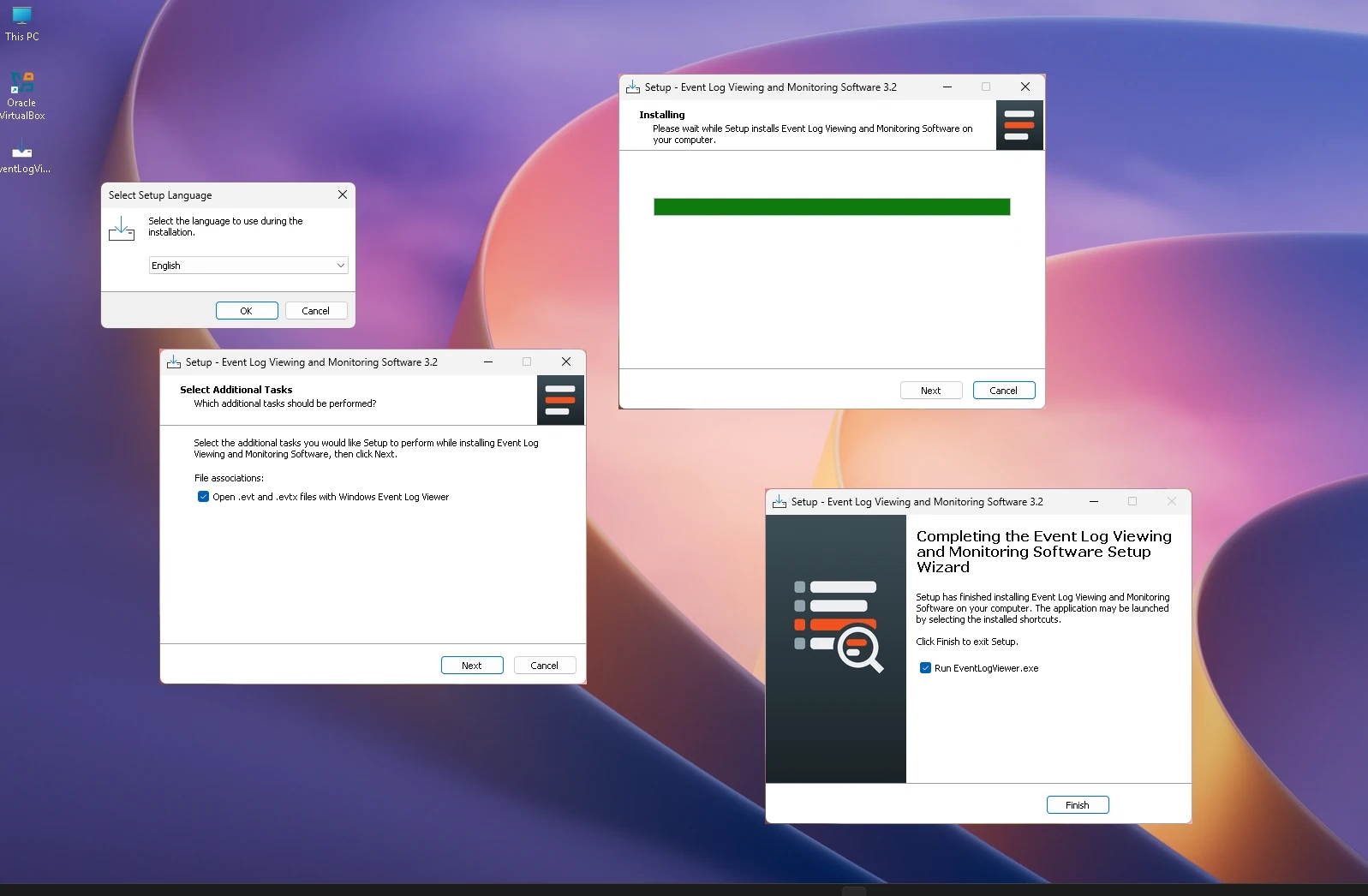
- Run EventLogViewerSetup.exe, pick your language and follow the setup steps. Leave “Open .evt and .evtx files with Windows Event Log Viewer” ticked if you want log files to open in it.
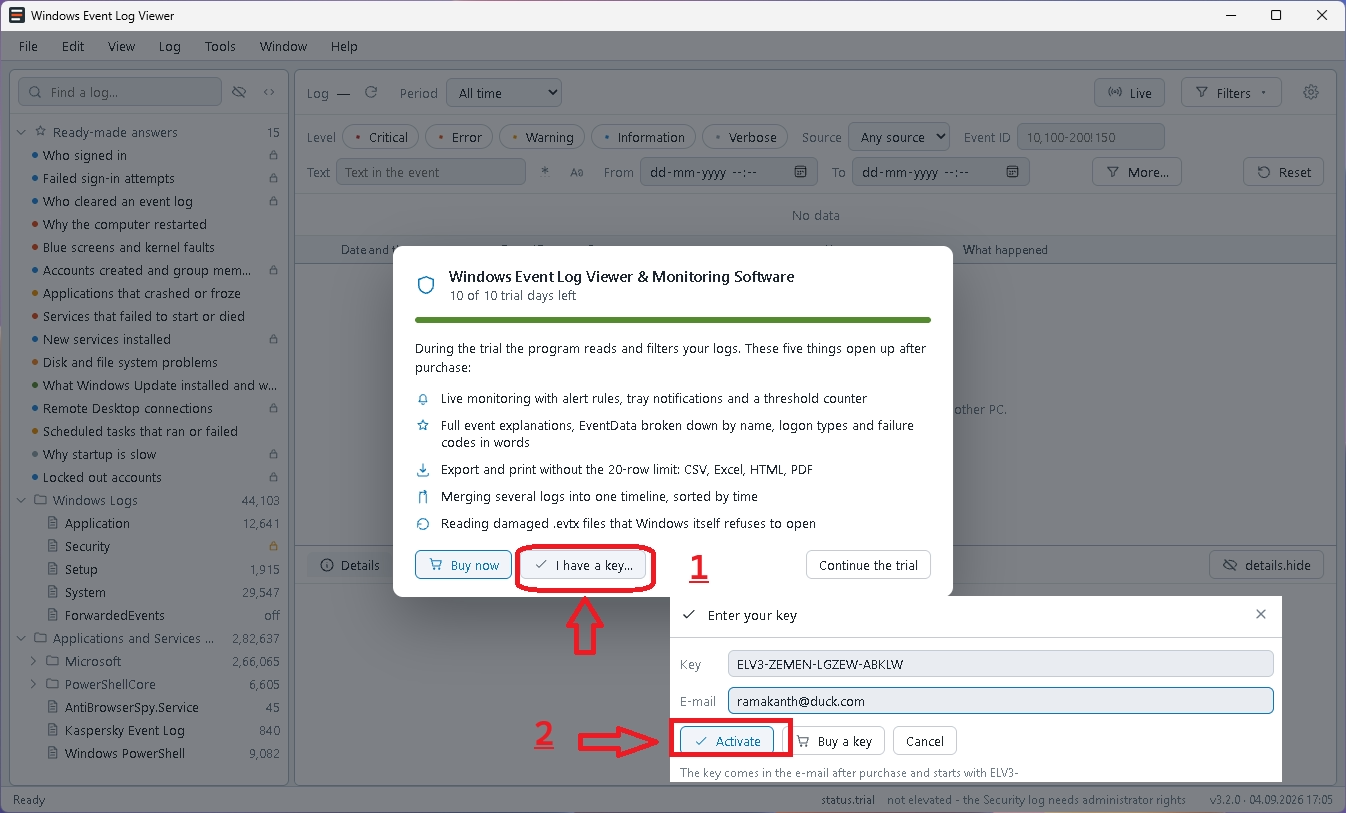
- Launch the program. A trial window appears with “10 of 10 trial days left”.
- Click I have a key…, paste the licence key below and enter your email address.
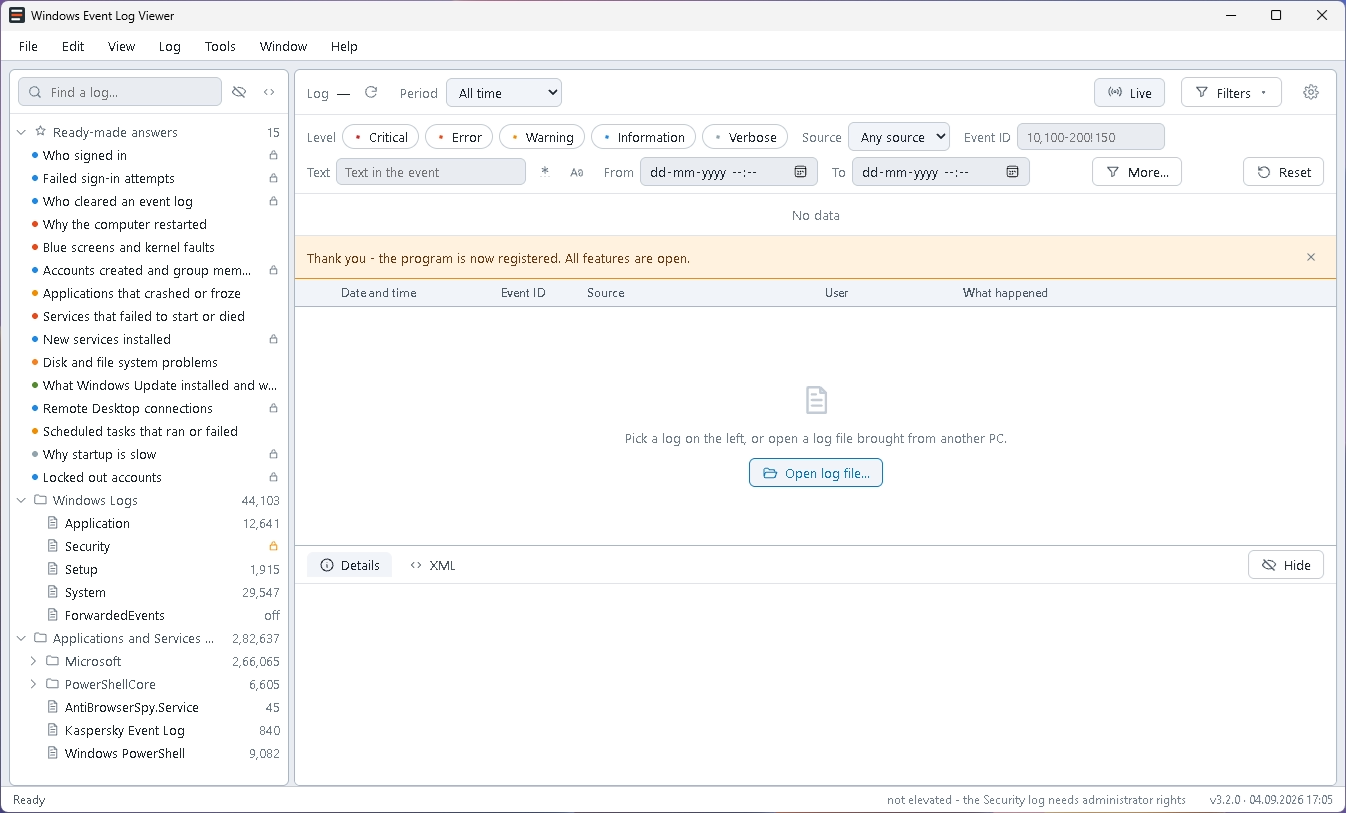
- Click Activate. A yellow bar confirms “Thank you – the program is now registered. All features are open.”
⬇️ Download giveaway installer
🔑 Giveaway licence key (copy and paste, don’t type)
ELV3-ZEMEN-LGZEW-ABKLW
🛠️ If activation doesn’t work
- Use the giveaway installer above, not the trial from the normal product page or the Microsoft Store. The Store version handles purchases differently, so the key may not apply there.
- Copy the whole key, including the ELV3- at the start, with no spaces before or after.
- If the key is refused, the giveaway has probably ended. There is no free support, so leave a comment and we will update this post.
Hands-on: what we found on our own PC
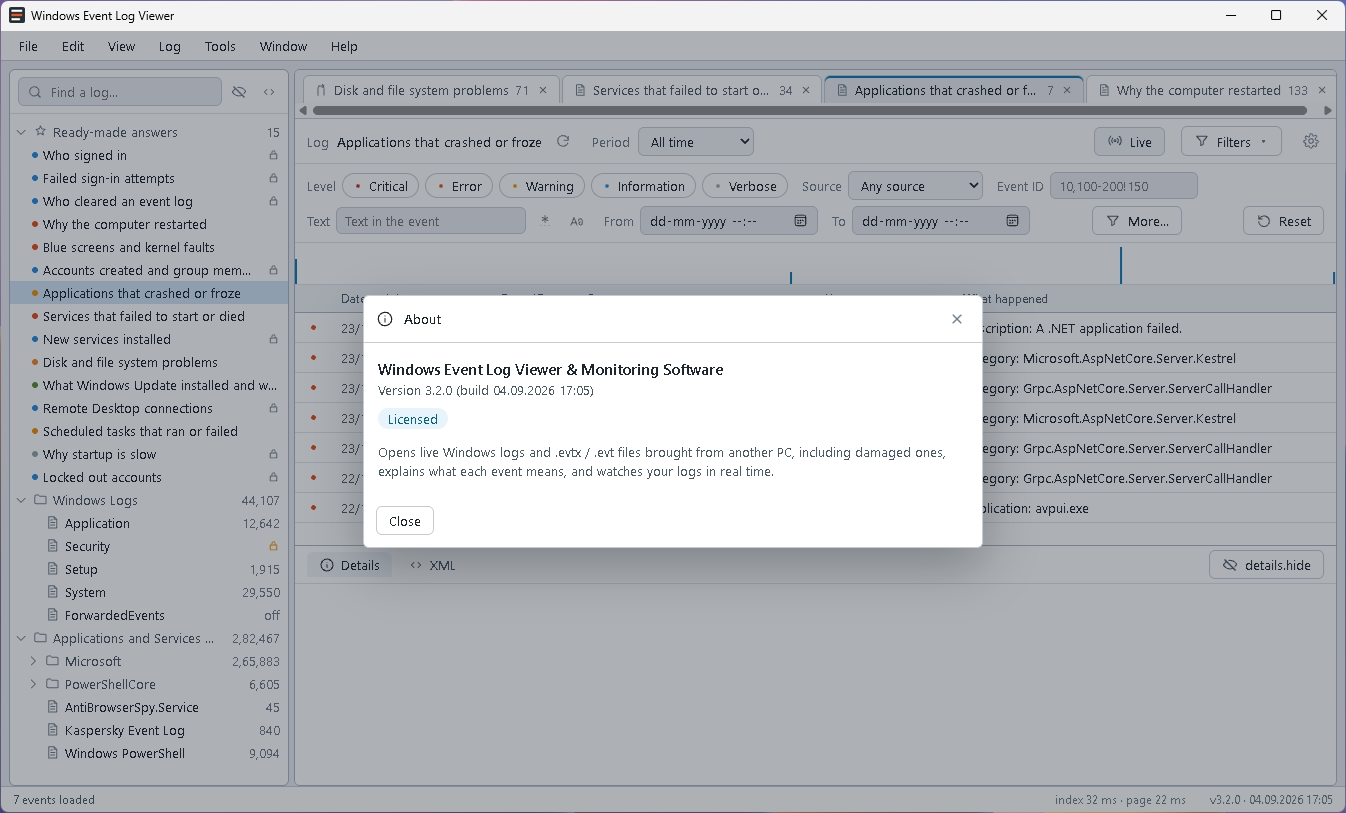
We installed version 3.2 on a Windows 11 PC that has been running for months, activated the giveaway key and went through the ready-made answers. The About box confirmed version 3.2.0 and showed the program as Licensed.
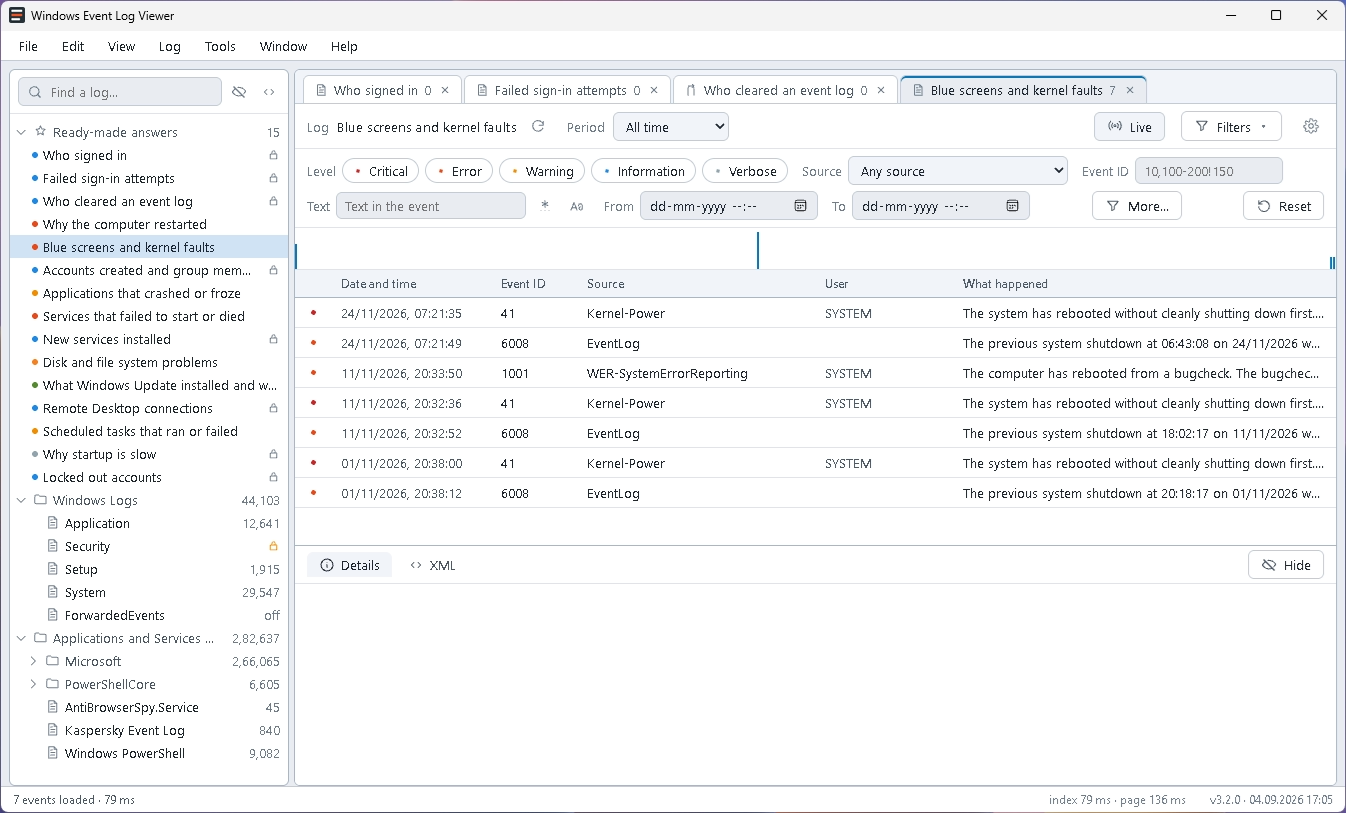
It found real problems quickly. “Blue screens and kernel faults” pulled out seven events in 79 ms: three Kernel-Power Event ID 41 entries (the PC restarted without a clean shutdown), the matching EventLog 6008 entries, and a WER Event ID 1001 saying the computer rebooted from a bugcheck on 11 November. That is the kind of answer that takes ten minutes of scrolling in Event Viewer.
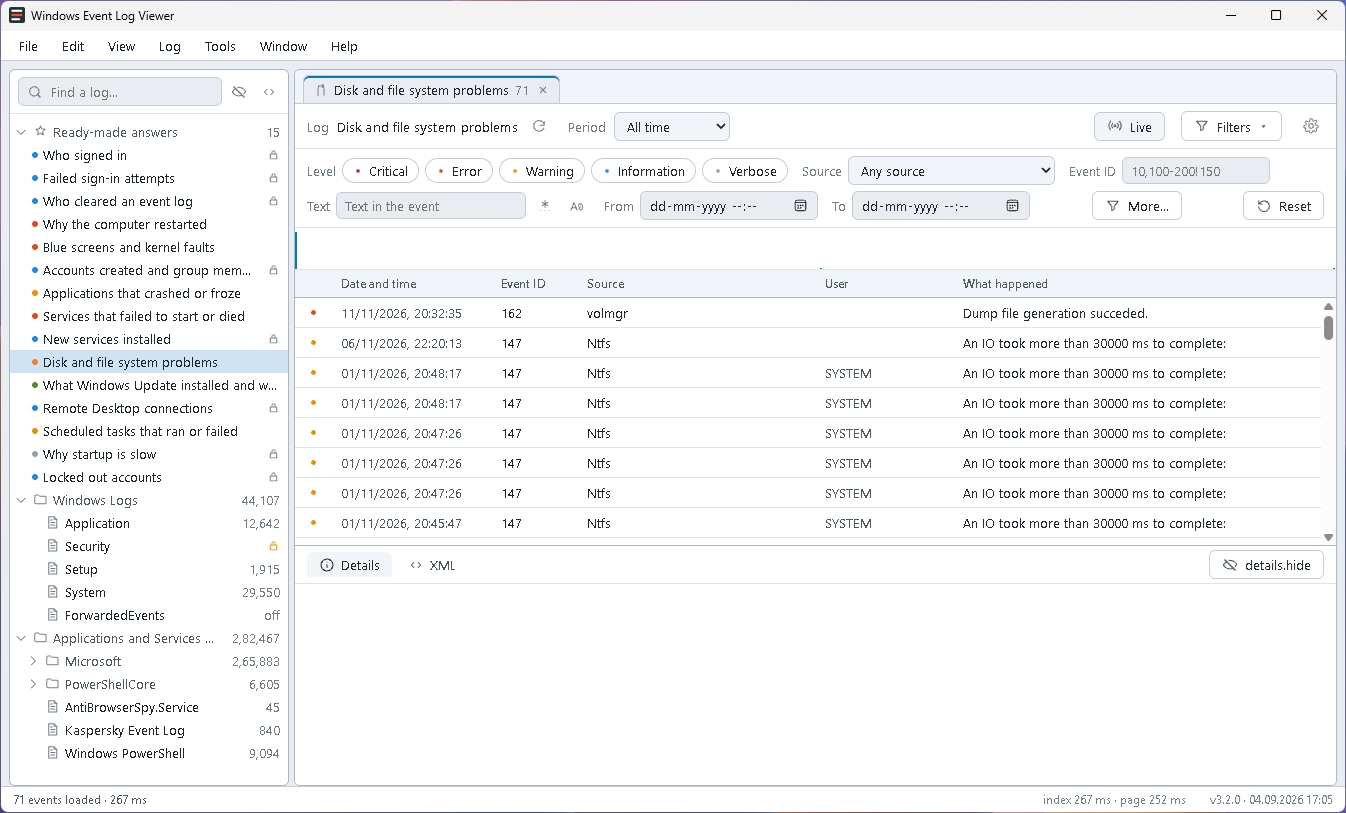
It flagged a slow disk. “Disk and file system problems” listed 71 events, most of them Ntfs Event ID 147 warnings that an I/O took more than 30 seconds, clustered on 1 November. These warnings mean disk I/O was unusually slow. They do not prove the drive is failing, but repeated warnings are worth investigating: back up important files and check the drive’s health.
Big logs open fast. The Application log loaded 12,642 events in 212 ms, and Tools → Summary report grouped 9,094 Windows PowerShell events by source in 12 ms. These are our timings on one PC, not a benchmark.
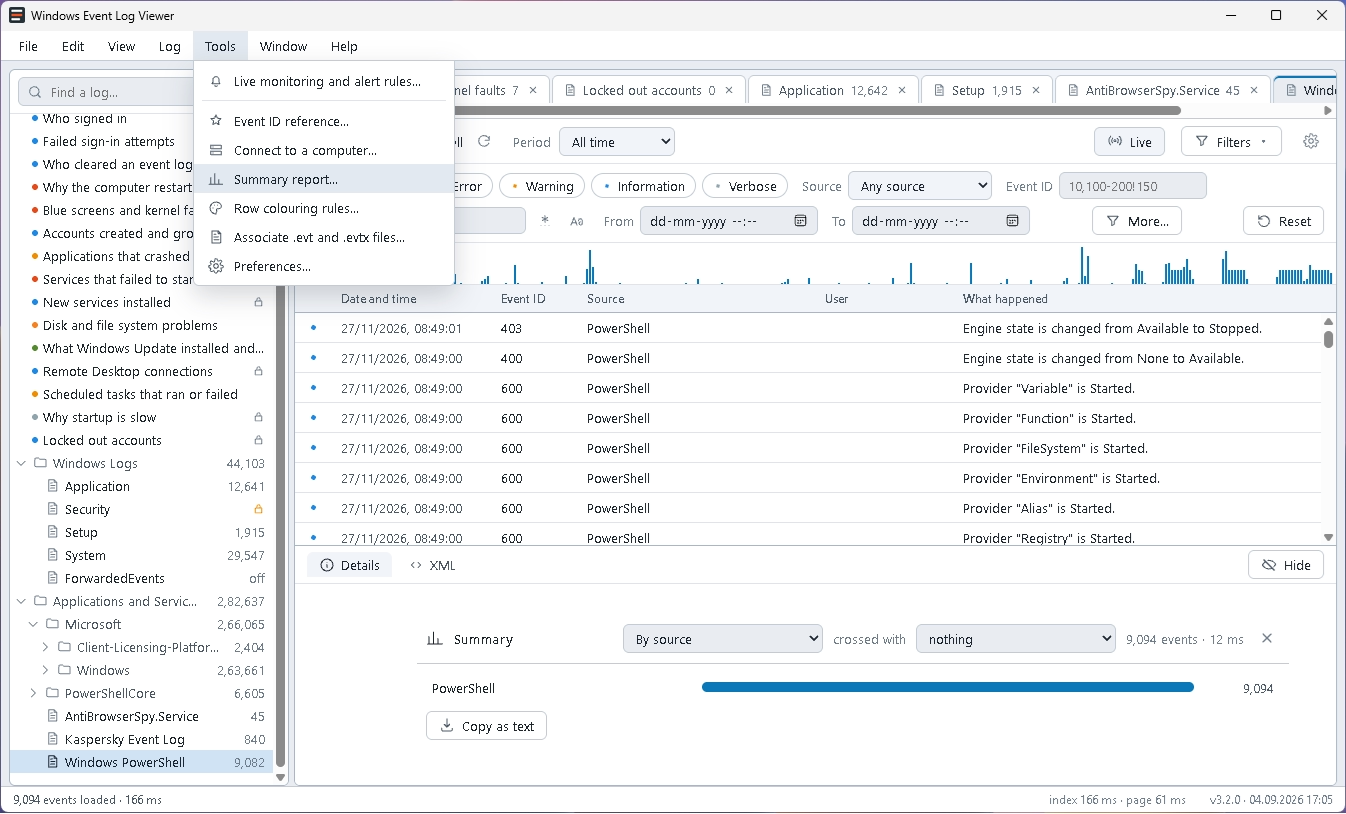
Admin rights matter. When started normally, the status bar says “not elevated – the Security log needs administrator rights”. The Security log and the sign-in views (“Who signed in”, “Failed sign-in attempts”, “Locked out accounts” and others) show a lock icon until you run the program as administrator. That is a Windows rule, not a giveaway limit.
Is it safe?
We downloaded the installer directly from SoftOrbits. It is a standard Inno Setup installer, digitally signed by SoftOrbits Company Limited, and it installed without bundled extras or toolbars in our test. A digital signature confirms who published the file and that it has not been altered; it is not a guarantee that software is risk-free. SoftOrbits says it has made Windows desktop software since 2006.
SoftOrbits says the program works offline and your logs never leave your PC. Connecting to another computer is optional and only happens when you set it up.
Who should grab it and who can skip it
✅ Grab it
Grab it if your PC restarts on its own, shows blue screens or freezes and you want to know why.
Grab it if you fix PCs for family and friends and get sent .evtx files to look at.
Grab it if you find Event Viewer confusing and want plain-English answers.
⛔ Skip it
Skip it if you need it at work. This licence is for home use only.
Skip it if you want a tool to keep. The key runs for six months with no free updates.
Skip it if your PC runs fine and you never open Event Viewer.
More free Windows tools on Techno360
- Kerish PC Doctor 5.00 free licence key (1 year)
- Advanced SystemCare Ultimate 18 review and giveaway
- UnHackMe free licence key (lifetime giveaway)
- XenArmor Browser Password Recovery Pro free licence
- SoftOrbits Flash Drive Recovery free licence
- SoftOrbits Folder Password Protector giveaway
🏁 Verdict
This is one of the more useful giveaways this month. On our PC it turned months of noise into a short list of real events, unexpected restarts, a bugcheck and repeated slow-disk warnings, in a few clicks. Six months is long enough to track down most problems. Just remember it is for home use, and it stops working after six months unless you buy a licence.
Pros
- Ready-made answers for crashes, restarts and disk problems
- Opens logs from other PCs and damaged files
- Fast on large logs in our test
- Signed installer, no bundled extras
Cons
- Licence lasts only six months
- Home use only, no updates, no support
- Security log and sign-in views need administrator rights
FAQ
Is the SoftOrbits Windows Event Log Viewer licence really free?
Yes. The key ELV3-ZEMEN-LGZEW-ABKLW gives you a full-featured licence for six months at no cost. It is not a permanent licence. You only enter your email address during activation.
What happens after six months?
The licence expires and the program goes back to its trial limits. To keep using the full version, you need to buy a licence from SoftOrbits.
Is this the same program as Windows Log Inspector?
Yes. We compared the two installers and they are identical files from SoftOrbits. Only the name and the giveaway terms differ.
Can I use the key with the Microsoft Store version?
We tested only the giveaway installer from SoftOrbits’ website, so use that. The Store version sells upgrades as in-app purchases and may not accept the key.
What does Event ID 41 mean?
Kernel-Power Event ID 41 means Windows detected that the PC restarted without a clean shutdown. It does not identify the cause on its own: a power cut, a system hang, a crash or a hardware fault can all lead to it. Check the surrounding events, any bugcheck details and the PC’s power and hardware to find out what happened.
Why is the Security log locked?
Windows only lets administrators read the Security log. Right-click the program and choose Run as administrator to open it and the sign-in views.
Can I use it at work?
No. The giveaway licence is for non-commercial, personal home use only.