
🎁 Free License Giveaway · Live Now · Ends Nov 1, 2026
Turn JPG, PNG & TIFF Photos into PDFs — Free for Life
Vovsoft Image to PDF Converter 3.3 normally costs $19. Until November 1, 2026, you can activate the full version with an official free license key — no subscription, no Adobe Acrobat, no virtual printer driver.
💰 $19 → FREE🖥️ Windows 11 → XP♾️ Lifetime License⏳ 7 Days Only
⚡ Quick Read
- Software: Vovsoft Image to PDF Converter v3.3 (released Oct 16, 2026)
- License key:
W8ZC3-ZL23V-QGSDN - Giveaway period: October 25 – November 1, 2026
- Worth: $19 (lifetime license)
- Catch: no free updates — updating may unregister the giveaway copy
🎁 Vovsoft Image to PDF Converter Free License Key (2026)
Vovsoft is back with its yearly Image to PDF Converter giveaway. This 2026 campaign runs from October 25 to November 1, 2026 and comes with a fresh license key for the latest version 3.3. Last year’s key no longer applies — use the one below.
🔑 Your Free License Key
W8ZC3-ZL23V-QGSDN
Download, install and activate before November 1, 2026.
Open the Official Giveaway Page →⬇ Download Installer (4.1 MB)
How to Get Vovsoft Image to PDF Converter for Free
The whole process takes about two minutes and needs no sign-up or email address.
- 1Visit the Vovsoft Image to PDF Converter giveaway page and confirm the offer is still live.
- 2Download the desktop installer (4.11 MB) or the portable ZIP version (3.14 MB).
- 3Install (or unzip) the program and launch it on your Windows PC.
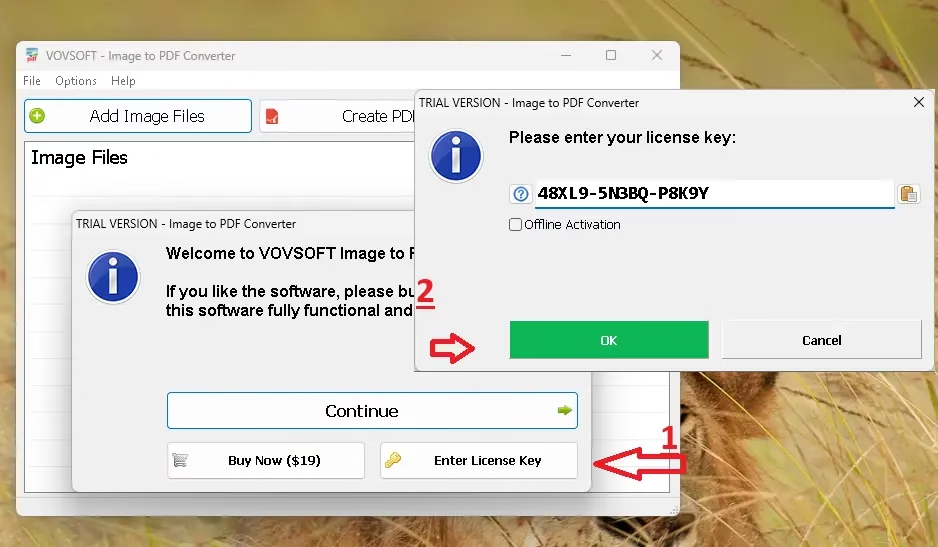
- 4When the activation window appears, choose Enter License Key.
- 5Paste
W8ZC3-ZL23V-QGSDNand confirm. The full version is now unlocked for life.
What Is Vovsoft Image to PDF Converter?
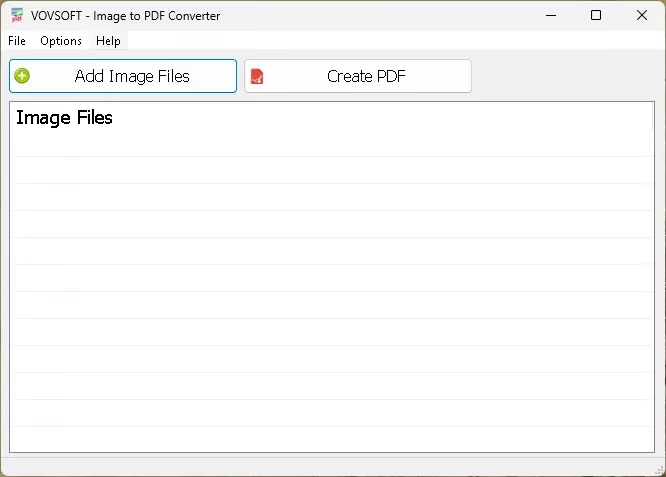
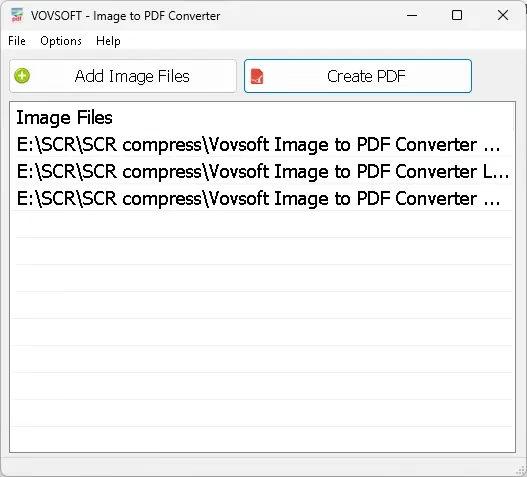
Vovsoft Image to PDF Converter is a lightweight Windows utility that turns photos and scanned images into PDF documents in a couple of clicks. Add files with the built-in file browser or drag them straight from Windows Explorer, then hit Create PDF.
It’s a standalone program: you don’t need Adobe Acrobat Reader, and because it doesn’t rely on a printing device, it won’t install a virtual printer driver on your PC. That makes it handy for bundling receipts, ID scans, handwritten notes, screenshots or product photos into one tidy, shareable PDF.
Key Features of Vovsoft Image to PDF Converter 3.3
- Multiple formats: JPEG, TIFF, PNG, GIF and BMP images.
- Single or multiple PDFs: merge every image into one PDF or create one PDF per image.
- Page layout control: resize by percentage, scale (fit, reduce, none) and orientation (auto, portrait, landscape).
- Image watermark & margins: brand your PDFs and add page margins.
- Drag-and-drop batch loading from Windows Explorer.
- Unicode filename support for non-English file names.
- Auto-open the PDF as soon as it’s created.
- 30+ interface languages, including Hindi, Arabic, Chinese, French, German and Spanish.
📊 Giveaway vs Paid License
⚠️ Giveaway Terms & Conditions
- No free updates — if you update the giveaway version, it may become unregistered.
- You must download and install the software before the offer ends.
- The license is lifetime but may not be resold.
- Supports Windows 11, 10, 8/8.1, 7, Vista and XP (32-bit and 64-bit).
💡 Want lifetime updates instead? At the time of writing, Vovsoft is running a Halloween sale with 30% off all lifetime licenses using the coupon code HALLOWEEN.
Pros and Cons
👍 Pros
- Tiny, fast and dead simple to use
- No Acrobat or virtual printer driver required
- Portable edition available
- Works offline on everything from Windows XP to Windows 11
👎 Cons
- Giveaway copy can’t be updated
- No OCR in the feature list — PDFs hold images, not searchable text
- Windows only
More Free Software Giveaways You’ll Like
- Vovsoft Image Combiner Free License Key – Merge Photos into One
- GeekerPDF Pro Free License Code – 1-Year Giveaway
- MobiKin HEIC to JPG Converter Free 1-Year License
- Vovsoft Bulk QR Code Generator Free License
- Browse all Vovsoft giveaways and PDF converter deals
Frequently Asked Questions
Is the Vovsoft Image to PDF Converter license really free?
Yes. Vovsoft is giving away a lifetime license for version 3.3 from October 25 to November 1, 2026. The key is published on the official giveaway page and needs no registration.
What is the 2026 license key?
The 2026 key is W8ZC3-ZL23V-QGSDN. Keys from earlier Vovsoft campaigns are different, so use this one for v3.3.
Can I update the giveaway version?
No. Free updates aren’t included, and Vovsoft warns that updating may unregister the program. Stay on v3.3 to keep it activated.
Do I need Adobe Acrobat to use it?
No. It’s a standalone converter and doesn’t install any printer driver.
Which image formats are supported?
JPG/JPEG, PNG, TIFF, GIF and BMP.
VERDICTGrab It — It’s a No-Brainer
If you ever need to turn photos, scans or screenshots into a PDF, Vovsoft Image to PDF Converter does the job quickly with no subscription and no bloat. At $0 instead of $19, there’s no reason to skip it — just install and activate before November 1, 2026, and don’t update the giveaway copy.