
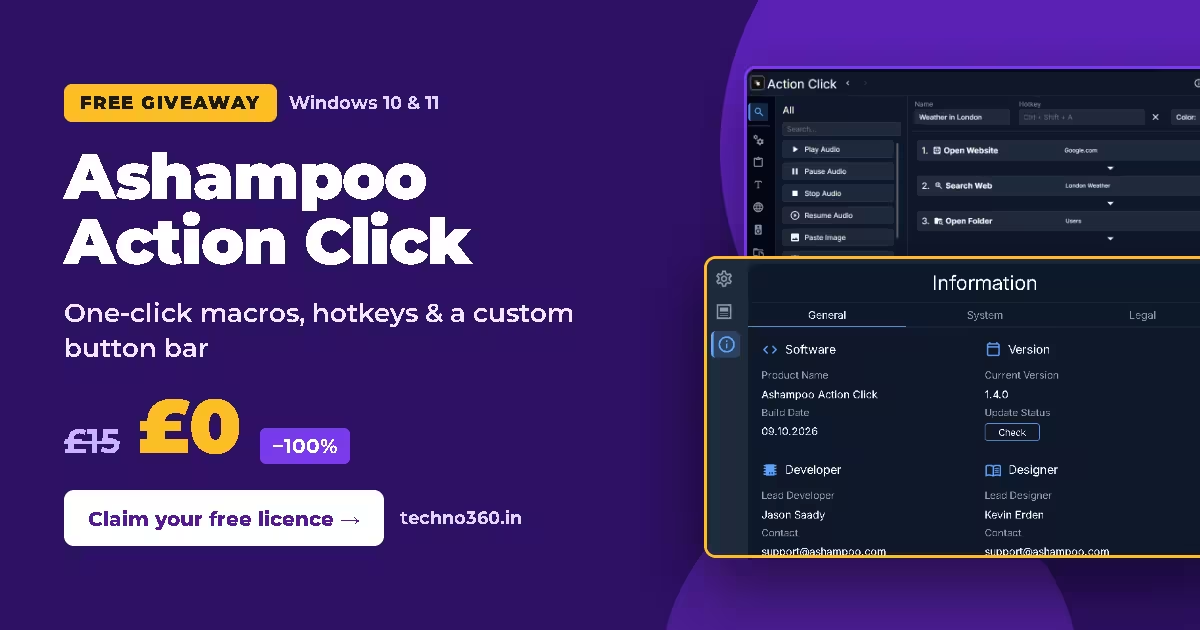
🎁 Windows Giveaway · Version 1.4.0
One-click macros, a custom button bar and hotkeys for Windows — free in your Ashampoo account
Regular price £15 → £0 today
Normally £15 in the UK store (US$20 on Ashampoo’s US pricing), Action Click is currently listed at £0. Once claimed, the licence appears in your Ashampoo account’s Collection.
⬇ Download Giveaway InstallerOfficial Product Page
Claimed through the free Ashampoo App · Free account required · Windows 10/11 · Offer checked: 4 November 2026
⚡ Quick Read
- What it is: A Windows tool that turns everyday tasks — opening sites, launching programs, pasting text, running commands — into buttons and hotkeys.
- Price: £0 (−100%) at the time of writing; regular price £15 / US$20.
- Works on: Windows 10 and 11, x64 and ARM.
- Catch: You need the Ashampoo App and a free Ashampoo account. No macro recorder — you build each action step by step.
- Time to claim: About five minutes.
If you repeat the same small jobs on your PC every day — typing an email signature, opening three work sites, launching a game launcher, jumping to a folder — Ashampoo Action Click lets you bundle them into one button or hotkey. Right now you can get Ashampoo Action Click free through the Ashampoo App, with the licence saved to your account.
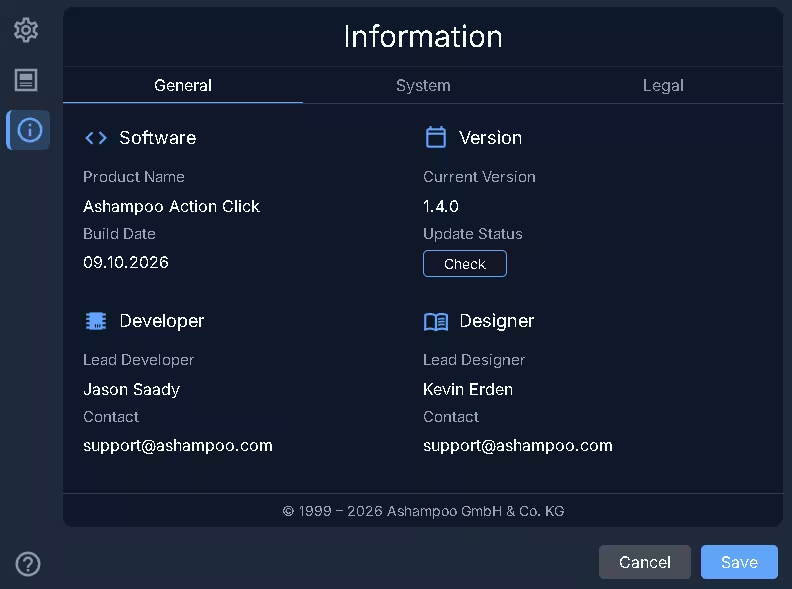
The program comes from Ashampoo Labs, the company’s in-house programme for young developers, according to the official product page. The version I installed for this post is 1.4.0, with a build date of 9 October 2026.
How to Get Ashampoo Action Click Free
Step 1: Download and run the giveaway installer
Grab the giveaway installer. It’s a small file (about 1.6 MB) that sets up the Ashampoo App — the launcher that manages your licences and downloads the actual program. Pick an install folder and click Next.
Step 2: Log in or create a free Ashampoo account
When the Ashampoo App opens, enter your email and click Next. Existing users type their password; new users get a short registration with no payment details. An alias or masked email works if you’d rather keep promotional mail out of your main inbox.
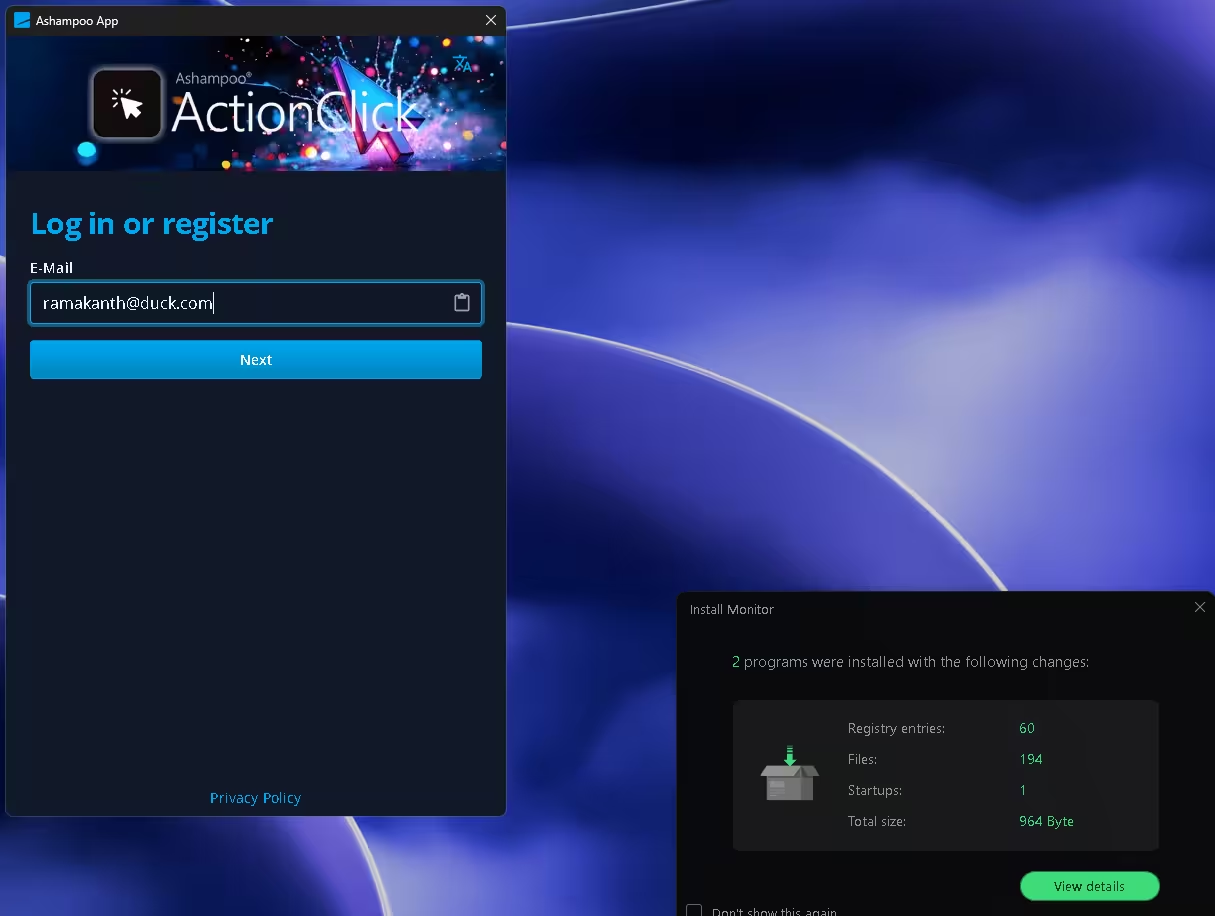
Step 3: Click “Get” on the £0 product page
Once you’re signed in, the Action Click product page shows the price struck through from £15 to £0 (−100%). Click the blue Get button to add the licence to your account.
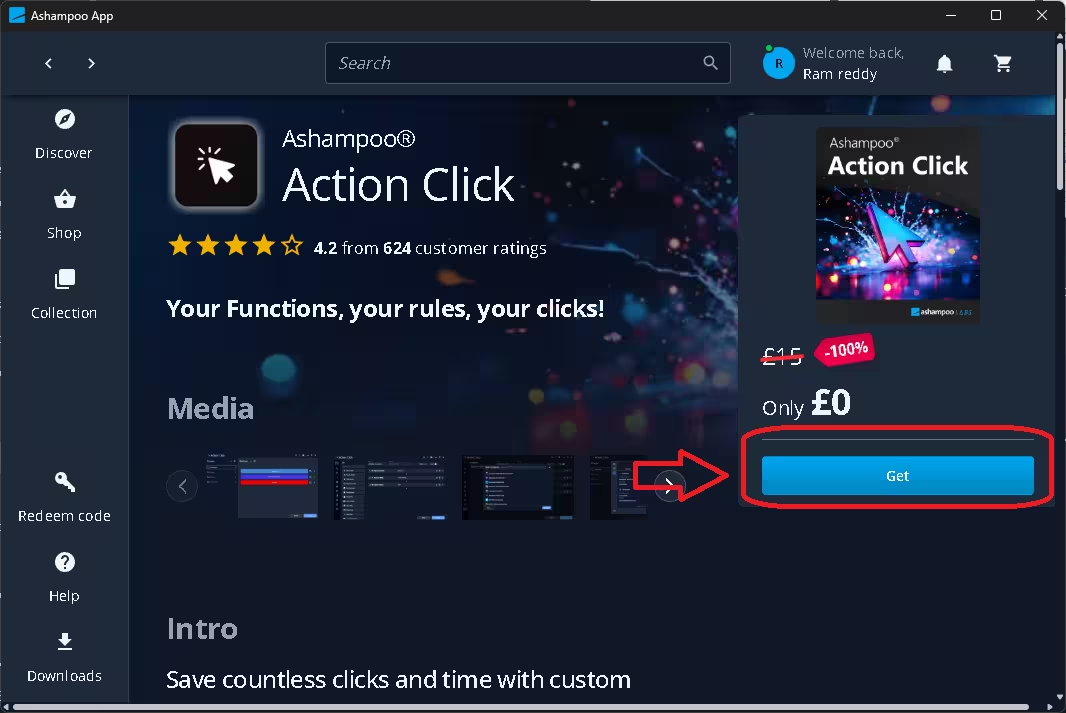
Step 4: Install from your Collection and save the key
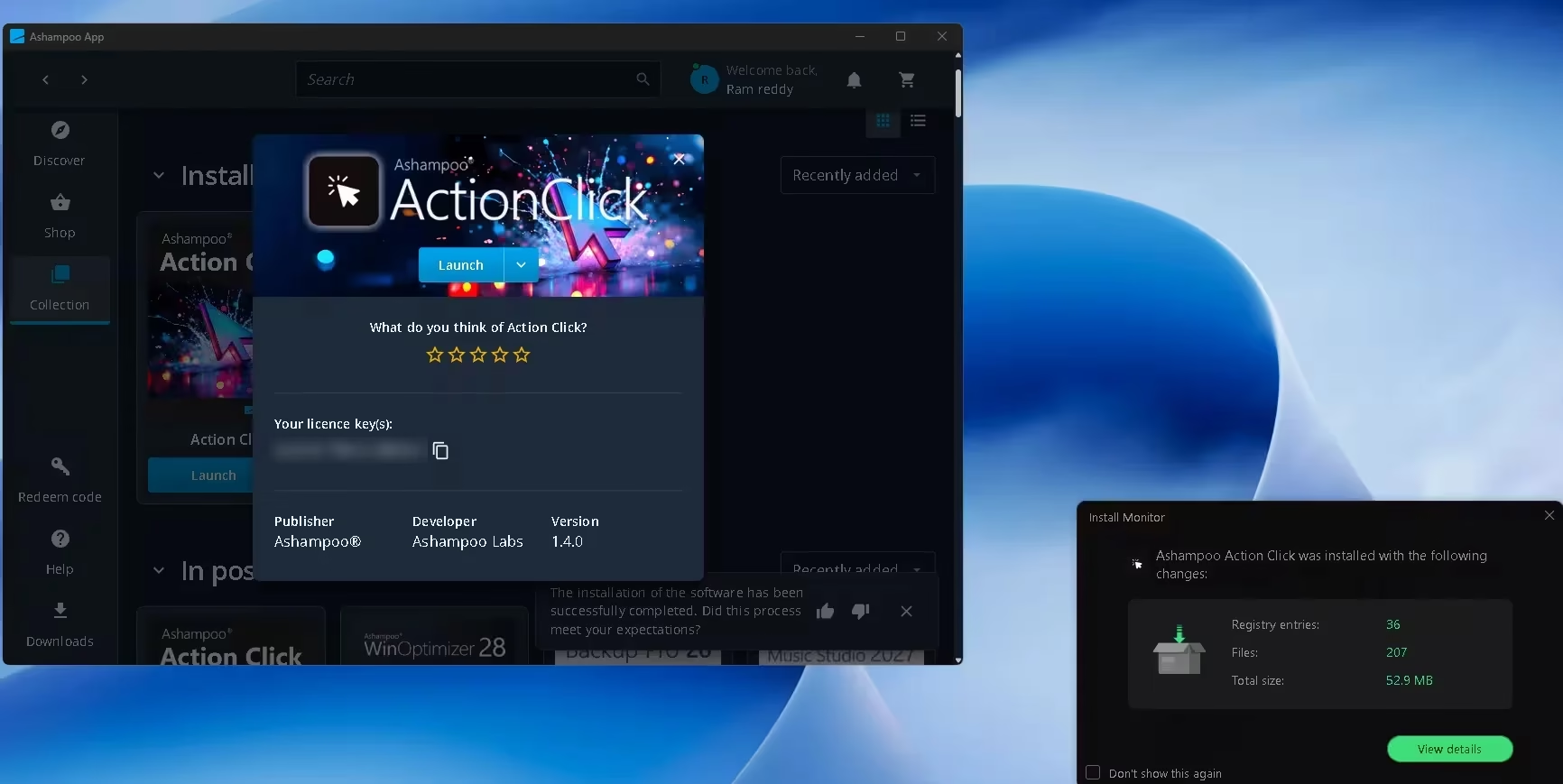
Open Collection in the left sidebar, click Action Click and press Install. The same panel shows your personal licence key — copy it with the clipboard icon and store it somewhere safe as a backup.
You don’t need to type the key anywhere. The program is already activated through your account. On my PC, Ashampoo’s Install Monitor logged 207 files, 36 registry entries and 52.9 MB for the install.
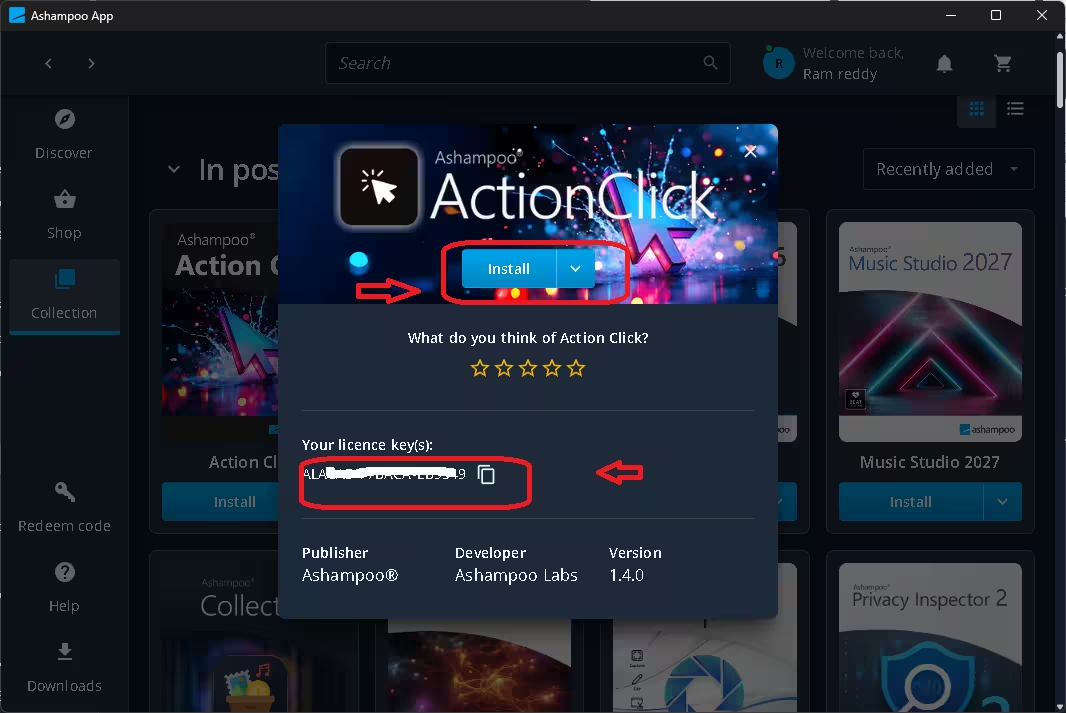
After installation the button changes to Launch. Open the program and you’ll land on the Groups and Buttons screen, ready to set up your first shortcut.
⏳ Free while the giveaway is live
Ashampoo hasn’t published an end date. Claim it now — once you click Get, the licence is saved to your Ashampoo account.
What Ashampoo Action Click Does
Think of it as a personal launch pad. Each button runs one action or a chain of actions, and you sort buttons into groups. Ashampoo lists custom macros, automated clicks and keystrokes, CMD commands, delayed tasks and websites with auto-login among its features (source).
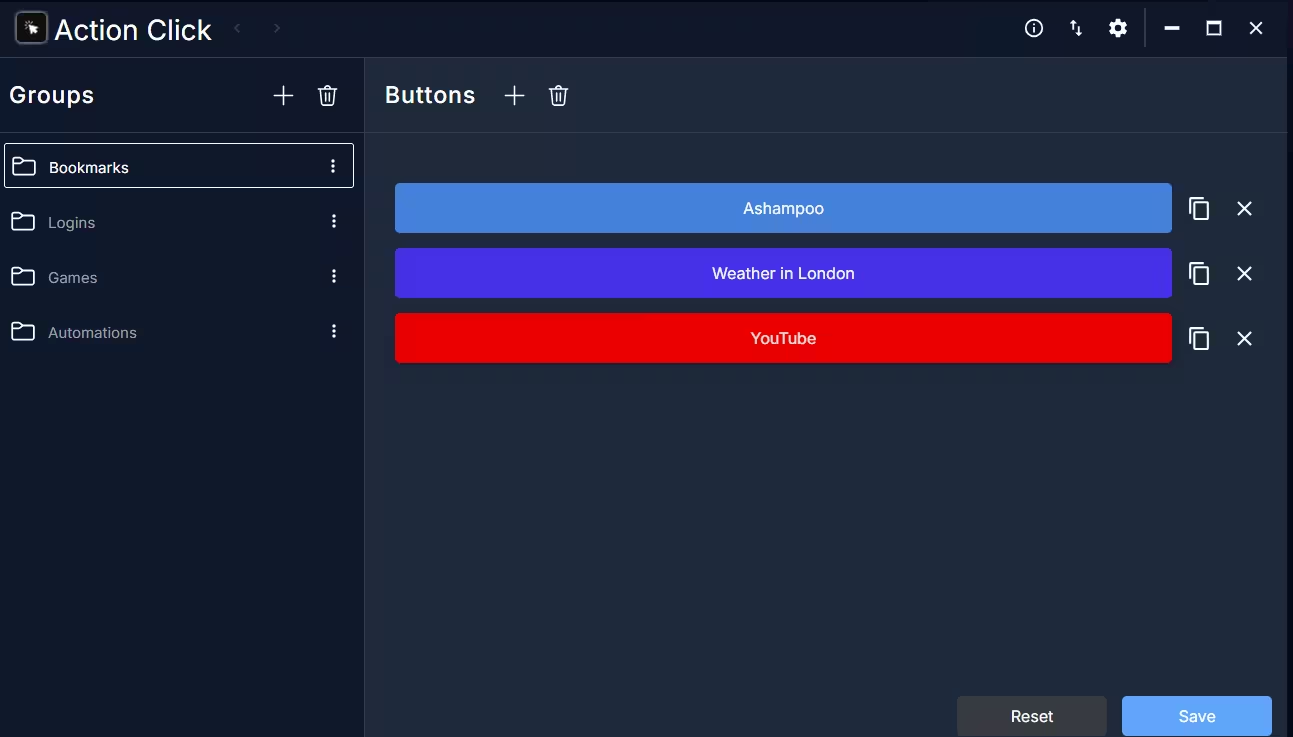
The main screen splits into Groups on the left and Buttons on the right. Out of the box you’ll see groups such as Bookmarks, Logins, Games and Automations. Each button gets its own background and text colour, so a busy toolbar stays easy to scan.
Multi-step macros with hotkeys
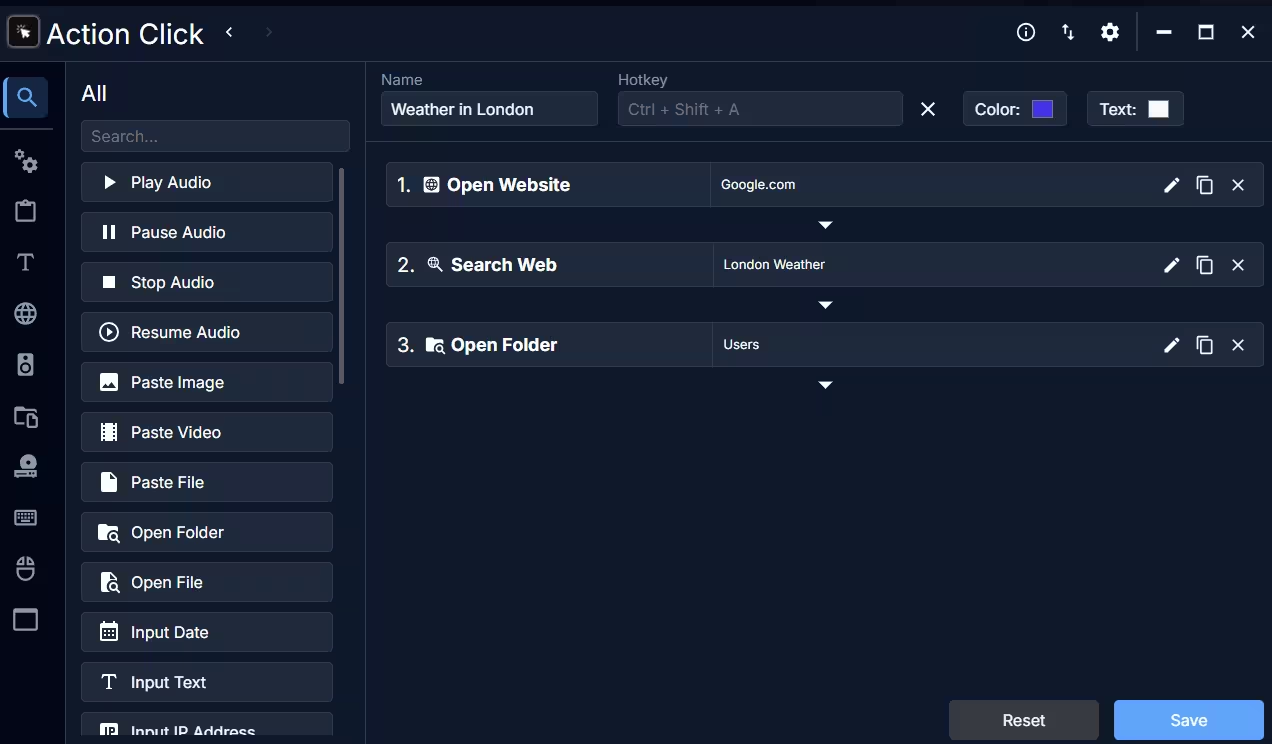
Open a button and you get a step editor. A macro (a saved sequence of actions) is built by picking actions from the left-hand list and stacking them in order. The bundled “Weather in London” example opens Google.com, searches for London weather and then opens a folder — three steps from one click. Every button can also take a hotkey such as Ctrl + Shift + A.
The action list I saw includes audio controls (play, pause, stop, resume), paste image, video or file, open folder or file, and input date, text or IP address.
Launch any installed program
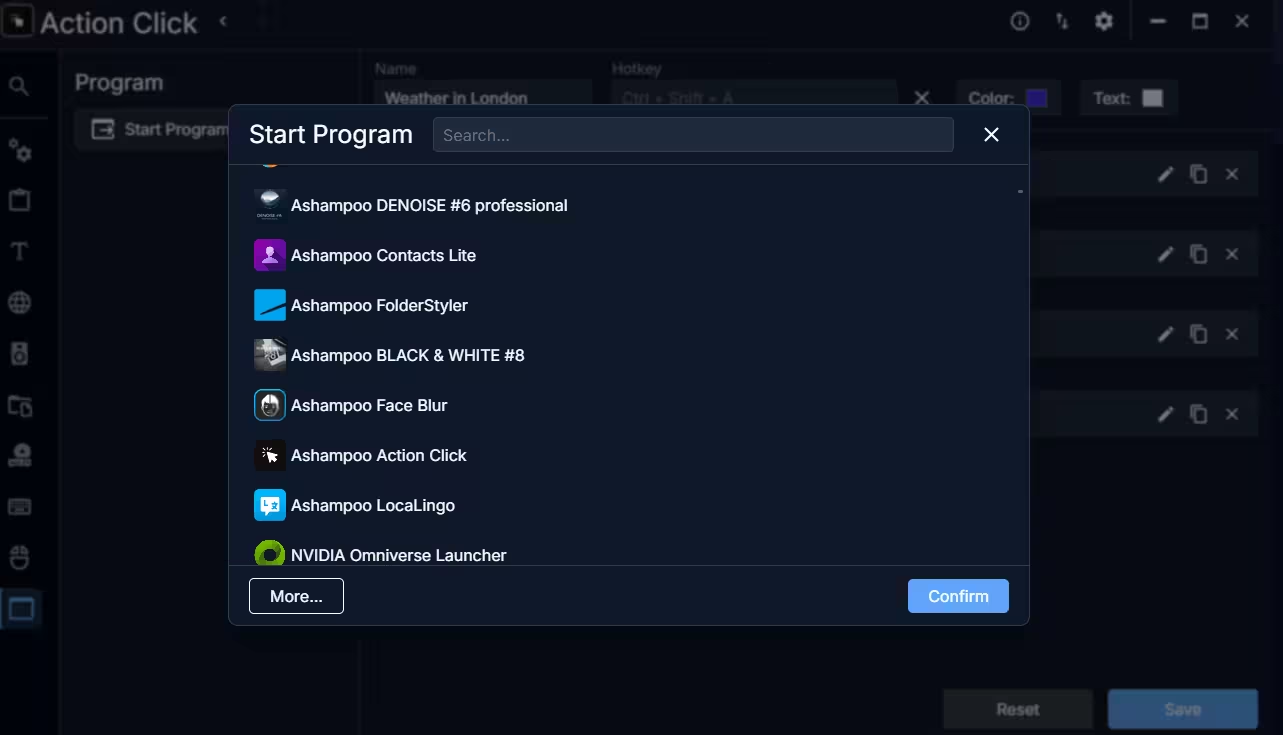
The Start Program action shows a searchable list of installed apps, with a More… button for anything not listed. That makes it simple to build, say, a “work setup” button that opens your editor, browser and notes app together.
Who Should Use Action Click?
- Office workers: open the apps and sites you use every morning from one button.
- Bloggers and creators: launch your CMS, image editor and research tools together.
- Students: jump straight to study apps and course folders.
- Less confident PC users: a labelled button is easier to remember than a path or a menu.
💡 Example: a “Blogger Workstation” button. Using the actions shown above, one button could chain these steps:
- Open Website – your WordPress dashboard
- Start Program – your image editor
- Open Folder – the project’s screenshots folder
- Start Program – your notes app
Give it a hotkey and your whole writing setup opens with one key press.
System Requirements and Licence Details
- OS: Windows 11 and Windows 10, both x64 and ARM (Ashampoo).
- Version: 1.4.0, build date 09.10.2026 (from the program’s Information screen).
- Regular price: £15 in the UK store; US$20 on Ashampoo’s US-dollar pricing.
- Licence: Appears in your Ashampoo account’s Collection after you claim it, subject to Ashampoo’s licence terms. Ashampoo hasn’t published an end date for this £0 offer (last checked 4 November 2026), so claim it while it’s live.
- Requires: Ashampoo App and a free Ashampoo account.
Limitations Worth Knowing
- No macro recorder. You add each step by hand; there’s no “record what I do” mode. MajorGeeks flagged the same gap in its review.
- Account and launcher required. The Ashampoo App installs alongside the program and handles licences and updates.
- Windows only. There’s no Mac or Linux version.
- Email preferences. Check your Ashampoo account’s email settings if you don’t want promotional messages.
More Free Ashampoo Software
Already set up the Ashampoo App? These giveaways use the same account: Ashampoo WinOptimizer 28 free licence, Ashampoo Folder Styler full version and Ashampoo Music Studio 2027 free. For more tools like this, browse our productivity apps and tools section.
FAQ
Is Ashampoo Action Click really free?
Yes, during this promotion. The product page in the Ashampoo App shows £0 (−100%) instead of £15. Once you click Get, the licence is saved to your account.
Do I need to enter the licence key?
No. Installing from your Collection activates it automatically. Copy the key from the Collection panel only as a backup.
Does Action Click work on Windows 10 and ARM PCs?
Yes. Ashampoo lists Windows 10 and Windows 11 for both x64 and ARM.
Can I assign keyboard shortcuts to my macros?
Yes. Every button has a Hotkey field in the macro editor, so you can trigger a whole action chain with a key combination like Ctrl + Shift + A.
How do I reinstall it later on a new PC?
Install the Ashampoo App, sign in with the same account and look for Action Click in your Collection. Reinstalling and activation are subject to Ashampoo’s licence terms.
📊 Verdict
Ashampoo Action Click is a tidy, beginner-friendly way to turn repeat chores into one-click buttons and hotkeys. Power users may miss a macro recorder and finer scripting control, but for launching apps, pasting text and opening sites in sequence, it does the job with little setup.
👍 Worth claiming if you use Windows daily and want a simple launch pad. At £0, the only cost is creating an Ashampoo account.