
🎁 TECHNO360 EXCLUSIVE · OCTOBER 2026 · WORTH $29.99
Video won’t play on your phone or TV? Convert it in three clicks — full version, free
Grab a free iDealshare VideoGo licence for Windows — the all-in-one video and audio converter that turns MKV, AVI, MOV, WebM and dozens of other formats into files any device can play, with a built-in editor for trimming, cropping, subtitles and watermarks. No sign-up, no email — just install and register.
Windows 11/10/8/7
Version 6.8.2
Full version, not a trial
🔑 Licence code inside

⚡ Quick Read
- What: iDealshare VideoGo 6.8.2, a video and audio converter with a built-in editor for Windows — $29.99 on iDealshare’s site.
- Giveaway: a full-version licence (name + code) shared exclusively with Techno360 readers.
- Best bits: converts MP4, MKV, AVI, MOV, WebM, ProRes and more; device presets; batch conversion; NVIDIA CUDA acceleration; trim, crop, merge, subtitles and watermarks.
- Catch: Windows only (the Mac edition is sold separately), and the interface looks dated.
- Deadline: no end date — shared licences can be blocked at any time, so register today. Jump to the licence code ↓
You download a clip, double-click it and get an error. Your TV won’t read the MKV file on the USB stick. Your phone refuses an old AVI. Your video editor won’t import a WebM screen recording. Different encoders produce different formats, and no single device plays all of them.
iDealshare VideoGo fixes that. It’s a Windows desktop converter that reads almost any video or audio file and re-encodes it into the format your device or app needs — in SD, 720p or 1080p HD — with ready-made profiles for iPhone, iPad, Android phones, Samsung Galaxy, Xbox, PSP, Microsoft Surface and more. It also has a capable editor, so you can trim, crop, merge or add subtitles before you convert.
It normally costs $29.99 on the official iDealshare site. With the licence in this post, the full version is free. Into video tools? Also see our video converter giveaways.
1. Converts almost any video format
Input support covers WMV, AVI, MKV, FLV, MOV, MP4, MXF, VOB, AVCHD (MTS/M2TS), WebM, DivX, Xvid and more. Output options include MP4, AVI, MKV, WMV, TS, Apple ProRes, OGV, WebM, FLV, MPG (MPEG-1/2/4), H.264, 3GP, 3GPP2, VOB and RMVB, in SD, HD or 3D.
2. Ready-made device profiles
Don’t know which codec your phone needs? Skip the settings and choose a device preset — iPhone, iPad, Android, Samsung Galaxy, Google Nexus, Microsoft Surface, Xbox, PSP or BlackBerry. Advanced users can still set the encoder, bitrate, resolution, frame rate and audio channels by hand.
3. Audio conversion and extraction
Pull the soundtrack out of a video as MP3, or convert between audio formats such as FLAC, WAV, WMA, OGG, AAC, APE and DTS. You can also replace a video’s audio track or add music to a clip.
4. Batch conversion — even to different formats
Drag in a whole folder of files and convert them in one go. Each file in the list can have its own output profile, so one batch can produce an MP4 for your phone and an MP3 for your music player at the same time.
5. NVIDIA CUDA GPU acceleration
iDealshare says VideoGo detects CUDA-enabled NVIDIA graphics cards (and ATI cards) automatically and uses them to speed up conversion. On PCs without a supported GPU it encodes on the CPU instead.
6. Built-in video editor
Open the Video Edit window to trim unwanted parts, crop black bars, rotate by 90/180/270 degrees, merge several clips into one, split a file by its chapter markers, adjust brightness, contrast and saturation, apply effects, add a text or image watermark and boost the audio volume.

7. Subtitle tools
Add external subtitles in SRT, ASS, SSA, IDX or SUB format, hardcode them into the video so they show on every player, or extract and remove existing subtitle tracks.
8. Compress large videos
Lower the resolution or bitrate to shrink big recordings for email, WhatsApp or cloud uploads while keeping the picture watchable.
| Software | iDealshare VideoGo for Windows |
| Latest version | 6.8.2 |
| Normal price | $29.99 (listed as down from $39.99 on iDealshare’s site) |
| Giveaway licence | Full version — licence name + licence code |
| Operating system | Windows 11, 10, 8, 7, Vista, XP, 2000 |
| Minimum hardware | 1 GHz Intel/AMD CPU, 512 MB RAM, 30 MB free disk space |
| Installer size | About 18 MB |
| GPU acceleration | NVIDIA CUDA (ATI cards detected too) |
| Trial limit (unregistered) | Max 5 minutes of a longer file, or half of a shorter one |
| Sign-up needed? | No — no account and no email required |
It takes about two minutes. Tip: copy and paste the licence name and code instead of typing them — one wrong character and registration fails.
Share this giveaway on any network. One click unlocks the download links and codes below.
A new tab opens to share this page. Come back here — your content unlocks automatically.
⚠️ Registration failing? Enter the licence name exactly as shown — Techno360. Remove any spaces before or after the code, and make sure you installed the Windows version, not the Mac one.
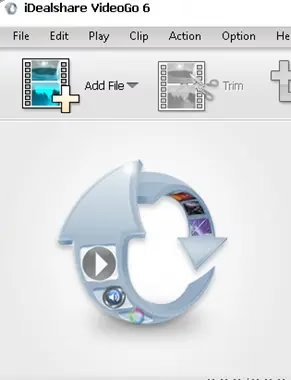
- Add files. Click Add File in the toolbar or drag your videos into the file list. Add as many as you like.
- Pick an output. Open the Profile drop-down and choose a format (e.g. MP4 MPEG-4 Video) or a device preset. Click Setting… to change resolution, bitrate or codec, and Browse… to pick the destination folder.
- Edit (optional). Use Trim, Crop or Effect in the toolbar to open the Video Edit window and add subtitles, a watermark or effects.
- Convert. Click the big round Convert button at the bottom right, then click Open Folder when it finishes.
We’ve covered several video converter giveaways recently. Here’s how they compare at a glance:
| Converter | Licence | Strength | Link |
|---|---|---|---|
| iDealshare VideoGo | Full version, no expiry stated | Light, simple, no sign-up | This post |
| Aiseesoft Total Video Converter | 1 year | Bigger toolbox | Get it |
| VideoProc Converter AI | 1 year | AI upscaling, downloads | Get it |
| Tipard 4K UHD Video Converter | Giveaway licence | 4K/UHD focus | Get it |
Who should grab it (and who can skip it)
👍 Worth it if you regularly get videos that won’t play on your TV, phone or editor, you want to rip audio from videos, or you need a light converter that runs fine on an older Windows PC. Its small footprint and device presets make it ideal for non-technical family members too.
👎 Skip it if you’re on a Mac, you need AI upscaling or online video downloading, or you edit 4K footage professionally. For blurry clips, try SHARPEN Video 2; for 4K work, look at Aiseesoft 4K Converter.
📊 Techno360 Verdict: a no-fuss converter worth keeping on every PC
iDealshare VideoGo won’t win awards for its looks, but it does the job you install a converter for: it opens nearly any file and turns it into something your device plays. Batch conversion, device presets and a handy editor cover most everyday needs — and with this licence, it costs nothing.
- Best for: home users who need quick format fixes, audio extraction and light edits
- Watch out for: Windows only; dated interface; no AI tools or online downloader
- Rating: Worth grabbing
Frequently asked questions
Yes. The licence name and code in this post activate the full version of iDealshare VideoGo for Windows at no cost. There is no sign-up, no newsletter opt-in and no payment step — install the program and register it with the details provided.
Is this the full version or a trial?
It’s the full version. The unregistered trial only converts part of each file — the program’s own registration window says it converts at most five minutes of a longer file, or half of a file shorter than five minutes — while a registered copy converts whole files with no limits.
Use the latest Windows installer, version 6.8.2, from iDealshare’s official server. We link the direct download in the claim steps above.
Yes. iDealshare lists support for Windows 11, Windows 10, 8, 7, Vista and XP. It is a light program that needs only a 1 GHz processor, 512 MB of RAM and about 30 MB of free disk space.
Can I use this licence on a Mac?
This giveaway is for the Windows version. iDealshare sells a separate VideoGo for Mac build, and we haven’t confirmed that this code registers it, so Mac users should treat the Mac edition as a paid product.
It converts between popular video and audio formats including MP4, MKV, AVI, WMV, MOV, WebM, FLV, TS, OGV, Apple ProRes, MPG, VOB, 3GP, DivX and Xvid, plus audio formats such as MP3, FLAC, WAV, OGG and WMA.
Yes. iDealshare says VideoGo automatically detects a CUDA-enabled NVIDIA graphics card (and ATI cards) to speed up conversion. On other systems it falls back to CPU encoding.
The licence code says it is invalid. What should I do?
Copy the licence name and code exactly, with no extra spaces, and make sure you installed the Windows version. If it still fails, the giveaway licence has probably been deactivated — check our Free Stuff hub for the next video converter giveaway.
Looking for more free video tools? Grab VideoProc Converter AI or Aiseesoft Total Video Converter while they last. New free licences land every week in the Techno360 Free Stuff hub.
Know someone fighting with a video that won’t play? Share this giveaway with them.