
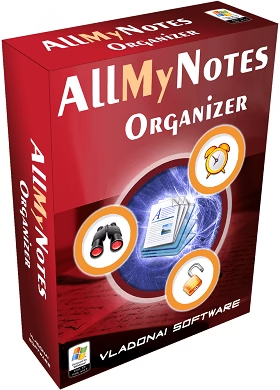
🎁 ALLMYNOTES ORGANIZER DELUXE · LIFETIME LICENSE · WORTH $34
Your private notes, passwords and diary in one encrypted file — free for keeps
AllMyNotes Organizer is an offline, tree-style note manager for Windows. No cloud, no account, no subscription. SharewareOnSale and Vladonai are giving away the full Deluxe Edition 4.16 with a personalised lifetime key — but only until October 8.
⚡ Quick Read
- What: AllMyNotes Organizer Deluxe Edition 4.16 by Vladonai Software, an offline note, diary and password organiser for Windows (normally $34).
- Giveaway: a lifetime activation code for v4.16 — 1 user, usable on your PC, laptop and a USB drive, personal (non-commercial) use.
- Catch: the key only works with v4.16. Don’t install future updates, or the key stops working until you reinstall 4.16.
- How: enter your name and email on the giveaway page, then copy the user name, email and code from Vladonai’s email into Help → Enter License.
- Deadline: the offer ends on October 8, 2026 — around 9:00 PM US Pacific, which is about 5:00 AM UK / 9:30 AM IST on October 9.
What is AllMyNotes Organizer?
Most note apps today want your notes on their servers. Evernote, Notion, OneNote and Google Keep all sync to the cloud, and some of them lock features behind a monthly plan. AllMyNotes Organizer goes the other way. Everything you write is kept in one data file on your own PC, and the app runs without an account or an internet connection.
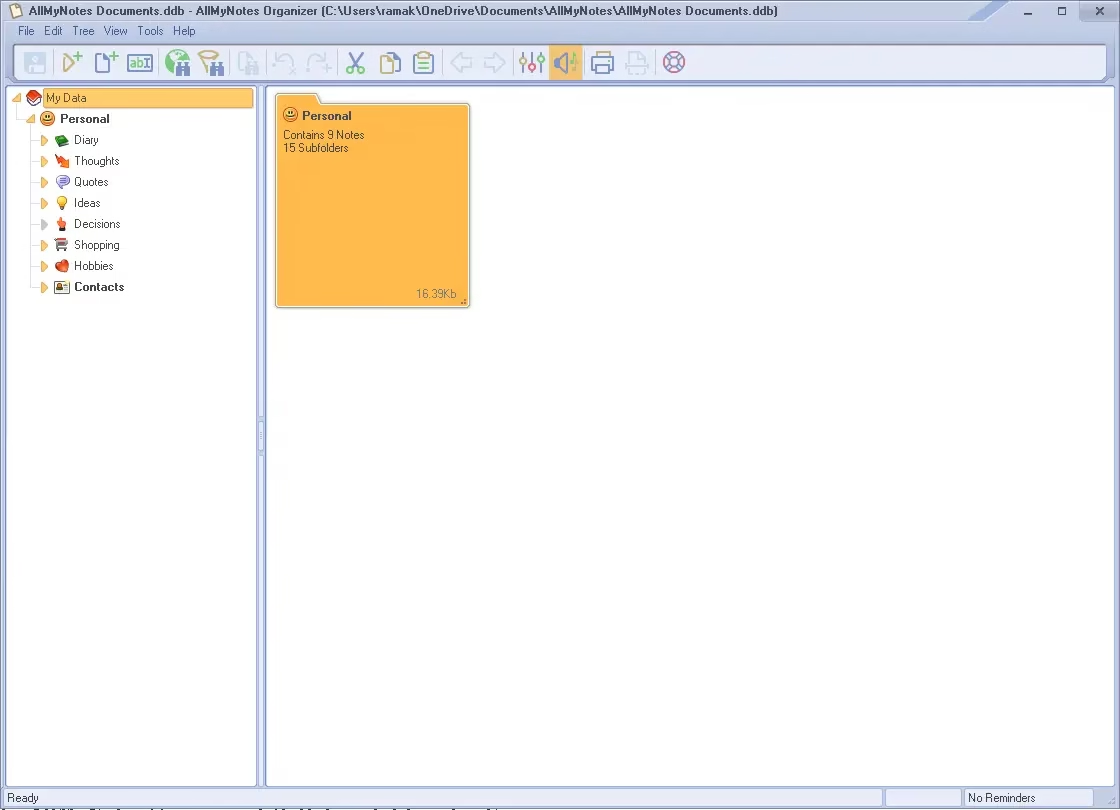
Inside that file you build a tree of folders and notes, as deep as you like. Use it for a personal diary, meeting notes, recipes, trip plans, client memos, a shopping list or a private password list. The developer says the data file is encoded on disk even when you haven’t set a password, so other programs can’t simply read it. With Deluxe you can also lock the whole file or individual folders with a password.
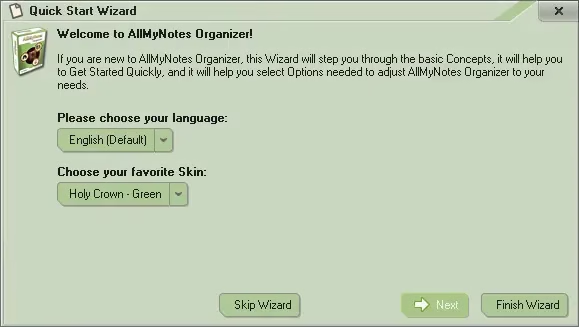
Vladonai Software has been building AllMyNotes since 2009. It is a small native Windows app: the Deluxe installer is under 1 MB (it fetches about 5 MB more if needed), and it needs no .NET or Java runtime.
What’s new in AllMyNotes Organizer 4.16
Version 4.16, released on January 2, 2026, is the current stable build, so the giveaway gets you the latest release. According to the official changelog, it brings:
- Interface Scaling — a new option under Options → Interface to scale fonts and UI from 75% to 400%, handy on 4K monitors.
- AI search engines — ChatGPT, Perplexity, Ecosia and You.com added to the “search selected text on the web” list.
- Fewer disk writes — the data file is no longer touched when nothing changed. That stops pointless backups and sync conflicts if you keep your notes file in Dropbox, Google Drive, OneDrive or SyncThing.
- Code-signed installers — all installers are now signed by “Vladonai Software LLC”, which should reduce false antivirus and SmartScreen warnings.
- Fixes — a licensing bug that rejected some Deluxe keys, and an Evernote (.enex) import issue with large attachments, are both fixed.
Key features of the Deluxe Edition

- Unlimited notes and folders in a free-form tree, with icons, coloured captions, priorities and checkboxes for simple task lists.
- Rich-text editor with images, tables, file attachments, clickable checkboxes, internal links between notes, spell-checker and an in-text calculator (type
2+2=and the answer appears). - Password protection for the whole data file or for single folders, plus a built-in strong password generator.
- Alarms and reminders that you can drop anywhere inside a note.
- Fast global search, including wildcard and Google-style Boolean queries.
- Automatic backups and a recycle bin for deleted notes.
- Import and export — import from Evernote, KeyNote, CSV, RTF, HTML and TXT; export to RTF, HTML and TXT.
- Quick capture of text and images from the clipboard via the system tray.
- Portable edition that runs from a USB drive, so your notes travel with you.
- About 20 interface languages, skins and optional sound themes.
See the developer’s full AllMyNotes Organizer feature list and the Lite vs Deluxe comparison for every detail.
Giveaway at a glance
| Detail | What you get |
|---|---|
| Software | AllMyNotes Organizer Deluxe Edition 4.16 by Vladonai Software |
| Normal price | $34 for a Deluxe licence (the Lite edition is free) |
| Giveaway licence | Lifetime activation code for v4.16, personalised with your name |
| Devices | 1 user — install on your PC, laptop and USB drive at the same time |
| Use | Personal, non-commercial only |
| Updates | Not included — newer versions won’t accept the key |
| System | Windows 7, 8, 10 and 11 (32 and 64-bit); also runs on Linux/Mac through Wine |
| Offer ends | October 8, 2026 — about 9:00 PM US Pacific / 5:00 AM UK and 9:30 AM IST on Oct 9 |
How to get the AllMyNotes Organizer free license
Step 1: Request your activation code
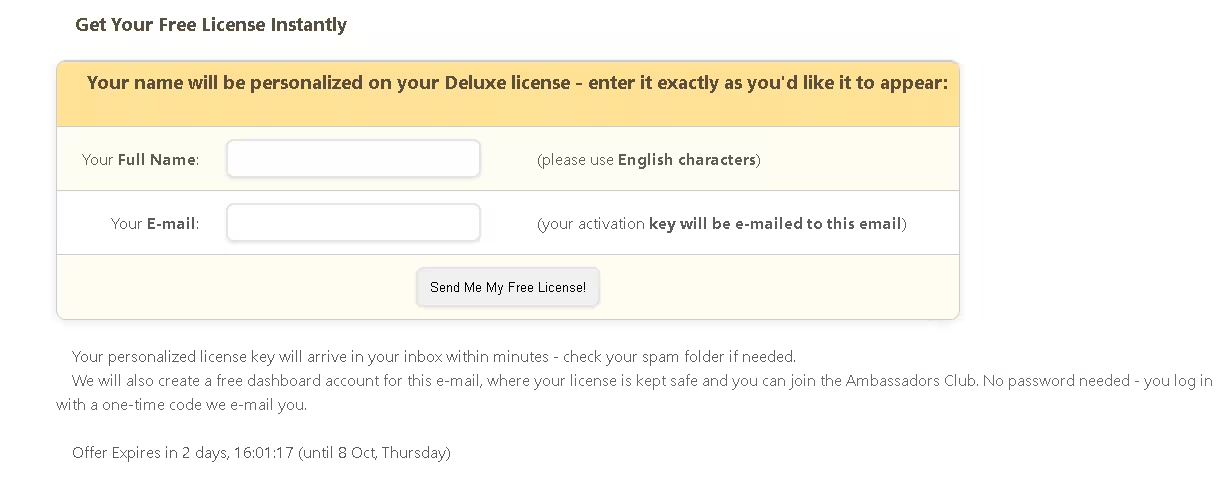
Open the AllMyNotes Organizer 4.16 Deluxe giveaway page. Type your full name in English characters — it will be printed on your licence, so enter it exactly as you want it — and your email address, then click Send Me My Free License!
Step 2: Check your email
Within a few minutes you’ll get an email from Licensing Server – Vladonai Software (giveaway@vladonai.com) titled “Your activation code for AllMyNotes Organizer”. Check your spam folder if it doesn’t show up. It lists your user name, email, activation code, edition (Deluxe), version (4.16) and the download links. Vladonai also creates a free User Dashboard for that email, where your licence is saved.
Step 3: Download and install version 4.16
Use the download link in the email, or grab the same builds here:
- AllMyNotes Organizer 4.16 Deluxe installer (ZIP)
- AllMyNotes Organizer 4.16 Portable (ZIP) — for a USB drive, no installation needed
Extract the ZIP, run the installer and finish setup. 💡 Tip: keep a copy of the ZIP somewhere safe. Vladonai says giveaway builds aren’t hosted forever, and you’ll need exactly v4.16 if you ever reinstall Windows.
Step 4: Activate Deluxe
Launch AllMyNotes, open Help → Enter License, and paste the User Name, Email and Activation Code from the email. Click Enter, and the Deluxe features unlock straight away.
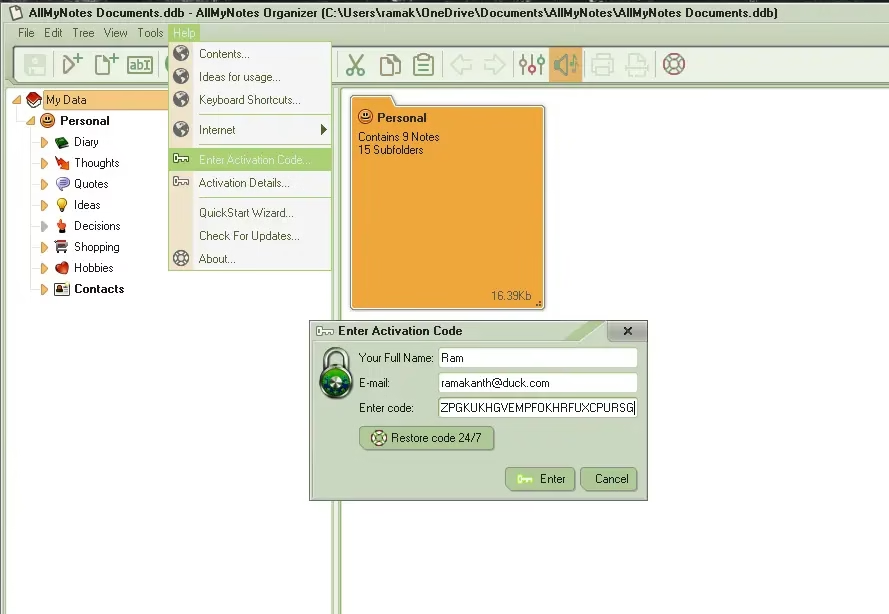
⚠️ Important: When AllMyNotes offers an update, skip it. The giveaway key is a lifetime licence for v4.16 only — a newer version will not accept it. Updated by mistake? Uninstall, reinstall 4.16 from your email link, and your notes stay untouched. Getting “Invalid Activation code”? Remove any spaces before or after the code and check that you’re on version 4.16.
Want future updates too?
The giveaway licence stays on 4.16. Vladonai is already testing version 5 (5.03 beta), which, according to the developer, moves to AES-256 plus ChaCha20 encryption for the whole database. To get versions like that, you have two choices:
- Buy a full Deluxe licence — the developer offers giveaway users 50% off.
- Join the Ambassadors Club — recommend AllMyNotes to two friends. When the first starts using it you get a year of Deluxe with updates; when the second does, Deluxe is yours for good.
Missed the deadline? The Lite edition stays free forever and can still open, edit and export files you created in Deluxe.
Who should grab it (and who shouldn’t)
👍 Worth it if you want a private, offline notebook on Windows — a diary, a home for passwords and bank notes, research clippings, or a personal wiki — and you’d rather not trust a cloud service with it. Students, writers and anyone moving away from Evernote’s paid plans will feel at home with the tree layout.
👎 Skip it if you need your notes on your phone, real-time sync between devices, or a licence for business use. AllMyNotes is Windows-only (Linux and Mac need Wine), and this giveaway key is for personal use.
Looking for more? See our best free password managers and best free encryption software roundups, the CintaNotes Pro free licence, the Vovsoft Desktop Diary giveaway, or our list of Windows apps that save time.
📊 Techno360 Verdict: 4.4 / 5
AllMyNotes Organizer is old-school in the best way. It’s small, fast and offline, and it keeps everything in one file you control. The tree structure makes it easy to keep hundreds of notes tidy, and Deluxe adds the bits that matter: password-locked folders, reminders, attachments, tables and automatic backups.
Know what you’re getting: a lifetime Deluxe licence for version 4.16, for personal use. It doesn’t include future updates, and there’s no mobile app or built-in sync.
- Good: offline and private, unlimited notes, password-protected folders, portable version, tiny footprint, lifetime key.
- Not so good: Windows-only, dated look in older skins, no phone app, key locked to v4.16.
Bottom line: If you want a private notebook on Windows, request your free AllMyNotes Organizer Deluxe key before October 8 — it takes 30 seconds and the licence never expires.
Frequently asked questions
Is the AllMyNotes Organizer giveaway really free?
Yes. You enter your name and email on Vladonai’s giveaway page and a personalised Deluxe activation code is emailed to you. No card, no subscription and no trial timer. The only conditions are personal, non-commercial use and version 4.16.
When does the AllMyNotes Organizer free license offer end?
The giveaway page lists October 8, 2026 (Thursday) as the end date. By the on-page countdown, that is around 9:00 PM US Pacific on October 8, which is about 5:00 AM UK time and 9:30 AM IST on October 9. Request your key before then.
Can I update to a newer version with the giveaway key?
No. The key is a lifetime licence for v4.16 only, and newer versions will not accept it. Skip update prompts. If you update by mistake, reinstall v4.16 from the link in your giveaway email; your notes are not affected.
Does the giveaway license work with the Portable edition?
Yes. Download the Portable edition of the same version (4.16), unpack it to a folder or USB drive, and activate it with the same name, email and activation code.
I get an “Invalid Activation code” error. What should I do?
All fields are case-sensitive and must not have spaces at the start or end. Copy-paste the user name, email and code exactly from the email, and make sure the installed version is 4.16.
What happens if I reinstall Windows or move to a new PC?
Your licence is stored in your free Vladonai User Dashboard, which you log in to with a one-time code sent to your email. Also keep a copy of the v4.16 installer, because giveaway builds are not hosted forever.
What is the difference between AllMyNotes Lite and Deluxe?
Lite is free forever and covers everyday notes and diaries. Deluxe adds password-protected files and folders, alarms and reminders, file attachments, tables, spell-checking, advanced Boolean search, automatic backups, the portable version and commercial-use rights on paid licences.
More free licences land every week — browse the Techno360 Free Stuff hub for the latest giveaways before they expire.
Discover more from Techno360
Subscribe to get the latest posts sent to your email.

Thank you, Ramakanth.