
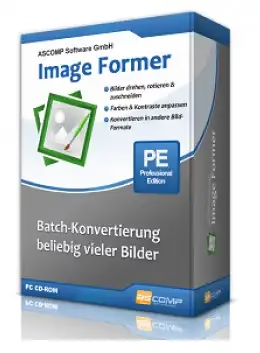
ASCOMP Image Former Pro is a powerful batch image editor and converter for Windows that lets you apply filters, effects, resize, rotate, crop, and convert hundreds of images in one go — without any technical expertise.
Whether you are a photographer, social media manager, graphic designer, or just someone who regularly works with images, Image Former Pro delivers professional-grade results with minimal effort. Best of all, you can grab a free licensed copy right now through an official ASCOMP giveaway.
What Is ASCOMP Image Former Pro?
ASCOMP Image Former Pro is a Windows desktop application developed by ASCOMP Software — a German software company known for reliable and lightweight utilities. Image Former focuses on two core tasks: batch editing and batch converting images, making it an essential tool for anyone who regularly handles large volumes of photo or graphic files.
Unlike online tools, Image Former works entirely offline on your PC, meaning your images stay private and processing is faster.

Key Features of ASCOMP Image Former Pro
Batch Image Editing
With Image Former, you can process any number of images at once. Simply select your images, configure the desired actions, and let the software handle the rest. You can:
- Rotate and flip images
- Crop edges or trim unwanted borders
- Correct and adjust colors
- Resize or compress images
- Apply filters and visual effects
Batch Image Conversion
Image Former supports a wide range of output formats, including:
- JPEG, PNG, BMP, GIF
- PDF and PSD (Photoshop)
- PCX, EPS, TIF
This makes it easy to convert entire folders of images to WebP, PNG, or any other format required for your website or project — saving significant time compared to manual conversion.
Clipboard Monitoring
A standout feature is clipboard monitoring: Image Former automatically detects and imports any image you copy to the Windows clipboard. This is ideal for quickly processing screenshots or design assets on the fly.
Intuitive Interface
The software features a clean, neatly organized GUI that makes it easy to configure complex batch operations without a steep learning curve. It is suitable for both beginners and experienced users.
ASCOMP Image Former Pro — Full Feature List
- Batch converter and editor for image files
- Neatly organized, user-friendly GUI
- Rotate, crop, resize, and color-correct images in bulk
- Clipboard monitoring for automatic image import
- Supports output formats: JPEG, PNG, BMP, GIF, PDF, PSD, PCX, EPS, TIF
- Complete control over enlarging or reducing image dimensions
- Compatible with Windows 11, Windows 10, 8.1, 8, and 7
- Lightweight and fully offline — no internet required for processing
Why Use ASCOMP Image Former Pro in 2026?
With growing demands for optimized images on websites and social media — especially with formats like WebP now widely preferred for web use — having a reliable batch converter is more important than ever. Image Former Pro handles all of this locally, without uploading your files to cloud services, giving you both speed and privacy.
It is particularly useful for bloggers and website owners who need to batch-resize and convert photos before uploading, photographers managing large shoot catalogs, and designers preparing assets in multiple formats.
If you also need to work with PDFs, check out the ASCOMP PDF Imager Pro free license — another excellent tool from ASCOMP that converts PDF pages to images.
How to Get ASCOMP Image Former Pro Free License

ASCOMP periodically offers free full-version licenses for their software. Here is how to claim your free copy:
- Visit the official ASCOMP Image Former Pro giveaway page.
- Enter your first name, last name, and email address, and select your country.
- Click the “Send” button.
- Check your inbox for a confirmation email from ASCOMP Software.
- Click the confirmation link in the email — this takes you to your ASCOMP account page.
- Click “Download Full Version” and save the installer.
- Run the installer and complete the installation.
- Launch the app, enter your 10-digit Customer ID, and activate the full version.
Note: Giveaway licenses are legitimate full versions and are provided directly by ASCOMP Software. Always claim from the official ASCOMP website.
Other Free ASCOMP Software Giveaways on Techno360
If you enjoy free software from ASCOMP, here are more tools from the same developer available on Techno360:
- ASCOMP LeakCheck Pro — Check for Password Data Breaches
- ASCOMP BackUp Maker Pro — Easy Data Backup for Windows
- ASCOMP KEYCTRL Pro — Hotkey Manager for Windows
- ASCOMP PDF-Compress Pro — Reduce PDF File Size
- ASCOMP Cleaning Suite Pro — Windows PC Cleaner
- ASCOMP Easy Slideshow — Create Photo Slideshows with Music
Also see our roundup of free image converter tools on Techno360 for more options, including the Ascomp Guardian Of Data Pro free license for added file protection.


Discover more from Techno360
Subscribe to get the latest posts sent to your email.
You must be logged in to post a comment.