
🎁 BECKERCAD 12 3D PRO · FREE FULL VERSION
Professional 2D drafting and 3D modelling on Windows — for $0
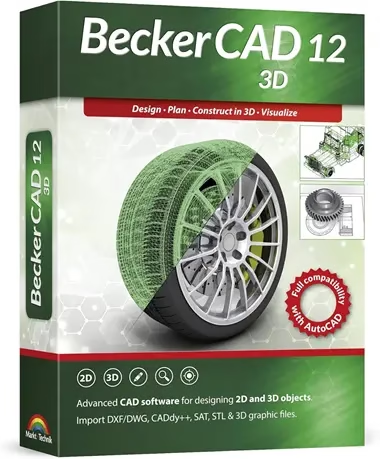
German publisher Markt+Technik is handing out free registration codes for BeckerCAD 12 3D Pro, the top edition of its AutoCAD-compatible CAD suite. You get technical drawings, solid and free-form 3D modelling, photorealistic rendering and DWG/DXF/STEP exchange — no subscription.
Windows 11 / 10
Full version · 3D Pro
✅ Live: Oct 3, 2026

⚡ Quick Read
- What: BeckerCAD 12 3D Pro by Markt+Technik — 2D drafting plus full 3D modelling and rendering for Windows.
- Giveaway: a free full-version registration code, sent by the publisher itself (info@mut.de). No time limit is mentioned in the email.
- Catch: you join the Markt+Technik newsletter, the installer comes via a WeTransfer link (about 626 MB), and the activation window is in German.
- Version note: this is version 12. The current release is BeckerCAD 15 3D, sold separately.
- Deadline: none announced. Publisher promos like this can close without warning, so claim your code today.
What is BeckerCAD 12 3D Pro?
BeckerCAD is a long-running Windows CAD program from Markt+Technik (distributed internationally by Engelmann Software and SoftMaker). It sits in the sweet spot between hobby tools and expensive professional suites: you get proper technical drawings with dimensions and layers, plus a real 3D modeller, for a one-time price instead of a monthly subscription.
The 3D Pro edition is the complete package. The cheaper 2D edition only covers flat drawings; 3D Pro adds solid bodies, free-form surfaces, Boolean operations and rendering. Mechanical and electrical engineers, architects, building-services planners, makers and model builders are the people it’s built for — and it’s a friendly way to learn CAD without paying for 3D software first.
Key features of BeckerCAD 12 3D Pro
According to Markt+Technik, the 3D Pro edition includes:
- 2D technical drawing — plans, sections and construction drawings with dimensioning, layers, surface symbols, fitting and dimension tables.
- 3D modelling — solid bodies, free-form surfaces and Boolean operations (union, subtract, intersect) to build real parts.
- Photorealistic rendering — turn a 3D model into a presentation-quality image.
- Parametric standard parts — ready-made 2D parts and symbol libraries for mechanical engineering and architecture.
- Wide file exchange — DWG and DXF (AutoCAD-compatible), IGES and STEP for other CAD systems, plus SAT, WRL and OBJ for 3D models.
- Python interface — script your own extensions and automate repetitive jobs.
- Gesture control — draw common commands with the mouse instead of hunting through menus.
- Compatibility — the publisher positions it as compatible with Autodesk AutoCAD and CADdy++ Mechanical Engineering data.
Giveaway terms at a glance
| Software | BeckerCAD 12 3D Pro by Markt+Technik |
| Licence | Free full version with registration code (no expiry stated) |
| How you get it | Email sign-up on the official Markt+Technik registration page |
| Download | WeTransfer link in the email, about 626 MB |
| Languages | English or German (chosen during setup) |
| Updates | Version 12 only — no free upgrade to BeckerCAD 15 |
| Offer ends | Not announced — working as of October 3, 2026 |
How to get BeckerCAD 12 3D Pro full version for free
Step 1: Register on the giveaway page
Open the official BeckerCAD 12 3D Pro registration page from Markt+Technik. Enter your email address, tick the reCAPTCHA box, keep Register selected and click Subscribe.
Step 2: Confirm your email
A confirmation email from “Markt und Technik” (info@mut.de) arrives within a minute or two. Open it and click “Yes, add me to this list”. Can’t find it? Check your spam or junk folder.
Step 3: Copy your licence code and download
A second email titled “Fullversion BeckerCAD 12 – 3D PRO” follows. It contains your licence key (it starts with MuTBC-) and a WeTransfer download link. Copy the key somewhere safe, open the link, accept WeTransfer’s terms so the Download button appears, and save the installer (about 626 MB).
Step 4: Install and activate
Unzip the download if needed and run the installer. A registration window (“Registrierung für BeckerCAD 12 3D Pro”) pops up. Paste your key into the Registrierungscode box and click OK. The files unpack, then you pick English or Deutsch, click OK, then Next and follow the wizard to finish.
⚠️ Important: WeTransfer links expire after a few days, so download the installer straight away and keep a copy along with your key. The activation box is in German: Registrierungscode means registration code. Don’t click Later — enter the key first.
BeckerCAD 12 3D Pro vs BeckerCAD 15 3D (latest)
The freebie is not the newest release. Here’s how it compares with the current BeckerCAD 15 3D, based on the publisher’s listings (prices checked October 2026 and subject to change):
| BeckerCAD 12 3D Pro (this giveaway) | BeckerCAD 15 3D (current) | |
| Price | Free | €74.99 list (on sale for €29.99 at Engelmann; US$29.95 at SoftMaker) |
| 2D drafting & 3D modelling | Yes | Yes |
| DWG / DXF exchange | Yes | Yes |
| Newer tools | — | Helix bodies, 3D polygons, body offsetting, detail views, hole dimensioning, 3Dfindit.com parts search, HTML/web export |
| Licence | Giveaway registration code | Perpetual, up to 3 PCs |
For learning CAD, drawing plans or modelling parts for 3D printing, version 12 covers the essentials. Upgrade only if you need one of the newer tools listed above.
System requirements
- OS: Windows 11 or Windows 10 (64-bit recommended).
- CPU: Intel Core i3 / AMD Phenom II or better.
- RAM: 2 GB recommended (1 GB minimum).
- Disk: about 2 GB free, plus room for the 626 MB installer.
- Graphics: OpenGL-capable card, 1024×768 or higher.
- Internet: needed to register and download.
Hardware figures are the publisher’s published requirements for the current BeckerCAD 3D line; version 12 is lighter, so any PC that meets them will run it comfortably.
Who should grab it (and who shouldn’t)
👍 Worth it if you’re a student, maker, DIY renovator or small workshop that needs proper technical drawings and basic 3D parts without paying for AutoCAD or a Fusion subscription. Being able to open and save DWG/DXF files is a big plus when you share drawings with others.
👎 Skip it if you need Mac or Linux support, cloud collaboration, or the very latest tools in BeckerCAD 15. If you mainly want to plan rooms and furniture rather than draw parts, our Ashampoo Home Design 11 free licence is the easier pick.
Building a free toolkit? See our 35 best free PC programs for 2026 and the best free open-source software that replaces paid apps.
📊 Techno360 Verdict: 4.2 / 5
A free, full 3D Pro edition of a real engineering CAD program is rare. BeckerCAD 12 gives you 2D drafting, solid and free-form modelling, rendering and DWG/DXF/STEP exchange, straight from the publisher. It’s an older version and the sign-up has a few rough edges (newsletter, WeTransfer link, German activation box), but none of that takes more than five minutes.
- Good: full 3D Pro edition, official source, AutoCAD-compatible files, Python scripting, English interface.
- Not so good: not the latest version, no free upgrade, newsletter sign-up, download link expires.
Bottom line: If you draw anything technical on Windows, claim the code now and keep the installer backed up — you lose nothing by grabbing it before the promo ends.
Frequently asked questions
Is the BeckerCAD 12 3D Pro giveaway legit?
Yes. The registration page is hosted on Markt+Technik’s own domain (mut.de), and the licence key is emailed by the publisher from info@mut.de.
Is it a trial or the full version?
The publisher’s email calls it a full version provided free of charge, and it’s activated with a registration code. No expiry date is mentioned.
Can BeckerCAD open AutoCAD DWG files?
Yes. BeckerCAD imports and exports DWG and DXF, and also supports IGES and STEP for exchanging data with other CAD systems.
Is BeckerCAD available in English?
Yes. You choose English or German during setup. Only the activation box shown before installation is in German.
I didn’t get the licence email. What should I do?
Check your spam folder and make sure you clicked the confirmation link in the first email — the key is only sent after you confirm.
Can I upgrade to BeckerCAD 15 for free?
No. The giveaway covers version 12 only. BeckerCAD 15 3D is a separate paid product.
Previous giveaway (BeckerCAD 12 2D): an earlier promo offered the 2D edition via this registration page with the installer at Engelmann’s download server. It may no longer issue keys — the 3D Pro offer above is the better deal anyway.
More free licences land every week — browse the Techno360 Free Stuff hub for the latest giveaways before they expire.


Discover more from Techno360
Subscribe to get the latest posts sent to your email.