
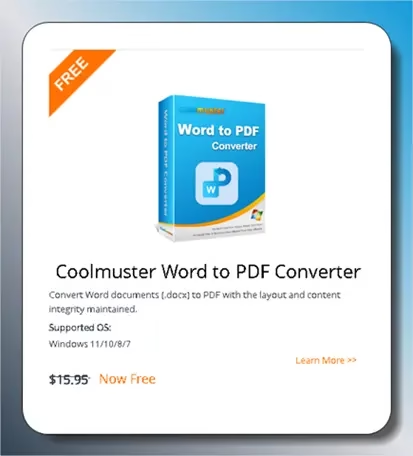
Coolmuster Word to PDF Converter is a Windows application that easily converts Microsoft Word documents to PDF format. You can configure pagination and batch processing using this simple tool. This software’s full version (annual) license, normally $15.95, is available for free for a limited time.
Get Coolmuster Word to PDF Converter for Free:
Coolmuster, the developer of the Word to PDF converter program, is currently running a giveaway where you can get a free license.
To grab a license code, simply visit https://www.coolmuster.com/giveaway/
Enter your name, email address, and captcha code, then click the “Submit” button.

A pop-up window will appear, prompting you to share details about the giveaway on social media platforms such as Facebook and X (Twitter). Simply click on any of the social media icons—you don’t have to share anything. The code will then be displayed on the giveaway page.
Get the installer for the PDF-to-Word converter from
https://www.coolmuster.com/downloads/cool-word2pdf.exe
Run the program after you’ve installed it. Find the “Key” icon in the upper right corner of the app’s main menu and click on it.
A new window will open. Clicking the “Register” button will bring up a new window; please proceed.
Fill in the activation information (license code and registered email address) in this window, and then click the “Register” button to finish.

About Coolmuster Word to PDF Converter:
Even with all the new software compatibility and supported format developments, data migration from one digital document format to another is still a common and necessary activity. Improving compatibility often just necessitates a little conversion.
As its name suggests, Coolmuster Word to PDF Converter is an easy-to-use utility that can convert Word documents created in Microsoft Office to PDF with a few clicks.

Support for batch processing and direct data input:
On launching, you will be immediately impressed by the Coolmuster app’s pleasant disposition, ease of use, and speedy data-in/data-out process. The program has a built-in capability for processing data in batches.
You can streamline your entire workflow with this program because of its built-in bulk processing capabilities, which make managing massive amounts of data a breeze. On top of that, the visualizer that was provided has sufficient skills to identify the file attributes.
Pagination:
The application’s capability to handle pagination-related issues is enhanced by its built-in functionality. This feature adds a new level of adaptability. Thus, you can choose the page layout you like most, tweak the dimensions (width and height) by hand, and set the margins to your liking.

Key Features:
- Easily transform your Word docx files into high-quality PDFS with this sophisticated Word-to-PDF converter.
- Assists in safeguarding sensitive data throughout the docx to PDF conversion process and allows you to customize the PDF output in many ways, such as page size, document margins, and output folder.
- You can convert multiple files simultaneously using the batch conversion option.
- Its compatibility with docx files, user-friendly design, helpful customer service, and frequent updates make it the perfect application for converting Word documents to PDF files.
Conclusion:
Looking for a straightforward solution to convert your Word documents to PDF with a few clicks? Coolmuster Word to PDF Converter could be your best bet.


Discover more from Techno360
Subscribe to get the latest posts sent to your email.
You must be logged in to post a comment.