
🎁 AOMEI FONETOOL GIVEAWAY · OCTOBER 2026 · WORTH $39.95
Locked out of your iPhone? Unlock it yourself — free 1-year Pro licence
AOMEI is giving away FoneTool Unlocker Pro 3.1. Remove a forgotten screen passcode, a Screen Time passcode, an old Apple ID or iTunes backup encryption from your own iPhone, iPad or iPod touch — straight from your Windows PC, no Apple Store visit needed.
Windows 11/10/8/7
Version 3.1
iOS 27 ready
⏳ 1-year licence
⚡ Quick Read
- What: AOMEI FoneTool Unlocker Pro 3.1, a Windows tool that removes iPhone/iPad locks (normally $39.95 a year).
- Giveaway: a 1-year Professional licence for personal, non-commercial use.
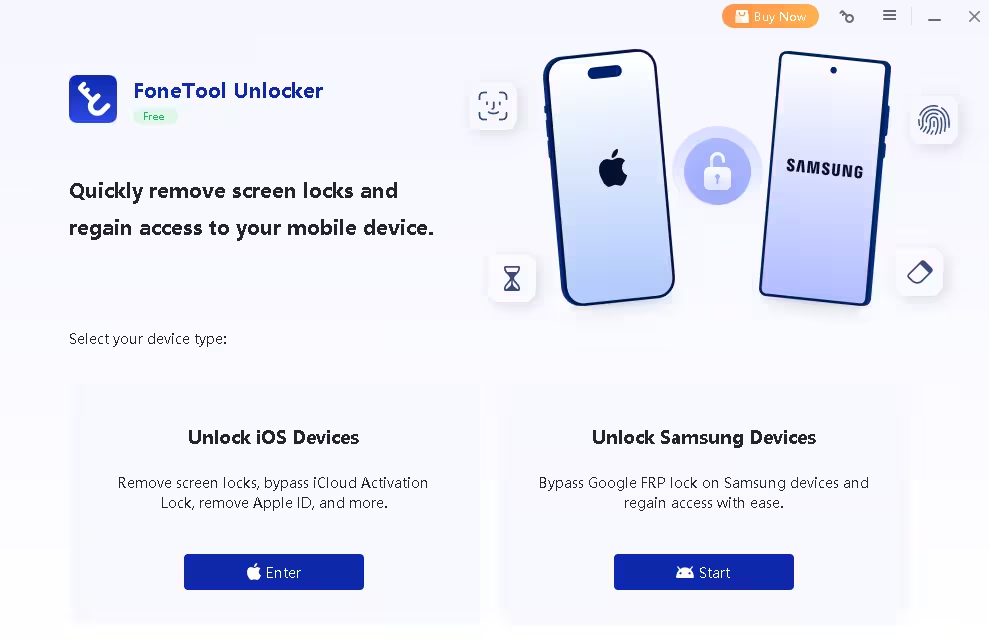
- Unlocks: screen passcodes, Apple ID, Screen Time passcodes, iTunes backup encryption, plus Google FRP on Samsung phones.
- Catch: removing a screen passcode erases the device, and Find My/Activation Lock still needs the original Apple ID password.
- Deadline: no end date announced — register today before the code stops working. Jump to the registration code ↓
What is FoneTool Unlocker Pro?
Forgetting an iPhone passcode is more common than it sounds. You change it after an update, a child guesses it six times, or you buy a second-hand iPad that is still tied to the previous owner’s Apple ID. Apple’s own fix usually means a trip to a store or a full restore through iTunes, which is slow and confusing if you’ve never done it.
FoneTool Unlocker from AOMEI (the company behind AOMEI Backupper and Partition Assistant) turns those fixes into a step-by-step Windows wizard. Connect the device with a USB cable, choose the lock you want to remove, and the app downloads the right firmware and handles the rest. It supports every iPhone from the iPhone 6/6s up to the iPhone 17 lineup, iPads, iPod touch, and iOS/iPadOS 27 and 26 down to older releases.
For a limited time, AOMEI is sharing an official registration code that unlocks the full Professional edition for a year — the same plan that normally costs $39.95 a year.
What’s new in FoneTool Unlocker 3.1
If you grabbed an older copy from one of our earlier FoneTool giveaways, this is a big jump. Version 3.1.0 was released on October 1, 2026, and the current build brings:
- Support for the latest Apple software and hardware — iOS 27, iOS 26 and the iPhone 17 family are listed alongside older models.
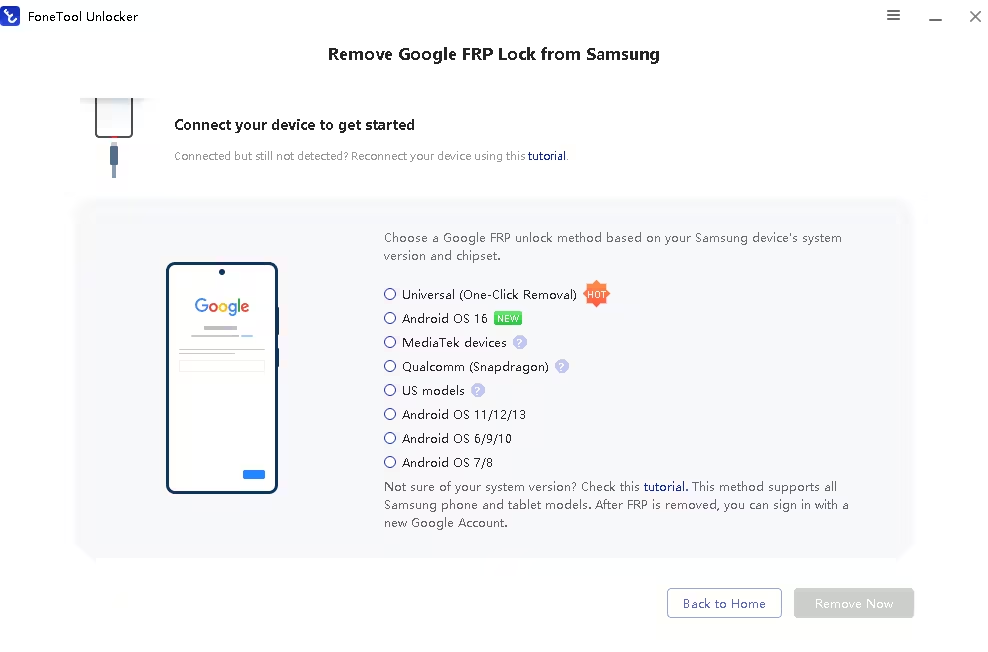
- Android support — a Samsung module that removes the Google FRP (Factory Reset Protection) lock after a reset.
- Automatic firmware download — the app detects your model and fetches the matching .ipsw package, so you don’t have to hunt for it.
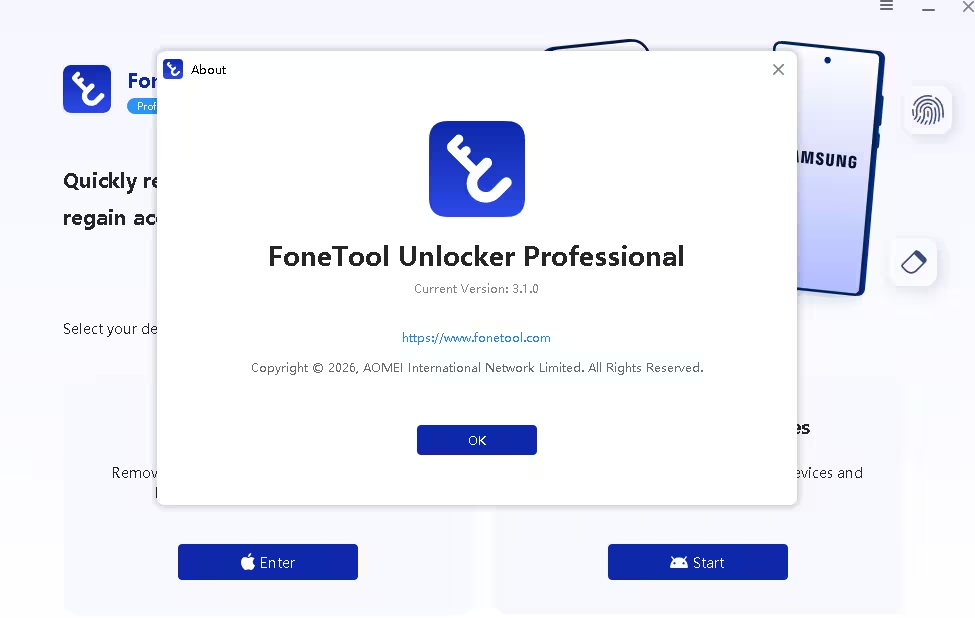
Key features at a glance
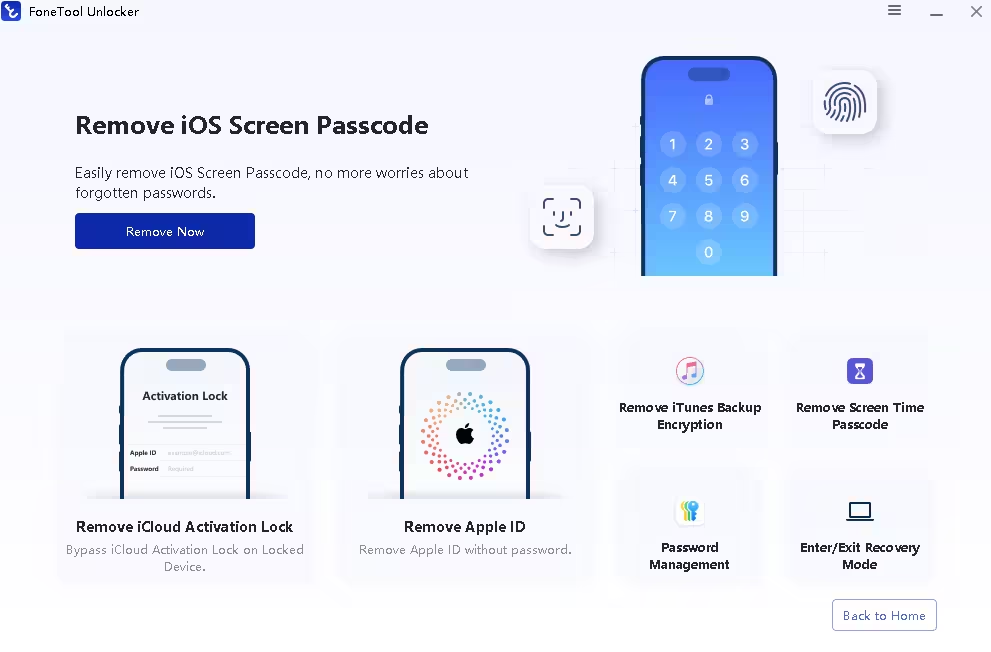
- Remove iOS screen passcodes. 4-digit, 6-digit, custom numeric, alphanumeric and Face ID locks — handy for a disabled iPhone or one with a cracked screen.
- Remove an Apple ID without the password. Useful when a second-hand device is still signed in to someone else’s account.
- Unlock Screen Time. Remove a forgotten Screen Time passcode or recover the Restrictions passcode without losing your photos or messages.
- Remove iTunes backup encryption. Turn off a forgotten backup password so you can make new iTunes backups again.
- Unlock Samsung Google FRP. Get past “Verify your account” after a factory reset on your own Galaxy phone.
- Beginner-friendly wizard. Picture guides show exactly how to put your iPhone into Recovery Mode — no command line, no iTunes knowledge needed.
Will you lose your data? Check before you unlock
This is the part most giveaway posts skip. Some unlock modes keep your data, others can’t — so pick the right one and back up first if you can.
| Feature | Keeps your data? | Good to know |
| Screen passcode | No — erases the device | Needs 50%+ battery. If Find My was on, you’ll need the Apple ID password during setup. |
| Apple ID | Depends | Works best with Find My turned off. With Find My on, Activation Lock still asks for the original credentials. |
| Screen Time | Yes | Photos, messages and apps stay put. |
| iTunes backup encryption | Yes | Removes the backup password setting so you can create fresh backups. |
| Samsung Google FRP | n/a | The phone has already been factory reset when FRP appears. |
💡 Tip: Only use FoneTool Unlocker on devices you own or have permission to unlock. Buying a used iPhone? Ask the seller to sign out of iCloud and turn off Find My before you pay — it saves a lot of trouble later.
Giveaway terms at a glance
| Software | FoneTool Unlocker Pro 3.1 by AOMEI |
| Normal price | $39.95/year (often discounted to $29.95); lifetime plan $49.95 |
| Giveaway licence | 1-year Professional licence, personal (non-commercial) use only |
| Valid for | Version 3.1 — install the copy linked below |
| System | Windows 11/10/8.1/8/7 (no Mac version) + USB cable |
| Devices | iPhone, iPad, iPod touch (iOS/iPadOS 27 and earlier) and Samsung Galaxy (FRP) |
| Deadline | No end date announced — the code can stop working without notice |
How to get FoneTool Unlocker Pro for free
The whole thing takes about five minutes, most of it the download. One tip before you start: copy and paste the registration code instead of typing it — a single wrong character gives an invalid-code error.
Share this giveaway on any network. One click unlocks the download links and codes below.
A new tab opens to share this page. Come back here — your content unlocks automatically.
⚠️ Important: The code is for version 3.1, so register the copy above rather than a newer build from another site. The licence is for personal, non-business use and runs for one year from activation. Register now even if your phone is fine today — you’ll be ready when you actually need it.
Who should grab it (and who can skip it)
👍 Worth it if you’re the family’s go-to tech person, you have kids with iPads and Screen Time limits, you buy or sell used iPhones, or you’ve ever been stuck with a “Security Lockout” screen. It’s also useful as a just-in-case tool alongside your regular AOMEI Backupper backups.
👎 Skip it if you only use a Mac (there’s no macOS version), you need to bypass a carrier/SIM lock (it doesn’t do that), or you’re hoping to unlock a device that isn’t yours — Activation Lock is there to stop exactly that.
📊 Techno360 Verdict: a handy rescue kit to keep on your PC
FoneTool Unlocker Pro won’t perform miracles — nothing legitimately bypasses Find My on a phone you don’t own — but for your own devices it turns a stressful lockout into a guided job you can finish in one sitting. Screen Time and backup-encryption removal keep your data, and the new Samsung FRP module adds value for mixed iPhone/Android homes. For $0, it’s an easy one to keep installed.
- Best for: forgotten passcodes, Screen Time locks, second-hand devices with Find My already off
- Watch out for: screen-passcode removal wipes the device, and the licence lasts one year
- Rating: Recommended grab
Frequently asked questions
Is the FoneTool Unlocker Pro giveaway really free?
Yes. The registration code unlocks the Professional edition of FoneTool Unlocker 3.1 for one year at no cost. No sign-up or payment details are needed.
How long does the free licence last?
One year from activation, for personal, non-commercial use. After that you can keep using the free features or buy a yearly or lifetime plan.
Will unlocking my iPhone erase my data?
Removing the screen passcode erases everything on the device, so restore from an iCloud or computer backup afterwards. Removing a Screen Time passcode or iTunes backup encryption keeps your data.
Can FoneTool Unlocker bypass iCloud Activation Lock?
If Find My was turned on, the device will still ask for the original Apple ID and password after it’s reset. That protection exists for lost and stolen phones, so contact the previous owner or Apple with proof of purchase.
Does it support iOS 27 and the iPhone 17?
Yes. AOMEI lists support for iOS/iPadOS 27 and 26 down to older versions, and every iPhone from the iPhone 6/6s to the iPhone 17 series, plus iPad and iPod touch models.
Is there a Mac version?
No. FoneTool Unlocker runs on Windows 11, 10, 8.1, 8 and 7 only. Borrow a Windows PC if you only have a Mac.
The registration code says invalid. What should I do?
Copy and paste the code without extra spaces, and make sure you installed the 3.1 giveaway build from this page. If it still fails, the giveaway has most likely ended.
Want more phone tools? See our MobiKin Transfer for Mobile and Apeaksoft MobieTrans giveaways, or grab AOMEI Partition Assistant Pro for your PC. More free licences land every week — browse the Techno360 Free Stuff hub before they expire.
Discover more from Techno360
Subscribe to get the latest posts sent to your email.

You must be logged in to post a comment.