
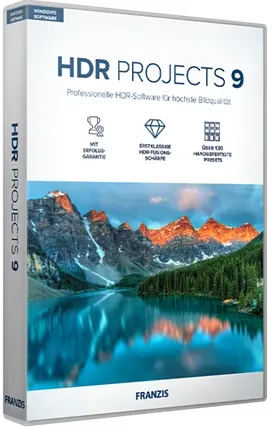
Franzis HDR Projects 9 is a comprehensive piece of software for image editors who wish to make minute modifications. It employs various HDR algorithms.
High-dynamic-range (HDR) photography represents a technological breakthrough in the visual arts. With this method, you can improve the quality of your photos, add more vibrant colours, and give them a more dramatic effect. Any photographer interested in experimenting with HDR photography will find HDR projects to be an ideal software solution.

We can use independently HDR projects or as a plugin for other popular image editors like Adobe Photoshop and Lightroom. You can use the included effects and algorithms immediately. With a simple interface, you can easily manipulate your images.
We can process RAW images for a higher level of detail. This allows you to adjust the brightness, contrast, saturation, hue, saturation, hue, and palette, as well as the degree of distortion. As a result, you’ll have complete control over the look of your final images.
Using the batch processing mode, you can add in post-processing effects. Just drag an entire folder full of pictures into the program, and it will find all the usable pictures within. The ability to save your progress and revert to a previous version of a project is another timesaving feature.

Franzis HDR Projects 9 Features:
- Full-featured RAW module with all the editing capabilities of a professional RAW converter and other features.
- A full selection of 188 presets.
- Using batch processing with automatic bracketing detection to create dozens of HDR images simultaneously.
- Plugin for Adobe Lightroom Classic and Photoshop.
- Create an exposure bracket from a JPG or RAW file that can be used in any x application.
- Support for D65 color spaces corresponds to the normal light for medium daylight in the noon northern sky and offers exceptionally true-to-life color photos during the day.
Get Franzis HDR Projects 9 Pro for Free:
Visit this giveaway page: https://reg.franzis.de/reg/HPW-22351000/
[OR]
Put in your email address, tick the box that says you accept the terms, solve the captcha, and hit the send button.
Franzis will send you an email shortly (registrierung@esd.franzis.de). To confirm your email, click the confirmation link or copy & paste it in a new tab.
Following that, you will receive a second email from Franzis with your activation details, including your customer ID and registration code (serial number).
Download the giveaway version installer from
https://transfer.franzis.de/download [Zip File—271 MB]
Extract the full zip file, and you will notice the installer for Windows that supports English, German, and French languages.
Run the installer. When prompted, type in your serial number and click “Activate now.”
Complete the installation process.

Discover more from Techno360
Subscribe to get the latest posts sent to your email.
