
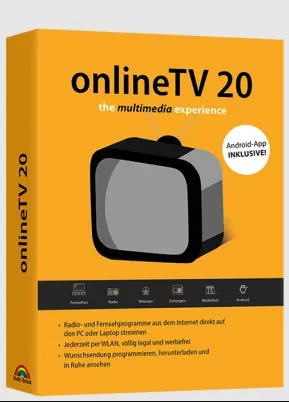
🎁 ONLINETV GIVEAWAY · OCTOBER 2026 · WORTH €29.99
Turn your Windows PC into a TV and radio — free Plus licence for a whole year
Engelmann Software is giving away OnlineTV 20 Plus for Windows. Watch 100+ live TV channels, tune into more than 1,000 radio stations from 80+ countries, browse online newspapers and webcams, and record shows to watch later — no TV card, no cable contract and no subscription.
⚡ Quick Read
- What: OnlineTV 20 Plus, a live TV, radio and newspaper app for Windows (normally €29.99).
- Giveaway: a free 1-year Plus licence key sent to your email — no credit card, no subscription.
- Does: live TV, 1,000+ radio stations, webcams, online newspapers, German media libraries and a built-in video recorder.
- Catch: Windows only, the TV line-up leans toward German channels, and paid services like Netflix or HBO aren’t included.
- Deadline: deal trackers list the offer as ending on 11 November 2026. Jump to the free licence steps ↓
What is OnlineTV 20 Plus?
Most of what you watch and listen to is already streamed online — the hard part is finding it. Channel websites hide their live streams, radio stations each have their own player, and you end up juggling a dozen browser tabs.
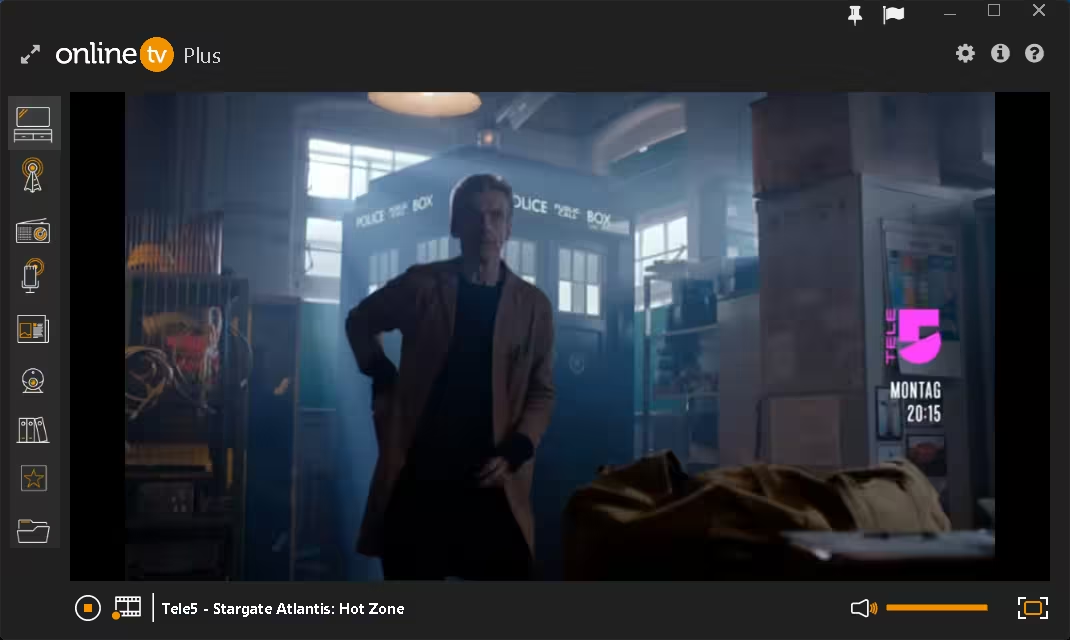
OnlineTV 20 Plus from German developer Engelmann Software pulls all of that into one clean Windows app. Pick Television, Radio, Newspapers or Webcam from the sidebar, click a station and it plays. It uses HTML5 streaming, so you don’t need a TV tuner card, a satellite dish or Flash.
The Plus edition removes the ads and waiting times of the free version and unlocks a bigger channel selection. For a limited time, Engelmann is giving the Plus licence away for one year — the same software that normally sells for €29.99.

Key features at a glance
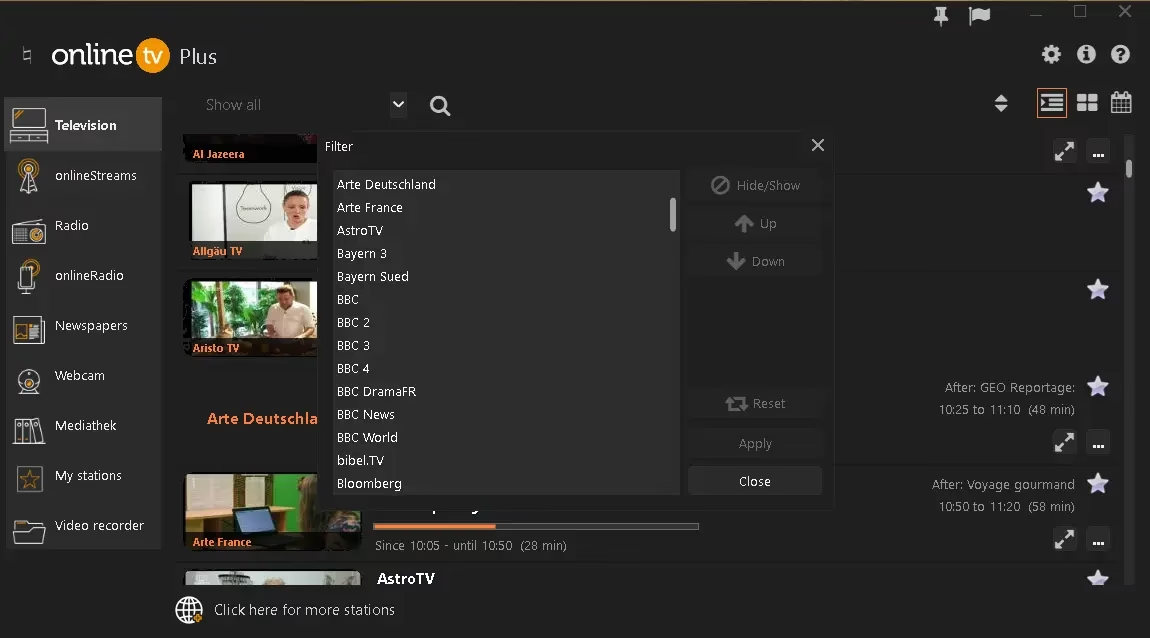
- Live TV on your PC. 100+ TV channels from Germany and abroad through the Television and onlineStreams modules, with an integrated TV guide that shows the next 7 days.
- Worldwide radio. More than 1,000 FM and internet radio stations from over 80 countries, sorted so you can find a station in seconds.
- Video recorder. Record TV broadcasts and streams to your hard drive or to the cloud and watch them later.
- Online newspapers. Read national and international papers from the same window.
- Live webcams and music videos. Look in on webcams around the world or browse music videos by genre.
- Mediathek. Catch-up access to the media libraries of German public broadcasters.
- My stations. Save favourite TV and radio channels for one-click access.
- Android companion app. The full version unlocks the OnlineTV Android app once it’s activated through the PC version.

What’s new in OnlineTV 20
If you grabbed our earlier OnlineTV 18 Plus giveaway, version 20 is a worthwhile step up. According to Engelmann, it adds:
- New TV channels and extended streaming servers
- 64-bit support and better performance in the Android app
- Compatibility with the Amazon Fire TV Stick
- Support for high-resolution monitors on Windows 11
Giveaway terms at a glance
| Software | OnlineTV 20 Plus (Engelmann Software) |
| Normal price | €29.99 (one-time purchase) |
| Giveaway licence | Free 1-year Plus licence key, sent by email |
| Sign-up | Email address (first name optional) and confirmation link |
| System | Windows 11/10/8.1/7 (32- and 64-bit); Android app needs Android 5.0+ with an ARM CPU |
| Not included | Subscription services such as Netflix or HBO |
| Deadline | Listed until 11 November 2026 — the promotion can end earlier without notice |
How to get OnlineTV 20 Plus for free
It takes about three minutes. One tip before you start: copy and paste the licence key instead of typing it — a single wrong character gives an invalid-key error.
Share this giveaway on any network. One click unlocks the download links and codes below.
A new tab opens to share this page. Come back here — your content unlocks automatically.
⚠️ Important: Request your key now even if you won’t use it today — once Engelmann closes the promotion page, new keys can’t be requested. Some channels may not stream outside their home country because of broadcaster restrictions.
Who should grab it (and who can skip it)
👍 Worth it if you like having live TV or radio running while you work, you follow German or European channels, or you want one app instead of a dozen station websites. For more recording options, also grab Audials TV Recorder and Audials Radio SE free.
👎 Skip it if you’re on a Mac, you mainly want Netflix-style on-demand films (try free services like Tubi instead), or you only watch channels from your own country that already have free apps.
📊 Techno360 Verdict: an easy all-in-one TV and radio player for a year
OnlineTV 20 Plus puts live TV, worldwide radio, webcams, newspapers and a recorder behind one tidy sidebar. Radio fans get the most out of it; TV viewers outside Germany will find a smaller choice of channels. For €0 and a quick email sign-up, it’s an easy grab.
- Best for: radio listeners, German-speaking viewers and anyone who wants background TV on a second screen
- Watch out for: 1-year term, Windows only, no paid streaming services
- Rating: Recommended grab
Frequently asked questions
Is the OnlineTV 20 Plus giveaway really free?
Yes. You only need an email address to receive the licence key. There’s no credit card and no subscription, and the newsletter box is optional.
How long does the free OnlineTV licence last?
This giveaway gives you a one-year OnlineTV 20 Plus licence. After it ends, you can buy the full version, which Engelmann sells as a one-time purchase.
Which channels can I watch with OnlineTV 20 Plus?
You get 100+ free-to-air TV channels (mostly from Germany and Europe), more than 1,000 radio stations from over 80 countries, live webcams and online newspapers. Subscription services such as Netflix or HBO aren’t included.
Can I record TV shows with OnlineTV?
Yes. The built-in video recorder saves TV broadcasts and streams to your hard drive or the cloud so you can watch them later.
Do I need a TV card or antenna?
No. OnlineTV streams over the internet using HTML5, so all you need is a Windows PC and a stable internet connection.
Does OnlineTV work on Android or Fire TV?
There’s a companion Android app (Android 5.0 or later, ARM processors) that you activate through the PC version. Version 20 also adds Amazon Fire TV Stick compatibility. This giveaway is for the Windows version.
I didn’t get the licence email. What should I do?
Check your spam and promotions folders for a message from help@onlinetv-software.com and click the confirmation link. If nothing arrives, request the key again with a different email address. If the page no longer works, the giveaway has most likely ended.
Want more free media software? Grab Audials One 2026 SE free, unlock geo-limited streams with OkayFreedom VPN free for 1 year, or browse more Windows software. New licences land every day — check the Techno360 Free Stuff hub before they expire.
Discover more from Techno360
Subscribe to get the latest posts sent to your email.

You must be logged in to post a comment.