
Looking for a free way to download videos from YouTube, TikTok, Facebook, and 1,200+ other websites in HD, 4K, or 8K quality? Tatasoft Video Tool 2.0 is now available as a FREE giveaway — and in this post, you’ll get a complete review, step-by-step download guide, and the exclusive license key to activate the full version at no cost.
What Is Tatasoft Video Tool?
Tatasoft Video Tool is a professional-grade, all-in-one video downloader and audio converter for Windows and macOS. It allows users to download videos from over 1,200 websites—including YouTube, Facebook, TikTok, Instagram, and Twitter/X—in their original resolutions with zero quality loss. Beyond downloading, it also functions as a high-performance video-to-audio converter, letting you extract MP3 or WAV audio files from any video with a simple drag-and-drop action.
Whether you’re a content creator, student, music lover, or frequent traveler who needs reliable offline access to media, Tatasoft Video Tool is built to handle every scenario—fast, reliably, and without any technical complexity.
Key Features of Tatasoft Video Tool 2.0
1. Download Videos from 1,200+ Websites
Tatasoft Video Tool supports video downloading from a massive range of platforms. Whether it’s a major social media network or a niche video host, you can paste any URL and the software will fetch and save it directly to your computer — in whatever format and resolution you choose.
2. HD, 4K & 8K Quality Downloads — Zero Loss
Every video you save retains its original resolution and visual clarity. The software does not re-encode or compress the output file, which means what you download is pixel-perfect — whether it’s a standard 1080p clip or a full 8K production.
3. Batch Download at Maximum Speed
Need to save multiple videos at once? Tatasoft Video Tool lets you queue dozens of URLs and download them all simultaneously. The tool intelligently distributes your connection speed across all active downloads, so every job completes as quickly as possible.
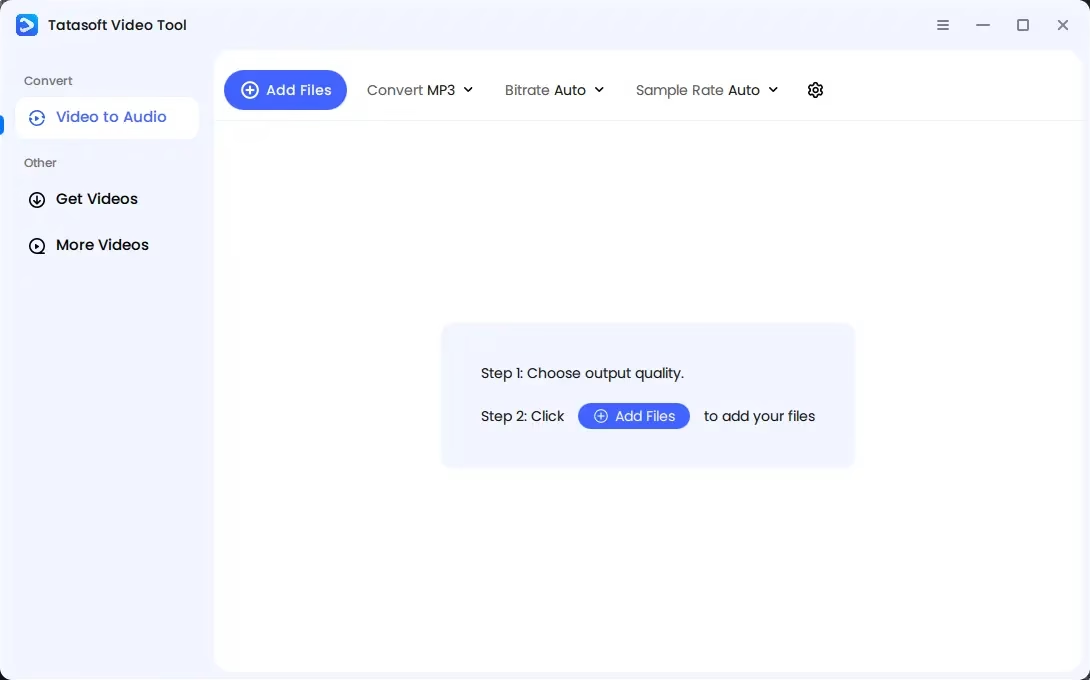
4. Video-to-Audio Converter (MP3 & WAV)
Simply drag any video file into the converter window, select your preferred audio format and quality, and hit convert. Within seconds, you’ll have a high-fidelity MP3 or lossless WAV file ready for offline listening. Multiple bitrate options give you complete control over output quality.
5. Platform-Specific Downloaders
- YouTube Video Downloader — Choose from 360p, 720p, 1080p, or 4K before downloading. Audio-only mode also available.
- TikTok Video Downloader — Save TikTok videos in MP4 without any embedded watermarks.
- Facebook Video Downloader — Fetch public Facebook videos at full HD resolution.
- Instagram Video Downloader — Download Reels, Stories, and regular posts cleanly without platform branding.
- Twitter/X Video Downloader — Save videos from Twitter/X posts fast and watermark-free.
6. Intuitive, Beginner-Friendly Interface
The entire workflow is designed to be immediately intuitive. Just copy a link, paste it into Tatasoft, and the download starts automatically. New users complete their first download within minutes of installation — no manual configuration, no technical knowledge required.
7. Cross-Platform Support
Tatasoft Video Tool is fully compatible with Windows 11, 10, 8.1, 8, 7, and Vista, as well as macOS 10.13 High Sierra through macOS Tahoe 26. It is one of the most broadly supported video download tools available for personal computers today.
System Requirements
- Operating System: Windows 11 / 10 / 8.1 / 8 / 7 / Vista—or—macOS 10.13 through macOS Tahoe 26
- Processor: At least 1 GHz (multi-core recommended for batch tasks)
- Disk Space: Minimum 100 MB for installation (additional space required for downloaded media)
- RAM: 512 MB minimum (1 GB or more recommended)
- Internet: Required for video downloading; the audio converter works offline
How to Download Videos Using Tatasoft Video Tool
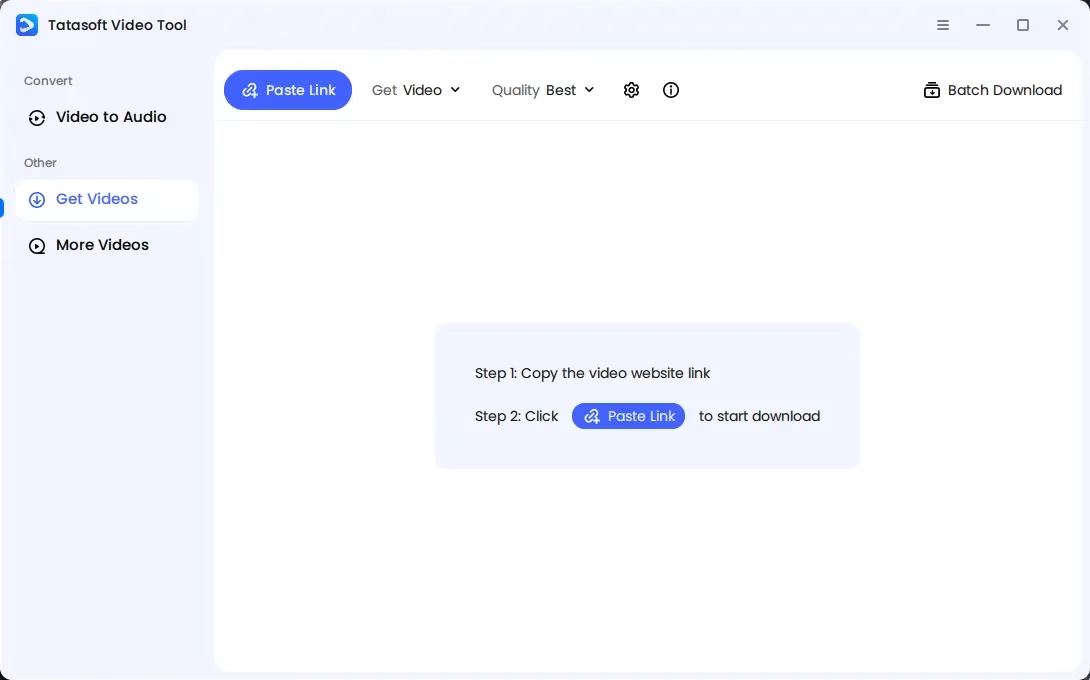
Getting started with Tatasoft Video Tool is simple. Follow these three steps to download your first video:
- Configure Download Settings: Click the “Download Settings” icon to set your preferred video quality, output format, and download location. You can also choose whether to include thumbnails or subtitles.
- Paste the Video URL: Copy the link of the video you want to download and click “Paste Link” in the software. Tatasoft will automatically analyze the link and begin the download immediately.
- Access Your Downloaded File: Once complete, head to the “Finished” tab to play, rename, delete, or manage your downloaded video.
How to Convert Video to Audio (MP3/WAV)
- Open Tatasoft Video Tool and navigate to the audio converter section.
- Drag and drop your video file into the conversion window.
- Select your output format—MP3 or WAV—and choose your preferred quality or bitrate.
- Click “convert,” and your audio file will be ready in seconds.
Tatasoft Video Tool 2.0 — Free Giveaway: Get Your License Key
For a limited time, Tatasoft Video Tool 2.0 (full version, valued at $34.99) is available completely FREE as part of an exclusive giveaway. Here’s everything you need to claim your copy:
Giveaway License Key
Use the following license key to activate the full version of Tatasoft Video Tool 2.0:
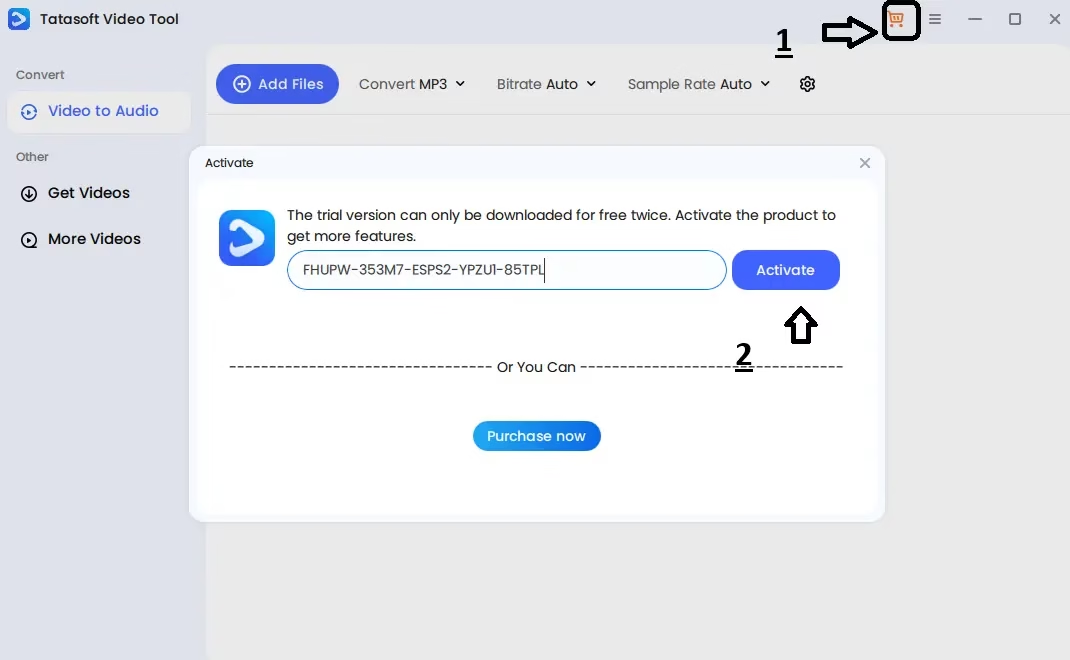
FHUPW-353M7-ESPS2-YPZU1-85TPL
How to Activate Your Free License
- Download the installer from the developer page: https://www.magoshare.com/trial/TatasoftVideoToolSetup.exe
- Once the download is complete, run the installer and follow the on-screen steps.
- After installation, launch Tatasoft Video Tool.
- Press the Shopping Cart icon within the program interface to open the activation pop-up.
- Enter the license key FHUPW-353M7-ESPS2-YPZU1-85TPL in the provided field.
- That’s it — enjoy all the full-version features!
Giveaway Terms & Conditions
- Lifetime license for Version 2.0
- No free updates included
- No free support included
- Non-commercial, personal home use only
- Platform: Windows only
Note: This is a limited-time giveaway. The license key and offer may expire without notice. Claim your free copy as soon as possible to secure your lifetime license.
Who Is Tatasoft Video Tool Best For?
Tatasoft Video Tool is a practical solution for a wide range of users. Content creators can archive and repurpose published work from multiple platforms. Educators and students can save instructional videos for offline study sessions. Music lovers can extract audio from live performance recordings and build a personal library. Social media users can preserve short-form video content — Reels, Stories, and TikToks — before it disappears. Business professionals can store training videos and webinars for team use. And frequent travelers or those with unreliable internet can maintain a full offline media library available at all times.
Tatasoft Video Tool vs. Alternatives
Compared to browser extensions and single-purpose downloaders, Tatasoft Video Tool stands out for its breadth of site compatibility (1,200+ websites), its lossless HD/4K/8K quality preservation, its built-in batch downloading, and its all-in-one approach that combines downloading and audio conversion in a single clean interface. Unlike many free tools, it delivers watermark-free output across TikTok, Instagram, and Twitter/X — a feature that many competitors charge a premium for.
Final Verdict: Is Tatasoft Video Tool Worth It?
Absolutely — especially when you can get the full version for free through the current giveaway. Tatasoft Video Tool 2.0 delivers a powerful, reliable, and beginner-friendly experience for anyone who regularly downloads or converts online video. Its zero-quality-loss downloads, support for 1,200+ sites, instant audio extraction, and batch processing capabilities make it one of the most capable tools in its category.
If you’ve been relying on unstable browser extensions or limited free tools, Tatasoft Video Tool is the upgrade you’ve been waiting for — and right now, it won’t cost you a thing.
Frequently Asked Questions (FAQs)
Is Tatasoft Video Tool free?
The full version normally costs $34.99. However, through the current limited-time giveaway, you can download and activate Tatasoft Video Tool 2.0 completely free using the license key provided above.
Which platforms does Tatasoft support?
Tatasoft Video Tool supports over 1,200 websites, including YouTube, Facebook, TikTok, Instagram, Twitter/X, and many more video hosting platforms.
Can Tatasoft Video Tool download 4K and 8K videos?
Yes. Tatasoft Video Tool can download videos in HD, 4K Ultra HD, and 8K resolution with zero quality loss or re-encoding.
What audio formats does the converter support?
The built-in audio converter supports MP3 (multiple bitrates) and WAV (lossless) output formats.
Is Tatasoft Video Tool available for Mac?
Yes. Tatasoft Video Tool supports macOS 10.13 High Sierra through macOS Tahoe 26. Note that the free giveaway version is for Windows only.
Is the downloaded video free of watermarks?
Yes. Videos downloaded from TikTok, Instagram, Twitter/X, and other platforms are saved without any embedded platform watermarks.


Discover more from Techno360
Subscribe to get the latest posts sent to your email.
You must be logged in to post a comment.