
🎁 GIVEAWAY · WINDOWS · CHIP × AISEESOFT
A full year of Aiseesoft Screen Recorder, free
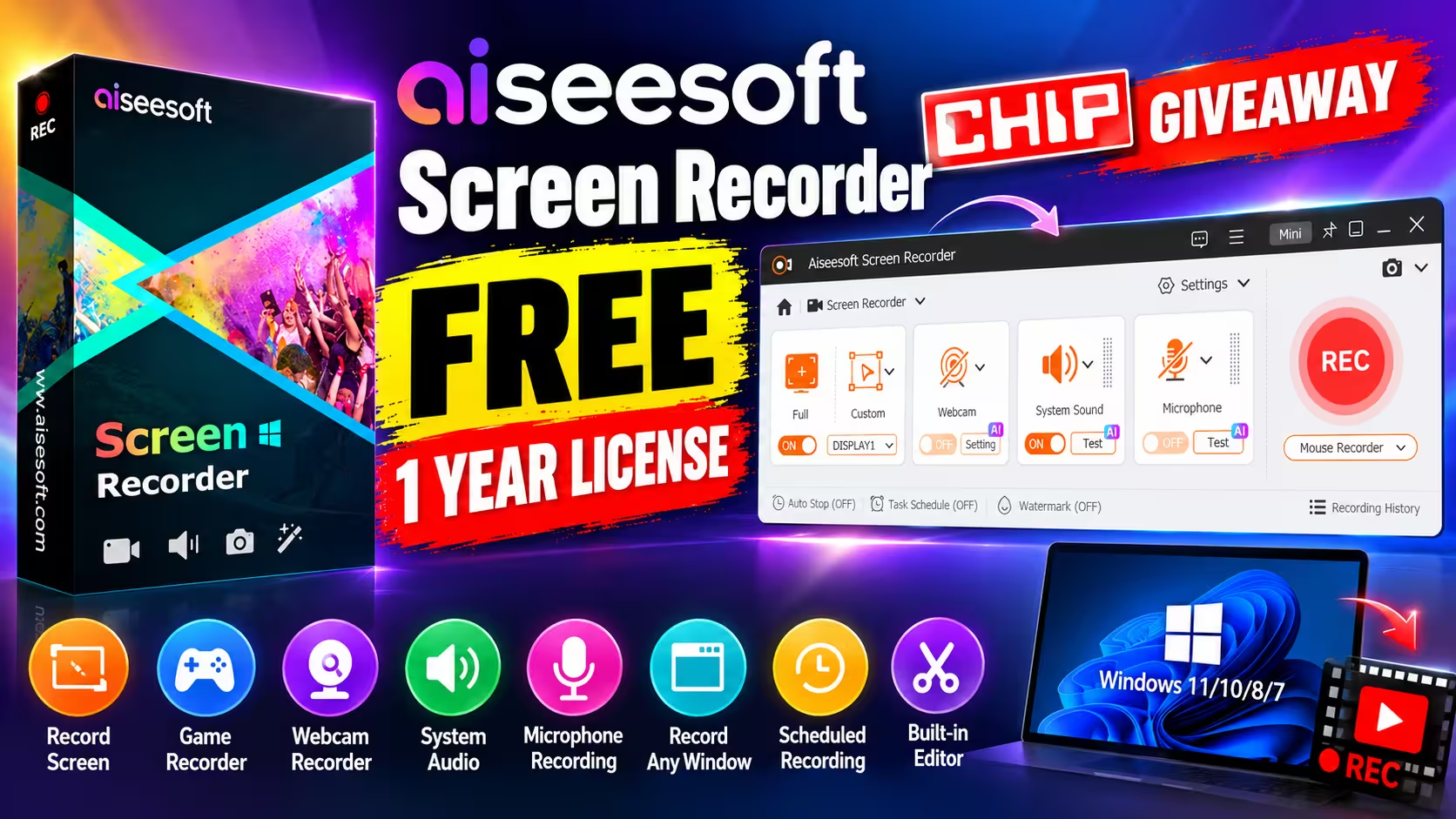
Aiseesoft and the German tech magazine CHIP are running a new giveaway that hands out free 1-year registration codes for the Windows version of Aiseesoft Screen Recorder. Record your screen, a single window, games, webcam, and system audio or microphone, then trim the result without opening another app.
⚡ Quick Read
- License: 1-year registration code, Windows only (Windows 11/10/8/7)
- Activations: one PC or laptop
- Normal price: €62.45 for the lifetime license (Aiseesoft.de)
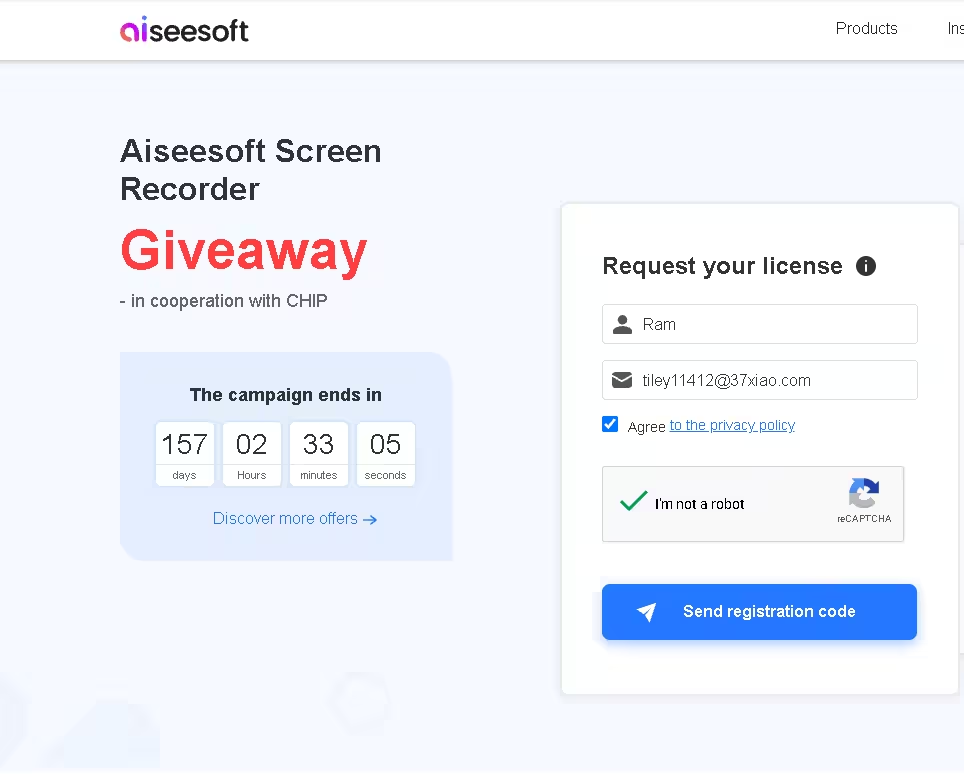
- Offer ends: around 31 March 2027 (157 days left on the countdown when we checked on 24 October 2026)
- Watch out: do not uninstall or reinstall after activating, or the code stops working
What Is Aiseesoft Screen Recorder?
Aiseesoft Screen Recorder is a paid Windows and Mac screen capture tool. It covers the usual jobs (tutorials, software demos, online meetings, gameplay clips) and adds audio-only recording, webcam capture, scheduled recordings and a small built-in editor. This giveaway covers the Windows version only.
The giveaway is hosted on a German Aiseesoft tutorial page about recording Microsoft Teams meetings, and the registration email arrives in German. Neither is a problem: the program itself installs in English, and the steps below walk you through every German button.
Recording Modes and Features
We installed and activated the giveaway build. Here is what we saw in the app, followed by what Aiseesoft documents on its product page.
What we tested
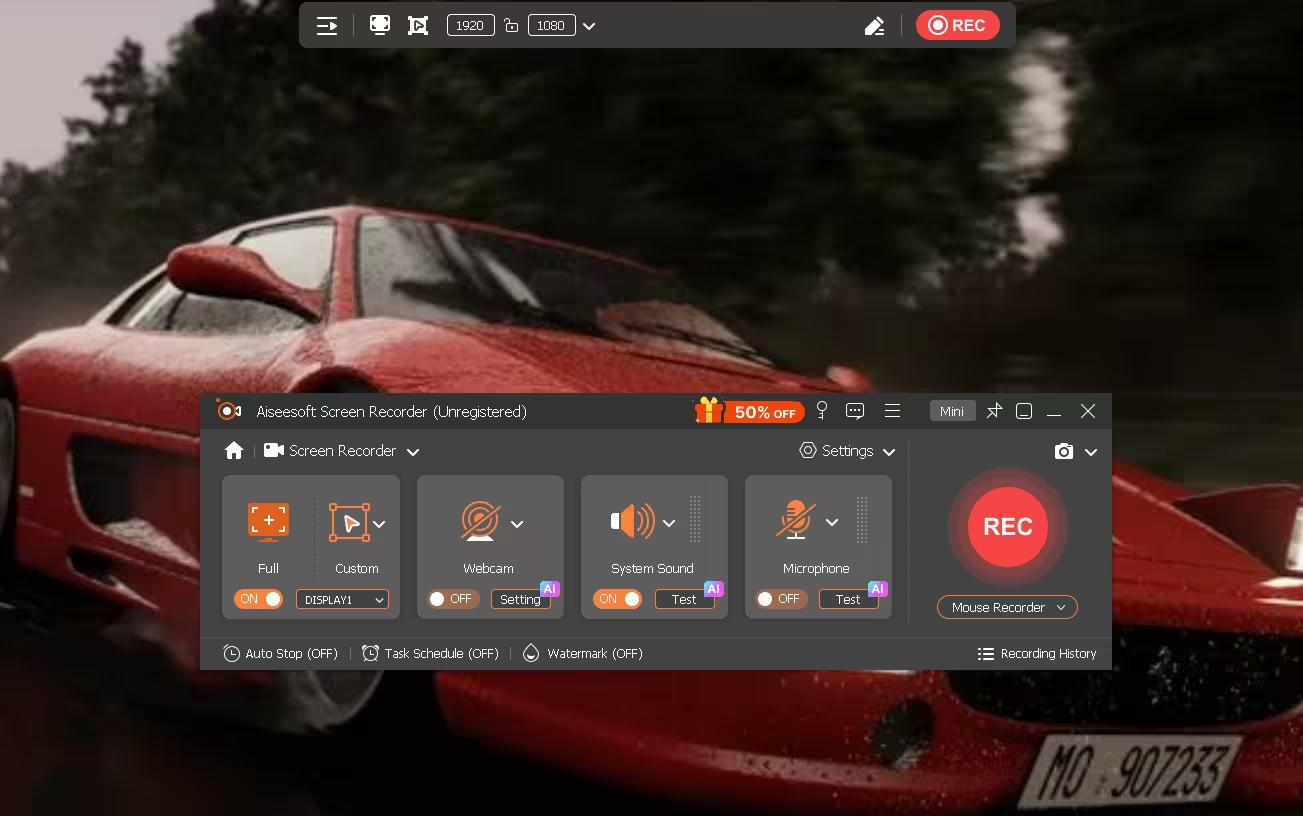
- Screen Recorder: record the full screen or a custom area, with a display picker for multi-monitor setups. A floating bar lets you set the exact capture size (1920 × 1080 by default on our PC).
- Window Recorder: pick a single app window and record just that.
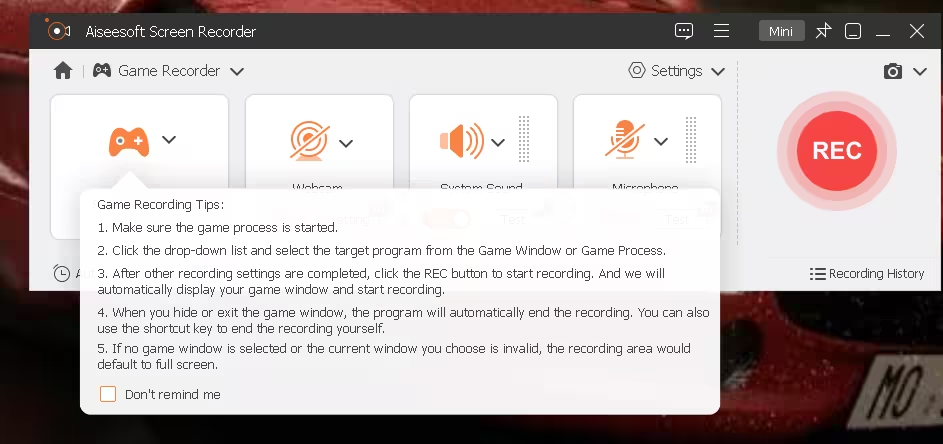
- Game Recorder: choose the game window or process from a drop-down. Recording starts with your game window and ends automatically when you hide or close the game; if no valid window is chosen it falls back to full screen.
- Audio Recorder: capture system sound, microphone, or both, with no video.
- Webcam Recorder: record your camera on its own (1280 × 720 on our integrated webcam), with separate volume for system sound and mic, plus flip and rotate options.
- Mouse Recorder: record the area around the cursor or follow the mouse.
- Auto Stop, Task Schedule and Watermark: toggles along the bottom of the main window to stop after a set time, schedule a recording, or stamp your own watermark.
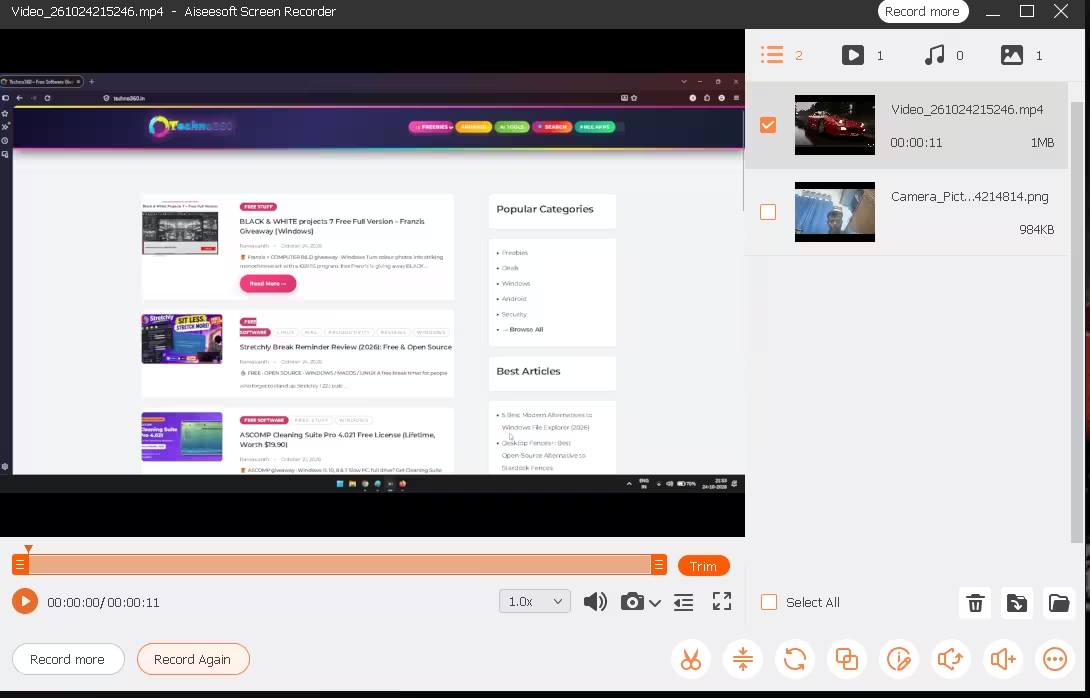
- Recording History and quick edit: every clip and snapshot lands in a history window where you can preview it, trim it, and reach more tools from the toolbar.
What Aiseesoft says it can also do
These come from the developer’s product page. We did not benchmark them.
- Recording up to 8K resolution and up to 120 fps, with H.265 as a codec option
- 20+ output formats, including MP4, MKV, MOV, WebM and GIF for video, MP3, AAC, FLAC and WAV for audio, and PNG or JPG for screenshots
- AI noise reduction and echo cancellation for microphone audio (the small “AI” badges on the Webcam, System Sound and Microphone panels)
- AI webcam background removal, which needs an NVIDIA GeForce RTX 20-series card or newer
- Real-time annotation while recording: arrows, text, shapes, highlights and a whiteboard
- Mirroring and recording an iPhone or Android screen over Wi-Fi or USB
- Scrolling screenshots, mouse-click highlighting and custom hotkeys
- Post-recording tools to merge clips, compress, convert formats and edit metadata
Giveaway Terms at a Glance
| Item | Detail |
|---|---|
| Product | Aiseesoft Screen Recorder (Windows) |
| License type | 1-year registration code |
| Devices | 1 PC or laptop |
| Supported OS | Windows 11, 10, 8, 7 |
| Installer size | 2.07 MB (web installer) |
| Campaign end | Around 31 March 2027, per the on-page countdown |
| Reinstall allowed? | No. Uninstalling or reinstalling after activation invalidates the code, and Aiseesoft does not reset codes |
| Upgrade offer | Lifetime license at 50% off: €31.22 instead of €62.45 |
How to Get Aiseesoft Screen Recorder Free (Step by Step)
Step 1: Request your free registration code
- Open the giveaway page: aiseesoft.de/tutorial/teams-meeting-aufzeichnen. The form sits near the top, under “Aiseesoft Screen Recorder Giveaway – in Kooperation mit CHIP”.
- Enter your name and email address.
- Tick the privacy-policy box (“Datenschutzrichtlinie zustimmen”). The newsletter box below it is optional, so leave it unticked if you don’t want marketing mail.
- Complete the reCAPTCHA and click Registrierungscode senden (Send registration code).
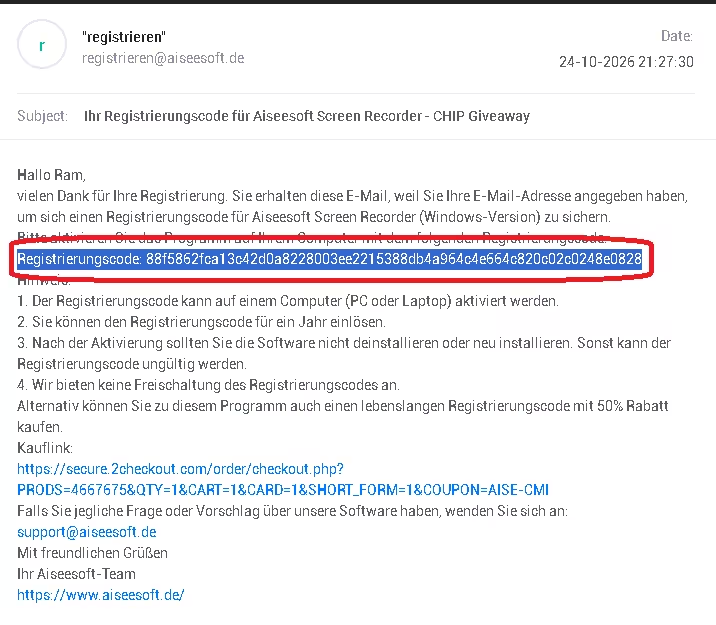
Within a few minutes you’ll get an email from registrieren@aiseesoft.de with the subject “Ihr Registrierungscode für Aiseesoft Screen Recorder – CHIP Giveaway”. Copy the long code after Registrierungscode:. Check your spam folder if it doesn’t show up.
Step 2: Download and install
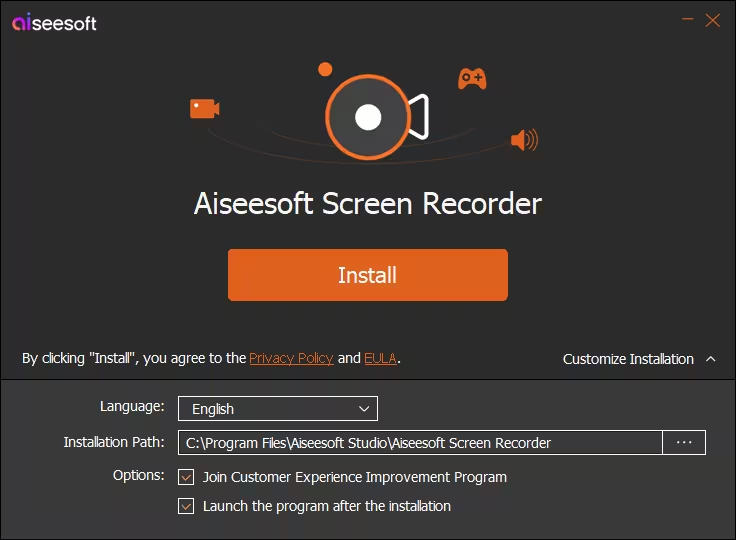
- Download the official installer from Aiseesoft (2.07 MB): screen-recorder.exe. It’s a small web installer that fetches the rest during setup.
- Run it. Before clicking Install, open Customize Installation and untick Join Customer Experience Improvement Program if you’d rather not send usage data. It is ticked by default.
- Click Install and let the program launch.
Step 3: Activate the license
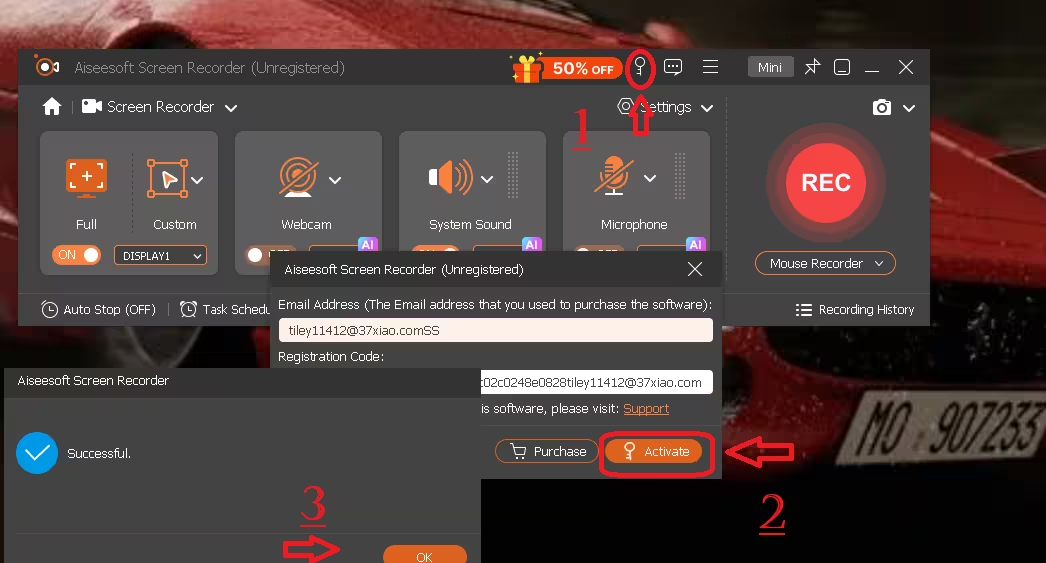
- In the main window (title shows “Unregistered”), click the key icon 🔑 in the top bar, next to the 50% OFF banner.
- Enter the same email address you used on the giveaway page, paste the registration code, and click Activate.
- You’ll see a “Successful” message. Click OK. The title bar drops “Unregistered” and the promo banner disappears.
⚠️ Read this before you activate
The code works on one computer, and Aiseesoft’s email is clear that uninstalling or reinstalling after activation makes it invalid, with no reset offered. Activate it on the PC you plan to keep using, and avoid “clean-up” tools that might remove the program.
Our Verdict
📊 Worth grabbing?
Yes, if you want a simple recorder for meetings, tutorials or game clips over the next year. Setup takes a couple of minutes and the separate recording modes are easier to learn than OBS Studio. Just remember it expires after a year and can’t survive a reinstall.
👍 Pros
- Dedicated modes for screen, window, game, audio and webcam
- Game mode starts and stops with the game window
- Scheduled recording, auto stop and built-in trimming
- Tiny installer and plain activation
👎 Cons
- One-year license, not lifetime
- Single PC, and the code dies if you reinstall
- Windows only; no Mac code in this giveaway
- Giveaway page and email are in German
Want more free Windows software? Browse our latest freebies and giveaways, the Windows section, or other screen capture tools.
FAQ
Is the Aiseesoft Screen Recorder giveaway license lifetime?
No. The giveaway page describes it as a one-year license (Jahreslizenz). If you want to keep using it afterwards, Aiseesoft offers the lifetime license at 50% off.
Does the code work on Mac?
No. The registration email says the code is for the Windows version, and the offer is listed for Windows 11, 10, 8 and 7 only.
Can I reinstall the program or move it to a new PC?
No. The code activates on one computer, and Aiseesoft states that uninstalling or reinstalling after activation invalidates it. They also say they don’t unlock or reset giveaway codes.
I didn’t receive the email. What now?
Check spam and promotions folders for a message from registrieren@aiseesoft.de. If it’s still missing, request the code again with the same address, or contact support@aiseesoft.de.
When does the giveaway end?
The countdown on the giveaway page showed 157 days remaining on 24 October 2026, which puts the end around 31 March 2027. Aiseesoft can end it earlier, so grab your code now.
Is there a free alternative with no time limit?
OBS Studio is free and open source, with no license expiry. It’s more powerful for streaming but takes longer to set up than Aiseesoft’s one-click modes.
Discover more from Techno360
Subscribe to get the latest posts sent to your email.

You must be logged in to post a comment.