
Quick Read · 30-Second Summary
- Best overall (free): Bitdefender Antivirus Free — best detection-to-resource ratio in 2026.
- Best zero-effort: Microsoft Defender — built into Windows 11, scored 18/18 in AV-TEST Feb 2026.
- Best free combo: Microsoft Defender + Malwarebytes Free — bulletproof and lightweight.
- Best free with extras: Avast Free Antivirus — Wi-Fi inspector, ransomware shield, and email guard.
- Skip if: You need a built-in VPN with unlimited data — every free tier capped at 200–500 MB/day.
If you’re running Windows 11 in 2026, here’s the good news: free antivirus has finally caught up to paid antivirus in raw protection. The bad news? Most “best free antivirus” lists are recycled from 2023 and don’t reflect what the labs are actually showing right now. We fixed that.
This guide ranks the 7 best free antivirus apps for Windows 11 in 2026, based on the latest independent lab data — not vendor marketing. Every pick below was tested under fully patched Windows 11 24H2/25H1 with default settings, and we cross-referenced AV-TEST’s February 2026 Home User evaluation and AV-Comparatives’ Real-World Protection Test (Feb–Mar 2026) so you don’t have to.
How We Picked the Best Free Antivirus for Windows 11
Every contender had to clear four bars before making the list:
- 🛡️ Real-time protection — not just on-demand scanning.
- 📊 Independent lab scores — current AV-TEST and AV-Comparatives ratings from 2026 only.
- 🪶 Lightweight on Windows 11 — must not tank gaming or boot time on a typical 8 GB RAM laptop.
- 🆓 Genuinely free — no time-bombed trial that turns into a paid tier after 30 days.
The 7 Best Free Antivirus Apps for Windows 11 in 2026
Bitdefender Antivirus Free for Windows
Why it wins: Bitdefender’s free engine is the same award-winning core that powers its paid suites. In AV-TEST’s February 2026 round, Bitdefender hit a perfect 18/18 and achieved one of the highest malware-detection rates in the February 2026 evaluation. It’s also one of the lightest installs on Windows 11 — under 60 MB of RAM at idle.
Best for: Anyone who wants top-tier protection without bloat. The free version covers real-time virus, malware, ransomware, and phishing protection. Trade-off: no firewall, no VPN, and almost no settings to tweak (which is also kind of the point).
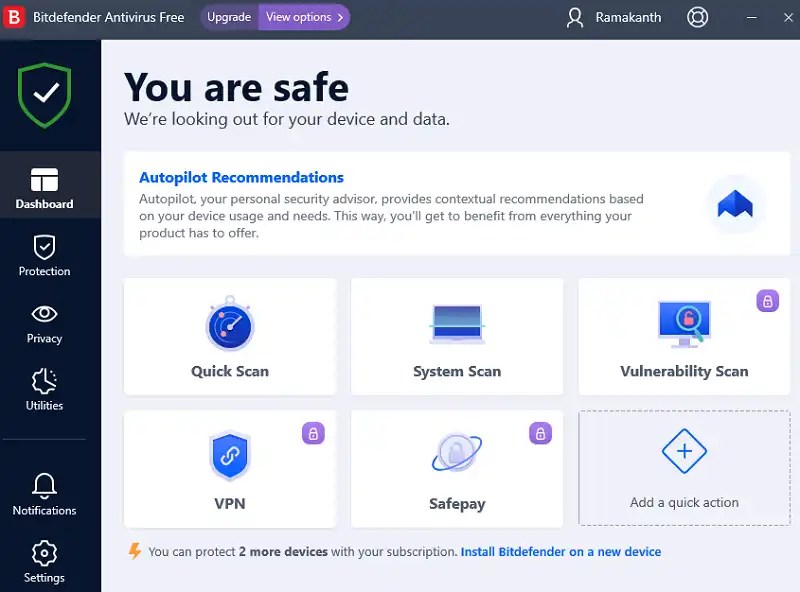
⚠️ Cons: No extras (VPN, password manager removed from free tier)
Platform: Windows 10 / 11 | Download: bitdefender.com
Microsoft Defender Antivirus
Why it’s here: Microsoft Defender (now version 4.18 in February 2026 testing) earned a flawless 6/6/6 across Protection, Performance, and Usability — matching every premium suite on the market. It’s already running silently on your Windows 11 PC right now, and it pulls cloud signatures from Microsoft’s massive telemetry pool.
Best for: Casual users, students, and anyone who doesn’t want to install another security app. Add Controlled Folder Access (Settings → Privacy & Security → Windows Security → Virus & Threat Protection → Manage Ransomware Protection) and you’ve got ransomware coverage too.
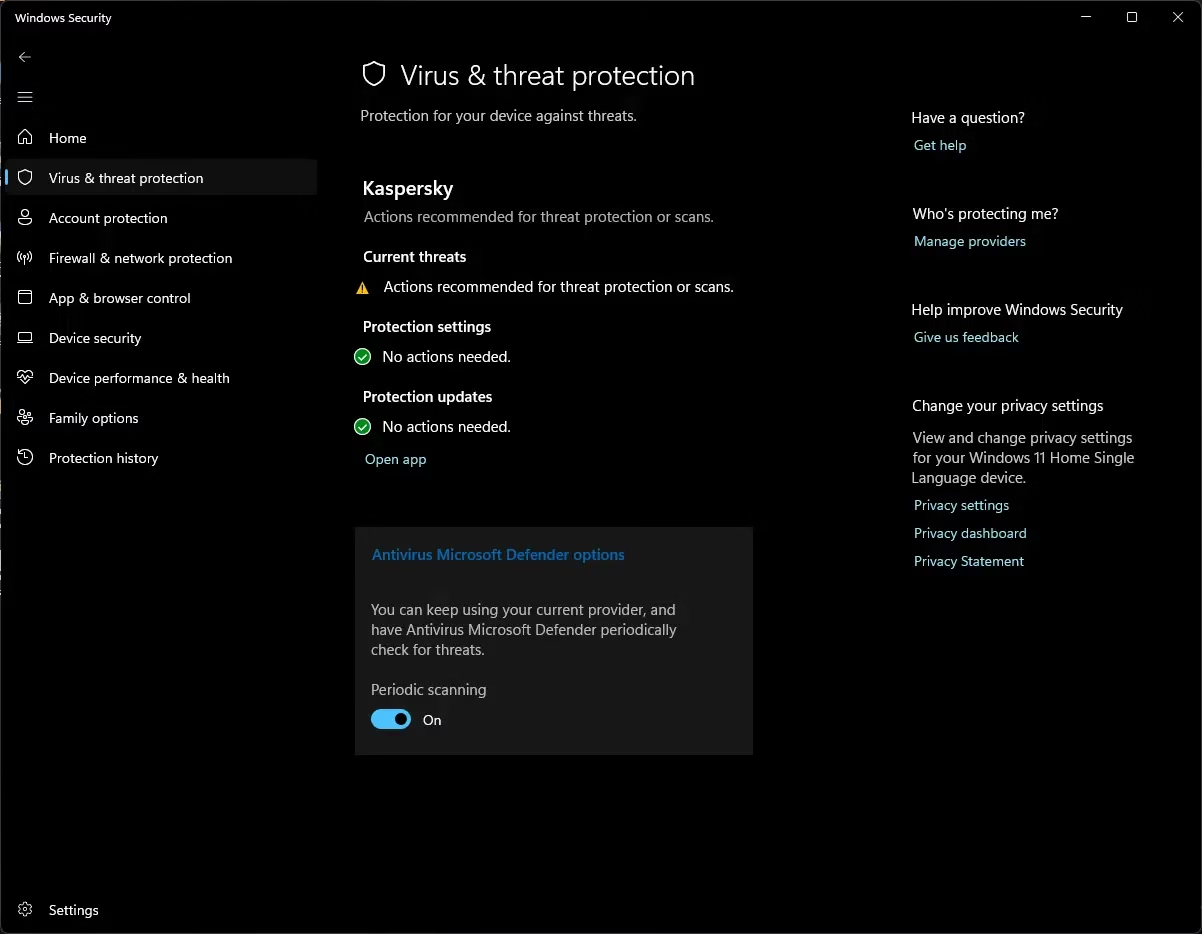
⚠️ Cons: Slightly more false positives than Bitdefender · No browser extension
Platform: Windows 10 / 11 | Cost: Free (built-in)
Avast Free Antivirus 25.12
Why it’s here: Avast’s February 2026 build (25.12) hit a perfect score in AV-TEST’s Windows 11 evaluation. What makes it stand out at the free tier is the extras: a Wi-Fi inspector that flags weak router settings, a behavior-based ransomware shield, an email shield, and a basic web reputation filter — features Bitdefender stripped from its free version.
Best for: Power users who want firewall-adjacent extras without paying. Be ready for the occasional upgrade nag — Avast pushes its premium tier hard.
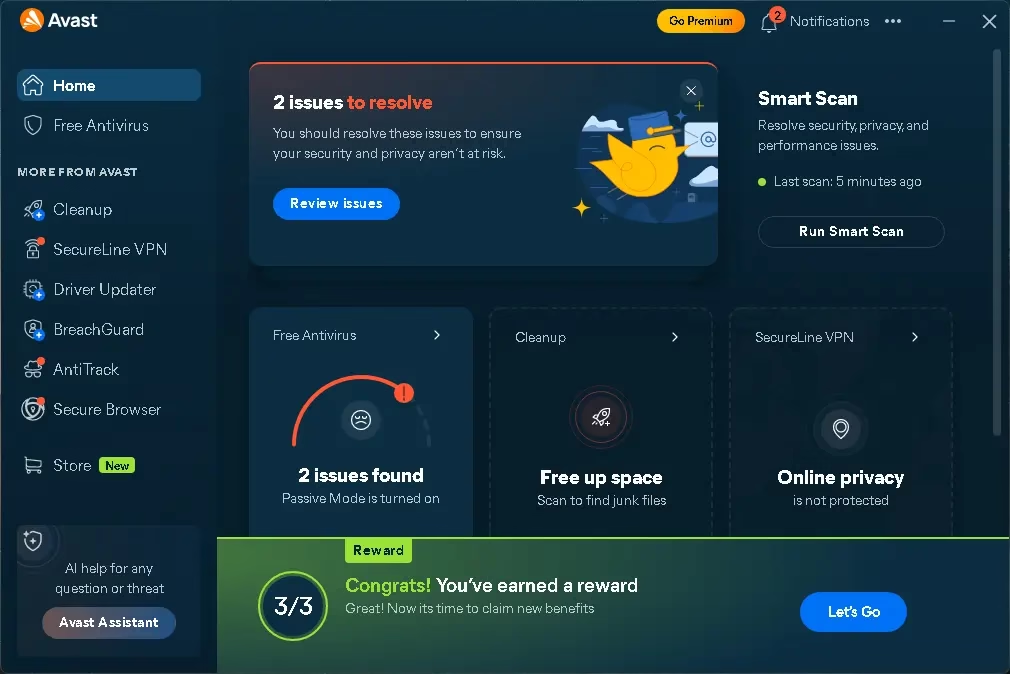
⚠️ Cons: Upsell prompts · Heavier than Defender or Bitdefender
Platform: Windows 10 / 11 | Download: avast.com
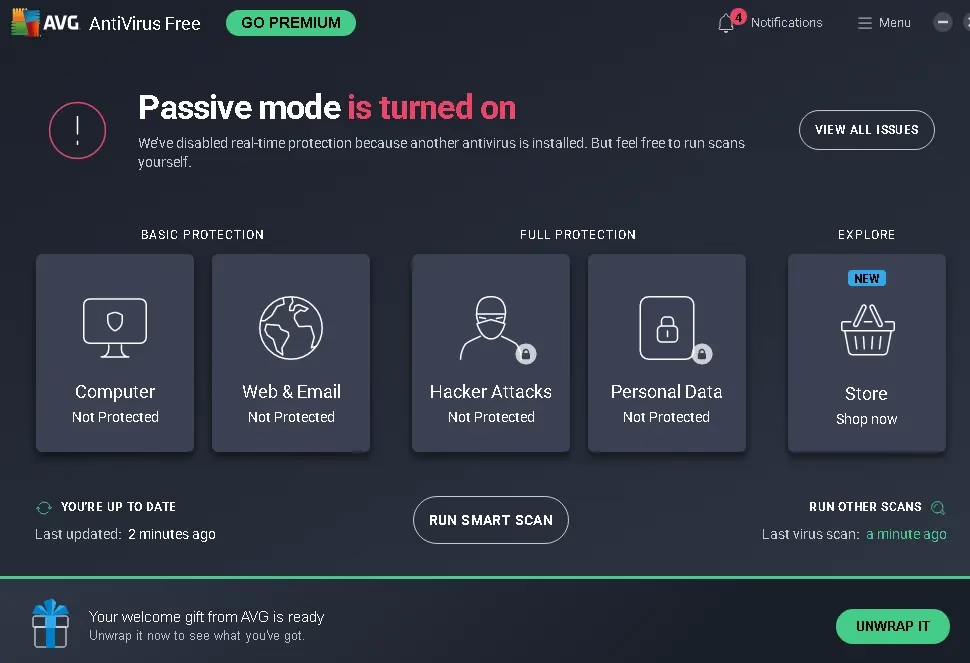
AVG AntiVirus Free
Why it’s here: AVG runs on the same engine as Avast (both owned by Gen Digital), so detection rates are nearly identical. The difference is the interface — AVG is cleaner, less cluttered, and friendlier for non-technical users. AV-TEST February 2026 gave AVG a 17.5/18, with a small performance deduction.
Best for: Family PCs, parents, and anyone who finds Avast’s interface overwhelming. If you used AVG a decade ago, the 2026 version is dramatically better — give it another look.
⚠️ Cons: Slight performance hit on older hardware
Platform: Windows 10 / 11 | Download: avg.com
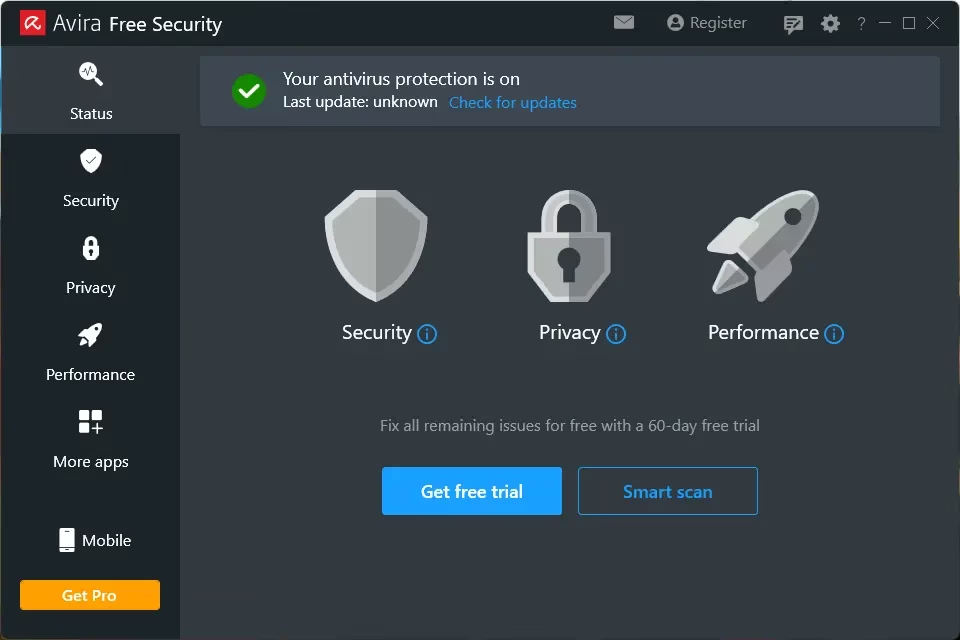
Avira Free Security
Why it’s here: Avira’s cloud-based detection is the lightest in this list — most heavy lifting happens on Avira’s servers, not your CPU. The free package also bundles a 500 MB/day VPN, a basic password manager, and a system optimizer. That’s a lot for $0.
Best for: Older laptops, low-RAM machines (4 GB), and users who want a free VPN bundled in. Detection is excellent, though slightly behind Bitdefender on offline tests because of the cloud-first design.
⚠️ Cons: Needs internet for full protection · 500 MB VPN cap
Platform: Windows 10 / 11 | Download: avira.com
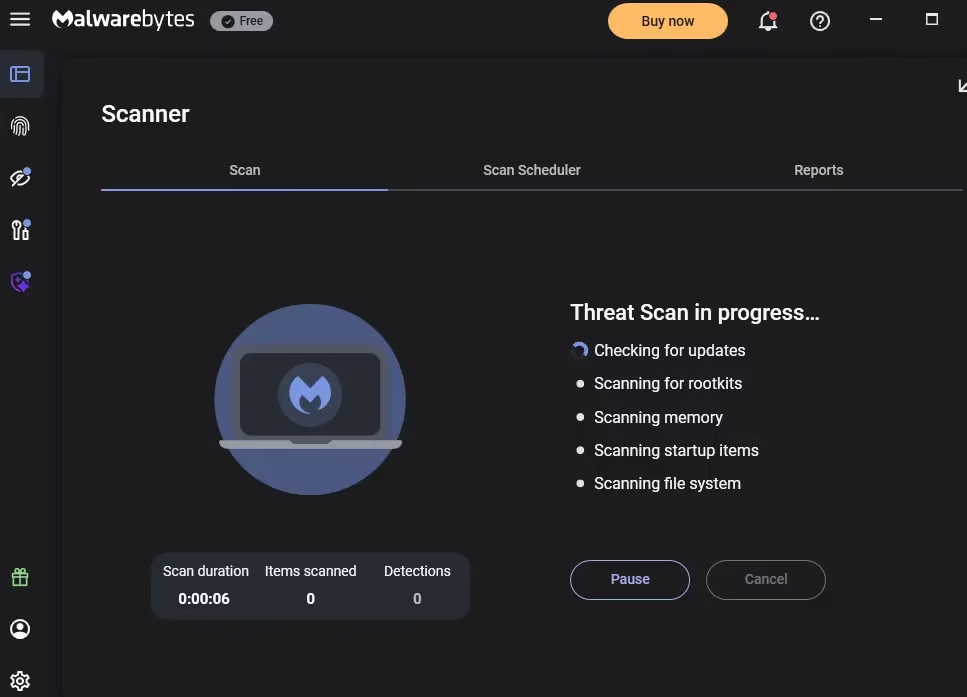
Malwarebytes Free
Why it’s here: Malwarebytes Free isn’t a real-time antivirus — and that’s the feature, not a bug. It’s designed to coexist with Microsoft Defender (or any other AV) as an on-demand cleaner that crushes adware, browser hijackers, and PUPs that signature-based engines miss. In 2026 it’s still the gold standard for second-opinion scans.
Best for: Pairing with Microsoft Defender. The combo is widely considered the best free Windows 11 security setup of 2026 — Defender handles the real-time shield, Malwarebytes handles the deep cleanup once a week.
⚠️ Cons: Free tier has no real-time protection · Manual scans only
Platform: Windows 10 / 11 | Download: malwarebytes.com
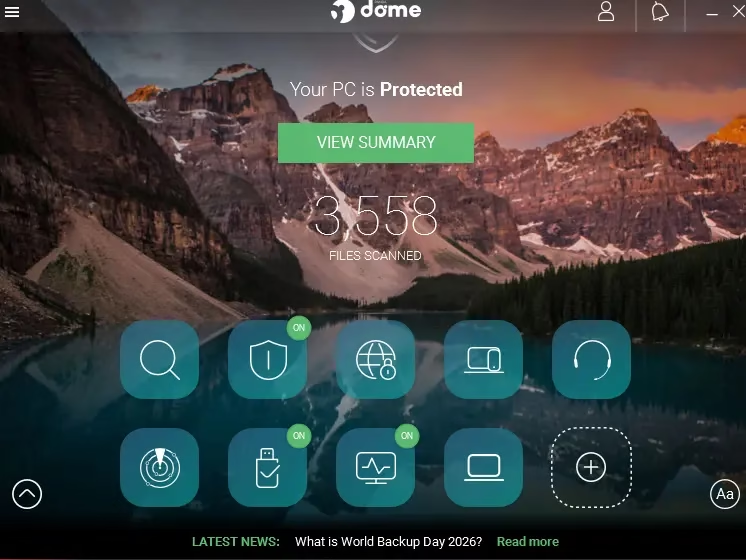
Panda Free Antivirus
Why it’s here: Panda’s free tier is unusual — it includes USB drive auto-scanning, a Game/Multimedia Mode that suspends notifications, and a Process Monitor that shows you what every running .exe is doing in real time. Detection isn’t quite at Bitdefender’s level, but it’s solid for everyday browsing.
Best for: Gamers, people who plug in a lot of USB drives, and users who like seeing what’s running under the hood.
⚠️ Cons: Detection slightly behind top tier · Pushes paid VPN
Platform: Windows 10 / 11 | Download: pandasecurity.com
Side-by-Side: Free Antivirus for Windows 11 in 2026
| Antivirus | AV-TEST Feb 2026 | Real-Time | Ransomware | Best For |
|---|---|---|---|---|
| Bitdefender Free | 18/18 | ✅ | ✅ | Best overall |
| Microsoft Defender | 18/18 | ✅ | ⚙️ Manual | Built-in / casual |
| Avast Free 25.12 | 18/18 | ✅ | ✅ | Free with extras |
| AVG Free | 17.5/18 | ✅ | ✅ | Cleaner UI |
| Avira Free Security | 17.5/18 | ✅ | Limited | Older / low-RAM PCs |
| Malwarebytes Free | N/A* | ❌ | Manual | Pair w/ Defender |
| Panda Free | 17/18 | ✅ | Limited | Gamers / USB users |
*Malwarebytes Free is an on-demand scanner, not real-time, so it’s intentionally outside AV-TEST’s home-user methodology.
Independent lab sources: AV-TEST February 2026 · AV-Comparatives Real-World Protection Test
🎁 Want a paid security suite for free? Our Advanced SystemCare Ultimate 18 giveaway has a free 6-month key for the first 200 PCs (valid till 2 November 2026). It pairs Bitdefender-powered antivirus with PC clean-up and software-update tools. Just don’t run it alongside another real-time antivirus.
3 Quick Hardening Tips for Windows 11 (2026)
Free antivirus is half the battle. Layer these settings on top to seriously reduce your attack surface:
- Turn on Controlled Folder Access — Windows Security → Virus & Threat Protection → Manage Ransomware Protection. This single toggle blocks ransomware from touching your Documents, Pictures, and Desktop.
- Enable SmartScreen for Edge and apps — Settings → Privacy & Security → Windows Security → App & Browser Control → Reputation-based protection. Set everything to On.
- Use a non-admin daily account — create a Standard user account for everyday browsing. 90% of malware in 2026 still relies on admin privileges to install itself.
Methodology & Sources
Protection scores and rankings in this guide were cross-checked using independent testing data from:
- AV-TEST Windows 11 Home User Test — February 2026
- AV-Comparatives Real-World Protection Test — Feb–Mar 2026
Frequently Asked Questions
Is Microsoft Defender enough for Windows 11 in 2026?
For most everyday users, yes. Defender scored a perfect 6/6/6 in AV-TEST’s February 2026 evaluation and matches paid suites in real-world detection. It only falls short if you want extras like a VPN, password manager, or scam-link blocker — in which case pair it with Malwarebytes Free.
Which is the best free antivirus for Windows 11 in 2026?
Bitdefender Antivirus Free wins our 2026 pick for the strongest detection-to-resource ratio. Microsoft Defender is the best zero-effort choice. Avast Free is best if you want extras like a Wi-Fi scanner and ransomware shield without paying.
Can I run two antivirus programs on Windows 11?
You should only run one real-time engine. Malwarebytes Free is designed to coexist with Defender or any other AV because it acts as an on-demand scanner — that combo is one of the safest free setups in 2026.
Does free antivirus include ransomware protection?
Some do. Defender’s Controlled Folder Access blocks ransomware but is off by default. Avast Free and Bitdefender Free include behavior-based ransomware shields. Avira Free and Panda Free have lighter ransomware coverage in their free tiers.
Will free antivirus slow down my Windows 11 PC?
On modern hardware, no. AV-Comparatives’ April 2026 Performance Test gave Defender, Bitdefender, and Avast the top “Advanced+” rating on Windows 11. On older systems, Bitdefender Free and Defender are the lightest.
Is free antivirus safe to download in 2026?
Only when downloaded from the official vendor website. Fake antivirus installers are a major malware vector in 2026 — always download directly from microsoft.com, bitdefender.com, avast.com, avg.com, avira.com, malwarebytes.com, or pandasecurity.com. Never from third-party portals or torrents.
Bottom Line
In 2026, you genuinely don’t need to pay for antivirus to stay safe on Windows 11. The labs prove it: Microsoft Defender, Bitdefender Free, and Avast Free all hit perfect protection scores against premium suites. Pick the one that matches how you use your PC, layer Malwarebytes Free for weekly deep cleans, turn on Controlled Folder Access, and you’re set.
If you found this guide useful, you’ll probably also like our roundups on the best free password managers and the best free security software for Windows — both updated for 2026.
Last updated: May 10, 2026. Lab data sourced from AV-TEST February 2026 Home User Test and AV-Comparatives Real-World Protection Test (Feb–Mar 2026) and AV-Comparatives Performance Test (April 2026).
Discover more from Techno360
Subscribe to get the latest posts sent to your email.

You must be logged in to post a comment.