
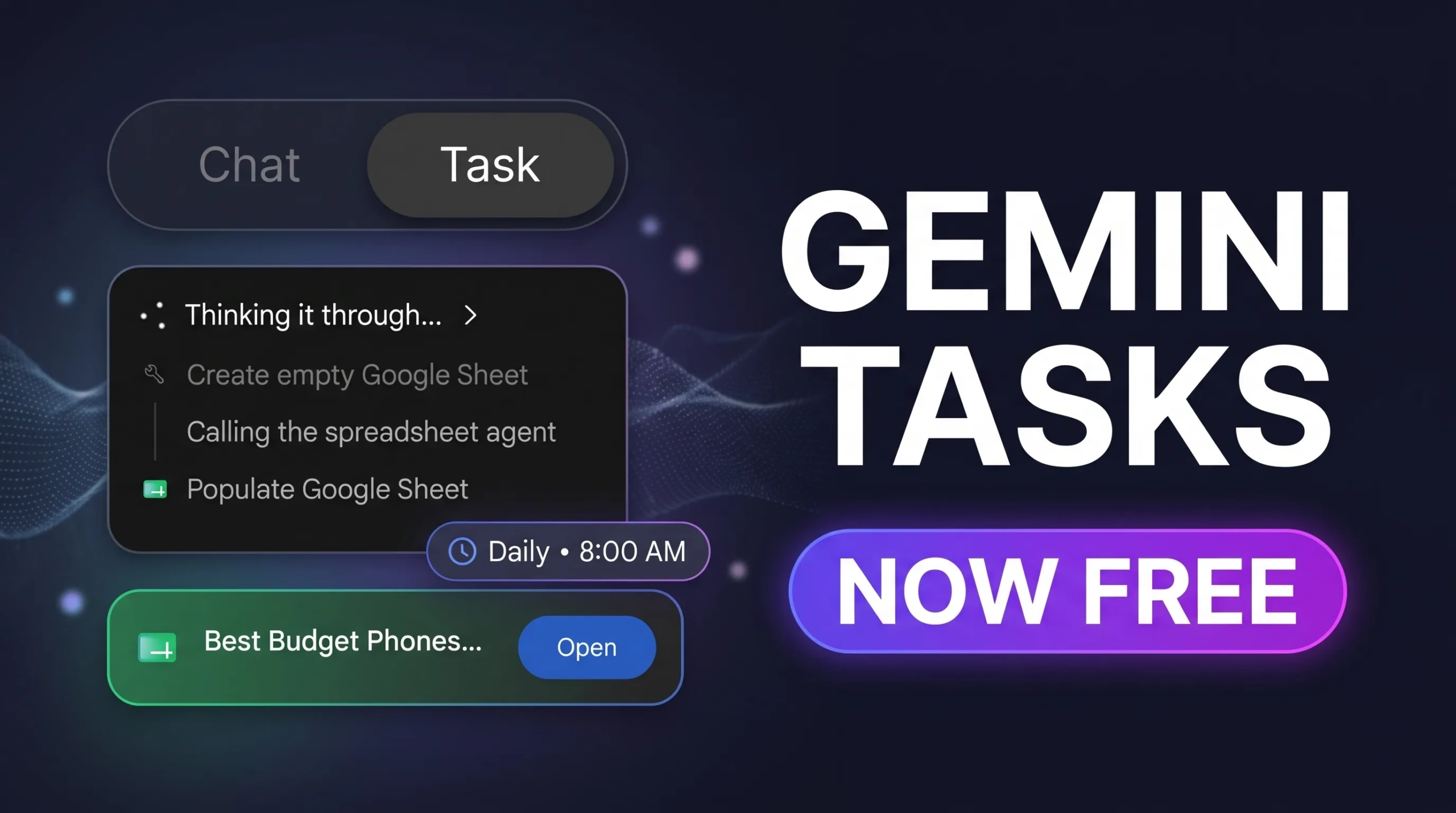
🤖 Google’s AI agent no longer needs a paid plan
Tasks in Gemini (the feature Google used to call Spark) now runs on the free Gemini tier in India, the US, Canada, Australia, Japan and South Korea. You hand it a job, and it works through it in the background.
Free in 6 countriesGemini 4 HydrogenNot in the UK or EU
⚡ Quick Read
What: Task mode in the Gemini app. It plans, researches, books and organises things for you instead of just chatting.
Free where: India, US, Canada, Australia, Japan and South Korea, rolling out from 17 November 2026.
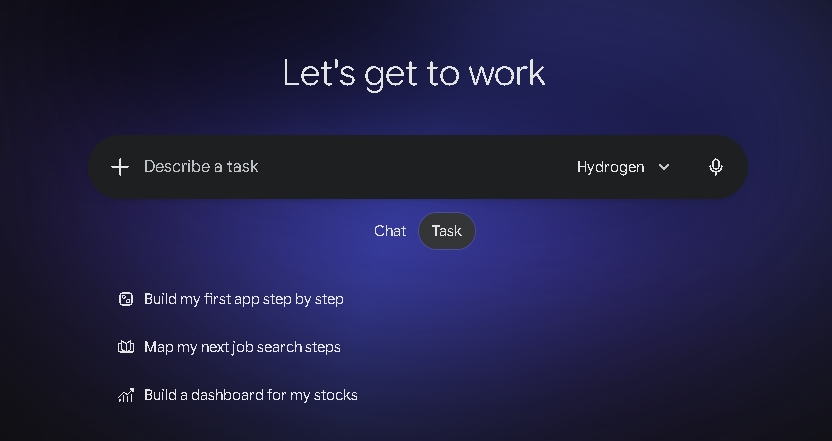
How: Open Gemini, flip the toggle from Chat to Task, and describe the job.
Catch: Phone calls, Google Pay checkout, texting and email-forwarding are US-only for now. Usage limits apply, and Tasks is not available in the UK, EEA, Switzerland or Nigeria at all.
Deadline: None. This is a permanent change, not a time-limited promo. Jump to how to turn it on
What is Tasks in Gemini?
Gemini now has two modes. Chat is the normal back-and-forth chatbot. Task is for jobs you want done, not answered. You describe the goal, Gemini makes a plan, works through it in the background and tells you when it needs you.
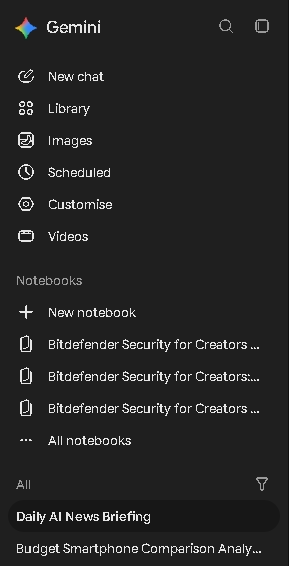
Google first showed this agent at I/O in May 2026 under the name Spark, for paying subscribers. Google’s help page says people kept asking Gemini to just “finish tasks”, so it renamed the feature Task to make it easier to understand. Your old Spark tasks and schedules are still in the sidebar.
On 17 November 2026, Josh Woodward, who runs the Gemini app, announced on Google’s blog that Tasks is now rolling out free of charge to “hundreds of millions of people” in six countries, using Google’s new Gemini 4 Hydrogen model. Before this, tech sites including 9to5Google and Android Central report it needed a Google AI Pro or Ultra plan.
What can it actually do?
These are the jobs Google itself lists. Some need connected apps or specific countries, so check the table below before you promise readers anything.
📥 Inbox clean-up
Summarise or archive newsletters, unsubscribe from mailing lists, build a to-do list after a holiday.
📉 Price watching
Keep an eye on flight and hotel prices and alert you when they drop within your budget.
📑 Research with files
Pull research with cited sources and package it as a PDF, Word file, spreadsheet or presentation.
🗂️ Google Workspace work
Draft or send emails, create and edit Docs and Sheets, and add several Calendar events at once. Google calls this its biggest Workspace update for Gemini so far.
⏰ Schedules
Run a task every morning (“give me an AI news update at 8 AM”) or when something happens (“when my flight is delayed, propose a new itinerary”).
🌐 Websites
Browse, fill carts and get through booking flows using a remote browser in the cloud, or Chrome on your own desktop.
We tried it: a phone comparison and a daily news schedule
We gave Gemini two jobs on the web app on 19 November 2026. One note first: our test account has a Google AI Pro plan, so speed and limits on a free account may differ.
📱 Task 1: phone comparison
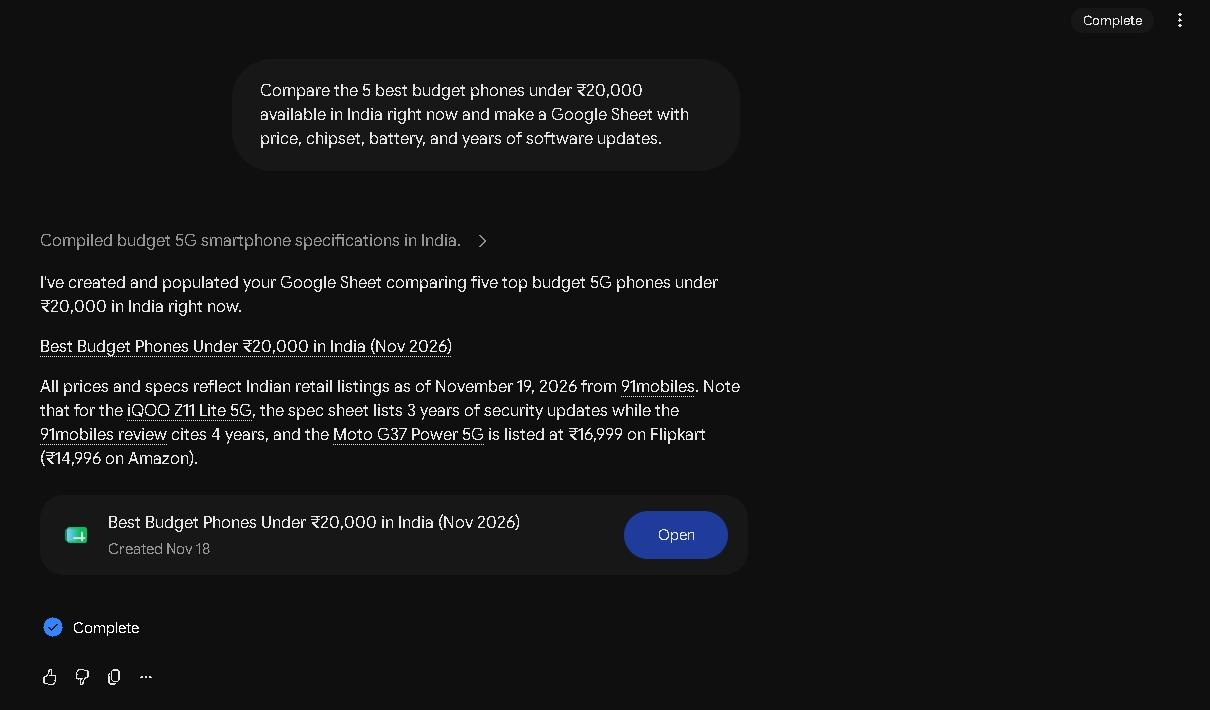
“Compare the 5 best budget phones under ₹20,000 available in India right now and make a Google Sheet with price, chipset, battery, and years of software updates.”
Gemini showed each step as it worked: searching, reading 91mobiles, checking update policies, then creating and filling a Google Sheet. It took about five minutes in our test.
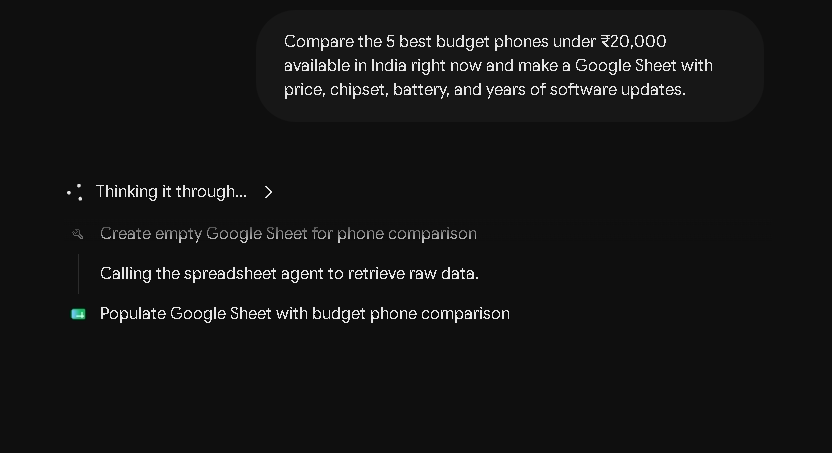
When it finished, Gemini added the Sheet to Google Drive and left a short note. It even flagged a conflict in its own sources: one spec sheet listed 3 years of security updates for a phone while a review said 4. That’s a useful habit, but it’s also a reminder to check the numbers before you rely on them.
🗞️ Task 2: daily news schedule
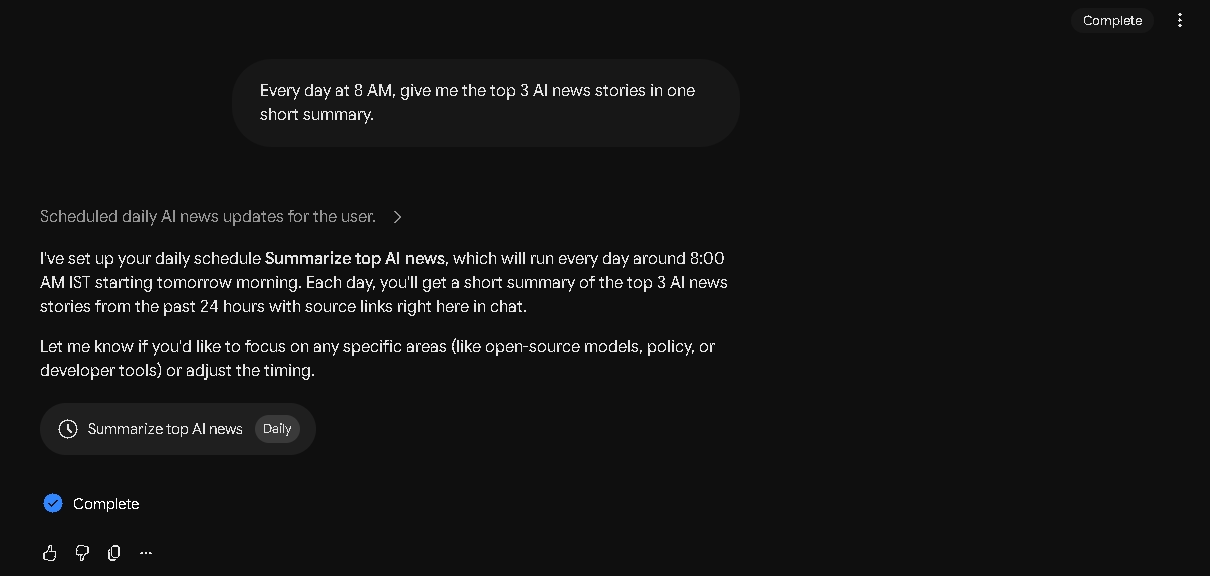
“Every day at 8 AM, give me the top 3 AI news stories in one short summary.”
Gemini set this up as a daily schedule in under 30 seconds and confirmed it would run around 8:00 AM IST.
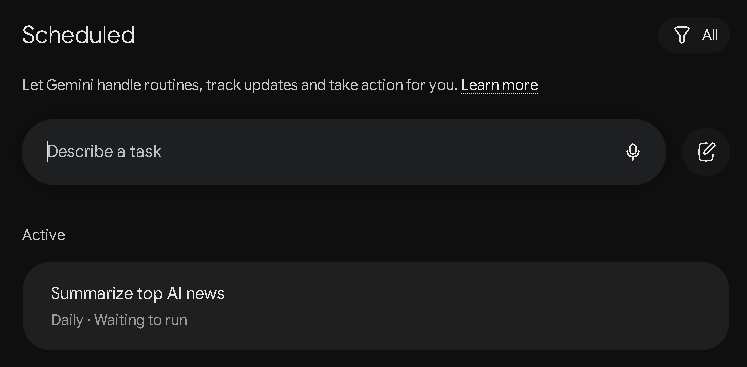
All schedules appear on the Scheduled page in the sidebar, where you can pause, run or delete them.
What’s free in India vs what’s US-only
This is the part most headlines skip. The free rollout covers the core Task mode in all six countries. The flashy extras are starting in the US only.
| Feature | Where it works | Notes from Google |
|---|---|---|
| Task mode (plans, research, Workspace, schedules, browsing) | Free India, US, Canada, Australia, Japan, South Korea | Runs on Gemini 4 Hydrogen |
| Calling local businesses (Google Duplex) | 🇺🇸 US only | Not available in Indiana, Louisiana, Minnesota, Montana or Nebraska. Gemini says on the call that it’s an AI. |
| Pay and check out (Google Pay) | 🇺🇸 US only | Uses the Agent Payments Protocol (AP2). You can set a hard spending cap, and Gemini asks before it clicks Buy. |
| Text Gemini (RCS) | 🇺🇸 US only | Needs a US phone number on an eligible carrier |
| Forward emails to gemini@google.com | 🇺🇸 US only | Starting in the US |
| Sign in with Google Password Manager | 🇺🇸 US only | Passwords aren’t shared outside Google |
| Tasks with a Google AI Pro or Ultra plan | Most other Gemini countries | Not available in the EEA, UK, Switzerland or Nigeria, even if you pay |
⚠️ UK and Europe readers: you’re left out
Google’s help page says tasks in Gemini are not available in the United Kingdom, the European Economic Area, Switzerland or Nigeria, free or paid. No date has been given for these regions.
How to turn on Gemini Tasks
There’s nothing to download or redeem. If your account qualifies, the toggle is already there or arriving soon. Google says it’s a rollout, so it may not show up on every account on day one.
📋 What you need first (from Google’s help page)
- ✔️ You must be 18 or over.
- ✔️ Sign in with a personal Google Account. Work and school accounts can’t use tasks yet.
- ✔️ Gemini Apps History (activity) must be on.
- ✔️ Use the Gemini mobile app, the Gemini app on Mac, or gemini.google.com on the web.
🚀 Steps
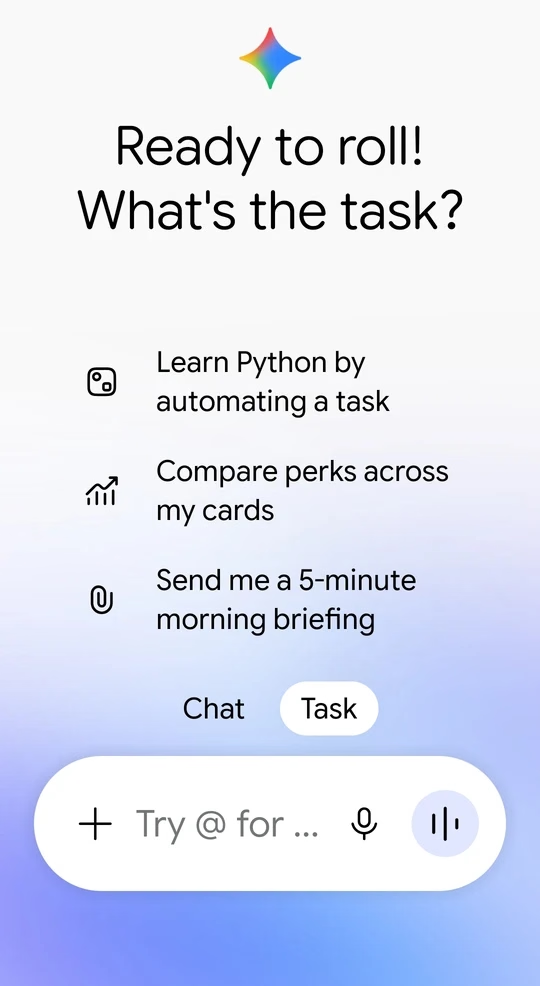
Open GeminiGoogle’s Tasks help page
A first task to try (copy and paste it):
Every weekday at 8 AM, summarise new emails from the last 24 hours and list anything that needs a reply today.
🛠️ Don’t see the Task toggle?
- Check you’re signed in with a personal Gmail account, not a work or school one.
- Turn on Gemini Apps History at myactivity.google.com/product/gemini.
- Update the Gemini app. The rollout is gradual, so give it a few days.
- If you’re in the UK or Europe, it won’t appear. That’s a Google restriction, not a setting.
Limits you should know about
📊 Usage is metered
Google says Gemini has compute-based usage limits. How much each task uses depends on how many you run and how complex they are, and paid plans get higher limits. Google doesn’t publish an exact free-tier number. Gemini warns you when you’re close.
🔢 15 at a time
You can have up to 15 tasks running at once. A scheduled task won’t start if 15 are already running.
⚠️ It still makes mistakes
Google’s own post says it has tested tasks extensively but hasn’t eliminated all mistakes. On some sites, Gemini gets most of the way and then hands the screen back for you to click the final button.
Is it safe to let Gemini act for you?
Here’s what Google says it does to protect you. We haven’t been able to test these claims ourselves, so treat them as Google’s word.
🔒 Google’s safety measures
- 🛡️ Each task runs in a hardware-isolated virtual machine dedicated to your account and never shared with other users.
- 🛡️ Prompt-injection filters scan web pages and search results, and Google Safe Browsing limits which links Gemini opens.
- 🛡️ Gemini asks for your confirmation before sending messages, deleting data, making purchases, submitting forms or signing in to sites.
- 🛡️ It pauses before sharing things like health details, financial details or government ID numbers, even if you’ve set “Always allow”.
Google’s own help page also warns about prompt injection: a web page, email or document can hide instructions that trick an AI agent into doing something you didn’t ask for. Our advice is simple. Start with low-risk jobs like summaries, research and reminders. Don’t type passwords or card numbers into a task thread, and watch any task that touches money or sends messages.
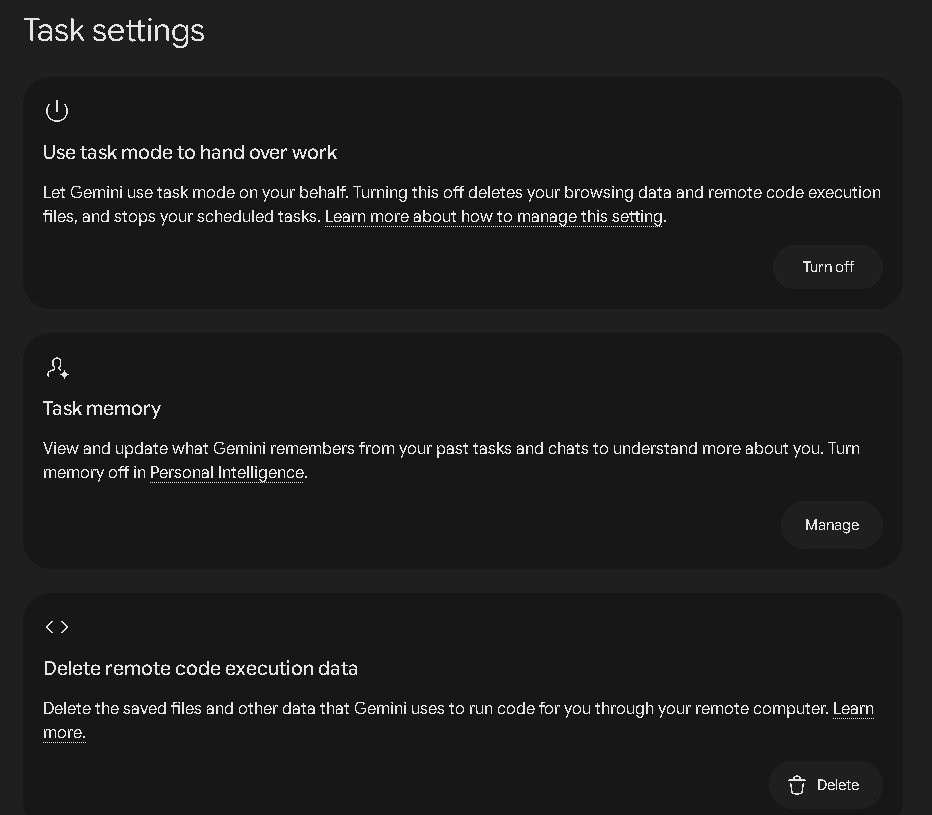
You can also switch Task mode off completely. On the web, go to Settings → Task settings. Turning it off deletes Gemini’s browsing data and remote code-execution files and stops your scheduled tasks. The same page lets you manage task memory and delete remote code-execution data on its own.
Who should try it, and who can skip it
👍 Try it if…
You already live in Gmail, Calendar and Drive, you want a daily email digest or price alerts without setting up automations, or you’re curious about AI agents and want to try one for free.
👎 Skip it (for now) if…
You’re in the UK or Europe, you only use a work or school Google account, or you’re not comfortable giving an AI access to your inbox and calendar. Indian users should also expect a lighter version than the US one until calling and payments arrive.
More from Techno360
✅ Our verdict
Making its agent free is a big move from Google, and India getting it on day one is good news. The core Task mode is genuinely useful for email, research and scheduling. The headline tricks (calling, paying, texting) are US-only for now, and UK readers can’t use it at all. Worth turning on if you can. Just start small and keep it away from anything sensitive until you trust it.
Pros
- No subscription needed in six countries, including India
- Works on Android, iPhone, Mac and the web
- Deep Gmail, Calendar, Docs and Sheets integration
- Asks before purchases, sign-ins and sending messages
Cons
- Calls, payments, texting and email-forwarding are US-only
- Not available in the UK, EEA, Switzerland or Nigeria
- Free usage limits aren’t published
- Personal accounts only; needs History turned on
FAQ
Is Gemini Tasks really free?
Yes, in India, the US, Canada, Australia, Japan and South Korea, starting 17 November 2026. You don’t need Google AI Pro or Ultra there. Usage limits still apply, and paid plans get more.
Is Gemini Tasks available in India?
Yes. Core Task mode is free in India. Calling businesses, Google Pay checkout, texting Gemini and email-forwarding are starting in the US only, and Google hasn’t given a date for India.
Can I use Gemini Tasks in the UK?
No. Google’s help page says tasks are not available in the UK, the European Economic Area, Switzerland or Nigeria, even with a paid plan.
What happened to Gemini Spark?
Spark is now called Tasks. Google renamed it to make it easier to understand. Your existing Spark tasks and schedules are still in the Gemini sidebar.
Which model does Gemini Tasks use?
Google says the free rollout runs on its new Gemini 4 Hydrogen model. Google’s help page says you can change the model or thinking level from the model menu.
How many tasks can I run?
Up to 15 at the same time. Overall usage is metered by compute, and Google doesn’t publish an exact free limit.
Can I use it with my work Google account?
Not yet. Tasks currently need a personal Google Account, and you must be 18 or over.
Discover more from Techno360
Subscribe to get the latest posts sent to your email.

You must be logged in to post a comment.