
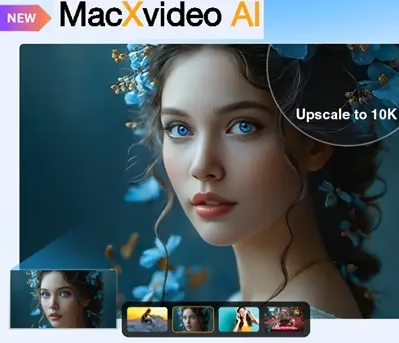
MacXVideo AI v3.0 is a powerful all-in-one video toolkit built exclusively for Mac users. If you’ve been struggling with blurry old videos, low-resolution footage, or just need a reliable converter that handles pretty much every format out there — this tool covers it all in one place.
What makes this version stand out is its AI-powered engine that can take a grainy, pixelated 480p clip and transform it into crisp 4K footage. It’s not just about converting formats — it’s about genuinely improving the quality of your media.

The app bundles five core tools — Video AI, Image AI, Video Converter, Downloader, and Recorder — under one roof. Whether you’re a content creator, a photographer restoring old family photos, or just someone who wants to archive their old DVD collection in 4K, Macxvideo AI has something useful for you.
What’s New in Macxvideo AI v3.0
Version 3.0 brings some genuine upgrades over previous releases. Here’s what’s new:
- AI Video Stabilization – Automatically smooths out shaky footage from GoPros, drones, smartphones, or handheld cameras. Great for action video enthusiasts.
- AI Face Restoration – Restore clarity and detail in old or damaged portraits, bringing faces back to 4K sharpness.
- Improved Super Resolution – The upscaling model has been retrained on more real-world 4K/HD samples, resulting in sharper edges and better texture recovery.
- Up to 47x faster processing – GPU acceleration improvements mean high-resolution tasks complete much faster than before.
- AI Frame Interpolation up to 480fps – Create ultra-smooth slow-motion videos or simply boost playback fluidity.

Key Features of Macxvideo AI v3.0
- AI Video Upscaling: Enhance blurry, pixelated, or old footage from 480p/720p/1080p all the way up to 4K. The deep learning model preserves fine details like hair strands and facial pores.
- AI Frame Interpolation: Boost your video’s frame rate to 60, 120, or even 480fps for silky smooth playback or stunning slow-motion effects.
- AI Image Enhancer: Upscale low-quality photos and AI-generated artwork to 4K, 8K, or even 10K resolution — perfect for printing or archiving.
- AI Face Recovery: Fix blurry or damaged portraits by restoring facial details with impressive accuracy.
- Photo Colorization: Automatically add natural colors to black-and-white historical or vintage photos.
- Video Converter: Convert between 420+ formats (MP4, MOV, MKV, AVI, HEVC, etc.) with no quality loss. Also supports 4K to 1080p downscaling for smaller file sizes.
- Video Compressor: Shrink large video files by up to 90% for easier uploads and storage without a noticeable quality drop.
- Screen Recorder: Record your screen, webcam, or both simultaneously — ideal for tutorials, gameplay walkthroughs, and online presentations.
- Video Downloader: Save videos, playlists, channels, M3U8 streams, and music from 1000+ websites for offline viewing.
- Video Editor: Trim, crop, merge, flip, rotate, add subtitles, watermarks, effects, or even create GIFs — all built right in.
- macOS Compatible: Runs smoothly on macOS 10.15 Catalina and all newer versions including Sequoia.

Who Should Use Macxvideo AI?
This tool is genuinely useful for a wide range of people:
- Content creators and YouTubers who need to upscale older footage or convert videos quickly before publishing.
- Photographers and designers looking to restore old family photos or upscale AI-generated artwork for print.
- Home users who want to convert their old DVD rips and camcorder footage to a modern format.
- Gamers and streamers who want a reliable screen recorder with webcam overlay support.
If you’re already a fan of MacXDVD products, you’ll feel right at home. We’ve also covered the MacX Video Converter Pro free license and the MacX DVD Ripper Pro free license in the past — both worth checking out if you need those specific tools.
How to Get the Macxvideo AI v3.0 Free License (Giveaway)
MacXDVD is running an official giveaway that gives you a lifetime free license for Macxvideo AI V3.0 with no functional limitations. Here’s how to grab it:
- Go to the giveaway page: macxdvd.com/giveaway
- Enter your email address and click the “Get It Free” button.
- A license code will appear on the page — copy it.
- Download the app: Download Macxvideo AI (.dmg)
- Install the app, open it, and enter your license code to activate.
The giveaway license gives you full lifetime access to Macxvideo AI V3.0 with access to basic AI models and all core features — no subscription required.
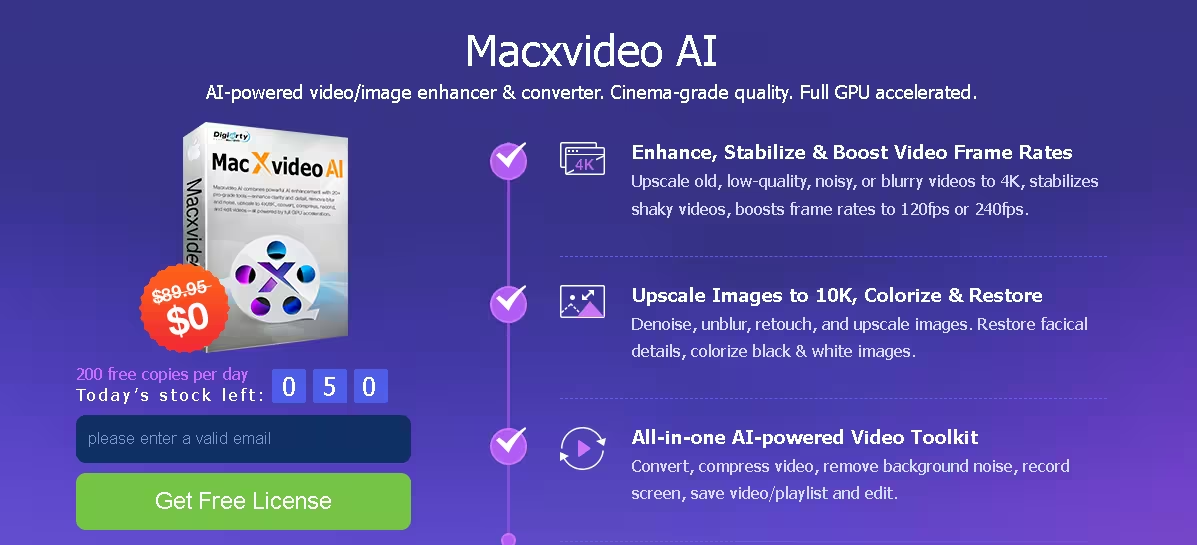
Is Macxvideo AI Worth It?
At its regular price of $39.95, Macxvideo AI is already a solid deal given the number of tools packed in. But getting it for free through this giveaway is a no-brainer if you’re a Mac user who regularly works with video or photo content.
The AI upscaling genuinely works — don’t expect miracles with severely degraded footage, but for most typical videos and photos, the results are noticeably better. The GPU-accelerated processing also means you won’t be waiting around for hours on high-res tasks.
Give it a try while the giveaway is still live!


Discover more from Techno360
Subscribe to get the latest posts sent to your email.
You must be logged in to post a comment.