
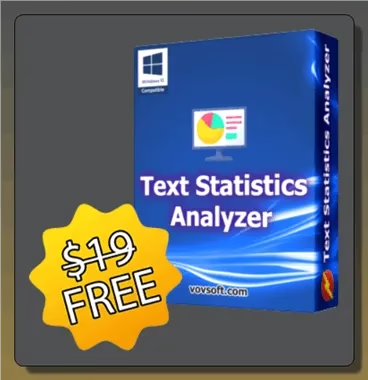
Have you ever stopped to think about how your writing style portrays you? A Windows program called Vovsoft Text Statistics Analyzer (TSA) might reveal your language habits.
This practical application revolutionizes textual analysis. Anyone curious about the finer points of their writing style can benefit from this tool, not only linguists.
Take advantage of this software’s limited-time offer to get a full version license for free, valued at $19. The giveaway closes on August 30, 2026, so grab your license key before it disappears.
Text Statistics Analyzer at a Glance
- Regular price: $19 (free for a limited time)
- Platform: Windows 10 / 11 (32-bit and 64-bit)
- License type: Lifetime, single-PC license
- What it does: Analyzes character, word, and line frequency in any text
- Offer ends: August 30, 2026
About Text Statistics Analyzer:
Every person has a special way of expressing themselves, and TSA is a fantastic tool for measuring that uniqueness. It provides a comprehensive picture of your writing style by analyzing the frequency of characters, words, and lines in your work.
This can be a goldmine of information for authors who are serious about improving their work. You can improve your writing or experiment with new styles by paying attention to your sentence patterns and word choices.

User-Friendly Analysis at Your Fingertips
Two primary buttons—one to begin the analysis and another to load text from a file—make up the Text Statistics Analyzer’s straightforward and easy-to-understand graphical user interface (GUI).
This layout makes the program easy to use for everyone, regardless of their level of computer literacy.
Real-Time Insights into Your Text
The writing analysis software displays a wealth of statistics in a new window, grouped into multiple tabs, once you’ve loaded your text. You will receive real-time comments regarding the overall word count, line count, and unique elements in your work.
There is no delay in this real-time analysis, which makes the whole thing go smoothly and efficiently.
Dive Deep into Linguistic Habits
When you use the Vovsoft Text Statistics Analyzer, you can do more than just count characters; you can also examine word, line, and character frequencies.
A precise picture of your language habits is presented with each element’s amount of instances in your text and frequency given as percentage points.

Exporting Your Data Made Simple
An export capability is available in TSA for users who would rather study their data in a different tool. You can easily export all of your data to a CSV file with just one click, so you can easily share or further investigate the results.
No Technical Expertise Required
The TSA’s accessibility is one of its most attractive features. No technical knowledge is necessary to fully use the program’s features because of its intuitive design. This makes the tool accessible to everyone looking for a simple way to improve their writing.
System Requirements
Text Statistics Analyzer is a lightweight desktop tool, so it runs comfortably on almost any modern PC:
- Windows 10 or Windows 11 (32-bit or 64-bit)
- At least 100 MB of free disk space
- No separate runtime or subscription required to use the licensed version
If you’re on macOS or Linux, you’ll need a Windows virtual machine or compatibility layer, since TSA is a Windows-only release.
How TSA Compares to Other Vovsoft Giveaways
Vovsoft regularly rotates free licenses for its Windows utilities on Techno360, and Text Statistics Analyzer sits alongside a couple of other worthwhile tools if you want to build out your toolkit. If automating repetitive writing and desktop tasks interests you, check out the Vovsoft AI Automator giveaway, and if numbers are more your focus than words, the Vovsoft Math Practice license giveaway is worth grabbing too.
Text Statistics Analyzer Giveaway:
Visit this Vovsoft Giveaway page.
Copy the license code that appears on the giveaway page.
Note: The giveaway will end on August 30, 2026
Share this giveaway on any network. One click unlocks the download links and codes below.
A new tab opens to share this page. Come back here — your content unlocks automatically.

Frequently Asked Questions
Is the Text Statistics Analyzer giveaway legitimate?
Yes. The license key comes directly from Vovsoft’s official giveaway page and activates the genuine, full version of the software — there’s no trial limitation once it’s applied.
Do I need to keep an internet connection for TSA to work?
No. Once installed and activated, Text Statistics Analyzer runs entirely offline, so your text never leaves your computer.
What happens after the giveaway ends on August 30, 2026?
The software reverts to its regular $19 price. Licenses activated before the deadline continue to work as a lifetime license even after the promotion ends.
Can I use the exported CSV data in Excel or Google Sheets?
Yes, the CSV export opens cleanly in any standard spreadsheet program, making it easy to chart or further analyze your writing statistics.
Conclusion
The Vovsoft Text Statistics Analyzer is a sophisticated Windows tool that reveals the hidden characteristics of your writing. No matter where you are in your writing career, TSA may help you get useful insights that will enhance your work and allow you to express yourself more clearly and purposefully.
More Free Windows Software Giveaways
- Ashampoo WinOptimizer 27: How to Get It for Free
- CBackup Professional Giveaway: Backup, Sync & Clone Your PC Free
- SwifDoo PDF PRO Free Giveaway
- COLOR projects 7 Free Download — Lifetime License


Discover more from Techno360
Subscribe to get the latest posts sent to your email.
You must be logged in to post a comment.