
Finding genuinely useful free software for your Windows PC in 2026 is harder than it sounds. Between the bloatware-packed installers, the “free trials” disguised as full apps, and the programs that haven’t been updated since 2019 — the good stuff gets buried fast.
So we went through hundreds of options and hand-picked 35 free PC programs that are actually worth installing right now. Every single one on this list is free, actively maintained, and bloatware-free. We’ve also updated version numbers and features to reflect what’s available as of June 2026.
Whether you want to lock down your privacy, edit videos without paying a subscription, or just make Windows feel like yours — this list has you covered.
💡 Why Free Software Still Matters in 2026
Free software isn’t a compromise anymore. Tools like GIMP 3.2, LibreOffice 26.2, and OBS Studio 32.1 are genuinely competitive with paid alternatives. With software subscription costs climbing every year, a well-chosen stack of free apps can save you hundreds of rupees (or dollars) annually — without sacrificing quality.
We’ve split this list into practical categories so you can jump straight to what you need. 👇
🔴 Security & Privacy Tools
Your Windows PC is under more threat than ever — ransomware, spyware, and data-harvesting apps are everywhere. These tools help you take back control without spending a rupee.

1. DefenderUI 🔵 Free
Most people don’t realize how many settings Windows Defender hides behind complicated menus. DefenderUI (v2.06, updated April 2026) brings all of them into one clean dashboard. You can toggle real-time protection profiles, manage exclusions, and run targeted scans without hunting through Windows Security settings. The free version is more than enough for home users.
- One-click toggle of 40+ hidden Windows Defender settings
- Custom protection profiles (Interactive, Recommended, Aggressive)
- Completely free, no account needed
2. Malwarebytes 🟢 Free
Think of Malwarebytes as the second opinion your antivirus never had. The free version lets you run on-demand scans to catch malware, adware, and PUPs (potentially unwanted programs) that Windows Defender sometimes misses. It doesn’t run in the background on the free tier, so there’s no performance hit — just scan when you feel something’s off.
3. O&O ShutUp10+ 🚫 Portable
Windows 10 and 11 send a surprising amount of data back to Microsoft by default. ShutUp10++ (updated May 2026) is a portable app — no installation needed — that lists every telemetry and privacy setting in one place, with color-coded recommendations. Run it once after a fresh Windows install and you’re done.
4. Proton VPN 🔒 Free
The only truly free VPN worth recommending. Proton VPN’s free tier has no data cap, no ads, and no logging — ever. You’re limited to servers in 5 countries and one device, but for basic privacy on public Wi-Fi or bypassing regional blocks, it’s solid. Built by the same Swiss team behind ProtonMail.
🟣 Multimedia & Video
From casual video playback to full-blown streaming setups, these tools handle it all without asking for your credit card.
5. VLC Media Player 📺 Open Source
Still the undisputed king of media players, now at v3.0.23. It plays literally everything — MKV, HEVC, AVI, even broken or partially downloaded files. No codecs to install, no ads, no nonsense. If you only install one app from this list, make it VLC.
6. Screenbox 📱 Free
A modern media player built on VLC’s engine but with a Windows 11-style UI. Supports Picture-in-Picture, Chromecast, and a clean gesture-based interface. Great if you want VLC’s compatibility without VLC’s dated look.
7. MPC-BE (Black Edition) ⚡ Free
A stripped-down, lightning-fast video player for purists. Launches in under a second, uses almost no RAM, and plays 4K HEVC without breaking a sweat. Highly customizable with no telemetry whatsoever.
8. OBS Studio 🎙️ Open Source
OBS Studio 32.1 remains the gold standard for free screen recording and live streaming. It’s used by professional streamers on Twitch and YouTube. New in 2026: improved scene collections, better NVIDIA noise suppression, and a revamped audio mixer.
9. Shotcut ✂️ Open Source
The best completely free video editor for beginners and intermediate users. Shotcut 24.x supports 4K editing, a multi-track timeline, keyframe animation, and 500+ filters. No watermarks. No export limits. Works on Windows, Mac, and Linux.
10. Audacity 🎵 Open Source
The best free audio editor, period. Record, mix, clean up noise, and export to MP3, FLAC, or WAV. Audacity 3.7 added a completely redesigned Effects panel, real-time preview for effects, and improved MP3 import speed.
🔵 Browsers & Web Tools
Your browser is your most-used app. These free tools make it faster, more private, and far more powerful.
11. Firefox 🦊 Open Source
The best privacy-respecting mainstream browser. Firefox 128 added vertical tabs, improved tab grouping, and enhanced tracking protection. Unlike Chrome, Firefox is not owned by an advertising company — your browsing isn’t monetized.
12. Brave Browser 🛡️ Free
Built on Chromium but with built-in ad blocking, fingerprint protection, and a built-in VPN (paid). Brave 1.65 is noticeably faster than Chrome on ad-heavy sites. If you want Chrome extensions but hate Google tracking you, Brave is the answer.
13. uBlock Origin 🚫 Open Source
The most powerful free ad blocker. Uses far less RAM than competing blockers, blocks ads, trackers, coin miners, and malware domains. Available for Firefox and Chrome-based browsers. Essential install on every PC.
14. Bitwarden 🔑 Open Source
The only free password manager you can fully trust. Open-source, end-to-end encrypted, and syncs across unlimited devices on the free tier. Bitwarden 2024.x added passkey support, making it future-proof as passwords slowly die out.
15. Thunderbird 📧 Open Source
Mozilla’s free email client got a massive redesign in 2024 (Supernova). Thunderbird 128 has a modern UI, calendar integration, Matrix chat support, and handles multiple email accounts beautifully. The best free Outlook alternative.
🟢 Productivity & Office
Get real work done without paying for Microsoft 365.
16. Notion 📝 Free
The all-in-one workspace for notes, databases, wikis, and project management. The free tier is genuinely generous — unlimited pages, blocks, and collaboration for personal use. Used by students, freelancers, and teams worldwide.
17. Obsidian 🧠 Free
A Markdown-based note-taking app that stores everything locally — no cloud required. Obsidian’s linked-thinking approach (connecting notes like a web) is revolutionary for researchers and knowledge workers. Free for personal use, data is always yours.
18. LibreOffice 📄 Open Source
Now at version 26.2 (released February 2026), LibreOffice is the most complete free alternative to Microsoft Office. Writer, Calc, Impress, and Base cover documents, spreadsheets, presentations, and databases. Version 26.2 adds Markdown import/export support and drops the “Community” branding — it’s just LibreOffice now, clean and simple.
19. PDFgear 📑 Free
A surprisingly capable free PDF editor. You can annotate, merge, split, convert, and run OCR on PDFs — all locally on your machine, no upload required. The free version has no watermarks and no page limits. Genuinely one of the best free PDF tools out there right now.
20. File Converter 🔄 Open Source
Right-click any file in Windows Explorer and convert it — to PDF, MP3, HEVC, PNG, and dozens more. No app window, no fuss. Just right-click, convert. One of those apps that, once installed, you’ll wonder how you lived without.
21. AutoHotkey ⌨️ Open Source
Automate any repetitive task on Windows with simple scripts. Remap keys, create text shortcuts, auto-fill forms, and build custom hotkeys. AutoHotkey v2.0 has a cleaner syntax and is far more beginner-friendly than previous versions.
22. Ditto Clipboard Manager 📋 Open Source
Saves everything you copy to an infinite clipboard history. Search your copy history, pin frequently used items, and paste with a hotkey. Free, open-source, and has been rock-solid for over a decade. Once you use a clipboard manager, you can never go back.
23. Microsoft PC Manager 🪟 Free
Microsoft’s own free optimization tool, originally launched for the Chinese market but now available globally. It handles junk file cleanup, startup app management, and memory boost in a clean, modern interface. No third-party nonsense — straight from Microsoft.
🟠 Creative Tools
Professional-grade creative software, completely free.
24. GIMP 🎨 Open Source
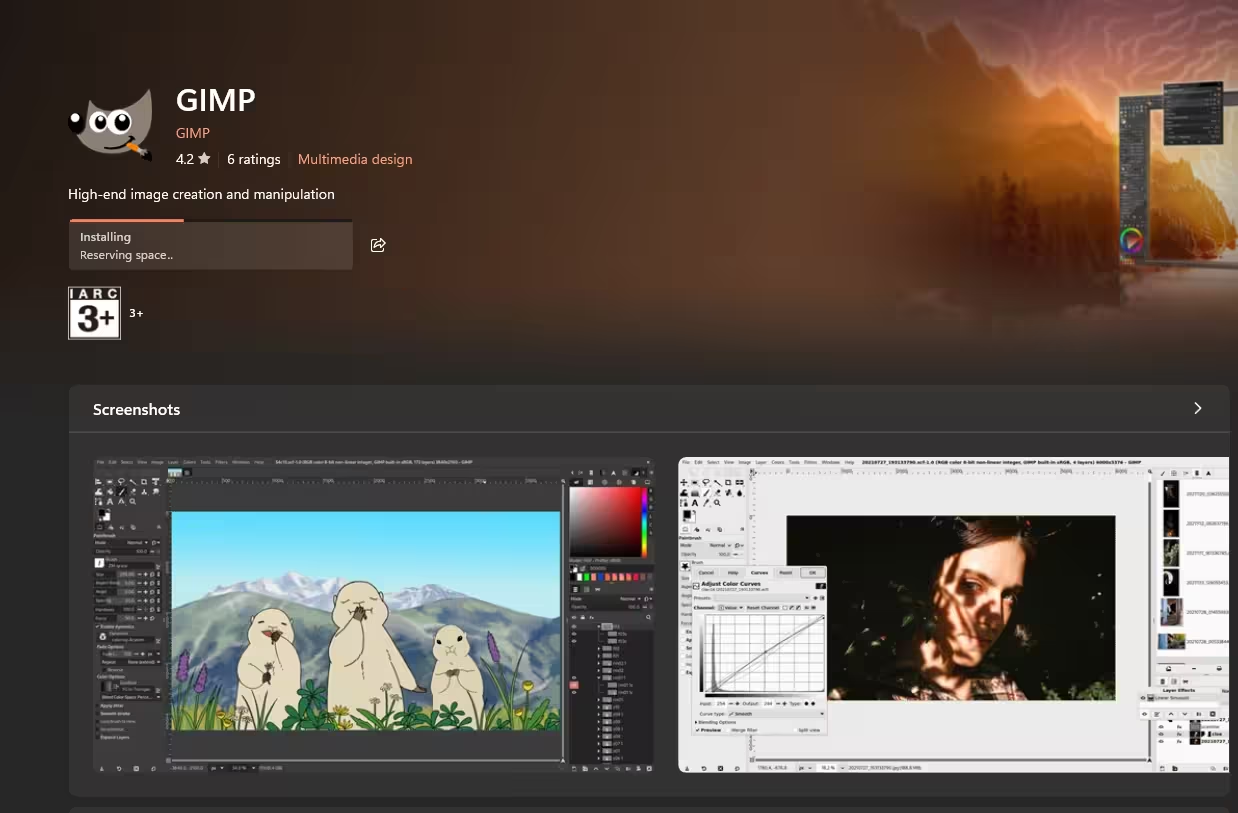
GIMP 3.2.4 (released April 2026) is a massive step forward for this long-running open-source image editor. The 3.x branch brought a non-destructive editing workflow, a redesigned UI, and CMYK support that was sorely missing before. If you’ve tried GIMP years ago and given up, the 3.x version is worth another look — it’s genuinely close to Photoshop for most tasks.
- Photo retouching and manipulation
- Graphic design and digital art
- Batch image processing via Script-Fu
25. Krita 🖌️ Open Source
Krita 6.0.1 (March 2026) is the go-to app for digital illustration and concept art. The 6.0 release brought a completely redesigned text tool, improved brush engines, and better performance on high-DPI screens. Free, open-source, and actively developed by a dedicated team.
⚫ System Tools & Maintenance
Keep Windows fast, clean, and under control.

26. UniGetUI 🍫 Open Source
Think of UniGetUI (v2026.1.11, May 2026) as a single dashboard for all your Windows package managers — WinGet, Scoop, Chocolatey, and more. Install, update, and uninstall apps from one place. The latest version adds a modern Avalonia UI with Windows 11 Mica effects. A must-have for power users managing multiple apps.
27. Windhawk 🌬️ Free
The most powerful Windows customization tool available. Windhawk lets you install community-created mods that do things like restore the old taskbar, add clock customizations, fix Explorer annoyances, and much more — all without risky registry hacks. Updated regularly with new mods.
28. BleachBit 🧹 Open Source
A powerful disk cleaner that goes deeper than the built-in Windows tools. Cleans browser caches, log files, temporary files, and even shreds files securely. BleachBit 4.6 added support for newer browser profiles and better Windows 11 compatibility.
29. CrystalDiskInfo 💾 Free
Monitor your hard drive and SSD health before they fail. CrystalDiskInfo reads S.M.A.R.T. data and alerts you when a drive is showing warning signs. Simple, accurate, and could save you from losing important data. Run this on every PC you own.
30. FanControl 🌡️ Free
If your laptop or desktop runs hot, FanControl gives you direct access to your CPU and GPU fan curves. Map fan speed to temperature sensors, set custom profiles for gaming vs. browsing, and keep thermals in check. Works with most modern motherboards.
31. Radiograph 📊 Free
A clean hardware monitoring dashboard that shows CPU temps, GPU load, RAM usage, and disk health in real-time. Looks much nicer than HWiNFO while still giving you the data you need.
32. NanaZip 📦 Open Source
A refined fork of 7-Zip with a proper Windows 11 context menu, modern UI, and all the same compression power. If you’ve been using 7-Zip but hate how dated it looks, NanaZip is the perfect upgrade. Still free, still open-source.
33. Autoruns (Sysinternals) 🔍 Free
Microsoft’s own tool for seeing every program that automatically starts on your PC — from obvious startup apps to deep scheduled tasks and browser extensions. The most comprehensive startup manager available, and it’s completely free from Microsoft.
🟦 Remote Access & Android
Control your PC remotely or mirror your Android phone to your desktop.
34. Parsec 🎮 Free
The best free remote desktop tool for gaming or creative work. Parsec uses hardware encoding to deliver smooth, low-latency streaming — even over the internet. Perfect for accessing your home PC while traveling or helping a friend troubleshoot their computer remotely.
35. SCRCPY Plus 📱 Open Source
Mirror and control your Android phone directly from your PC via USB or Wi-Fi. No root required, no ads, and ridiculously fast. Copy-paste between devices, record your screen, and use your keyboard/mouse to control your phone. Completely free and open-source.
🎯 Final Thoughts: Build Your Perfect Free PC Setup
There’s no need to spend money on software subscriptions when tools like these exist. Whether you’re securing your system with DefenderUI and Malwarebytes, editing videos in Shotcut and OBS Studio, or fine-tuning Windows with UniGetUI and Windhawk — every app on this list is 100% free, actively maintained, and bloatware-free.
Bookmark this page and revisit it whenever you set up a new PC. These 35 programs form the foundation of a powerful, privacy-respecting, and cost-effective Windows setup in 2026.
💬 Did we miss any must-have free PC programs? Let us know in the comments below!


Discover more from Techno360
Subscribe to get the latest posts sent to your email.
You must be logged in to post a comment.