
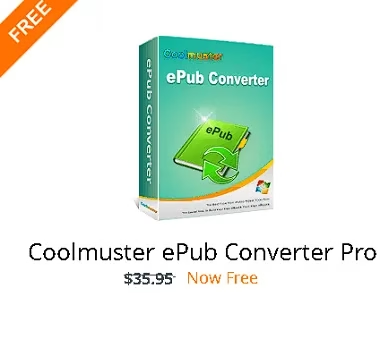
Coolmuster ePub Converter Pro is a lightweight eBook conversion tool that helps you create ePub books from popular document formats such as PDF, Word, HTML, TXT, and MOBI, so you can read them on a wide range of eReaders and mobile devices.
Nowadays, people love reading eBooks because they are easy to carry and convenient to read anywhere. However, many eBook readers do not support every file type, which can be frustrating if your documents are stored in different formats.
That is where Coolmuster ePub Converter Pro comes in. It simplifies the process of turning common files into the widely supported ePub format, making your documents easier to read on tablets, phones, eReaders, and desktop apps.
This converter supports popular input formats including PDF (.pdf), Microsoft Word (.doc/.docx), Text (.txt), Web pages (.html/.htm), and MOBI (.mobi).
Regardless of batch size, Coolmuster ePub Converter Pro makes ePub conversion simple. It preserves the original content, including text, images, and layout, so the output keeps the look and structure of the source file as closely as possible.
Convert PDF, Word, MOBI, HTML and TXT to ePub
Coolmuster ePub Converter Pro is also beginner-friendly. Its clean interface makes it easy to import files, choose an output folder, and start converting in just a few clicks. Even users with little technical knowledge can use it without any trouble.

To begin, select the source file format and add the files you want to convert. You can import HTML, MOBI, PDF, TXT, DOC, and DOCX files either from the main window or from the File menu.
Key Features of Coolmuster ePub Converter Pro
- Create ePub eBooks from multiple popular file formats, including PDF, DOC, DOCX, TXT, HTML, HTM, and MOBI.
- Preserve the original text, images, formatting, and layout during conversion.
- Batch convert multiple files at once to save time.
- Create ePub files compatible with many popular devices and reading apps, including iPad, iPhone, iPod touch, Nook Tablet, Surface, Sony Reader, PSP, and other ePub-supported platforms.
- Use a simple and user-friendly interface that makes eBook conversion quick even for beginners.
System Requirements
- Operating system: Windows 11, Windows 10, Windows 8, and Windows 7.
- Processor: 500 MHz CPU or above.
- Memory: 256 MB RAM or higher.
- Storage: around 15 MB or more free disk space.
Coolmuster ePub Converter Pro Giveaway
Coolmuster ePub Converter Pro usually costs around $35.95. Coolmuster occasionally runs limited-time promotions and giveaway campaigns for this software.
Visit the official Coolmuster giveaway page to check whether a free license or discount offer is currently available.
At the time of updating this article, the official page may show a discount instead of a free license, because Coolmuster promotions are time-limited and can expire without notice.
If a giveaway is active, you usually need to enter your name, email address, and captcha code, then click the Submit button. The license key may be displayed on-screen or sent to your email depending on the current promotion.
Download the software from the developer page [20 MB].
After installation, launch the app and click “Register” in the main window. Enter your email address and the license code you received to activate the full version.

FAQ
Is Coolmuster ePub Converter Pro safe?
Yes, it is distributed by Coolmuster, a commercial software developer. For safety, always download it from the official website or the official giveaway page.
Does Coolmuster ePub Converter Pro work on Windows 11?
Yes, the software supports Windows 11 along with Windows 10, 8, and 7.
What file formats can Coolmuster ePub Converter Pro convert?
It can convert PDF, Word, TXT, HTML/HTM, and MOBI files into ePub format.


Discover more from Techno360
Subscribe to get the latest posts sent to your email.