
Driver Booster 14 License Key Free — Claim Your 6-Month Pro Giveaway
IObit just shipped Driver Booster 14, and readers of Techno360 can unlock the paid Pro tier at no cost. One giveaway code, six months of Pro (valid until 4 May 2027), the full 23-million driver library and the brand-new game DLL repair tool. Copy the key below and follow the quick setup.
🔄 Updated 4 November 2026, 5:00 PM IST: fresh giveaway code — Pro now runs until 4 May 2027 (181 days).
5FE72-E7316-160EB-F0A4D
Download Driver Booster 14
Jump to Activation Steps
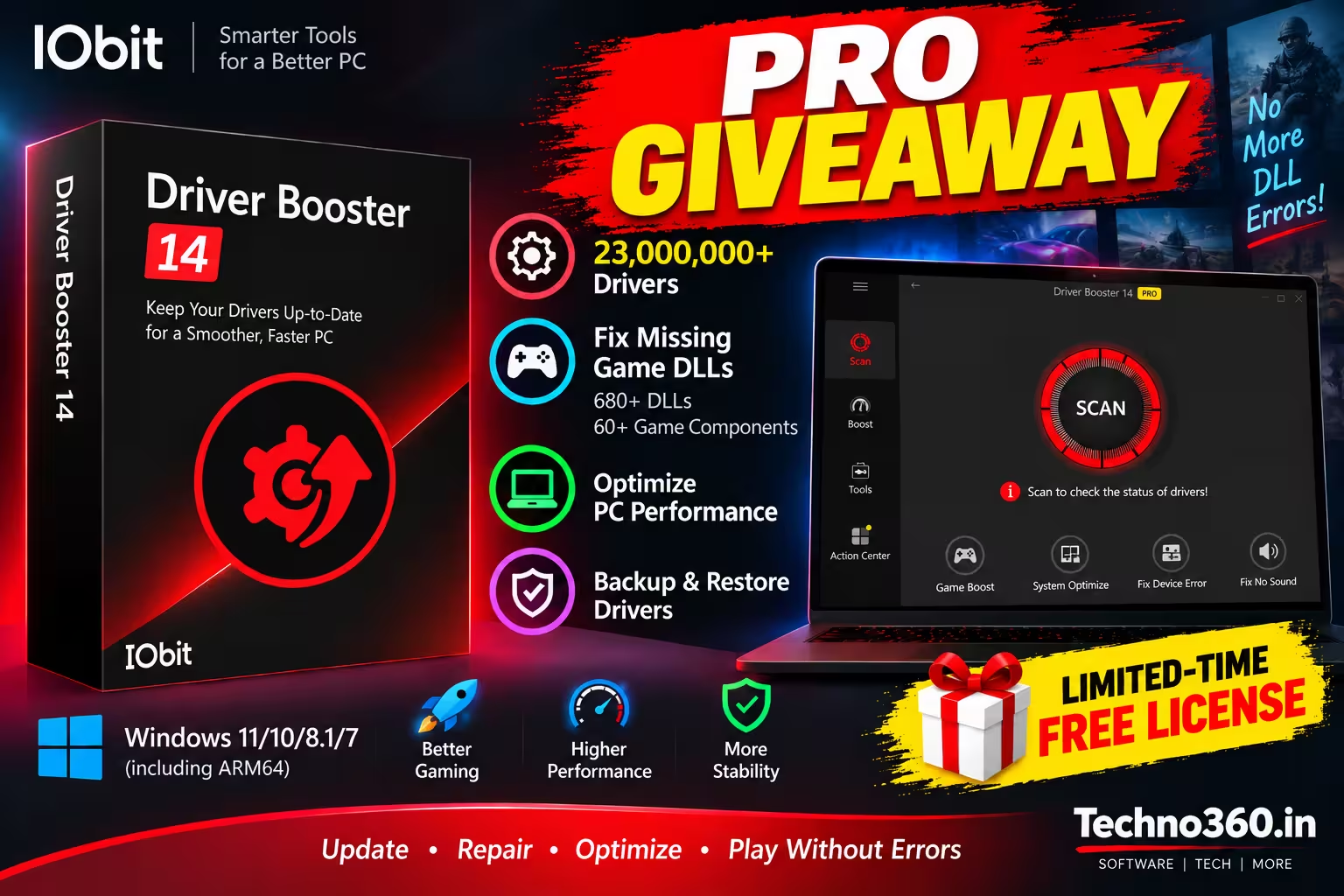
- What you get: The giveaway code activated Driver Booster 14 Pro on our test installation, with License Manager showing an expiry date of 4 May 2027 — 181 days, or six months of Pro.
- Why it matters: Pro adds automated driver-management features, driver backup, and repair for missing game components.
- The code:
5FE72-E7316-160EB-F0A4D— paste it under Enter License. - Who it suits: Gamers chasing stable frame rates and anyone tired of hunting for the right driver by hand.
- Setup: Download, install, enter the giveaway code and confirm activation.
If you have ever rebuilt a Windows machine and then spent an evening chasing down the correct audio, chipset and graphics drivers, you already know how tedious manual driver installation can be. Version 14 introduces several changes aimed at simplifying that process, and the timing lines up nicely with a reader giveaway. Below is a walk-through of what changed, what the giveaway unlocks, and how to activate it — with the specifications cross-checked against IObit’s own product documentation.

What changed in Driver Booster 14
IObit has been shipping this updater for a decade, and the fourteenth edition is less about a fresh coat of paint (though the interface did get one) and more about coverage and reliability. Three upgrades stand out.

A bigger driver library — now past 23 million entries
The online catalogue crossed the 23-million mark. IObit says every match is sourced from official manufacturers and trusted Microsoft channels, with WHQL certification and security screening. The expanded database is intended to provide broader coverage across newer, older and less common hardware.
Pick your driver version — latest or rock-steady
The rebuilt scanner now surfaces both the newest release and the most stable signed one for a given device. If you are a gamer you can chase the freshest GPU driver on launch day; for a work machine, you can instead choose a version identified as more stable. That choice used to mean digging through the manufacturer’s archive yourself.
Fix Missing Game DLLs — the headline feature
Anyone who has launched a game only to be slapped with a “xinput1_3.dll not found” message will appreciate this one. According to IObit, the repair module covers over 680 DLL files and more than 60 game runtime packages — DirectX, Visual C++ Redistributable, XAudio, OpenAL, PhysX and the rest — and provides one-click repair for missing components. It also keeps watch in the background and pops an alert the moment something goes missing.

Other Driver Booster 14 improvements
Beyond the big three, IObit’s documentation lists a handful of quieter upgrades worth knowing about. Version 14 adds SOCKS5 proxy support (handy on restricted networks), a redesigned modern interface and support for 38 localized languages. The scanning and installation engines were reworked to support multi-version driver installations, and there is an Offline Driver Updater for machines with no internet access — useful right after a fresh Windows install. Gamers also keep the familiar Game Boost mode for freeing up resources before a session.
Why bother with the Pro giveaway?
The free build scans and reports everything, but it holds back the one-click automation. The Pro tier — which this key unlocks — removes those brakes. The FAQ confirms there is a public Free edition and a Pro edition with the advanced features; here is the practical split:
| Feature | Free Edition | Pro (via giveaway) |
|---|---|---|
| Driver scanning & detection | ✓ | ✓ |
| Driver updating | ✓ | ✓ |
| Fix Missing Game DLLs | Available with limitations | ✓ |
| Additional Pro features | — | ✓ |
Exact Free/Pro feature availability can change; check IObit’s current product page for the latest details.
How to claim and activate your Driver Booster 14 license key free
The whole thing takes a couple of minutes. Follow along in order.
- Download the installer. Head to the official Driver Booster page and grab the Free Edition setup file. Always pull it from IObit directly, never a mirror.
- Run the setup. Launch the file and let it finish. On the installer screen you can choose Custom Install if you would rather skip the optional IObit offers.
- Open the app. Start Driver Booster 14. You will land on the main scan screen.
- Find the license window. Click the key icon, or hover over Activate Now and choose Enter License.
- Paste the code. Drop in
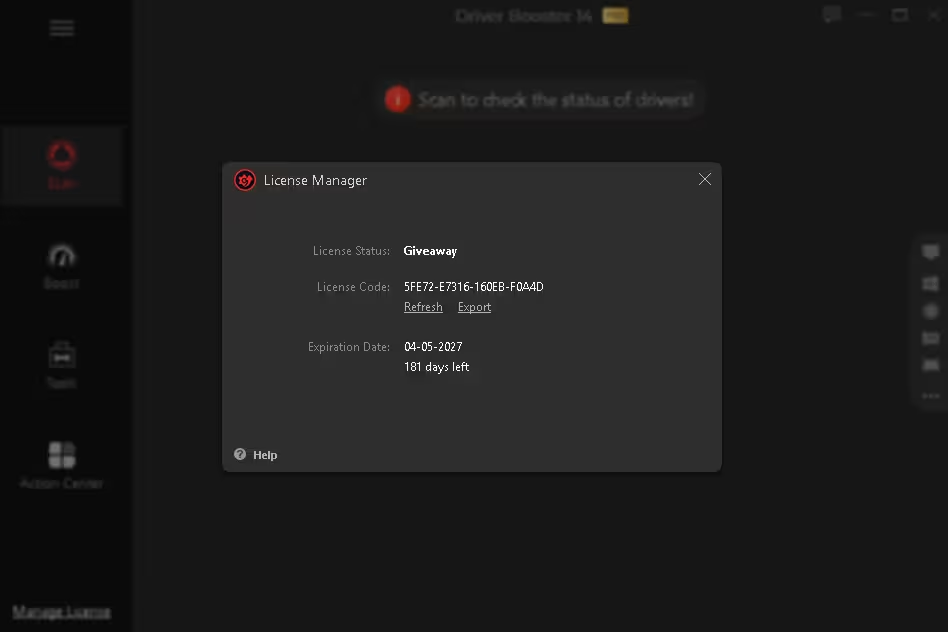
5FE72-E7316-160EB-F0A4D— copy-paste beats typing to avoid a stray character. - Hit Activate. Once the code is accepted, Driver Booster switches to Pro. Open License Manager to confirm the license status and expiration date.


Is it actually safe to run?
Driver utilities deserve some caution because they interact directly with Windows hardware drivers. IObit says Driver Booster sources its drivers from official manufacturers and trusted Microsoft channels, and uses WHQL certification and security screening. The software also includes driver backup and system restore: per IObit’s documentation, it backs up your existing drivers and creates a restore point before an update. IObit says these recovery options can be used to roll back if an update causes a problem.
As an extra precaution, it is worth creating your own Windows restore point before running a large batch of driver updates — a thirty-second habit that saves headaches.

Beyond drivers: built-in Windows repair tools
Driver Booster 14 also includes several utilities for common Windows problems. Under the Tools tab you will find quick fixes for dead audio, dropped network connections, wrong screen resolution and unrecognised devices. The same panel also houses the Fix No Sound utility, Fix Device Error, Clean Invalid Device Data, the Offline Driver Updater and a System Information readout.

Final Take
Driver Booster 14 adds several meaningful changes to IObit’s driver-management software: a 23-million-plus driver database, multi-version scanning, a redesigned scanning engine and the new Fix Missing Game DLLs tool. IObit’s documentation also lists backup, restore, offline updating and system-repair utilities.
The activation shown in this guide unlocked the Pro edition on our installation, with License Manager displaying a Giveaway status and an expiration date of 4 May 2027 (181 days). This provides an opportunity to use the additional Pro features during the license period before deciding whether to continue with the free edition or another option.
Frequently asked questions
How long does the free Driver Booster 14 license last?
The giveaway key activates the Pro tier for six months. When we activated it on 4 November 2026, License Manager showed an expiry of 4 May 2027 — 181 days. After the giveaway period ends, the Pro activation no longer applies and you can continue with the free edition or another licensing option.
Will it run on Windows 10 and Windows 11?
Yes. Driver Booster 14 supports Windows 7, 8/8.1, 10 and 11, including Windows 10/11 ARM64 devices. It is light on resources too — for system requirements, IObit’s FAQ lists 512 MB of RAM and a 1 GHz or faster processor.
Do I need to uninstall Driver Booster 13 first?
No. Version 13 keeps working, but 14 carries the larger database and the new tools, so upgrading is the sensible move.
Is the giveaway code genuinely free?
Yes — no payment, no card details. Paste it into the Enter License box and click Activate. If the code no longer activates, its giveaway availability may have ended or changed.
Related reading on Techno360
Discover more from Techno360
Subscribe to get the latest posts sent to your email.
