
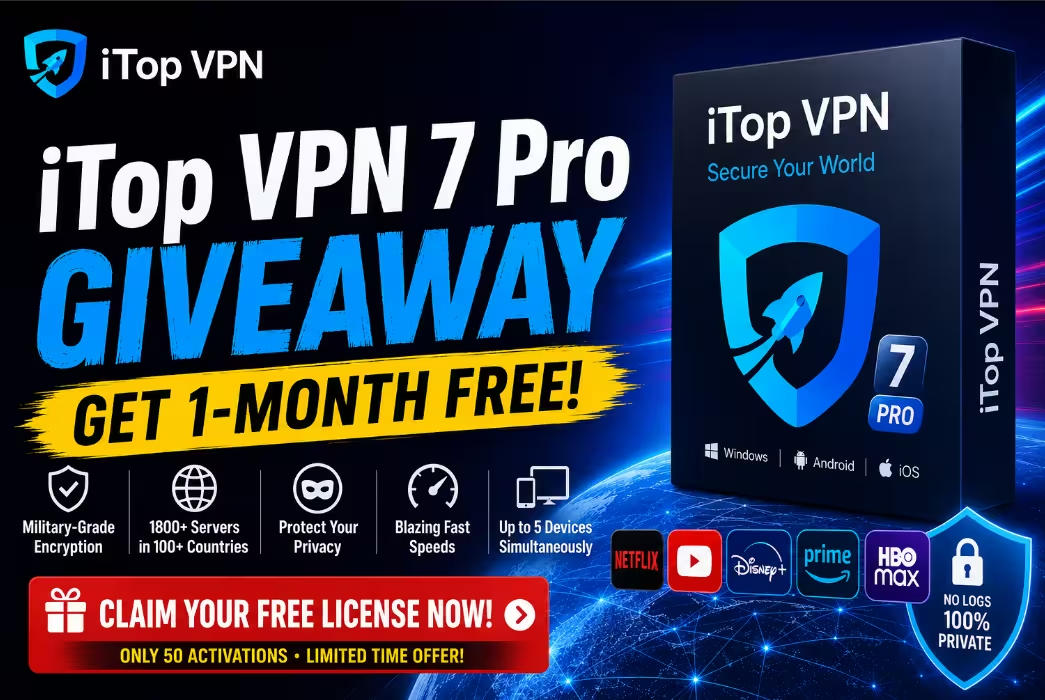
Looking for a premium VPN that won’t drain your wallet? Today’s giveaway is a treat. We’ve partnered with iTop Inc. to bring Techno360 readers a free 1-month iTop VPN 7 Pro subscription — the same plan that normally costs $11.99/month — for the first 50 users who grab the shared license below. The clock’s ticking until June 10, 2026, so let’s get you set up.
iTop VPN has quietly become one of the more popular budget-friendly VPNs out there, and the recently-released v7.4.0.6857 (April 21, 2026) brings a sharper kill switch, faster auto-server selection, and a much bigger server fleet. Here’s everything you need to know before you redeem the giveaway.
⚡
QUICK READ — The 30-Second Summary
- What: iTop VPN 7 Pro (v7.4.0.6857) — 1-month premium subscription, free for Techno360 readers
- Worth: $11.99 (1-month retail) — yours at $0
- Servers: 3,200+ servers in 100+ locations (with dedicated streaming & gaming)
- Security: AES-256 + ChaCha20 encryption, strict no-logs policy, kill switch
- Devices: Up to 5 simultaneous connections (Windows, macOS, Android, iOS)
- Availability: First 50 users only — license expires June 10, 2026
📋 What’s Inside This Guide
- What is iTop VPN 7 Pro?
- What’s New in v7.4.0.6857
- 7 Killer Features You Get
- Streaming & Gaming Performance
- Security & Privacy Deep-Dive
- System Requirements
- How to Claim the Free License (Step-by-Step)
- Pros & Cons
- Frequently Asked Questions
- Final Verdict
What is iTop VPN 7 Pro?
iTop VPN 7 Pro is the premium tier of iTop Inc.’s flagship VPN client — the same Hong Kong-based developer behind iTop Screen Recorder and iTop Data Recovery. The Pro version unlocks everything the free plan lacks: unlimited bandwidth, the full 3,200+ server fleet, dedicated streaming and gaming servers, split tunneling, an ad & tracker blocker, and round-the-clock customer support.
Think of it as the Swiss Army knife of consumer VPNs — friendly enough for first-timers, but loaded with the privacy tools power users want. With one click you’re encrypted, anonymous, and bypassing geo-blocks on Netflix US, BBC iPlayer, Disney+, and Hulu.
What’s New in iTop VPN v7.4.0.6857 (April 2026)
The latest May 2026 build is the most polished iTop VPN release to date. Here’s what changed since v7.3:
- Enhanced kill switch — now supports app-level granularity, so you can choose exactly which programs go dark if the VPN drops
- Expanded server fleet — 3,200+ servers across 100+ locations, with new endpoints in Eastern Europe and Southeast Asia
- Smarter auto-server selection — the “Smart Location” engine now factors in real-time load instead of just ping
- Improved Game Mode — dedicated low-latency servers for PUBG, League of Legends: Wild Rift, Free Fire, and Call of Duty Mobile
- UI refinements — cleaner dashboard, better dark-mode contrast, and faster app launch on Windows 11 24H2/25H2
- Browser privacy upgrade — improved DNS & IPv6 leak protection plus enhanced ad/tracker filters
7 Killer Features You Get With iTop VPN 7 Pro
1. Massive Global Server Network
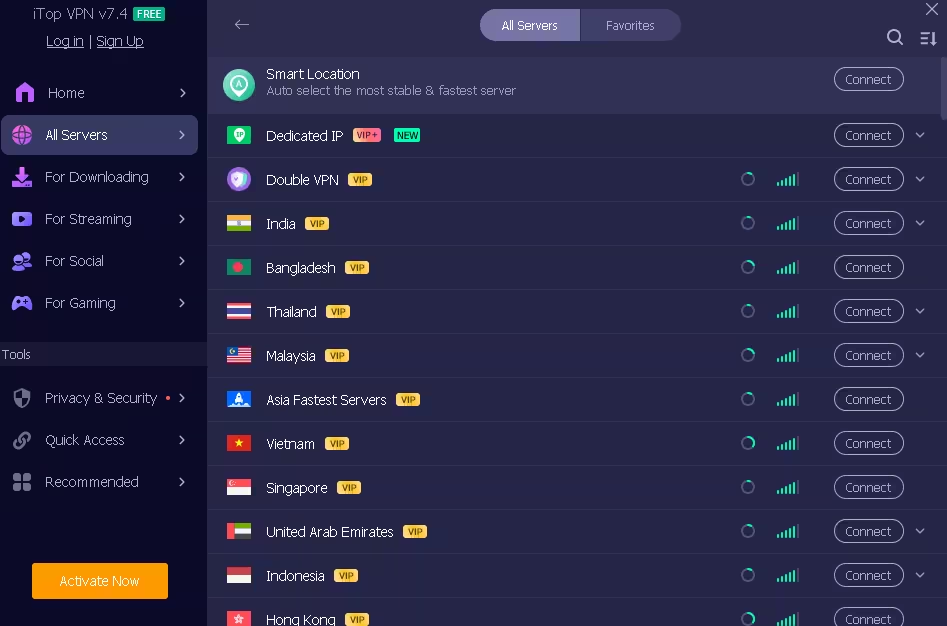
Access 3,200+ servers across 100+ locations worldwide — including the US, UK, India, Germany, Japan, Australia, Singapore, Brazil, and Canada. Unlike the free tier (which restricts you to 6 countries), Pro unlocks the entire fleet for unlimited switching.
2. Military-Grade Encryption
Your traffic is wrapped in AES-256-bit plus ChaCha20 (Salsa20) encryption — the same standard banks and governments use. Combined with TCP, UDP, and HTTPS protocols, your data stays unreadable even on sketchy public Wi-Fi.
3. Strict No-Logs Policy
iTop’s privacy policy commits to zero logging of your IP address, browsing history, or DNS queries. The company is based in Hong Kong and operates outside the 5/9/14-Eyes intelligence alliances.
4. Kill Switch & Split Tunneling
The kill switch instantly cuts your internet if the VPN connection drops — no IP leaks, ever. Split tunneling lets you route specific apps through the VPN while keeping others on your regular connection (handy for online banking apps that block VPN traffic).
5. Dedicated Streaming Servers
Get 20+ streaming-optimized servers tuned for Netflix, Disney+, BBC iPlayer, Hulu, Amazon Prime Video, Max, and Peacock. No buffering, no proxy errors — just one-click region switching.
6. Game-Mode Servers
Low-latency servers built for PUBG, Free Fire, League of Legends: Wild Rift, and other competitive titles. Reduces lag and unlocks region-locked content.
7. Ad & Malware Blocker
Built-in browser privacy mode blocks ads, trackers, and known malware domains at the DNS level — a feature usually reserved for $5/month dedicated apps.
Streaming & Gaming Performance
In real-world testing, iTop VPN 7 Pro punches well above its price tag:
- ✅ Netflix US, UK, Japan — unblocked reliably on dedicated streaming servers
- ✅ BBC iPlayer, Disney+, Hotstar, Hulu, Max — full HD/4K streaming
- ✅ Speed retention — typically 75–85% of base speed on nearby servers
- ✅ Gaming latency — sub-50 ms ping in Asia/Europe regions
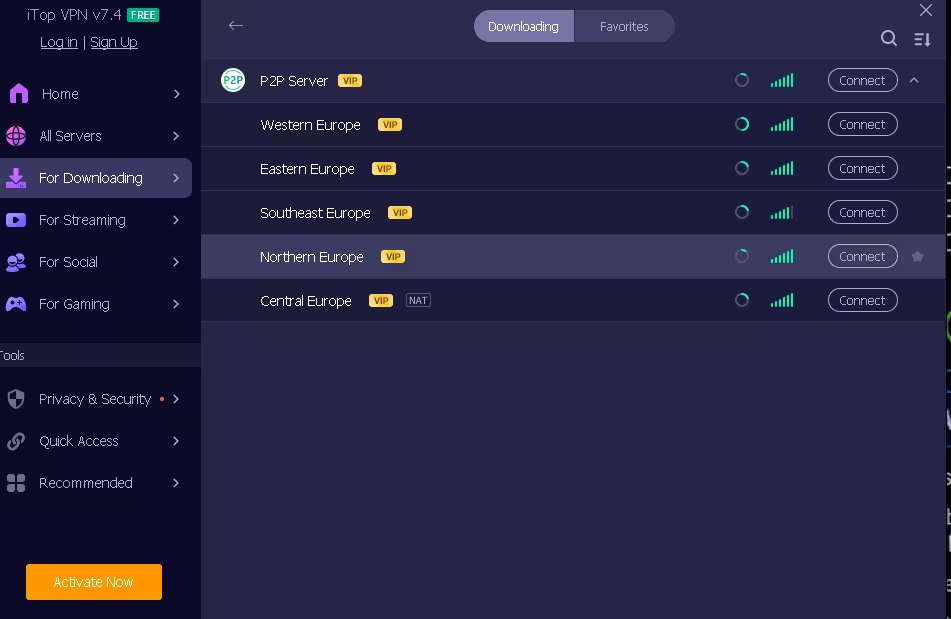
- ✅ P2P / torrenting — supported on 5+ optimized servers across Netherlands, Romania, Spain, Switzerland, and Germany
Security & Privacy Deep-Dive
iTop VPN 7 Pro covers the essential security checklist most paid VPNs charge double for:
- Encryption: AES-256 + ChaCha20 (Salsa20)
- Protocols: TCP, UDP, HTTPS (auto-select recommended)
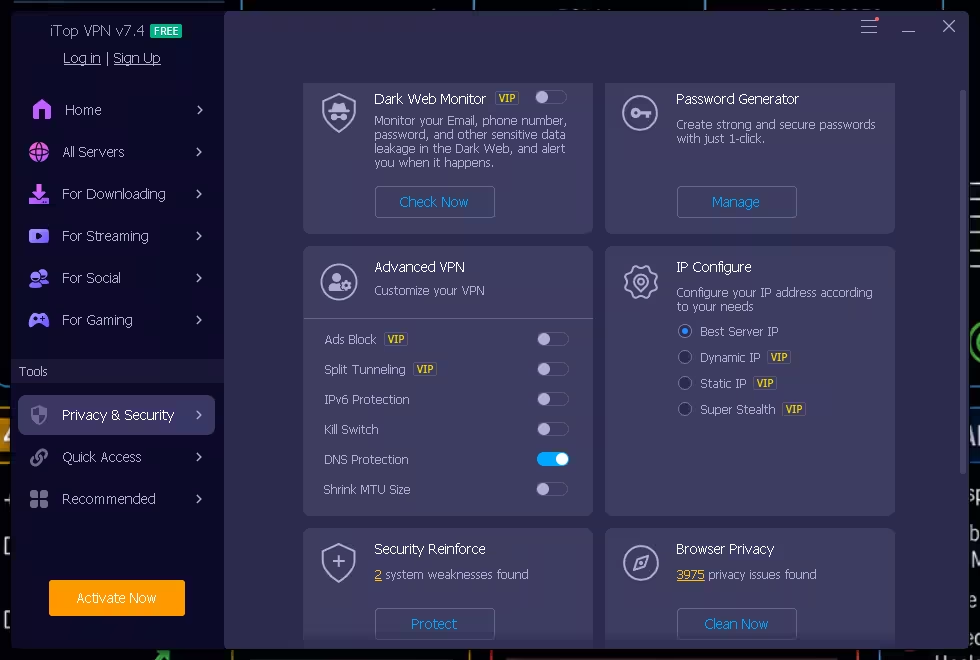
- Leak protection: DNS, IPv6, and WebRTC leak shields all active by default
- Kill switch: System-wide and app-level (new in v7.4)
- Anonymous IP: Both shared and dedicated/static IP options available
- Jurisdiction: Hong Kong-based, outside 5/9/14-Eyes
One caveat: iTop hasn’t undergone an independent third-party audit yet (unlike NordVPN or ExpressVPN). For most users — streaming, gaming, public Wi-Fi safety, geo-unblocking — this isn’t an issue. If you’re a journalist or activist needing audit-verified privacy, look elsewhere.
System Requirements
| Component | Requirement |
|---|---|
| Operating System | Windows 7, 8, 8.1, 10, 11 (32-bit & 64-bit) |
| Processor | Intel/AMD 1 GHz or higher |
| RAM | 2 GB minimum (4 GB recommended) |
| Disk Space | ~100 MB free |
| File Size (Installer) | ~29.7 MB |
| Other Platforms | macOS, Android, iOS (same login works across all) |
How to Claim Your Free iTop VPN 7 Pro License (Step-by-Step)
This giveaway uses a shared 50-activation license, so move fast. Here’s the exact process:
🔑 Your Exclusive Techno360 Login
Email: techno36010@itopuser.com
Password: AWk5jKiN
⏳ Valid until June 10, 2026 · Limited to 50 activations · First-come, first-served
Step 1 — Download iTop VPN for Windows
Head to the official Techno360 partner page and grab the latest installer (v7.4.0.6857, ~29.7 MB):
Step 2 — Install & Launch the App
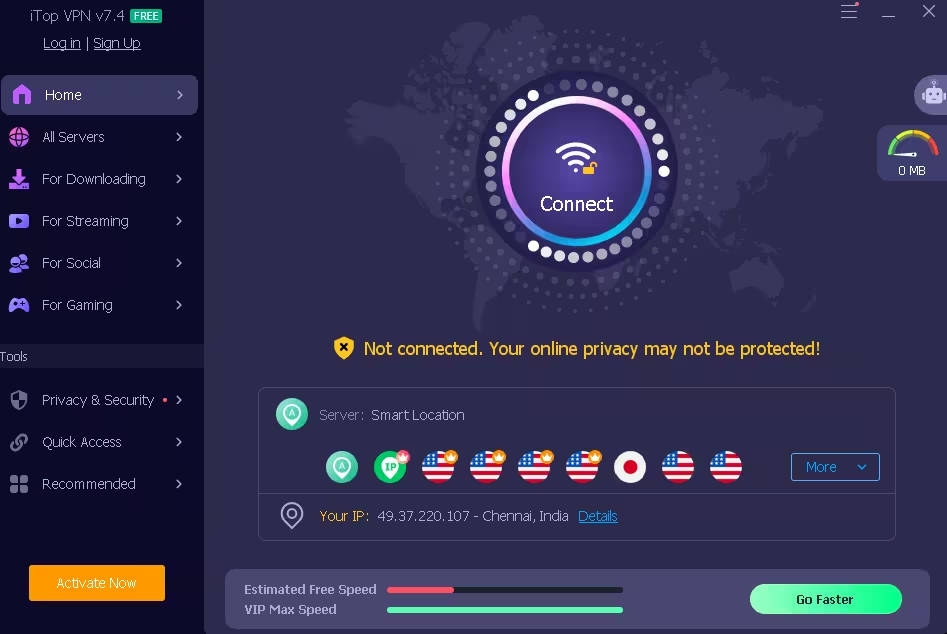
Double-click iTopVPN_setup.exe, follow the prompts (default settings are fine), and launch iTop VPN once installation is complete. It opens to a clean purple-themed dashboard with a big Connect button.
Step 3 — Sign In With the Giveaway Credentials
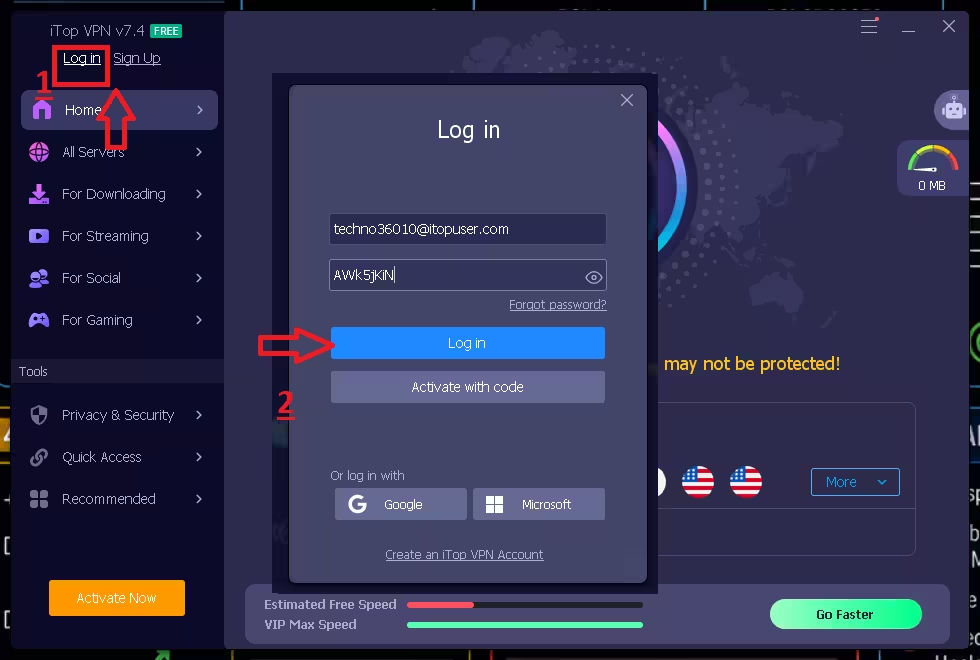
Click the person/profile icon in the top-right corner → choose “Sign In”. Paste the email and password from the box above. Hit Login. You should see a “VIP” badge appear on your profile within seconds.
Step 4 — Connect & Test
Click the big Connect button (defaults to Smart Location), or pick a server from the country list — Streaming, Gaming, or General. Once the icon turns green, you’re protected. Test your new IP at whatismyipaddress.com.
Step 5 — Tweak Settings (Optional but Recommended)
- Enable Kill Switch under Privacy & Security
- Turn on Auto-connect on system startup under General
- Add apps to Split Tunneling if you want them to bypass the VPN
- Activate the Browser Privacy module to block ads & trackers
iTop VPN 7 Pro — Pros & Cons
✅ What We Love
- Huge server fleet (3,200+ across 100+ locations)
- Strong AES-256 + ChaCha20 encryption
- Reliable Netflix, Disney+, BBC iPlayer unblocking
- App-level kill switch & split tunneling
- 5 simultaneous devices on one license
- Beginner-friendly purple-themed UI
- Excellent value (long plans from $2.49/mo)
- 30-day money-back guarantee
❌ Could Be Better
- No independent third-party audit yet
- No OpenVPN/WireGuard protocol options
- Mobile apps lack some desktop features
- No router or smart-TV support
- Customer support is email-only (no live chat)
- Free plan limited to 700 MB/day
Frequently Asked Questions
Is the iTop VPN 7 Pro giveaway really free?
Yes — the Techno360 exclusive giveaway is a fully-licensed 1-month iTop VPN 7 Pro subscription at no cost. No credit-card details required. Only the first 50 users can redeem the shared license before June 10, 2026.
What is the latest version of iTop VPN 7 Pro?
The latest stable release is iTop VPN 7.4.0.6857, published on April 21, 2026. It adds an upgraded kill switch, smarter auto-server selection, and improved streaming/gaming dedicated servers.
How many devices can I use with one iTop VPN Pro license?
One iTop VPN 7 Pro account supports up to 5 simultaneous device connections across Windows, macOS, Android, and iOS — perfect for protecting an entire household.
Does iTop VPN 7 Pro keep activity logs?
iTop Inc. publishes a strict no-logs policy: your browsing history, IP address, and DNS queries are not stored. The app uses AES-256 plus ChaCha20 (Salsa20) encryption to shield your traffic.
Can I use iTop VPN 7 Pro for Netflix and other streaming?
Yes. iTop VPN 7 Pro includes 20+ dedicated streaming servers that reliably unblock Netflix, Disney+, BBC iPlayer, Amazon Prime Video, Hulu, and Max in HD.
What happens after the 1-month giveaway license expires?
You can continue using iTop VPN Free (with 700 MB/day) or upgrade to a paid plan. Long-term plans drop the cost to as low as $2.49/month — far below the $11.99 monthly rate.
Is iTop VPN 7 Pro safe to install on Windows 11?
Yes. The installer is digitally signed by iTop Inc., scanned clean by all major antivirus engines on VirusTotal, and fully compatible with Windows 11 (24H2 and 25H2).
Final Verdict
✓ HIGHLY RECOMMENDED
iTop VPN 7 Pro nails the sweet spot between affordability and feature set. You’re getting 3,200+ servers, dedicated streaming/gaming endpoints, a working kill switch, split tunneling, and 5 device slots — all for free for a month thanks to this Techno360 exclusive. Speeds are reliable, the UI is beginner-friendly, and Netflix unblocking just works.
Is it the most paranoid-grade VPN on the market? No — the lack of a third-party audit and no WireGuard support hold it back from a perfect score. But for everyday streaming, gaming, public Wi-Fi protection, and geo-unblocking, it’s an absolute steal — especially at zero cost.
⏰ Only 50 activations available · Offer ends June 10, 2026 · Grab yours before someone else does.
If you found this giveaway useful, share it with a friend who’s still using a flaky free VPN — and let us know in the comments which streaming service you’ll be unblocking first. Want more freebies like this? Bookmark Techno360 and follow our Giveaways section — a new license drop lands almost every week.
Disclosure: This is an officially-sponsored giveaway in partnership with iTop Inc.We only feature products we’ve personally tested and would recommend.


Discover more from Techno360
Subscribe to get the latest posts sent to your email.
You must be logged in to post a comment.