
![Kryptel Enterprise Free Download: Get the $39.95 Full Version License [Windows, 2026]](https://techno360.in/wp-content/uploads/2022/12/Kryptel-Enterprise-Box-Shot.avif "Kryptel Enterprise Free Download: Get the $39.95 Full Version License [Windows, 2026]")
Kryptel Enterprise is a Windows encryption program that protects sensitive documents, photos, videos, and entire folders with military-grade ciphers, then backs them up automatically to your PC or the cloud.
About Kryptel Enterprise
This 64-bit encryption tool prevents unauthorized access to your files by locking them inside encrypted containers. It combines strong, NIST-approved encryption with a built-in password manager, a secure file shredder, and automated backup scripts, making it one of the more complete data-security suites you can run on Windows.
The program supports six industry-standard encryption algorithms, including 256-bit AES-256, 256-bit Twofish, Serpent, and Blowfish (576-bit), so you can pick the cipher strength that suits your needs.
Kryptel’s setup takes only a few seconds to complete.
During installation, you can add Kryptel as a shell extension to Windows Explorer, which lets you encrypt, decrypt, verify, and destroy files directly from the right-click context menu, without opening a separate app.

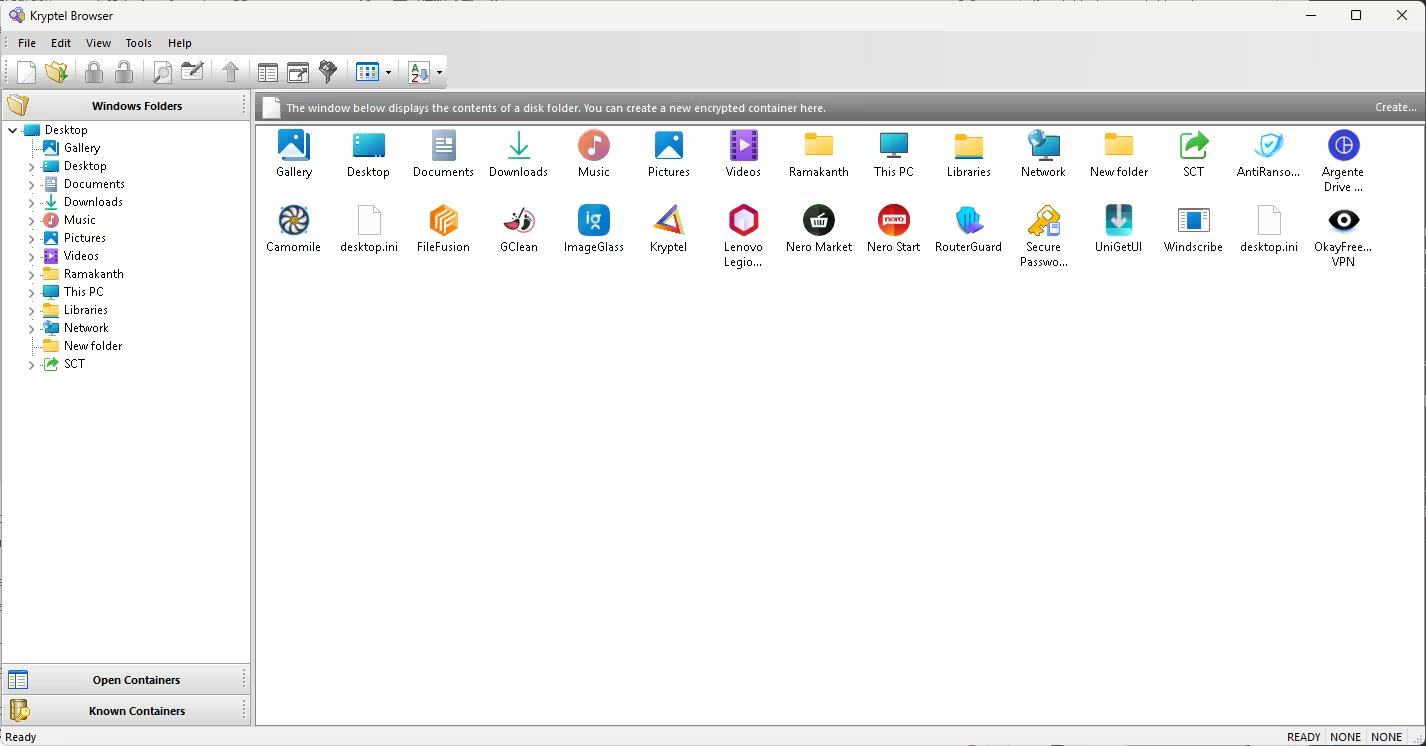
You can start encryption three ways: open the Kryptel app and enter the required parameters in a wizard, right-click a file or folder in Windows Explorer and choose “Encrypt,” or drag files into the dedicated “Kryptel” browser window.
Passwords, binary key files, or a YubiKey hardware security key can all be used to lock your containers. A built-in virtual keyboard lets you type passwords with the mouse instead of the keyboard, protecting you from keyloggers.
The Kryptel browser works like a mini file manager for your encrypted .EDC container files: open a container and drag and drop files in, out, or straight into decryption. Kryptel can even recognize an EDC container by its content, so it still opens correctly even if the file has no extension or the wrong one. Encrypted files can also be compressed to save space, and Kryptel can auto-delete the original, unencrypted source files once encryption finishes.
You can store encrypted data on local drives, USB sticks, or in the cloud, and the full version of Kryptel Enterprise lets you automate backups with scripts, sending encrypted copies straight to Dropbox, OneDrive, or Google Drive on a schedule.
Securely Delete Files with the Built-In Shredder
Beyond encryption, Kryptel Enterprise includes a file shredder that permanently erases documents, folders, or drives so they cannot be recovered. The shredder overwrites data up to eight times before deletion, and like encryption, it’s available straight from the Windows Explorer right-click menu, so you never have to open the main app just to wipe a file securely.
Kryptel Enterprise Features
- Simple and easy: drag a file or folder onto the Kryptel desktop icon, or right-click and select “Encrypt.”
- Reliable encryption: uses the NIST-approved Advanced Encryption Standard plus Twofish, Serpent, and Blowfish for advanced users, all configurable from Kryptel’s settings.
- Encrypted backups: schedule scripted backups that can be stored anywhere, including your cloud drive.
- Better passwords: a secure password manager that stores and transmits user passwords and keys via an encrypted channel.
- Failure resistant: even if the computer crashes mid-encryption, no data is lost.
- Easy to automate: the command-line interface can perform every action the mouse can, with server-side processing and batch-mode encryption.
- Secure file shredder: permanently wipes files and folders with up to 8 overwrite passes.
- YubiKey support: use a hardware security key instead of, or alongside, a password.
- Take it along: install Kryptel on a USB stick or portable hard drive and access encrypted data on any PC without installing anything.
Get the Kryptel Enterprise Full Version for Free (Updated September 2026)
Kryptel’s Enterprise Edition normally costs $39.95, and it’s currently being given away as a free full-version license through ComputerBild’s 30th-anniversary download calendar for September 2026, so this promotion is time-limited and may be swapped out for a different giveaway once the calendar day changes — grab your license while the offer is live.
Just head to this ComputerBild webpage and click the “Download” button.
Download the provided ZIP file.
Once the ZIP file is downloaded and extracted, you will find the installer (EXE) and a Readme.txt file that contains your free license key.
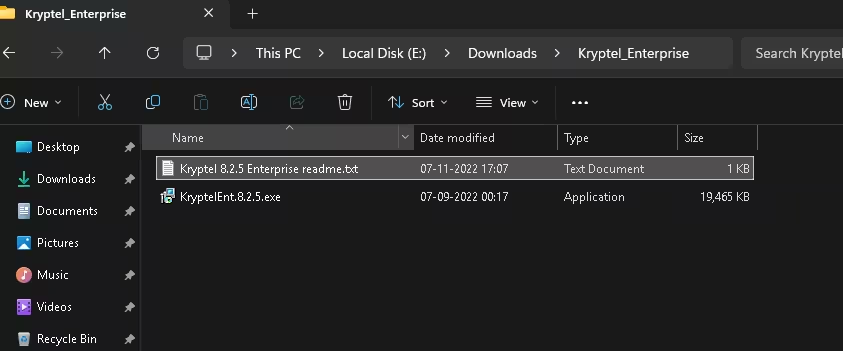
Open the Readme.txt file and select the text between “START LICENSE RECORD” and “END LICENSE RECORD,” then copy it with Ctrl+C.
Run the installer and complete the installation process. When you reach the activation window shown below, choose the “Paste your license code directly” (or “Insert your license data directly”) option.
Paste the copied code into the field with Ctrl+V, and press “Enter” or click the confirmation button to activate your free full version.

That’s it — Kryptel Enterprise is now fully licensed on your PC, with no trial limits and no future payment required.
Frequently Asked Questions
Is the Kryptel Enterprise giveaway really free?
Yes. ComputerBild is distributing full, paid licenses (normally $39.95) at no cost as part of its ongoing software giveaway calendar; you only need to download the installer and apply the included license key.
Which encryption algorithms does Kryptel Enterprise support?
Kryptel Enterprise supports six algorithms, including 256-bit AES, 256-bit Twofish, Serpent, and 576-bit Blowfish, selectable from the program’s settings.
Can Kryptel Enterprise permanently delete files?
Yes. Its built-in shredder overwrites files up to eight times before deleting them, making recovery practically impossible, and it’s accessible from the Windows Explorer right-click menu.
Does Kryptel Enterprise work with cloud storage?
Yes. You can script automated, encrypted backups to Dropbox, OneDrive, or Google Drive directly from the app.
Do I need a YubiKey to use Kryptel Enterprise?
No. A YubiKey is optional — you can also unlock containers with a standard password or a binary key file.
Discover more from Techno360
Subscribe to get the latest posts sent to your email.

You must be logged in to post a comment.