
Offer status: Active at the time of writing • Platform: Windows 10/11 (64-bit) & macOS High Sierra–Tahoe • License term: 1 year, non-commercial use • Giveaway ends: October 15, 2026
⚡ Quick Read
- What you get: A free 1-year license for Leawo Photo Enlarger (regular price $39.95/year).
- What it does: Uses AI to upscale photos up to 40x while removing noise, mist, and blur, with batch processing.
- The catch: Just your name and email — no share required. But the code must be activated within 5 days, and it’s for non-commercial use only.
- Time to claim: About 3–5 minutes, form to activation.
Old family photos, low-res product shots, and anything captured on an ageing phone camera all share the same problem: blow them up and they fall apart into soft, blurry pixels. Leawo built Photo Enlarger specifically to fix that, using deep-learning AI instead of simple pixel stretching to add back detail as an image gets bigger.
Right now, Leawo is running its 2026 September Giveaway, handing out a full one-year license for Photo Enlarger on both Windows and Mac. I went through the giveaway page and the activation flow myself, so here’s what the tool actually does, exactly how to grab the free license, and where it falls short.
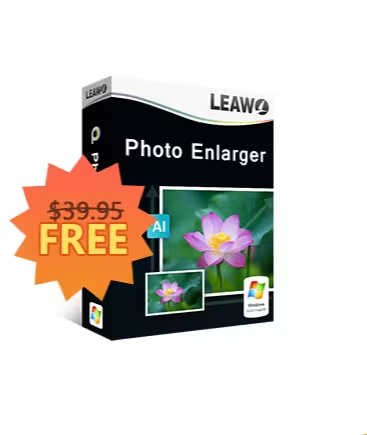
What is Leawo Photo Enlarger?
Leawo Photo Enlarger is an AI image upscaler for Windows and Mac, built as one of the modules inside Leawo’s PhotoIns AI photo suite (alongside Photo Enhancer and Photo BG Remover). Instead of just stretching pixels, it uses deep-learning AI to rebuild detail as it enlarges an image — improving color rendering, reducing artifacts, and sharpening texture along the way. That means whether you’re upsizing a photo by 2x, 4x, or the full 40x, quality holds up, and often looks better than the original.
The interface is a straightforward add-photo-and-enlarge workflow: drop in your images, pick an upscale factor, adjust output settings if needed, and export. There’s no steep learning curve, which matters for a tool most people will only reach for occasionally.

Features worth knowing about
- AI-powered upscaling up to 40x: Enlarge photos by 2x, 4x, 6x, or up to 40x while the AI model rebuilds detail instead of just stretching pixels.
- Noise and mist removal: Automatically or manually clears noise, mist, and pixelation so enlarged images look natural rather than blurry or grainy.
- Contrast, sharpness & brightness optimization: AI-driven auto-adjustment, with manual controls if you want to fine-tune the result yourself.
- Batch processing with 5x hardware acceleration: Process a single photo or an entire folder at once, accelerated by your GPU.
- Image downscaling: Also shrinks images down to 0.5x when you need a smaller file instead of a bigger one.
- Saveable presets: Store your preferred settings and reapply them to future batches instead of reconfiguring every time.
- One-click apply to all: Dial in settings on a single image, then apply the same settings across your whole batch in one click.
A couple of honest caveats
This giveaway license is for non-commercial use only, and the code must be activated within 5 days of receiving it — don’t let it sit in your inbox. There’s also no free tech support or free updates bundled with the giveaway license, and AI upscaling is genuinely hardware-hungry: Leawo recommends at least a 6th-gen Intel Core i3 (or 1st-gen AMD Ryzen 3) and 8GB of RAM for smooth performance, so it won’t fly on very old machines.
How to claim your free Leawo Photo Enlarger license
The process is quick — just a form and an activation step. Here’s exactly how it works.
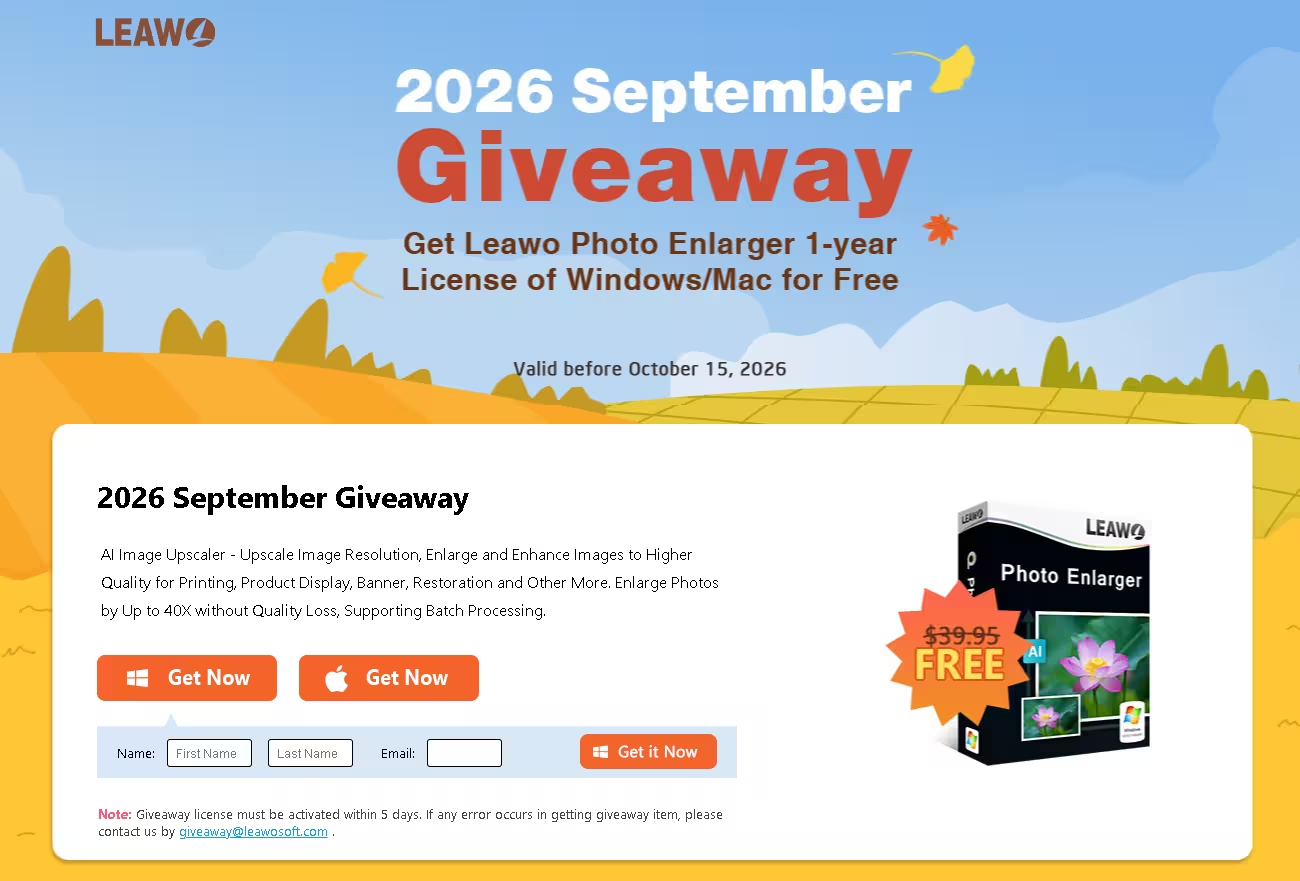
- Open the giveaway page. Head to Leawo’s 2026 September Giveaway page for Photo Enlarger.
- Pick your platform. Click the Get Now button under the Windows or Mac logo, depending on your system.
- Enter your details. Fill in your name and a valid email address, then click Get it Now.
- Grab your registration code. The page displays your license code and a download link immediately, and the same details are emailed to you as a backup.
- Download and install. Grab the Windows or Mac installer (the online installer is smaller; an offline installer is also offered for slower connections) and run the setup.
- Activate inside the app. Open Photo Enlarger, click the key icon in the main window, paste in your registration code, and confirm. The license runs for a full year from that point.
💡 Tip: Activate the code the same day you get it. Leawo’s terms give you a 5-day window before an unactivated giveaway code can expire, and there’s no guarantee of a replacement if you miss it.
Who should grab this?
If you scan old prints, sell products online, print banners or posters from web-resolution source images, or just want to rescue a handful of low-res family photos, this is an easy grab — a full year of AI upscaling for free. If you need commercial usage rights, ongoing tech support, or you’re on genuinely old hardware, weigh the caveats above before you install.
✅ The Verdict
Leawo Photo Enlarger does one job — AI-based photo upscaling — and does it without fuss. The 40x claim is a ceiling rather than an everyday number, but even modest 2x–4x enlargements come out noticeably cleaner than a basic resize, and the batch tools save real time on larger jobs.
A full year of a $39.95 tool for a two-minute signup, with no share required? That’s a solid trade for anyone with photos worth enlarging. Just get it activated before the 5-day window and the October 15, 2026 deadline close in.
More photo & image tool giveaways
Building out a free photo-editing toolkit? Browse our full image tools hub, then check out these recent picks:
- Leawo Photo Enhancer — Free 1-Year License (Win/Mac) — Leawo’s companion AI tool for one-click photo quality fixes.
- Ashampoo Photo Card 3 — Free License — design and print custom photo cards.
- Ashampoo AI Filter #1 — Free Full Version — AI-powered creative photo filters.
- COLOR projects 7 — Free Download — advanced color grading and correction.
- NEAT projects 3 — Free Full Version — remove unwanted people and objects from photos.
Frequently asked questions
Is the Leawo Photo Enlarger giveaway really free?
Yes. You only need to submit your name and email on Leawo’s official giveaway page to receive a 1-year license — no purchase and no social share required. The offer is valid before October 15, 2026.
How long do I have to activate the code?
Leawo’s terms require the giveaway license to be activated within 5 days of receiving it. Activate it as soon as you install the software to avoid it expiring unused.
Can I use the free license commercially?
No. The giveaway license is for non-commercial, personal use only. Businesses that need commercial usage rights should purchase a regular license from Leawo.
Which operating systems are supported?
Windows 10 and 11 (64-bit), and macOS High Sierra (10.13) through macOS Tahoe (26), including Apple M1/M2 chips via Rosetta.
What happens after the one-year license expires?
The software reverts to its trial limitations unless you renew or purchase a license. Photos you’ve already enlarged and saved are unaffected — they stay on your computer as exported files.
Written by Ramakanth
Ramakanth is the lead writer and a co-founder of Techno360. He earned his degree at Anna University, spent several years in IT support, and has been covering Windows software, security, and freebies here since 2008. He reviewed the official Leawo giveaway page and product specs directly before writing this guide.
Transparency note: This is an official promotional giveaway run by Leawo Software. Techno360 does not host cracked or pirated software. Giveaway terms, pricing, and availability are set by Leawo and can change at any time — always confirm on the official page before installing.
Discover more from Techno360
Subscribe to get the latest posts sent to your email.
