
⌨️ FREE & OPEN SOURCE · NO ADS · NO SIGN-UP
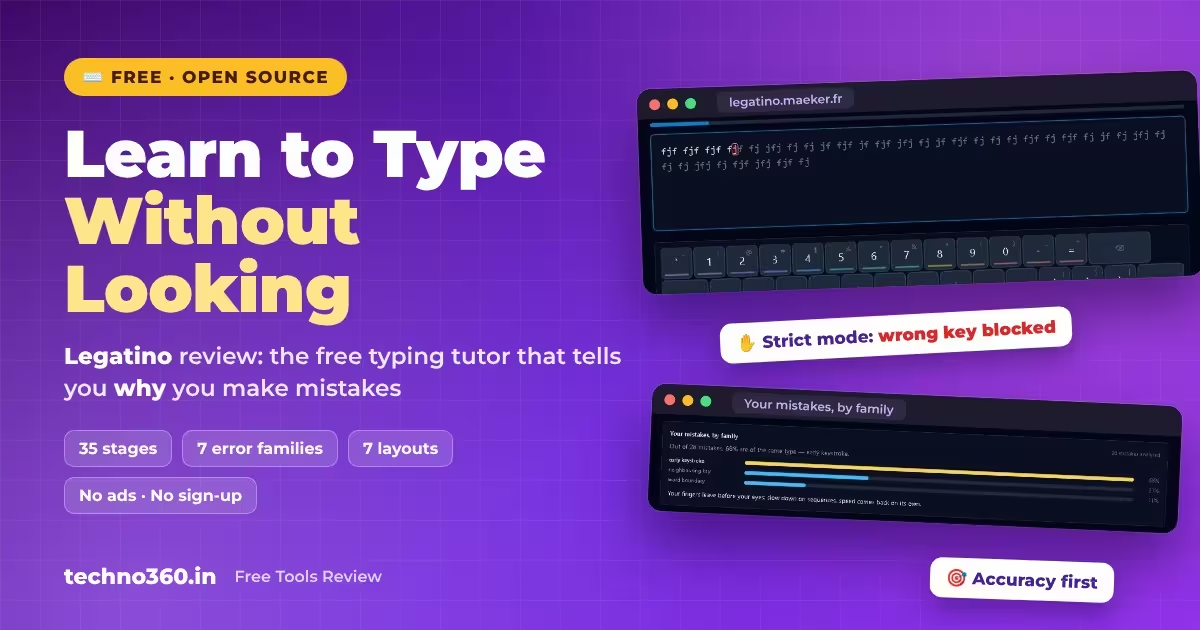
Stop looking at your keyboard. Legatino teaches ten-finger typing by fixing accuracy first.
A browser-based touch typing tutor built by a doctor, not a games studio. It works out which kind of mistake you keep making, then builds exercises around it. It’s free, MIT-licensed and works offline.
35
COURSE STAGES
7
ERROR FAMILIES
7
KEYBOARD LAYOUTS
0
ADS OR SIGN-UPS
Try Legatino free No install · No account · Works offline
⚡ QUICK READ
- What: a free web app that teaches touch typing, with no install and no account needed
- Course: 35 stages and two coaches: Prelude for beginners, Virtuoso for fast typists
- Standout: it sorts your mistakes into seven “error families” instead of just showing an error percentage
- Layouts: QWERTY, AZERTY, QWERTZ, Spanish, bépo, Colemak and Dvorak, emulated in the browser
- Privacy: progress stays in your browser. Without an account, only an anonymous usage count is sent, and no cookies are set
Why bother learning touch typing in 2026?
Most of us learned to type by accident, with two or four fingers and quick glances at the keys. It works, but it’s slow, it breaks your concentration, and looking down every few seconds strains your neck over a long workday. Touch typing fixes all three. Your fingers learn where the keys are, and your eyes stay on the screen.
Plenty of free typing sites exist already. Many lean on races, leaderboards and flashy animations, so you end up chasing words per minute rather than building a clean habit. Legatino takes the opposite approach. It’s quiet, minimal and strict about accuracy, and it’s completely free.
What is Legatino?
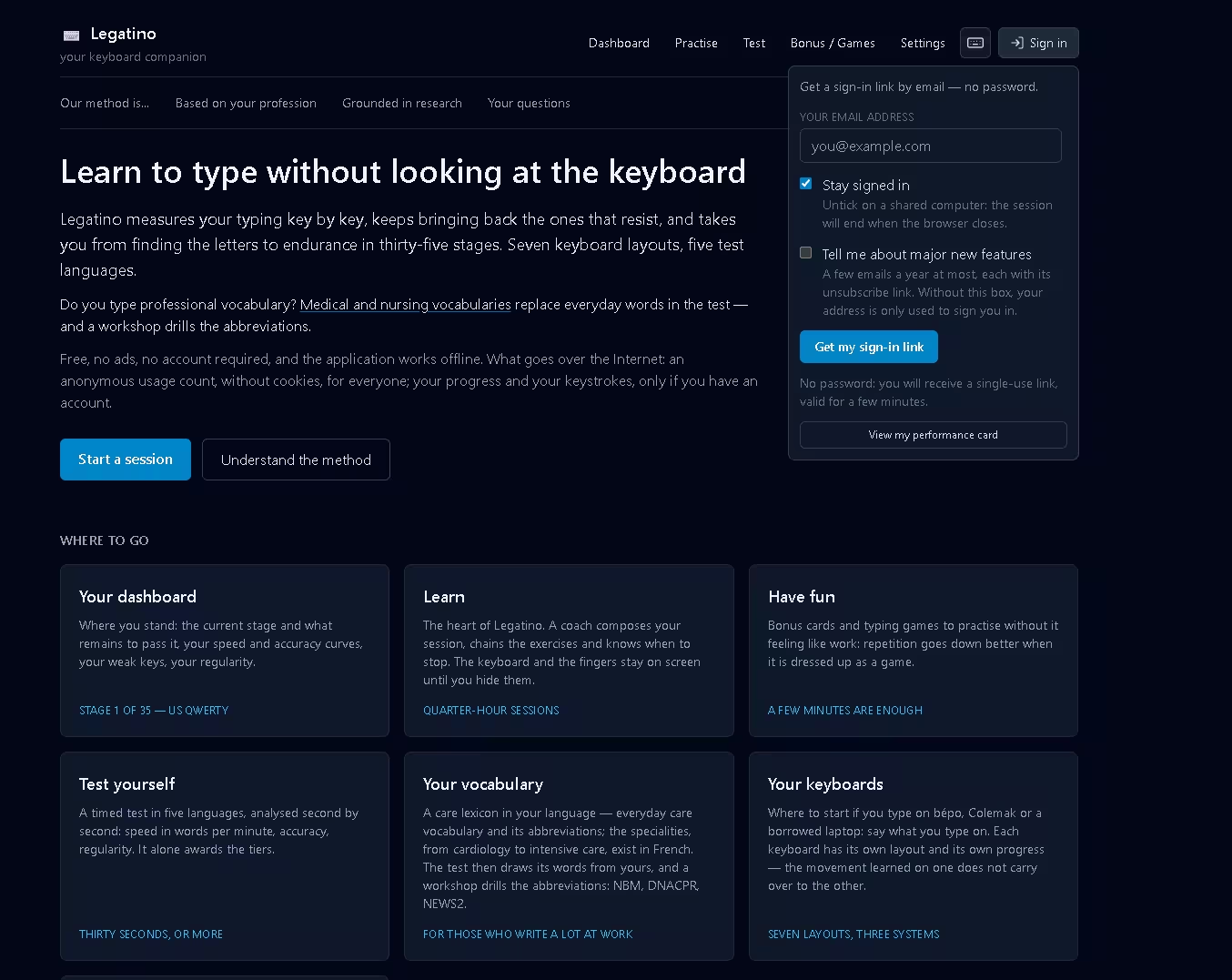
Legatino is an open-source touch typing tutor that runs in your browser. It was designed and built by Éric Maeker, a French geriatrician who has practised since 2003. He also wrote FreeMedForms, a free medical records program. That background shows. The app is built around a clean, low-stimulation interface and short sessions, and it includes optional medical vocabulary for people who type clinical notes all day.
It’s released under the MIT licence, shows no ads, and needs no account. You can also install it as a desktop-style app from your browser’s address bar, and it works offline after that. At the time of writing, the app shows version 5.6.9 (6 November 2026). The interface is available in English, French, German and Spanish.
🧾 LEGATINO AT A GLANCE
PRICE
Free, no ads, no paid tier
RUNS IN
Chrome, Edge or Firefox
OFFLINE
Yes, install it as an app
ACCOUNT
Optional, syncs progress
LICENCE
MIT, open source
VERSION
5.6.9 (6 Nov 2026)
INTERFACE
English, French, German, Spanish
LAYOUTS
7, including Colemak and Dvorak
Who is it for?
- Two-finger typists who want to stop looking down for good. The Prelude coach has no speed targets, so you can take your time.
- Writers, students and bloggers who want their typing to keep up with their thinking.
- Doctors, nurses and care staff who type the same clinical terms and abbreviations every shift.
- Older learners and people returning to work, who may find busy, game-style typing sites overwhelming.
- Fast typists who want to clean up bad habits. The Virtuoso coach adds speed targets and harder material.
How Legatino teaches you: accuracy first, speed later
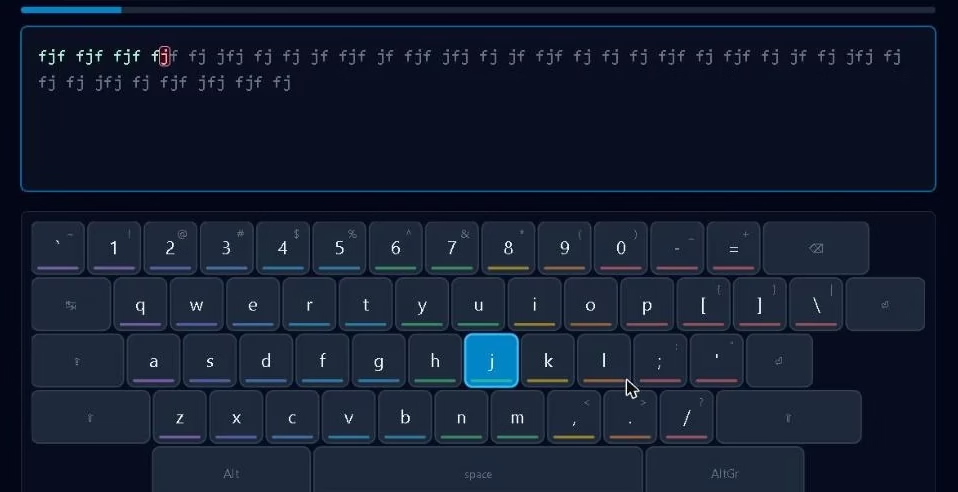
Legatino is built around one rule. Speed doesn’t count until you’re accurate. The site says it plainly: below 95% accuracy, a speed figure only measures how quickly you make mistakes. With strict mode on (the recommended setting), the cursor won’t move until you press the right key. The idea is to correct each mistake on the spot, so your fingers learn the right movement rather than the wrong one.
Exercises aren’t drawn from a fixed list. Legatino records every keystroke and scores each key on accuracy and reaction delay, then uses those scores to decide what you practise next. A key counts as “learned” only once you type it reliably. Learned keys then come back at growing intervals, a few minutes later, the next day, then less often, using the same spaced repetition idea as flashcard apps. One bad session also won’t wipe out a key you’ve learned. Only a lasting decline sends it back for more practice.
The 35-stage course
The course runs in this order: finding the keys, letter pairs, words (in three stages of increasing difficulty), capitals and Shift, punctuation, accents, the top row, the AltGr layer, numbers, and finally real text and endurance. In Guided mode, each stage opens once you meet the criteria for the one before. In On demand mode, every stage is open from the start.
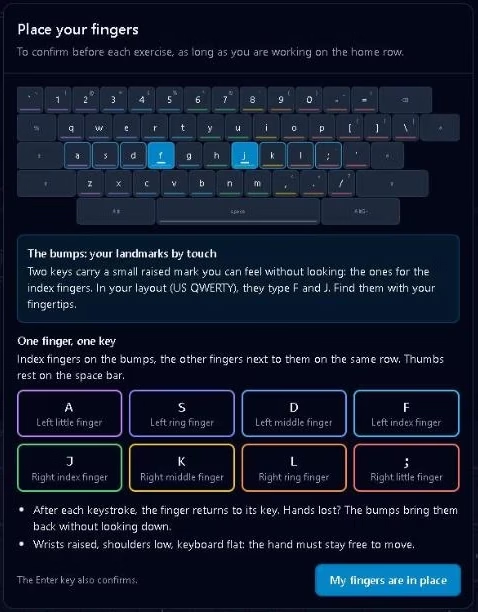
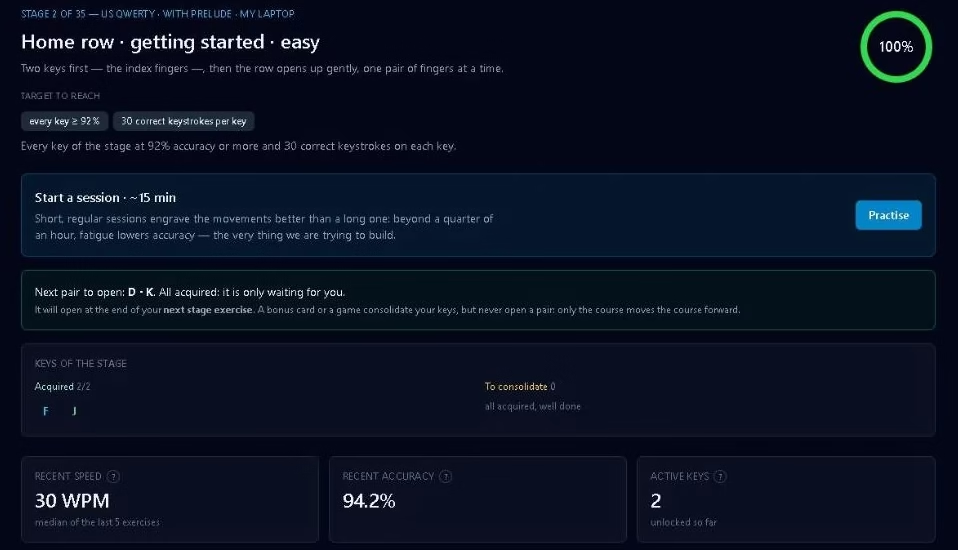
On a standard QWERTY keyboard, as used in India, the UK and the US, you start with your index fingers resting on the raised bumps of the F and J keys. Early drills have no timer at all.
Short sessions and built-in finger rests
Sessions are short, about 15 to 30 minutes, and start with a warm-up. The coach suggests what to work on, but you choose. There are two firm rules. First, Legatino makes you take a finger rest after a set amount of stretching (long reaches, top-row work and little-finger keys). Second, it ends the session if three exercises in a row fall below 90% accuracy, because by then you’re practising mistakes. If you like enforced breaks, they pair well with a desktop break timer such as Stretchly.
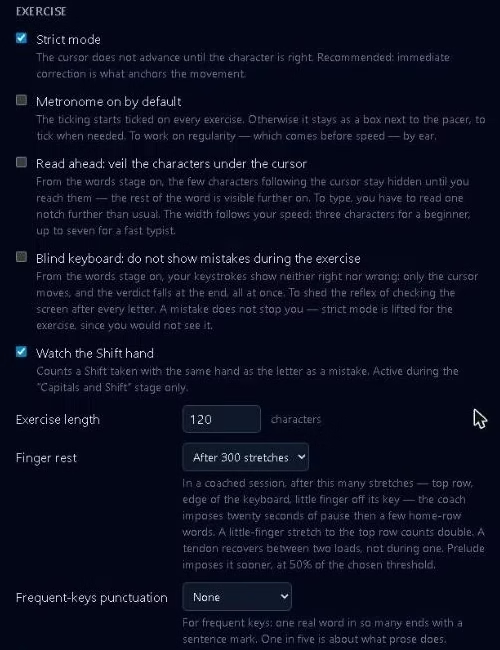
The app also reminds you to keep your wrists off the desk while you type. When your wrist rests on the desk, your hand pivots instead of moving, so your fingers have to stretch further. The site also warns that leaning on your wrist while typing compresses the carpal tunnel. Note that Legatino only reminds you. It can’t detect your posture.
What makes Legatino different from other typing sites
1. It works out why you made each mistake
Most tutors just tell you that you got 6% wrong. Legatino sorts every error into one of seven families: neighbouring key, early keystroke, word boundary, repeated previous letter, forgotten accent, upper/lower case, and mirror key (the same finger position on the other hand). Anything else goes into an eighth “other” category. It only tells you which family dominates when one clearly does, and never on a handful of errors.
This matters because the fixes are different. If your fingers run ahead of the text, the cure is to slow down on letter sequences, not to drill one “weak” key. According to the developer, the most common error family across about 200 real exercises is the space typed before the last letter of a word. Your thumb hits the spacebar too soon and the word breaks. Legatino now has a dedicated “Space too early” exercise for it.
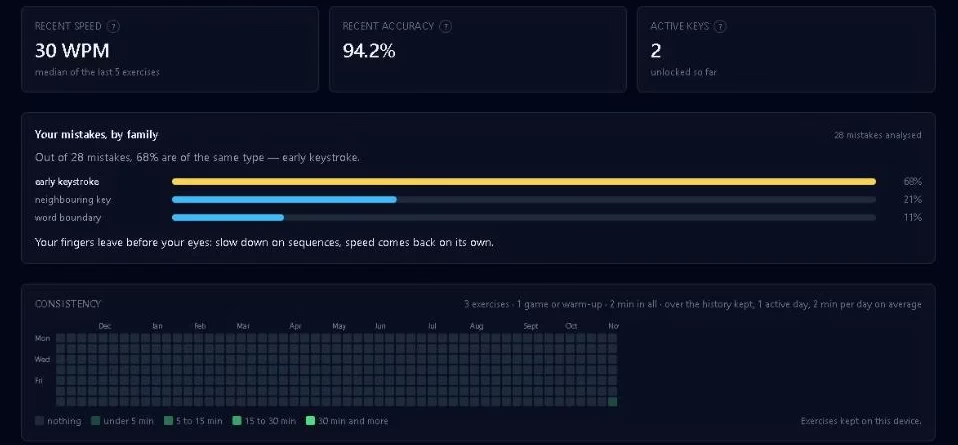
🎯 Which error family is yours? Practise for a while and Legatino’s dashboard will tell you.
2. Try Colemak, Dvorak or bépo without changing Windows
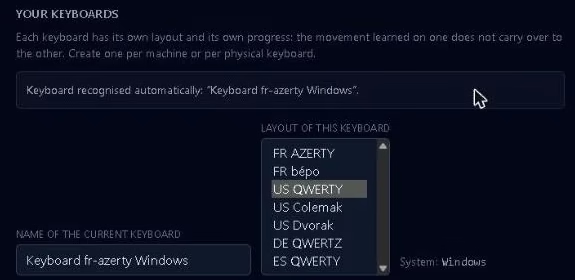
Legatino supports seven layouts: QWERTY, AZERTY, QWERTZ, Spanish, bépo, Colemak and Dvorak, with Mac variants of AZERTY, QWERTZ and Spanish. The app reads your keystrokes and translates them to the chosen layout itself. That means you can practise Colemak or Dvorak on a normal QWERTY laptop without changing your system keyboard settings. Each layout keeps its own separate progress.
3. Vocabulary for professionals
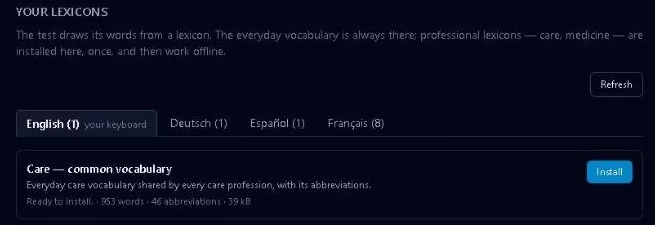
Instead of random sentences, you can install a professional vocabulary. In English, that’s Care: common vocabulary, a pack of 953 everyday care words and 46 abbreviations, using UK clinical shorthand such as NBM, DNACPR and NEWS2. It then feeds the typing test with words from your field, and a separate workshop drills the abbreviations. Once installed, it works offline. Specialty packs (cardiology, surgery, geriatrics, psychiatry, emergency medicine, intensive care and drug names) are listed as in preparation, and only in French so far.
4. Useful extras that stay out of the way
| Feature | What it does |
|---|---|
| Dashboard | Current stage, speed and accuracy charts, weak keys, consistency |
| Timed test | Available in five languages and analysed second by second. It’s the only place that awards speed tiers |
| Blind keyboard & word-veiling | Hide feedback so you stop checking the screen after every letter |
| Metronome & pacer | A steady rhythm to follow, by sound or with a moving marker |
| Performance card | Per-key stats you can share with a friend |
| Games & bonus cards | Short typing games for days when drills feel like a chore |
| Comfort settings | Dark/light theme, text size, on-screen keyboard, finger hints, exercise length |
How fast will you get?
Legatino gives two measured reference points rather than promises. One real performance card showed 21 words per minute after 8 hours of practice and 294 exercises, the point where you no longer hunt for keys. For 65 WPM, the developer estimates 20 to 40 hours. These are the developer’s own figures, not independent tests, and your results will depend mostly on how regularly you practise. The site’s milestones are a useful guide:
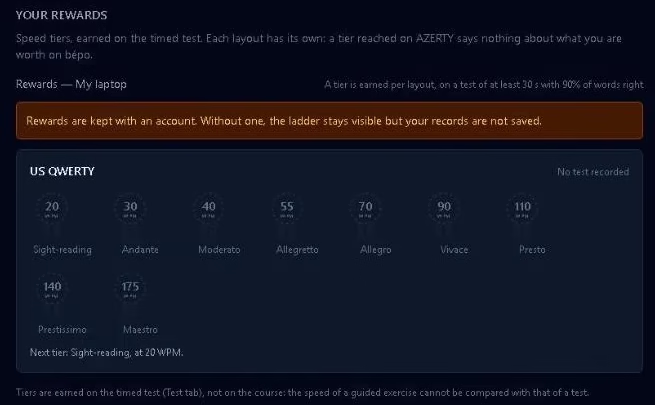
🚀 SPEED MILESTONES
20 WPMYou no longer hunt for keys
40 WPMComfortable for everyday work
55 WPMFaster than handwriting
70 WPMTyping no longer slows down your thinking
💡 Tip: A few minutes every day beats one long session on Sunday. The spaced reviews only work if you keep coming back.
How to get started with Legatino
Open legatino.maeker.fr/en in Chrome, Edge or Firefox. JavaScript must be enabled.
Choose your keyboard. Most readers in India will pick QWERTY.
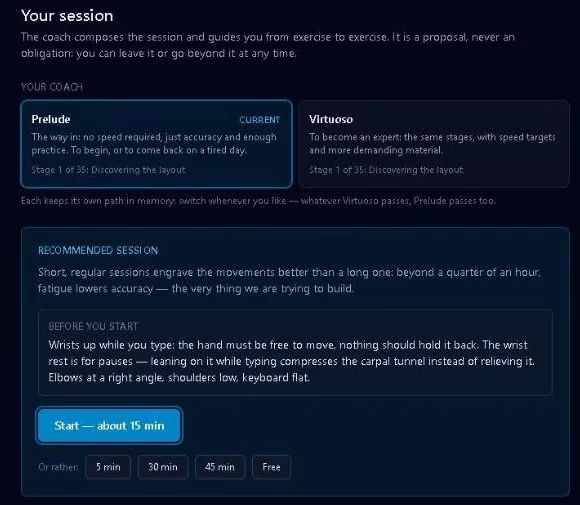
Choose a coach: Prelude if you’re a beginner, Virtuoso if you already type fast. You can switch later and keep your progress.
Leave Strict mode on, rest your index fingers on F and J, and start the first stage.
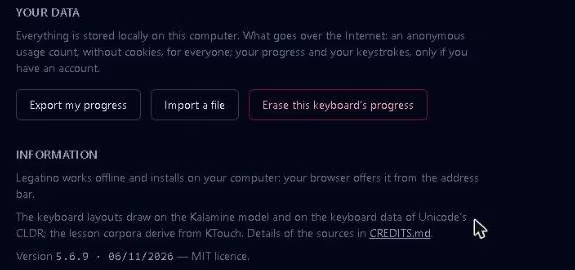
Optional: install it from the address bar for offline use, and go to Your data and click Export my progress from time to time as a backup.
⚠️ THINGS TO KNOW BEFORE YOU START
- Your progress lives in your browser. If you clear your browsing data or switch PCs without an account or an exported file, you start from zero. If the browser refuses storage (some private windows do), progress lasts only until you close the tab.
- Strict mode can feel frustrating at first. Being stopped on every wrong key is deliberate, but it takes patience in the first few sessions.
- Medical specialty packs aren’t available yet. The English care vocabulary and abbreviation drills work today, but specialty packs such as cardiology and intensive care are still marked “in preparation”, and only in French.
- No Indian-language layouts. There’s no InScript or other Indian-language support, so Legatino is for English (and European-language) typing only.
Pros and cons
👍 PROS
✓Completely free, no ads, no account needed
✓Error families explain why you make mistakes
✓Seven layouts, emulated in the browser with no system changes
✓Works offline and installs as an app
✓Open source (MIT) with privacy-friendly defaults
👎 CONS
✕Strict mode takes some getting used to
✕Progress is lost if browser data is cleared and you haven’t exported it
✕Medical specialty packs are still in preparation
✕No Hindi/InScript or other Indian layouts
✕Less game-like than sites built around races and leaderboards
📊 TECHNO360 VERDICT
Legatino isn’t trying to entertain you with races and confetti. It’s trying to make the keyboard stop getting in your way. Its error families, adaptive exercises, spaced reviews and enforced rests make it one of the most thoughtfully designed free typing tutors we’ve tried. It also respects your privacy, with no ads and no account required.
Best for: two-finger typists who want a proper ten-finger habit, and professionals who type all day. Skip it if you want Hindi typing or a competitive racing game. For a lighter break between sessions, try our list of free browser games for Chrome.
Ready to stop looking at your keyboard?
Free · Open source · No ads · No sign-up · Works offline
Frequently asked questions
Is Legatino really free?
Yes. It’s free and open source under the MIT licence, with no ads and no paid tier. An account is optional.
Do I need to create an account?
No. Without an account, everything is saved in your browser. An optional account syncs your progress across devices and unlocks duels and sharing.
Does Legatino work offline?
Yes. You can install it from your browser’s address bar, and it keeps working without an internet connection.
Can I practise Colemak or Dvorak without changing my Windows keyboard?
Yes. Legatino translates your keystrokes to the chosen layout inside the app, so you can learn Colemak, Dvorak or bépo on a normal QWERTY keyboard.
How long does it take to learn touch typing?
According to the developer’s figures, about 8 hours of practice got one learner to 21 WPM, and reaching 65 WPM takes roughly 20 to 40 hours. Short daily sessions work best.
Does Legatino support Hindi typing?
No. It supports seven Latin-script layouts (QWERTY, AZERTY, QWERTZ, Spanish, bépo, Colemak and Dvorak), and there’s no InScript or other Indian-language layout.
Discover more from Techno360
Subscribe to get the latest posts sent to your email.

You must be logged in to post a comment.