
⏱️ FREE · OPEN SOURCE · WINDOWS / MACOS / LINUX
A free break timer for people who forget to stand up
Stretchly 1.22.1 puts a short pause on screen every few minutes and a longer one every half hour. You can change the timings, and strict mode stops you skipping them. No account, no subscription.
⚡ QUICK READ
- What it is: a break reminder that shows a break screen with a stretch or relaxation tip on a timer.
- Default schedule: a 20-second Mini break every 10 minutes, and a 5-minute Long break every 30 minutes.
- Price: free and open source (BSD-2-Clause). Sponsors get a few extra “Contributor” settings.
- Platforms: Windows, macOS and Linux. Version 1.22.1 came out on 13 August 2026.
- Watch out for: the macOS build isn’t signed, so you have to approve it by hand the first time. Autostart is off until you switch it on.
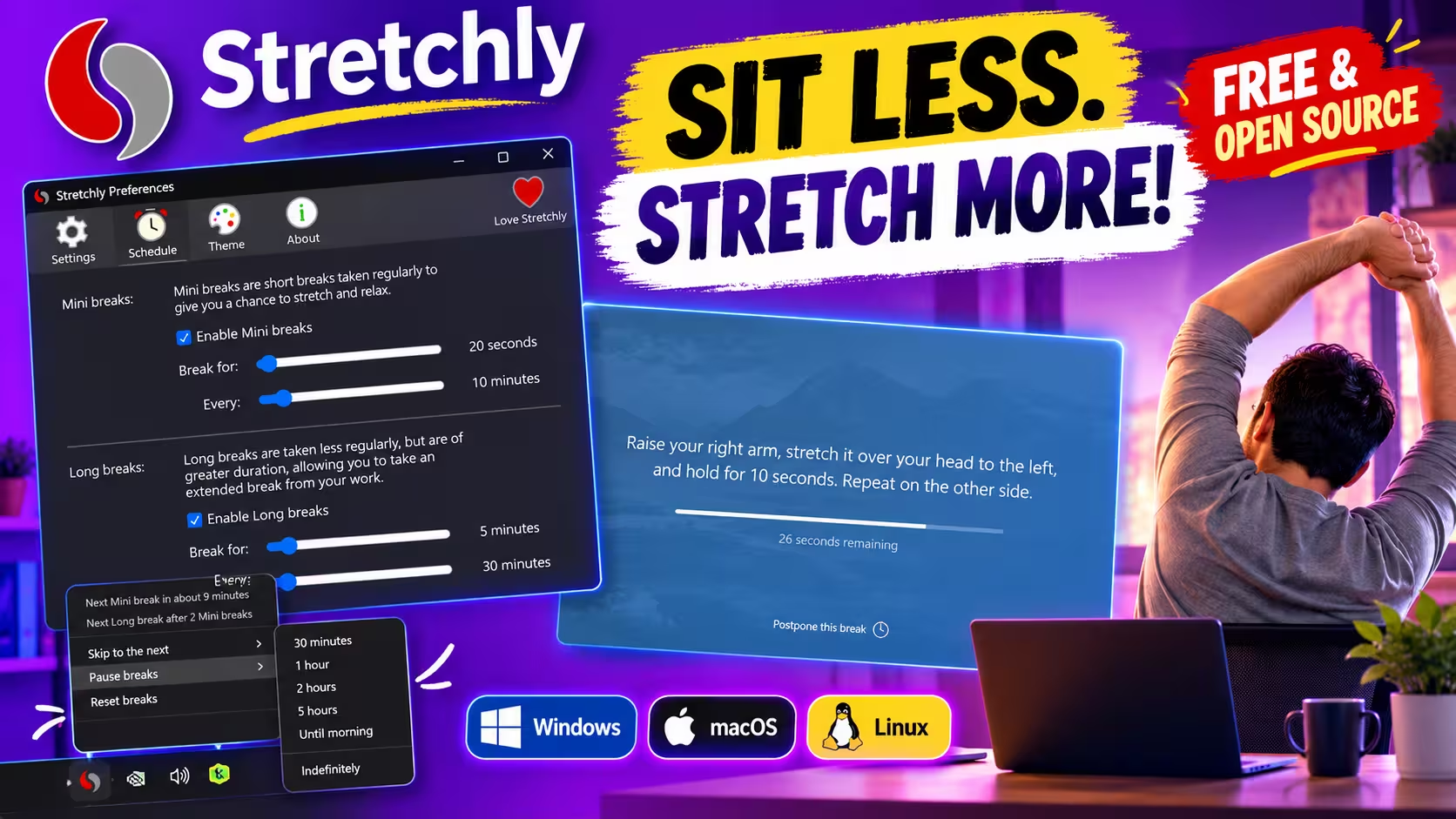
If you work at a computer all day, it’s easy to sit for three hours without moving. The Stretchly break reminder tackles that with a simple rule: at set times, a break screen covers what you’re doing and shows a countdown with a short tip. Usually that’s a stretch, sometimes a nudge to look away or get a drink.
I installed version 1.22.1 on a Windows 11 PC and went through every Preferences tab. This review covers the defaults, what you can change, how to install it on each platform, and where it falls short.
Stretchly Break Reminder: What It Does
Stretchly is a cross-platform, open-source app from developer Jan Hovancik. It’s built with Electron, a framework that packages a web-based app for desktop use, and it runs quietly in the system tray. According to the official README, there are two kinds of break:
- Mini breaks: 20 seconds every 10 minutes. These are for resting your eyes or rolling your shoulders.
- Long breaks: 5 minutes every 30 minutes, so you get one after every two Mini breaks. These are for getting up and stretching properly.
You get a notification 10 seconds before a Mini break and 30 seconds before a Long break. When the break ends, the break screen closes and you carry on working.
That makes Stretchly more of a movement and posture tool than an eye-care app. If eye strain is your main problem, our EyeRest review covers an app built around the 20-20-20 rule. There’s a quick comparison further down.
How to Download and Install Stretchly
All official builds are on the developer’s downloads page and on GitHub Releases. Version 1.22.1 fixes Windows tray-icon theming and Do Not Disturb detection, and updates translations (release notes).
⬇️ Windows (.exe) ⬇️ macOS DMG ⬇️ macOS Arm64 DMG 🐧 Linux & portable
Windows
- Download
Stretchly-Setup-1.22.1.exeand run it. - On the welcome screen, pick your language and click Get Started. Stretchly then runs from the tray.
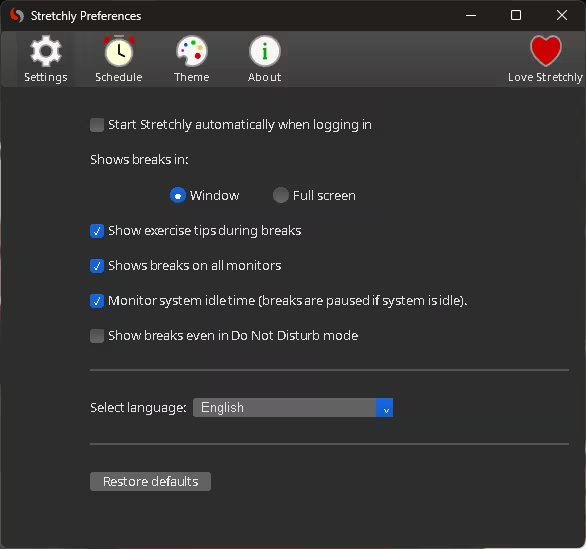
- Open Preferences → Settings and tick Start Stretchly automatically when logging in. It was unticked on my install, so without this the reminders stop after a reboot.
If you prefer the command line, use winget or Chocolatey:
winget install -e --id Stretchly.Stretchly
choco install stretchly
Stretchly is also in the Microsoft Store, but the changelog says the Store build hides the autostart option.
macOS
The developer recommends installing through his Homebrew tap:
brew install --cask hovancik/stretchly/stretchly
The macOS app isn’t signed. The developer cites the cost and not owning a supported Apple device. That means Gatekeeper, macOS’s app-blocking check, will warn you on first launch. On an Intel Mac, go to System Settings → Privacy & Security and click Open Anyway. On Apple Silicon, the downloads page tells you to run sudo xattr -r -d com.apple.quarantine /Applications/Stretchly.app. The two official sources disagree on the minimum macOS version: the downloads page says macOS 12 Monterey, the README says macOS 13 Ventura. Plan on Ventura or later.
Linux
You can get it from Flathub, the Snap Store, or the installers on GitHub Releases. On Wayland, idle detection only works once your user is in the input group. If the app won’t start at all, the downloads page lists some kernel settings to change.
Changing the Break Schedule
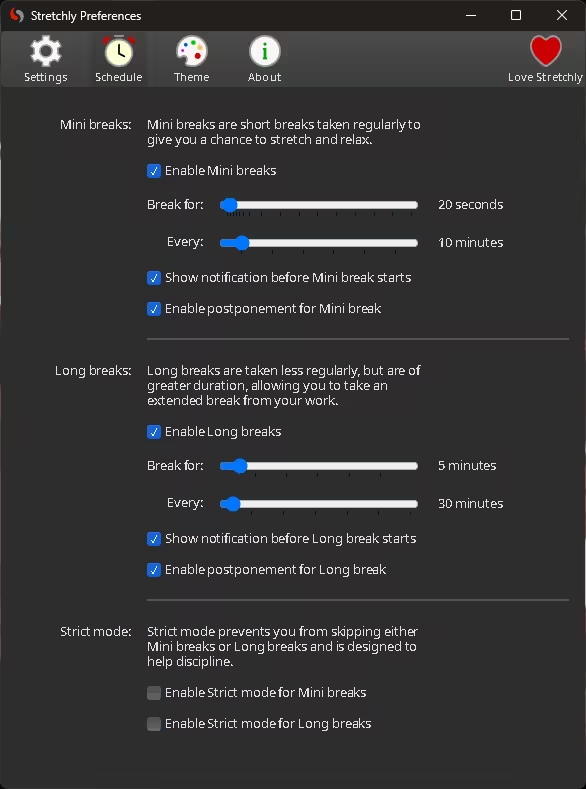
The Schedule tab has two sliders for each break type: how long the break lasts, and how often it comes. You can also turn either break type off, turn off the warning notification, or stop yourself postponing breaks.
Postpone, skip and strict mode
If a break interrupts something urgent, a Postpone this break link sits at the bottom of the break screen. The README says you can postpone once, by 2 minutes for a Mini break or 5 minutes for a Long one, and skip after a short wait. Ctrl/Cmd + X does the same thing.
If you know you’ll just dismiss every break, turn on Strict mode. In the app’s own words, it “prevents you from skipping either Mini breaks or Long breaks”. You can turn it on for each break type separately.
Breaks that pause when you do
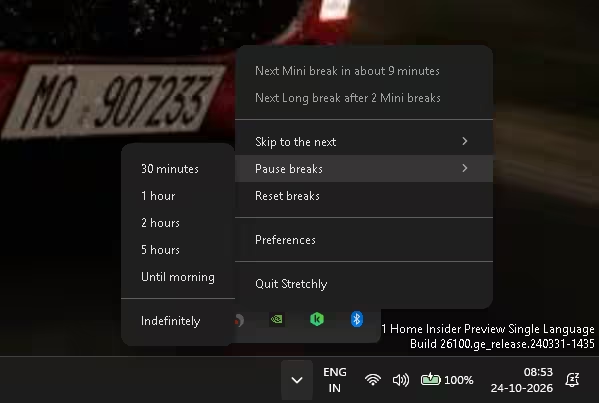
By default, Stretchly watches for idle time. The README says that after 5 minutes away from the keyboard, breaks pause until you come back. It also holds breaks while your system’s Do Not Disturb mode is on, unless you tick Show breaks even in Do Not Disturb mode. For meetings or presentations, the tray menu pauses breaks for 30 minutes, 1, 2 or 5 hours, until morning, or indefinitely.
What a Break Looks Like
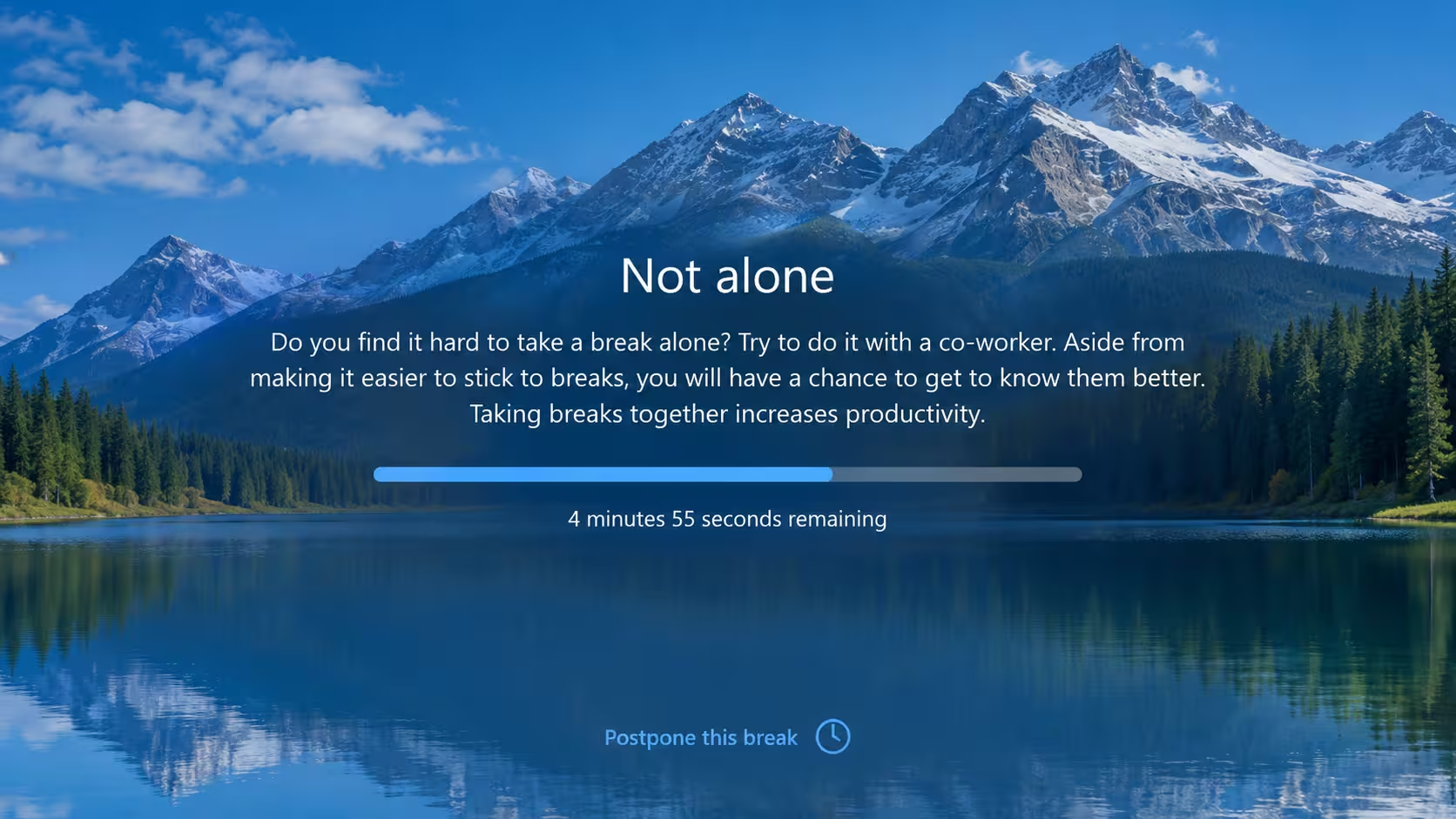
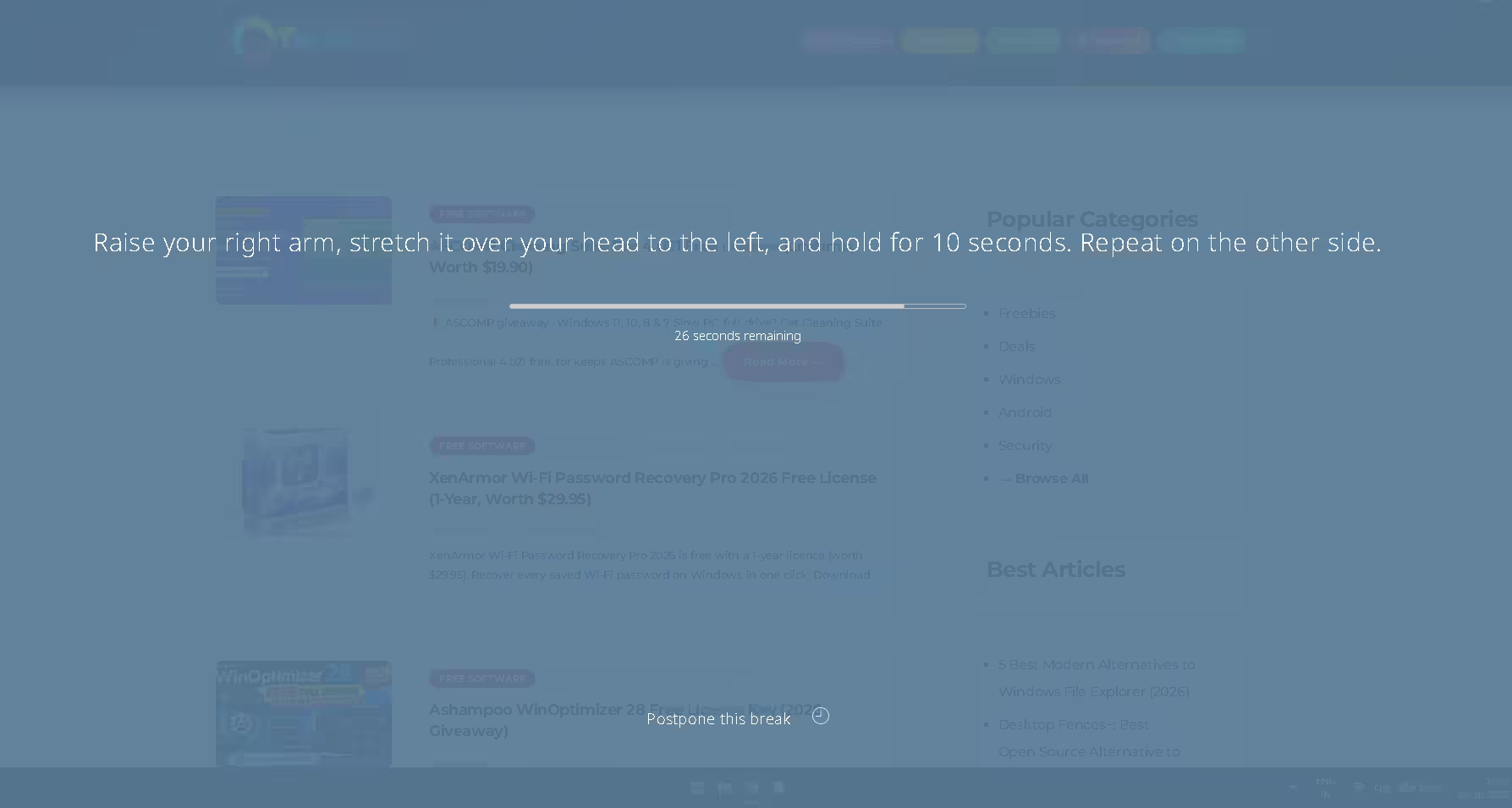
Breaks appear in a window or full screen, on every monitor if you like. Each one shows a tip, a progress bar and a countdown. During one Long break I got a tip called “Not alone”, which suggests taking breaks with a co-worker. Another break asked me to raise my right arm over my head, hold for 10 seconds, then switch sides.
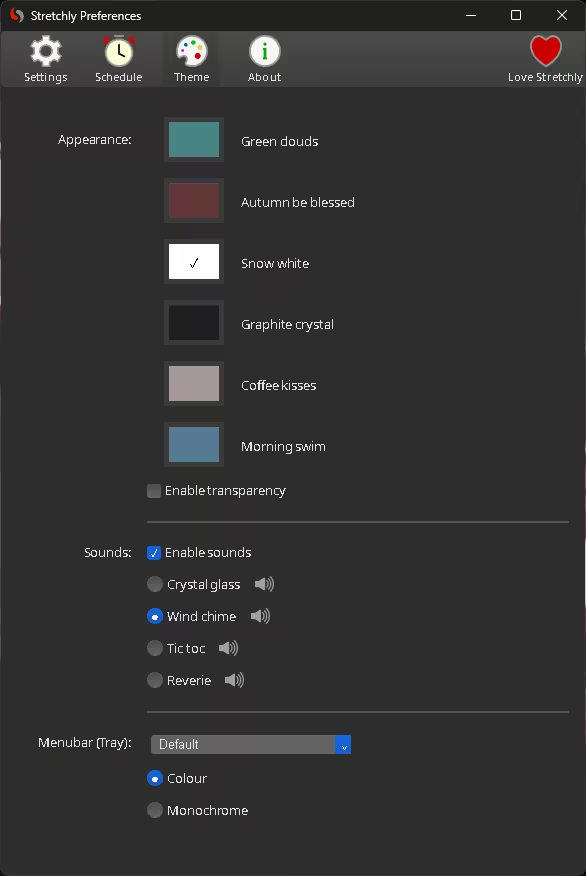
The Theme tab has six colour schemes, an optional transparency effect, and four end-of-break sounds: Crystal glass, Wind chime, Tic toc and Reverie. The tray icon can be colour or monochrome. The welcome screen offers a long list of interface languages, from Arabic to Hindi.
Stretchly vs EyeRest vs Workrave
If you’re after a free break reminder app for your PC, these are the three names you’ll keep running into. The EyeRest details come from our earlier review. The Workrave details come from its official site and GitHub repository.
| Stretchly | EyeRest | Workrave | |
|---|---|---|---|
| Platforms | Windows, macOS, Linux | Windows, macOS | Windows, Linux |
| Cost & licence | Free, BSD-2-Clause | Free | Free, GPL-3.0 |
| Breaks (default) | 20 s every 10 min + 5 min every 30 min | 20 s every 20 min + 5 min every 55 min | Micro-breaks, rest breaks and a daily usage limit |
| Break statistics | Not in the standard Preferences | 90-day analytics | Daily, weekly and monthly usage stats |
Pick Stretchly if you use a Mac, or want one app across all three desktop systems. Pick Workrave if break statistics or a daily usage limit matter more to you than macOS support. Pick EyeRest if you mainly care about the 20-20-20 rule for your eyes.
Limitations
- It can’t make you move. The break screen covers your work, but it can’t check that you stretched. Strict mode is as far as it goes.
- The default pace is busy. A break every 10 minutes is a lot during focused work. Most people will want to slow the Mini break slider down.
- There’s no break history. I didn’t see any stats on breaks taken or skipped in the Preferences tabs.
- Some settings are for sponsors. Contributor Preferences and Sync Preferences only become available after you sign in through GitHub or Patreon under Love Stretchly, or after you contribute code or translations.
- It’s a big download for a tray app. Because it’s built on Electron, the 1.22.1 Windows installer is about 163 MB and each macOS DMG is about 185–187 MB. Native break timers are usually much smaller.
- The Mac build is unsigned. First-time setup on macOS takes extra steps.
For a simpler take on eye breaks, read how a 20-20-20 app helps you take regular breaks. Stretchly also fits well next to the tools in our best Windows productivity apps list and our best free open-source software roundup.
Frequently Asked Questions
Is Stretchly really free?
Yes. It’s open source under the BSD-2-Clause licence, and every core break feature works without paying. Sponsoring through GitHub Sponsors or Patreon adds some extra Contributor settings, but it’s optional.
Can I skip a break when I’m busy?
Yes, unless strict mode is on. You can postpone a break once (2 minutes for a Mini break, 5 minutes for a Long break) or pause all breaks from the tray icon for anything from 30 minutes to indefinitely.
How do I make Stretchly start with Windows?
Open Preferences → Settings and tick Start Stretchly automatically when logging in. The Microsoft Store version hides this option, so use the installer from GitHub or winget if you want autostart.
Why does macOS say Stretchly can’t be opened?
The app isn’t signed with an Apple developer certificate, so Gatekeeper blocks it the first time. Use Open Anyway in Privacy & Security on an Intel Mac. On Apple Silicon, run the xattr command from the developer’s downloads page.
✅ VERDICT
Stretchly is free, open source and runs on all three desktop systems. Its defaults are sensible, and strict mode is there if you won’t stop otherwise. It’s also aware of idle time and Do Not Disturb, so it stays out of the way when you’re not actually working.
👍 Get it if you sit for hours and want a reminder that’s hard to ignore. 👎 Skip it if you want break statistics (try Workrave) or an app that simply can’t be dismissed.
Discover more from Techno360
Subscribe to get the latest posts sent to your email.

You must be logged in to post a comment.