
🎁 Free Giveaway · Windows · Updated 26 Oct 2026
New working licence code: unlock the full version of MobiKin Doctor for Android and recover deleted contacts, messages, call logs and photos
The old key in this post has been replaced with a fresh giveaway email and licence code. We registered the program with it and got the “You have registered successfully” message — the code, download link and activation steps are below.
⚡ Quick Read
- Software: MobiKin Doctor for Android (Windows version)
- What it does: Recovers deleted contacts, SMS, call logs, photos, videos, audio and documents from Android phones and SD cards
- Normal price: $69.95 (MobiKin currently lists it at $49.95)
- Giveaway: Shared email + licence code — no sign-up needed
- Status: Registration confirmed working on 26 Oct 2026
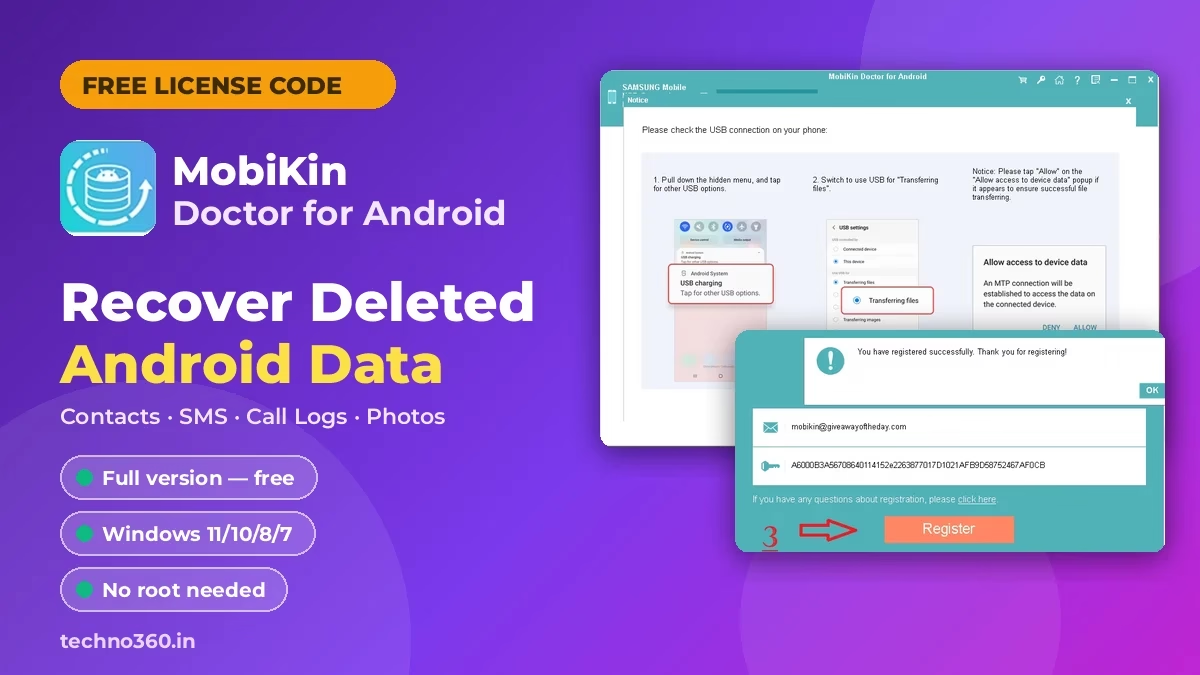
🔑 MobiKin Doctor for Android Free License Code (October 2026)
Use this email and licence code exactly as shown. Copy them rather than typing — the code is long and mixes upper- and lower-case characters.
Email:
mobikin@giveawayoftheday.com
License code:
A6000B3A56708640114152e2263877017D1021AFB9D58752467AF0CB
⚠️ Note: This is a shared giveaway key, so MobiKin can stop accepting it at any time. If registration fails, check that there are no spaces before or after the code, then leave a comment so we can look for a new one.
What Is MobiKin Doctor for Android?
MobiKin Doctor for Android is a Windows data recovery program for Android phones and tablets. You connect your phone to the PC with a USB cable, scan it, preview what’s been deleted and save the files you want back to your computer. It’s useful when you’ve accidentally wiped a contact, cleared a message thread or deleted photos with no backup.
Without a licence it runs as a limited trial. The giveaway code above registers the full version.
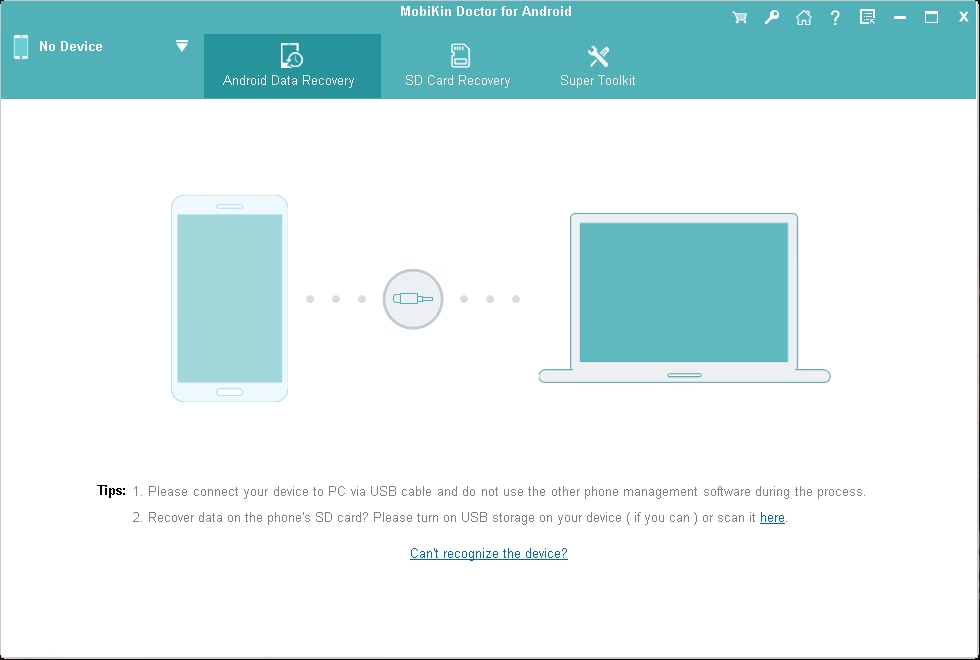
Key Features
According to MobiKin’s product page, the current version (5.2.11) offers:
- Recover text data: contacts, SMS, call logs and documents
- Recover media: photos, videos and audio
- Two recovery modes: scan the phone’s internal storage, or scan an SD card inserted into your PC
- Quick Scan and Deep Scan depending on whether you want speed or a more thorough search
- Preview before recovery — deleted items are marked in red, so you can pick exactly what to restore
- Rooted or unrooted phones: MobiKin says rooting isn’t required
- Readable exports: SMS, call logs and contacts save as HTML or XML; media and documents keep formats such as JPG, PNG, HEIC, MP4, PDF and DOCX
- Back up existing data from your phone to the PC as well as deleted files
🎁 How to Get MobiKin Doctor for Android Full Version Free
Step 1: Download and install the program
Download the official installer from MobiKin and run it. The setup wizard installs the program in a few clicks.
⬇️ Download MobiKin Doctor for Android (Windows)
Step 2: Open the registration window
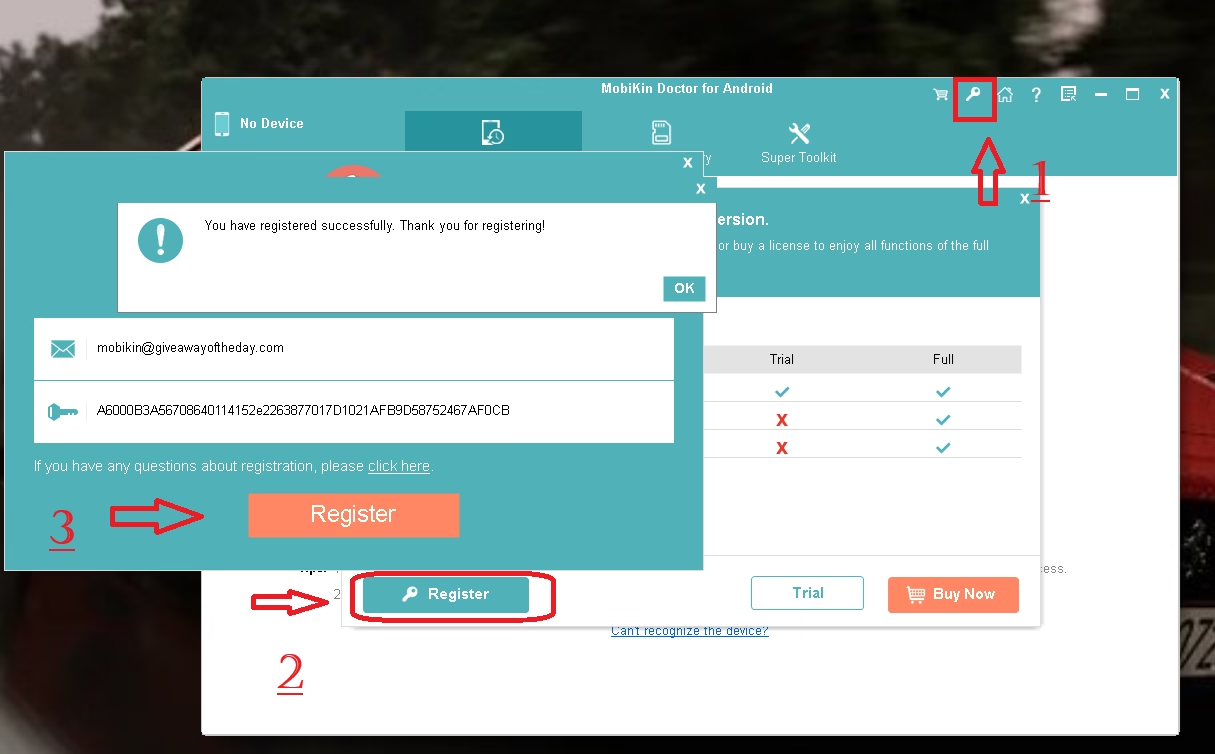
Launch the program and click the key icon in the top-right corner of the window (marked 1 in the screenshot below). In the dialog that opens, click Register (marked 2).
Step 3: Enter the email and licence code
Paste the email into the first field and the licence code into the second, then click the orange Register button (marked 3). You should see “You have registered successfully. Thank you for registering!”
Step 4: Connect your Android phone
Plug your phone into the PC with a USB cable. When the program detects it, it shows a notice asking you to check the USB connection on your phone:
- Pull down the notification shade and tap the USB charging notification.
- Switch the USB mode to Transferring files.
- If an “Allow access to device data” prompt appears, tap Allow.
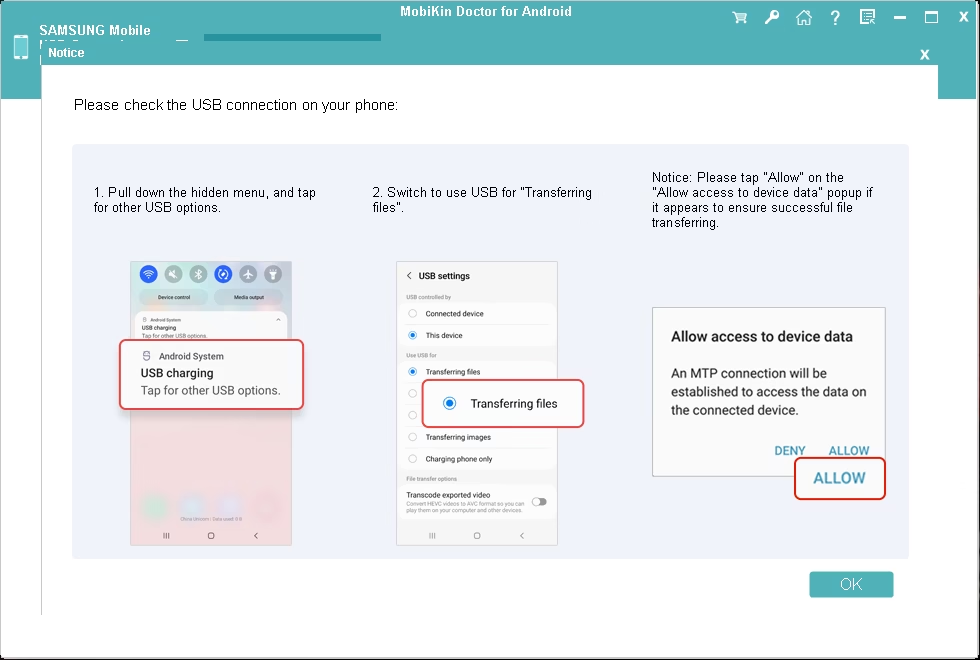
Depending on your phone, you may also need to turn on USB debugging in Developer options and allow the MobiKin helper app to be installed on the phone. Follow the on-screen prompts, then choose the data types to scan, preview the results and click Recover.
💻 System Requirements
| Requirement | Details |
|---|---|
| Windows | Windows 11, 10, 8 or 7 |
| Processor | 750 MHz Intel or AMD |
| RAM | 512 MB or more |
| Disk space | 1 GB or more |
| Android | Android 6 and later (MobiKin lists Android 17 support) |
📊 Verdict
If you’ve lost contacts, texts or photos on an Android phone, this is a quick way to get a paid recovery tool for free: install, paste the email and code, and you’re registered. Grab it now and keep it installed — a shared key like this won’t last forever.
👍 Pros: Free full version, simple three-step recovery, preview before restoring, works with unrooted phones. 👎 Cons: Windows only, shared key may stop working, recovery success depends on whether deleted data has been overwritten.
Frequently Asked Questions
Is the MobiKin Doctor for Android license code free?
Yes. The email and code above are from a public giveaway. There’s no payment and you don’t need to sign up — just paste them into the registration window.
Does MobiKin Doctor for Android need root?
MobiKin says the program works with both rooted and unrooted Android devices, so you don’t have to root your phone to use it.
The code says it’s invalid. What should I do?
Make sure you copied both the email and code with no extra spaces. If it still fails, the shared key may have been disabled — leave a comment and we’ll update the post when a new code is available.
Is there a Mac version?
MobiKin sells a separate Mac version, but this giveaway code is for the Windows version.
Can it recover WhatsApp messages?
WhatsApp chats aren’t in Doctor for Android’s list of supported data. MobiKin has a separate tool for that — see our MobiKin Recovery for WhatsApp giveaway.
More MobiKin Giveaways
- MobiKin Assistant for Android free licence — manage and back up your Android phone from a PC
- MobiKin Backup Manager for Android free licence — one-click Android backup and restore
- MobiKin Doctor for iOS free licence — the iPhone version of this recovery tool
Developer page: MobiKin Doctor for Android · For more freebies, browse our Free Stuff section, all MobiKin posts, and today’s free Android apps.
Discover more from Techno360
Subscribe to get the latest posts sent to your email.

You must be logged in to post a comment.