
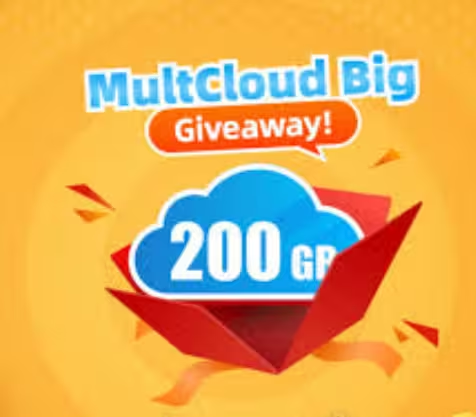
🎁 MULTCLOUD GIVEAWAY · OCTOBER 2026 · 3-MONTH PREMIUM CODE
Move, sync and back up files between Google Drive, OneDrive, Dropbox and 30+ clouds — Premium unlocked for free
MultCloud has refreshed its giveaway: paste the free licence code below into your MultCloud account and you get 3 months of MultCloud Premium plus 200GB of cloud-to-cloud data traffic. No download, no credit card — but it is for new users only and ends on October 30, 2026.
Web app · iOS · Android
3-month Premium
200GB data traffic
⏳ Ends Oct 30, 2026

⚡ Quick Read
- What: MultCloud — a web-based multi-cloud manager that transfers, syncs and backs up files directly between cloud drives, with no downloading or re-uploading.
- Giveaway: a free licence code for 3 months of MultCloud Premium + 200GB cloud data traffic (MultCloud values it at $39.99).
- Best bits: 10 transfer threads, scheduled transfer/sync/backup tasks, unlimited email conversions and 30+ supported clouds.
- Catch: new MultCloud accounts only; Premium expires after 3 months unless you upgrade; the offer ends October 30, 2026.
- Time needed: about 2 minutes. Jump to the claim steps ↓
If you use more than one cloud storage service — Google Drive for work, OneDrive for backups, Dropbox for shared folders — you already know the pain of juggling them. Moving a big folder usually means downloading everything to your PC and uploading it again, which eats your bandwidth and your afternoon. MultCloud fixes that by moving files directly between clouds on its servers, and right now you can get MultCloud Premium free for 3 months with 200GB of data traffic.
What Is MultCloud?
MultCloud is a browser-based cloud file manager from AOMEI, the company behind AOMEI Backupper. You add all your cloud accounts to one dashboard, then copy, move, sync or back up files between them — server-to-server. Because the transfer happens in the cloud, it keeps running even after you close the browser or switch off your PC.
It supports more than 30 services, including Google Drive, Google Workspace, Google Photos, OneDrive, OneDrive for Business, SharePoint, Dropbox, Dropbox Business, MEGA, Box, pCloud, iCloud Drive, iCloud Photos, Amazon S3, Wasabi, Backblaze, MediaFire, Flickr, Yandex, HiDrive, WEB.DE, NAS, WebDAV and FTP/SFTP. There are also MultCloud apps for iOS and Android.

MultCloud Giveaway at a Glance
| Detail | What you get |
|---|---|
| Offer | MultCloud Premium licence code |
| Duration | 3 months |
| Data traffic | 200GB of cloud-to-cloud transfer |
| Value | $39.99 (per MultCloud’s giveaway page) |
| Eligibility | New MultCloud users only |
| Deadline | October 30, 2026 |
| Platforms | Web app (any browser), plus iOS and Android apps |
| Credit card? | No |
How to Get MultCloud Premium for Free (October 2026)
The whole process takes about two minutes. Follow these steps in order:
Step 1: Open the official MultCloud giveaway page
Visit MultCloud’s partner giveaway page. The free licence code is shown right on the page — you can copy it there, or use the code below.
🎁 Open the MultCloud Giveaway Page
Step 2: Copy the free licence code
🔑 MultCloud Premium Licence Code
Q7N4XK2M9R5V8C3P
3-month Premium · 200GB data traffic · new users only · valid until October 30, 2026
Step 3: Create or sign in to your MultCloud account
Go to the MultCloud sign-up page and register with your email (or a supported social login). Because the code is for new users, register a fresh account if you have never used MultCloud before.
Step 4: Activate the code
Once you are in the MultCloud web app, click the activation button in the top-right corner, paste the licence code and confirm. Your 3-month Premium plan and 200GB of data traffic are applied instantly.
⚠️ Code not working? Paste it without spaces and make sure you are using a new MultCloud account — existing accounts are not eligible. If the code is rejected after October 30, 2026, the campaign has ended. For questions, MultCloud lists support@multcloud.com on the giveaway page. Bookmark our Free Stuff page for the next offer.
Key Features of MultCloud Premium
1. Cloud Transfer — move files without downloading
Pick a source cloud and a destination, and MultCloud copies the files across directly. Moving 50GB of photos from Google Drive to OneDrive is a few clicks, and Premium runs it with 10 transfer threads instead of 2, so big jobs finish much faster.
2. Cloud Sync — keep two clouds identical
Cloud Sync keeps folders in two different services in step, with one-way, two-way and real-time options. Premium lets you schedule syncs daily, weekly or monthly, so your mirror stays current with no manual effort.
3. Cloud Backup — a second copy in another cloud
Cloud Backup saves versions of your data from one cloud to another. If files are deleted by mistake or hit by ransomware, you can restore an earlier version — the same safety net a local backup tool gives you, but for your cloud drives.
4. Cloud Explorer — all clouds, one login
Cloud Explorer works like Windows File Explorer for your online storage: upload, download, copy, cut, paste, preview and rename files across every connected account from a single login — handy for stretching several free cloud plans into one big pool.
5. Remote Upload
Save files to a cloud drive straight from a URL, torrent file or magnet link. The file goes from the internet to your cloud storage without ever touching your PC.
6. Email and Website Backup
MultCloud can save Gmail messages and attachments as PDFs to your cloud drive (unlimited with Premium, 50 a month on the free plan). Its newest feature, Website Backup, backs up website files or databases to cloud storage and can clone them to another site.
7. Security
All transfers use 256-bit AES encryption over SSL. MultCloud connects to your clouds through OAuth authorisation, so it never stores your cloud account passwords, and it does not keep your files on its servers — temporary cache data is removed once a task finishes.
What’s New in MultCloud (2025–2026)
MultCloud is updated regularly. Recent highlights from the official changelog:
| Version | Released | Highlights |
|---|---|---|
| 8.8.5 | May 2026 | New Website Backup and Website Clone tools for site files and databases |
| 8.8.4 | Apr 2026 | Taller cloud list for managing many connected accounts |
| 8.8.1 | Jan 2026 | iCloud sign-in with device verification codes; Facebook sign-in restored; MultCloud Plus gets duplicate-name rules and a Task Plan feature |
| 8.8.0 | Dec 2025 | Launch of MultCloud Plus, a lighter cloud-transfer mode with a higher success rate |
| 8.3.0 | Mar 2025 | Support for activating paid accounts with an activation code (used by this giveaway) |
MultCloud Free vs Premium vs This Giveaway
| Feature | Free plan | Paid Premium | Giveaway |
|---|---|---|---|
| Price | $0 | $19.99/month or $59.99/year | $0 |
| Data traffic | 5GB per month | 100GB/month or 1,200GB/year | 200GB |
| Transfer threads | 2 | 10 | 10 |
| Scheduled transfer/sync/backup | No | Yes | Yes |
| Email conversions | 50 per month | Unlimited | Unlimited |
| Duration | Ongoing | While subscribed | 3 months |
Prices are from MultCloud’s pricing page at the time of writing. With the cheapest monthly plan at $19.99 for 100GB, this giveaway effectively hands you two months’ worth of data plus an extra month of Premium features.
Pros and Cons
👍 Pros
- Server-to-server transfers — no local bandwidth or disk space used
- 200GB is enough for most one-off migrations
- Scheduled sync and backup unlocked
- 30+ clouds, including iCloud, MEGA, Amazon S3 and NAS
- No credit card or download required
👎 Cons
- Only 3 months of Premium
- New accounts only
- 200GB is a total quota, not monthly
- Premium features lock again when the plan expires
📊 Techno360 Verdict: perfect for a one-time cloud migration
If you have been putting off moving files from one cloud to another — switching from Google Drive to OneDrive, consolidating old Dropbox folders, or copying iCloud Photos somewhere safer — this is the time to do it. 200GB and three months of Premium is plenty for a full migration plus a scheduled backup routine, and it costs nothing.
- Best for: anyone migrating or consolidating cloud storage accounts
- Skip if: you already have a MultCloud account, or need ongoing multi-terabyte transfers
- Rating: Must-grab giveaway
Frequently Asked Questions
Is MultCloud Premium really free?
Yes, for three months. MultCloud’s October 2026 giveaway gives new users a free licence code that unlocks Premium and 200GB of cloud data traffic. No credit card is needed.
What is the MultCloud giveaway code?
The code is Q7N4XK2M9R5V8C3P. Sign in to a new MultCloud account, click the activation button in the top-right corner and enter it. It is valid until October 30, 2026.
What is the 200GB of data traffic used for?
It is the quota for moving data inside MultCloud — cloud-to-cloud transfers, folder migrations and sync or backup tasks between services such as Google Drive and OneDrive.
Can existing MultCloud users claim this offer?
No. MultCloud says the licence code is for new users only, so you need to register a fresh account to activate it.
What happens after 3 months?
Premium features expire unless you upgrade. Your account stays active on the free plan, which includes 5GB of data traffic per month.
Do I need to download anything to use MultCloud?
No. MultCloud is web-based and transfers happen directly between cloud services. Optional apps are available for iOS and Android.
Is MultCloud safe to use?
MultCloud uses 256-bit AES encryption over SSL and OAuth authorisation, so it never stores your cloud passwords. It also says it does not permanently keep your files on its servers.
Which cloud services does MultCloud support?
More than 30, including Google Drive, Google Photos, OneDrive, SharePoint, Dropbox, MEGA, Box, pCloud, iCloud Drive, iCloud Photos, Amazon S3, Wasabi, NAS, WebDAV and FTP.
More Free Cloud & Backup Giveaways
Building a complete backup kit? Pair MultCloud with CBackup Professional for PC-to-cloud backups, or Abelssoft SyncManager and Synchredible Pro for local folder sync. For full system images, grab MiniTool ShadowMaker Pro or AOMEI Backupper Pro 8.4 while those giveaways last.
Find more tools in our Cloud Storage and Backup sections, and catch new free licences every week in the Techno360 Free Stuff hub.
Know someone stuck juggling three cloud drives? Share this giveaway with them before October 30.
Discover more from Techno360
Subscribe to get the latest posts sent to your email.
