

RoboForm Premium (formerly known as RoboForm Everywhere) is one of the most trusted password managers around, and it has been around for over 25 years without a single data breach. If you’ve been struggling to keep track of dozens of passwords across different websites and apps, RoboForm is the kind of tool that genuinely makes daily life easier.
The good news? Right now, RoboForm is giving away a free 1-year Premium subscription — no credit card needed. This offer is valid until May 31, 2026, and it’s open to new accounts only. If you’ve been thinking about trying a premium password manager, this is a great time to grab it for free.
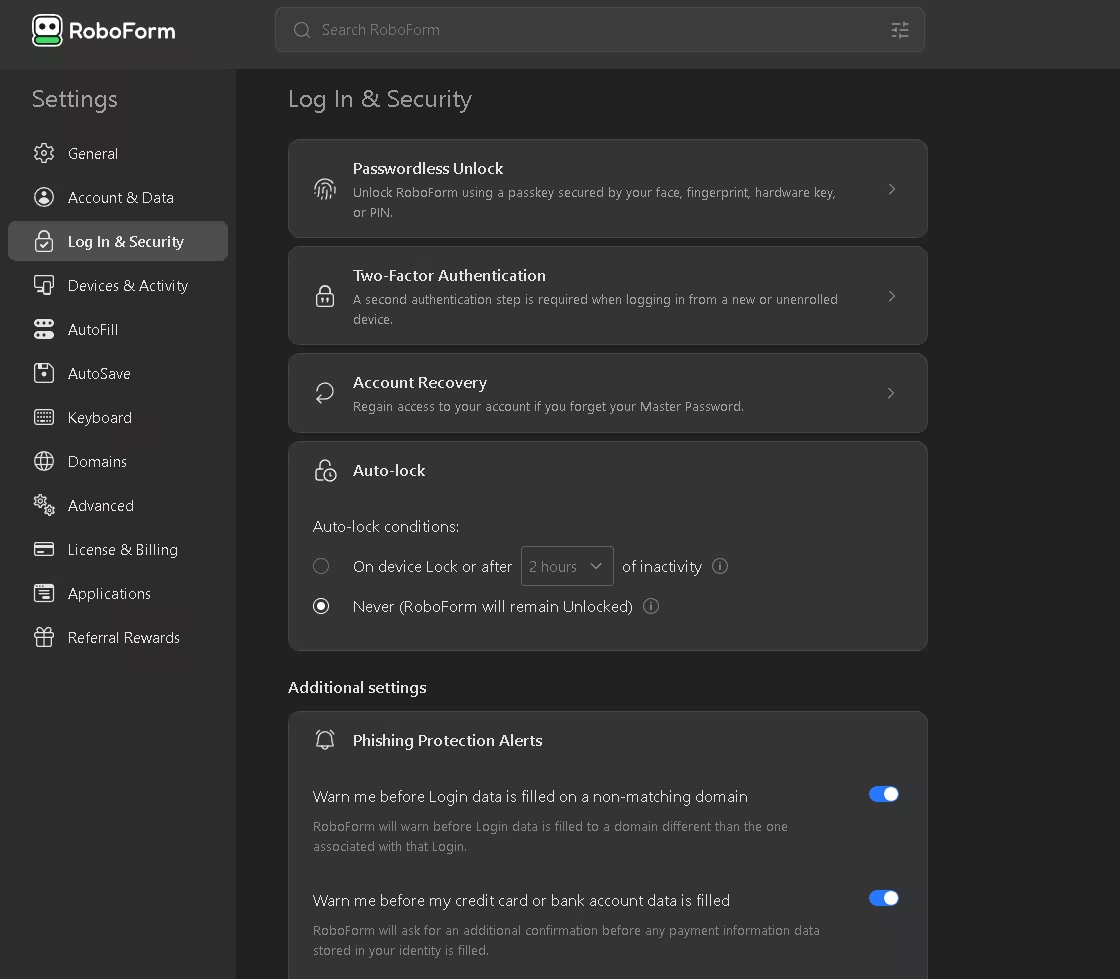
What Is RoboForm Premium?
RoboForm Premium is a cross-platform password manager and form filler that works on Windows, Mac, iOS, and Android. It stores all your login credentials in an encrypted vault and lets you sign into websites with a single click. It also fills out long registration forms automatically, saving you a ton of time.
The app uses military-grade AES-256 encryption to keep your data safe, and it syncs across all your devices so your passwords are always available wherever you are. Whether you’re on Chrome, Firefox, Edge, or Safari — RoboForm works seamlessly across all major browsers.
Think of it this way: instead of typing your email and password every time, or worse, reusing the same weak password everywhere, RoboForm handles it all. You only need to remember one master password, and RoboForm takes care of the rest.
Key Features of RoboForm Premium (2026)
- One-Click Logins — Log into any website instantly without typing anything.
- Single Master Password — Remember just one password to access everything.
- Automatic Form Filling — Fill registration, checkout, and contact forms with a click.
- Cross-Browser Support — Works with Chrome, Firefox, Edge, Safari, and more.
- Sync Across All Devices — Access your passwords on your phone, tablet, and PC.
- AES-256 Encryption — Bank-level security to protect your stored data.
- Password Generator — Create strong, unique passwords up to 512 characters long.
- Passkey Support — Log in using Face ID, fingerprint, or device PIN instead of a password.
- Data Breach Monitoring — Scans up to 5 email addresses and alerts you if your data is exposed.
- Secure Password Sharing — Share individual logins with family or team members safely.
- Safe Notes — Store sensitive info like Wi-Fi passwords, license keys, and IDs securely.
- Emergency Access — Assign a trusted contact who can access your account if needed.
- Offline Access — Access your passwords even without an internet connection.
- Full USB Portability — Take your passwords with you on a USB drive.
- Phishing Protection — Prevents autofill on fake or lookalike websites.
How to Get Started with RoboForm
Setting up RoboForm is pretty straightforward. Once you install the browser extension or the desktop app, it starts watching for login forms. The first time you sign into a website, RoboForm will ask if you want to save those credentials. Hit yes, and from then on, it logs you in automatically.
For websites where you need to fill in your name, address, phone number, and other personal details, RoboForm has an Identities feature. You set it up once by entering your details under the Identity section, and from that point forward, RoboForm fills those fields for you on any form — whether it’s a job application, an online order, or a newsletter signup.
RoboForm stores your logins as Passcards, which include the website URL, your username, and your password. These passcards make re-logging into the same site effortless — one click and you’re in.
RoboForm is available on Windows, Mac, iOS, and Android, and it supports all major browsers, including Microsoft Edge.
RoboForm Premium Free 1-Year License — Active Giveaway
[New Giveaway — Valid Until May 31, 2026]:
RoboForm Premium, normally priced at $30 per year, is currently available for free for a full year. There’s no credit card required, and the only condition is that this applies to newly created accounts only.
To grab your free premium subscription, visit this giveaway page.
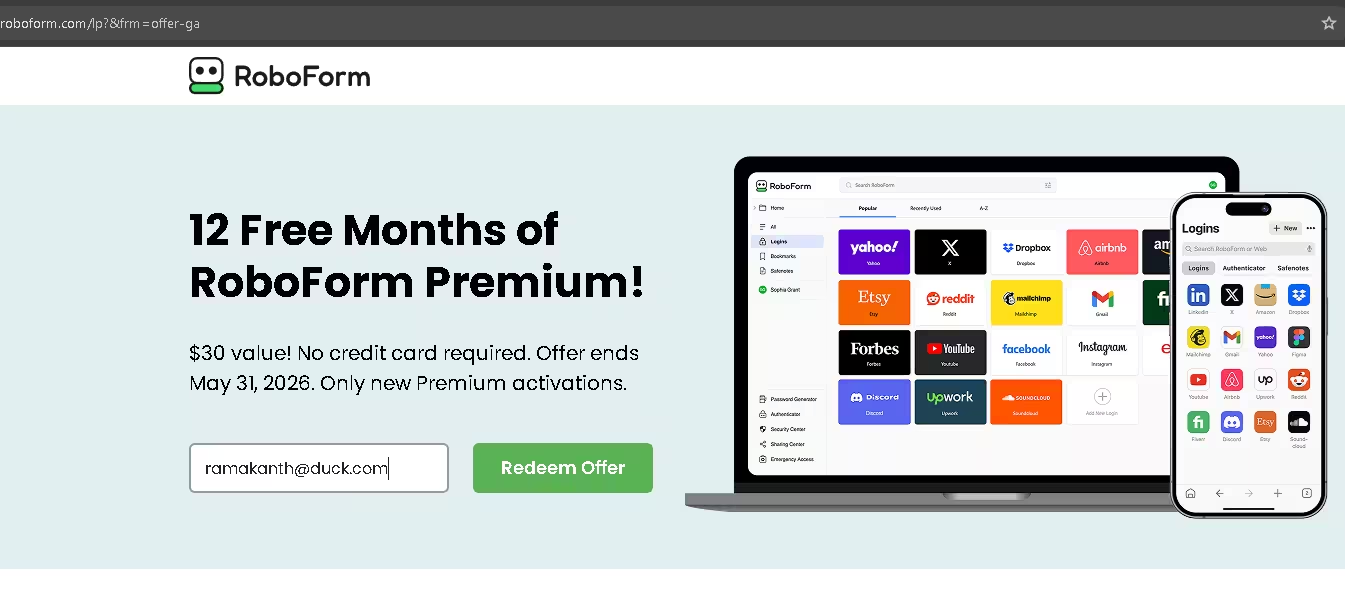
To redeem the offer, just enter your email address and hit the save button.
The giveaway page will display activation instructions and a redemption code right away. These instructions will also be sent to your email from noreply@mc.roboform.com.
Run the installer or add the RoboForm extension to your browser, then sign up for a new account.
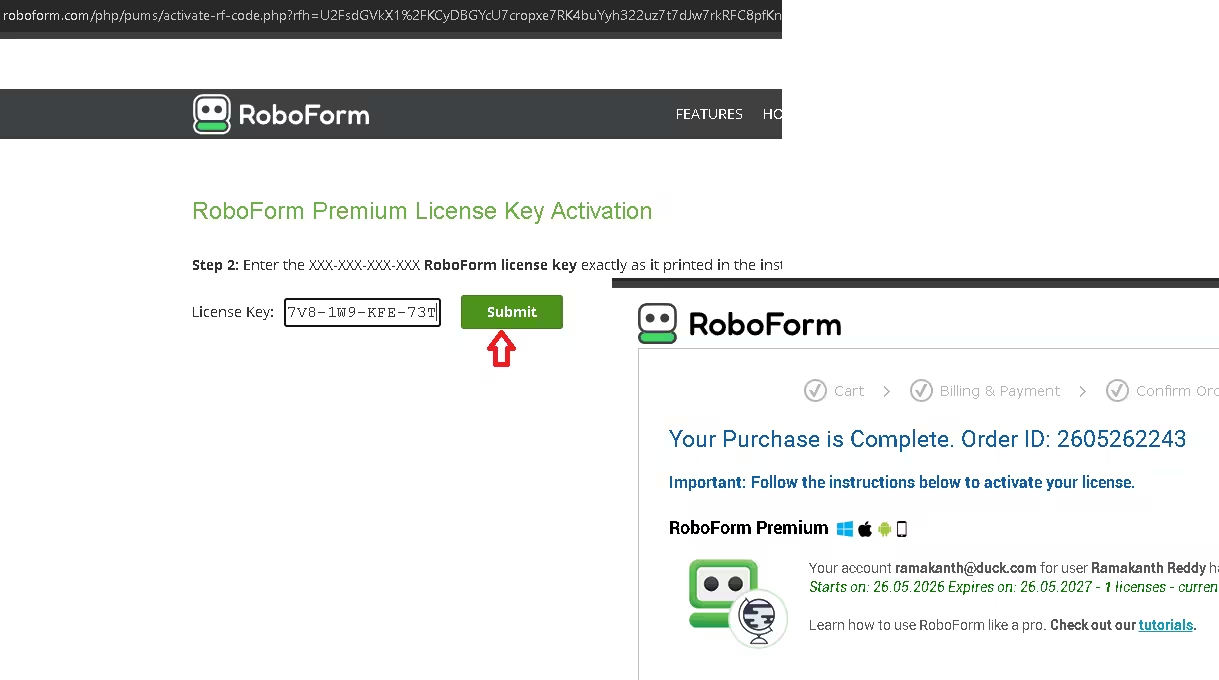
Next, visit https://www.roboform.com/key to enter your license key.
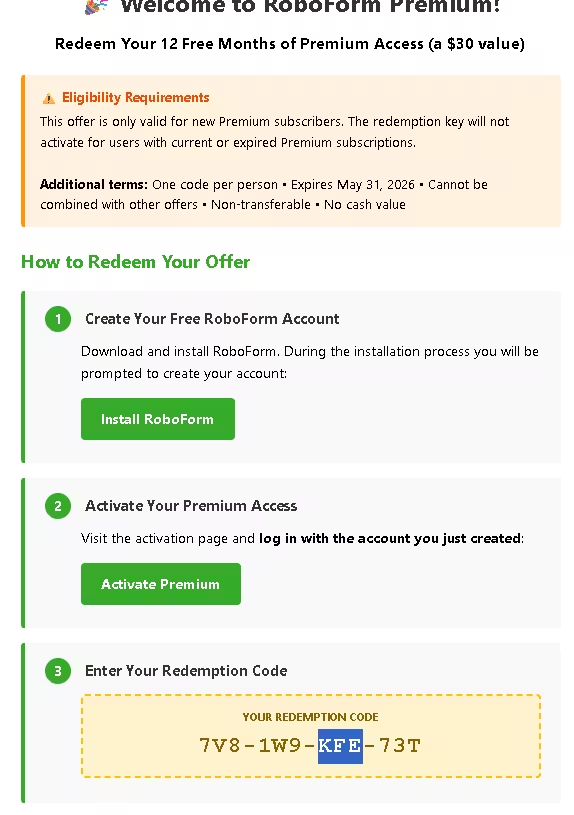
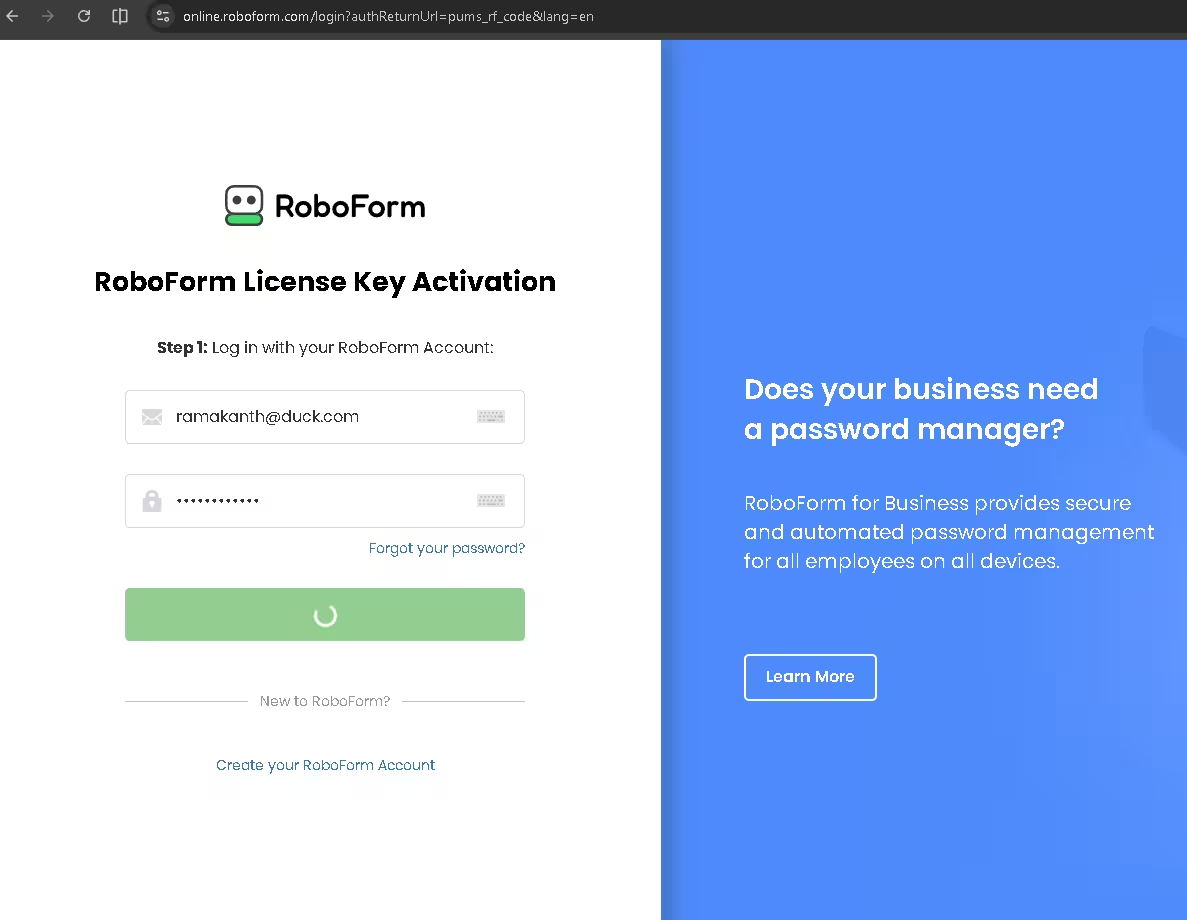
Sign in with the account you just created. When prompted for the license key you received, enter it and hit the “Submit” button. You’ll then see a form asking for your address, zip code, and a few other details — fill those in to complete the activation.
Note: The RoboForm activation page may experience intermittent redirection issues. If that happens, give it a moment and try again — the process does go through.
Why RoboForm Premium Is Worth Getting in 2026
Password managers have become less of a luxury and more of a necessity. With data breaches happening regularly and most people reusing weak passwords across multiple accounts, a tool like RoboForm genuinely reduces risk. Here’s what makes RoboForm stand out in 2026 compared to other options in the market:
- 25+ years with zero data breaches — That’s a track record very few security companies can match.
- Passkey support — You can now log into RoboForm itself using your fingerprint or Face ID, removing the need for a master password entirely.
- Data breach monitoring — It actively scans for compromised credentials and alerts you before damage is done.
- Affordable pricing — Even outside of giveaways, RoboForm Premium is one of the most budget-friendly premium password managers available.
- No-bloat experience — It focuses on doing password management and form filling really well, without unnecessary extras that slow things down.
RoboForm Free vs Premium — What’s the Difference?
The free version of RoboForm is decent for basic use — it lets you store passwords and use autofill on a single device. But once you add the Premium plan, you unlock the full experience:
- Sync passwords across unlimited devices
- Secure cloud backup
- Two-factor authentication (including hardware keys)
- Secure password and folder sharing
- Emergency access for trusted contacts
- Priority 24/7 customer support
- Web access to your vault from any browser
Given that the full Premium subscription is available free for a year right now, there’s really no reason not to try it out.
How to Claim Your Free RoboForm Premium License — Step by Step
- Go to the official RoboForm giveaway page and enter your email address.
- Check your inbox for the activation instructions and redemption code.
- Download RoboForm from the official download page and install it.
- Create a new RoboForm account and sign in.
- Visit roboform.com/key and submit the license key from your email.
- Fill in the required details in the form (address, zip code, etc.) and confirm.
- Done — your free 1-year Premium subscription is now active!
Offer valid until May 31, 2026. New accounts only. No credit card required.
[Previous Giveaway — Published Feb 10, 2026]
The SOS webpage was offering a full version license (1 year) for RoboForm Everywhere for free.
- To grab your license code, visit the SOS giveaway page.
- Click “I don’t use Facebook, Twitter, or LinkedIn!”
- Please enter your email address and any other required information, then click the “Submit” button on the form.
- The giveaway page will display the code, or look in your mailbox for an email from the SOS website with the license key.
- Download the software from the developer page.
Note: Don’t download the SOS installer; download the installer from the developer page.


Discover more from Techno360
Subscribe to get the latest posts sent to your email.
You must be logged in to post a comment.