
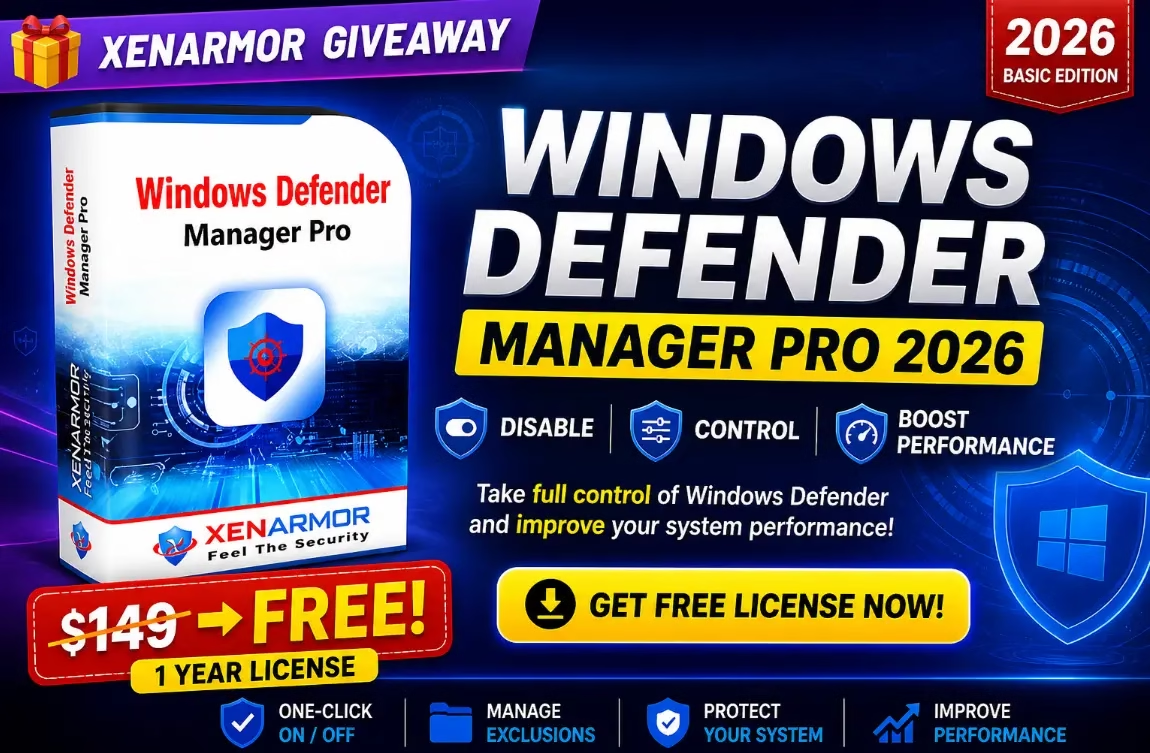
🎁 Software Giveaway · Windows 10 & 11
Take full control of Microsoft Defender — free for 12 months
No more surprise full scans, no more trusted installers vanishing into quarantine. One dashboard, one click.
💰 FREE📅 1-Year License🖥️ Windows 10 / 11✅ EV Code-Signed
If you have ever cancelled a long file copy because Windows Defender suddenly kicked off a full scan, or watched a trusted installer get quarantined for no good reason, you already know the pain this tool is built to fix.
XenArmor Windows Defender Manager Pro 2026 gives you a clean, one-click control panel for Microsoft Defender — and right now XenArmor is giving away a free 1-year license key for it. Below you’ll find what the tool does, who it’s for, the features that matter, and the exact steps to claim your free license.
⚡ Quick Read
- What: A one-dashboard manager for Microsoft Defender — toggles, exclusions, status enforcement.
- Deal: Free 1-year license (listed at $19.95 on the giveaway page).
- Works on: Windows 10 and Windows 11, 32-bit and 64-bit.
- Best for: Gamers, developers and PC technicians.
- Catch: Personal use only, no free updates or support.
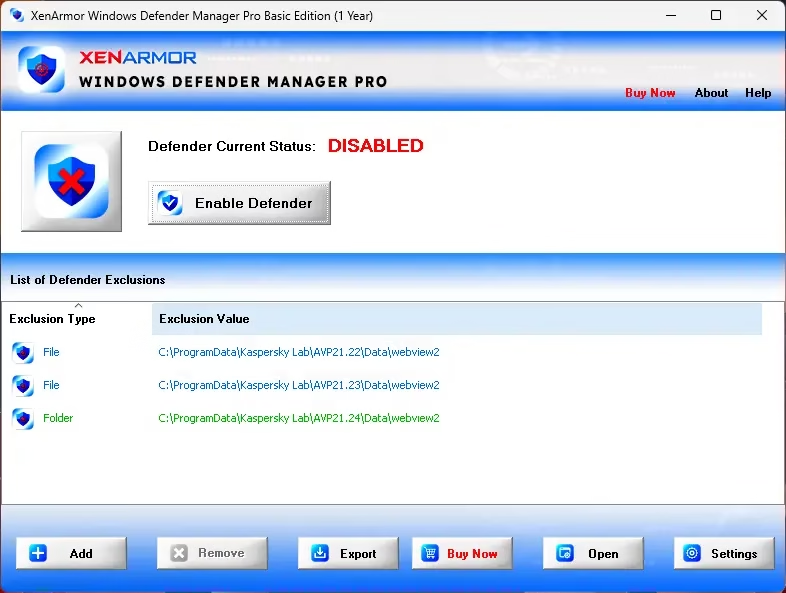
What Is XenArmor Windows Defender Manager Pro?
Windows Defender Manager Pro is a lightweight Windows utility from XenArmor, a security software vendor operating since 2007 with 285+ products and 31 million+ users. Instead of digging through several Windows Security panels every time you need to whitelist a folder or pause real-time protection, the app puts every meaningful Defender setting in a single dashboard.
The headline trick is one-click enable/disable for Defender. What makes it more than a glorified toggle is the Defender Protection Manager — individual checkboxes for cloud protection, PUA detection, script scanning, archive scanning, removable-drive scanning, downloaded-file scanning, behaviour monitoring and automatic sample submission. You choose what stays on, and the tool keeps that configuration even when Windows Update quietly flips things back.
Who Is It For?
🎮 PC gamers
tired of background scans tanking FPS mid-match.
💻 Developers & power users
whose compilers, debuggers and build tools keep tripping Defender heuristics.
🛠️ IT technicians & MSPs
who need repeatable Defender control across many machines.
📥 Everyday users
who have lost a download to a false positive and want saner exclusions.
Giveaway at a Glance
| Item | Details |
|---|---|
| Product | XenArmor Windows Defender Manager Pro 2026 |
| Listed Price | $19.95 (as shown on the giveaway page) |
| Giveaway Price | FREE |
| License Duration | 1 Year |
| Platform | Windows 10 & Windows 11 (32-bit and 64-bit) |
| Use Type | Personal / non-commercial home use |
| Updates & Support | No free updates, no free support |
| End Date | Not announced — claim it while the page is live |
Why You May Want This Defender Manager
Microsoft Defender is a capable antivirus, but its controls are scattered. Some toggles live in the Windows Security app, others hide in Group Policy or PowerShell, and a few are only reachable through the registry. Defender Manager Pro consolidates all of it and adds abilities Windows doesn’t give you out of the box:
- Status enforcement: A monitor (every 30 seconds to 60 minutes) re-applies your chosen Defender state if Windows or another process changes it.
- Tamper awareness: Watching for unauthorised state changes helps catch malware that silently switches Defender off — a common infostealer trick.
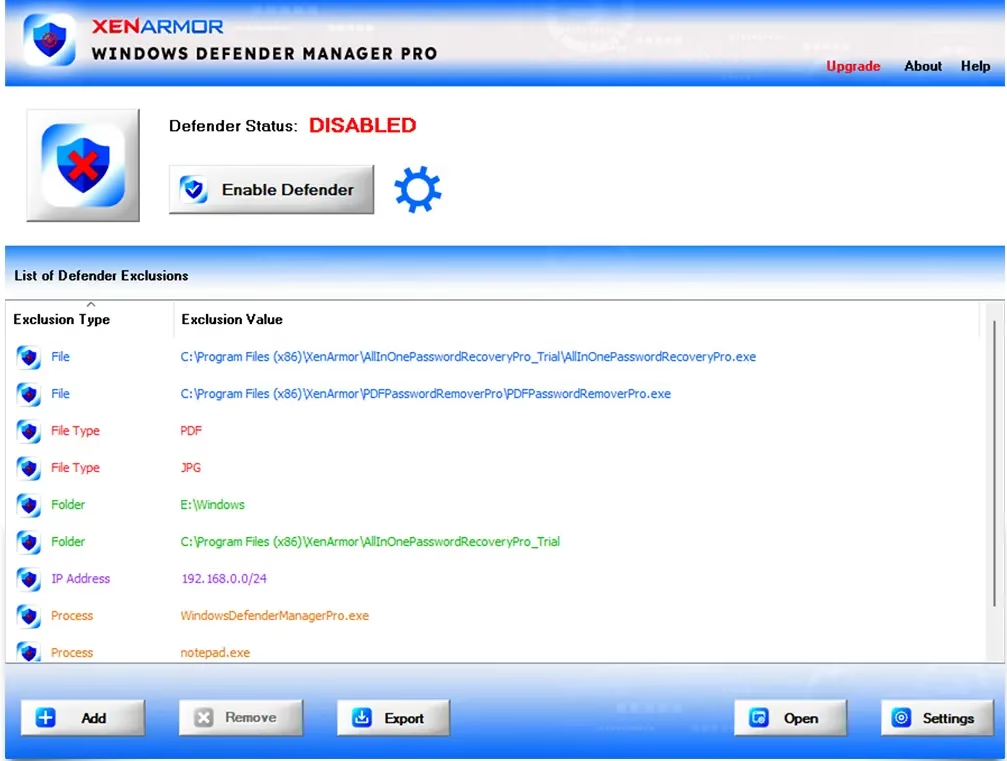
- Bulk exclusion management: Add, remove and audit file, folder, process, file-type and IP-address exclusions from one colour-coded panel.
- Rogue exclusion cleaner: Flags suspicious exclusions added by other software (or malware) so you can review and remove them.
- Exportable exclusion lists: Save to HTML, PDF, CSV, XML, JSON or SQLite for backups, audits or moving to a new PC.
Top Features of Windows Defender Manager Pro
FEATURE 01
One-Click Defender ON / OFF
Two big buttons switch Defender on or off instantly — no registry edits, no Group Policy, no reboot. It respects the protection modules you have selected.
FEATURE 02
Real-Time Status Monitor
Set an interval and the app keeps Defender in your chosen state, undoing changes made silently by Windows Update.
FEATURE 03
Performance Boost Mode
Built for gamers and creators: heavy background scans are suspended while on-access scanning of files you open can stay on.
FEATURE 04
Granular Protection Manager
Independently toggle real-time, behaviour, cloud, PUA, email, script, archive, network-file, removable-drive, mapped-drive and download scanning, plus sample submission.
FEATURE 05
Exclusion Manager + Right-Click
Exclude a file, folder or process straight from the Explorer right-click menu. Exclusion types are colour-coded for quick scanning.
FEATURE 06
Command-Line Automation
Enable, disable and query Defender or manage exclusions via CLI — ideal for IT admins. (Paid Pro / Premium editions.)
FEATURE 07
Portable Edition
Runs from a USB stick on any number of PCs without installation — handy for bench technicians. (Paid tier.)
FEATURE 08
EV Code-Signed Binaries
Signed with a SECTIGO EV certificate, so SmartScreen and most antivirus products trust it — no unverified-publisher warnings.
System Requirements
- Operating system: Windows 10 or Windows 11 (32-bit or 64-bit)
- Privileges: Administrator account required to change Defender state
- Disk space: Under 50 MB
- Optional: A USB drive for the Portable Edition (paid tier)
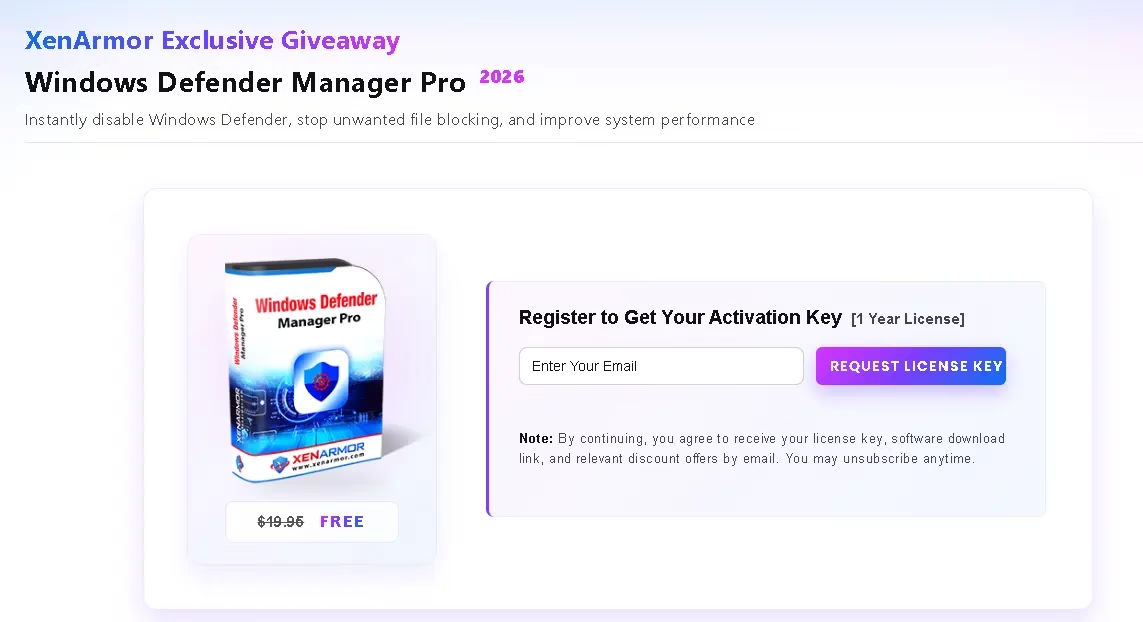
How to Get the Windows Defender Manager Pro Free License
The giveaway runs on XenArmor’s official website. Follow these steps and you’ll be up and running in about five minutes:
Open the official giveaway page: XenArmor Windows Defender Manager Pro Giveaway.
Enter your email address and submit the form. You agree to receive the license key, download link and occasional XenArmor offers (unsubscribe any time).
Open the confirmation email from XenArmor (info@xenarmor.com) and click the confirmation link.
Watch for a second email containing your 1-year license key and the download link. Not there after a few minutes? Check spam or promotions.
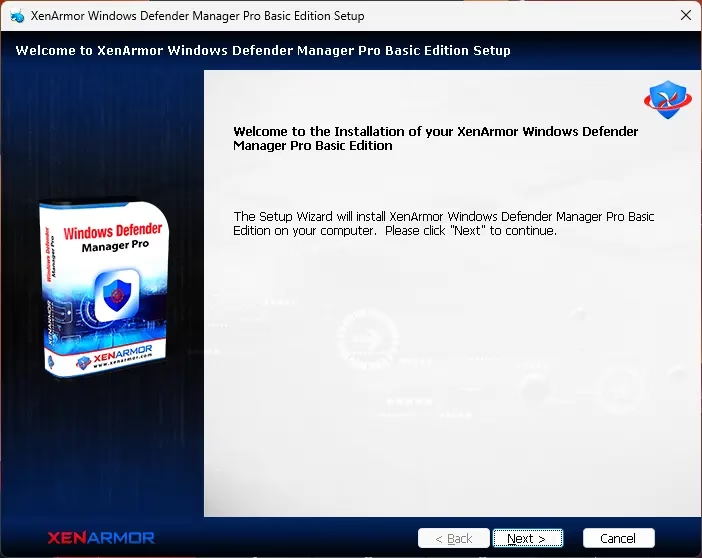
Download the installer, extract the ZIP, and run setup as administrator.
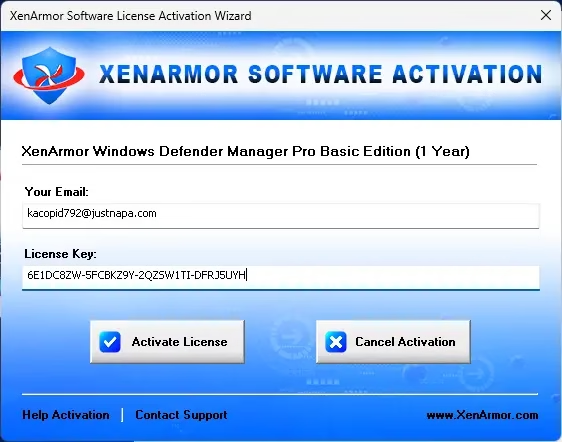
Launch the program and enter your email address and license key in the activation dialog.
Done — the full version is unlocked for the next 12 months. 🎉
⚠️ Important Giveaway Terms
- 1-year license, giveaway edition only
- No free updates during the license period
- No free technical support
- Personal, non-commercial use only — businesses need a paid tier
Pros and Cons
👍 Pros
- Every Defender setting in one window
- Status enforcement beats Windows Update resets
- Right-click exclusions and rogue-exclusion cleaner
- EV code-signed, lightweight installer
👎 Cons
- License expires after one year
- CLI and Portable Edition need a paid tier
- No updates or support on the giveaway license
- Little value if a third-party antivirus is your main protection
Verdict: Is It Worth Grabbing?
✅ Our Verdict
At zero cost, it’s an easy download for any Windows 10 or 11 user who wrestles with Defender. Even if you only use the exclusion manager and the one-click toggle, it beats clicking through Windows Security. The granular toggles, status enforcement and rogue-exclusion cleaner make it genuinely useful for technicians who handle other people’s PCs.
One caveat: switching off Defender modules reduces your protection. Use Performance Boost Mode and targeted exclusions only when you need them, and let Defender do its job the rest of the time.
📌 More Free Windows Software
Frequently Asked Questions
Is XenArmor Windows Defender Manager Pro safe to use?
Yes. The installer is digitally signed with a SECTIGO EV (Extended Validation) certificate, recognised by Microsoft SmartScreen and most major antivirus products. XenArmor has been building security software since 2007.
Will disabling Windows Defender leave my PC unprotected?
If you fully disable Defender and have no other antivirus, yes. The tool is built for selective control — keep real-time monitoring on and only pause specific modules for trusted heavy tasks like big file copies, compiling code or gaming.
Does the giveaway include the Portable Edition or command-line tools?
No. The Unlimited Portable Edition and full command-line automation are part of the paid Pro and Premium tiers.
Can I install it on multiple PCs?
The giveaway license is meant for a single PC and personal/home use. Multi-PC or commercial use needs a paid Premium or Portable license.
What happens after the 1-year license expires?
The software stops working until you renew or upgrade. Your Defender settings on Windows stay as they are — only Defender Manager Pro itself becomes inactive.
Does it work with a third-party antivirus installed?
It only manages Microsoft Defender Antivirus. If another antivirus is active and Defender is in passive mode, the tool offers limited value.
How is it different from the Windows Security app?
Windows Security spreads Defender controls across several panels and hides some options behind PowerShell or Group Policy. Defender Manager Pro puts them in one window and adds status enforcement, IP-based exclusions, exclusion exports and a rogue-exclusion cleaner.
Will the giveaway license auto-renew?
No. It is a one-time 1-year license and you will not be charged when it expires.
Discover more from Techno360
Subscribe to get the latest posts sent to your email.

You must be logged in to post a comment.