
If you have ever cancelled a long file copy because Windows Defender suddenly kicked off a full scan, or watched a trusted installer get nuked into quarantine for no good reason, you already know the pain this software is built to fix.
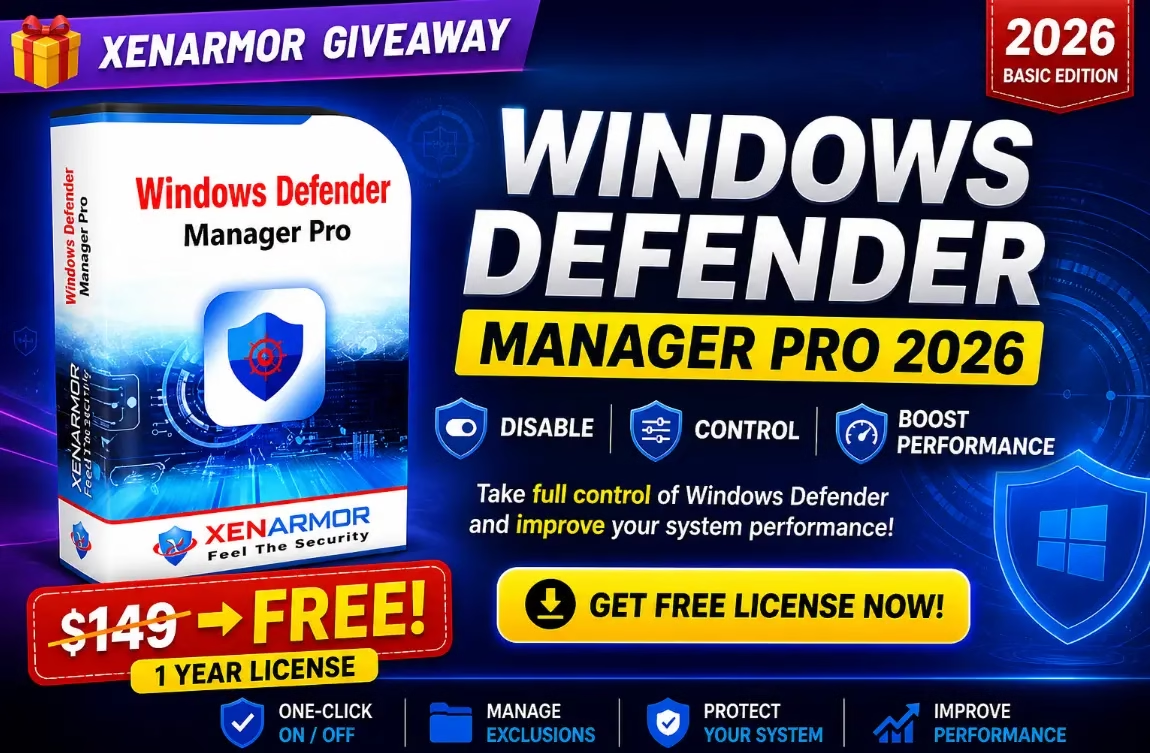
XenArmor Windows Defender Manager Pro 2026 hands you a clean, one-click control panel for Microsoft Defender — and right now, the company is giving away a full 1-year Basic Edition license that normally retails for $149, completely free.
This guide walks you through what the tool actually does, who it’s for, the features that matter most for power users and IT technicians, and the exact steps to claim your free license key before the giveaway ends.
What is XenArmor Windows Defender Manager Pro?
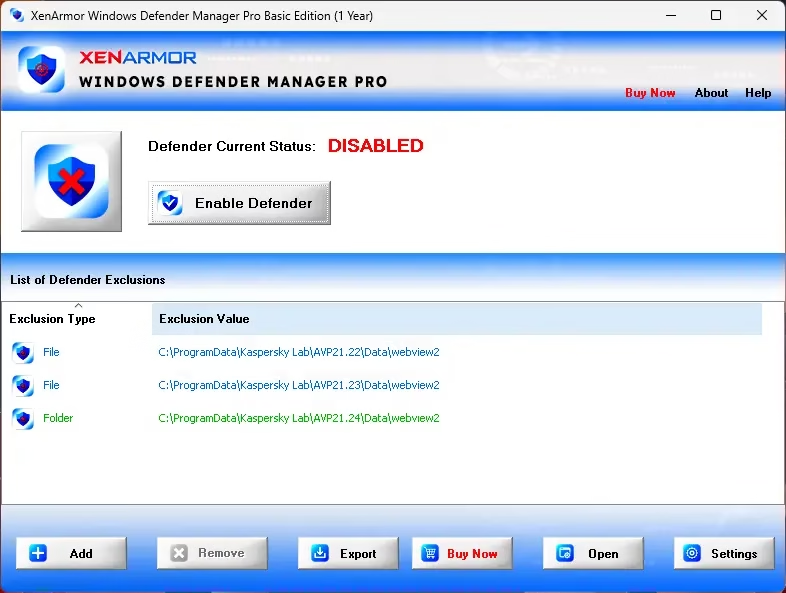
Windows Defender Manager Pro is a lightweight Windows utility from XenArmor (a security software vendor that has been around since 2007 with 285+ products and 31 million+ users). Instead of forcing you to dig through five different Windows Security panels every time you need to whitelist a folder or pause real-time protection for a heavy task, the app surfaces every meaningful Defender setting in a single dashboard.
The headline trick is one-click enable/disable for Defender as a whole. But the part that makes this more than a glorified toggle switch is the Defender Protection Manager—granular checkboxes for individual modules like cloud protection, PUA detection, script scanning, archive scanning, removable drive scanning, downloaded file scanning, behaviour monitoring, and auto-sample submission.
You decide which protections stay on, which go off, and the tool maintains that configuration even when Windows Update tries to silently flip things back.
Who is it for?
- PC gamers tired of Defender background scans tanking their FPS mid-match.
- Power users and developers running compilers, debuggers, or build tools that constantly trip Defender heuristics.
- IT technicians and MSPs who need scriptable, repeatable Defender control across multiple machines.
- Anyone who has ever lost a downloaded file to a false positive and just wants a saner way to manage exclusions.
Giveaway at a Glance
| Item | Details |
|---|---|
| Product | XenArmor Windows Defender Manager Pro 2026 (Basic Edition) |
| Regular Price | $149.00 USD (Pro Edition retail) |
| Giveaway Price | FREE |
| License Duration | 1 Year |
| Platform | Windows 10 & Windows 11 (32-bit and 64-bit) |
| Use Type | Personal / non-commercial home use |
| Includes Updates? | No free updates, no free support |
Why You May Want This Tool
Windows Defender has matured into a genuinely capable antivirus, but Microsoft has fragmented its control surface. Some toggles live in the Windows Security app, others hide inside Group Policy or PowerShell, and a handful are only reachable through the registry. Defender Manager Pro consolidates that mess into a single window, and adds capabilities Windows simply does not give you out of the box:
- Status enforcement. A configurable monitor (interval anywhere from 30 seconds to 60 minutes) re-applies your chosen Defender state if Windows or a stealthy process tries to change it.
- Tamper-resistance for Defender itself. By watching for unauthorized state changes, the tool helps catch malware that disables Defender silently—a known technique used by modern infostealers.
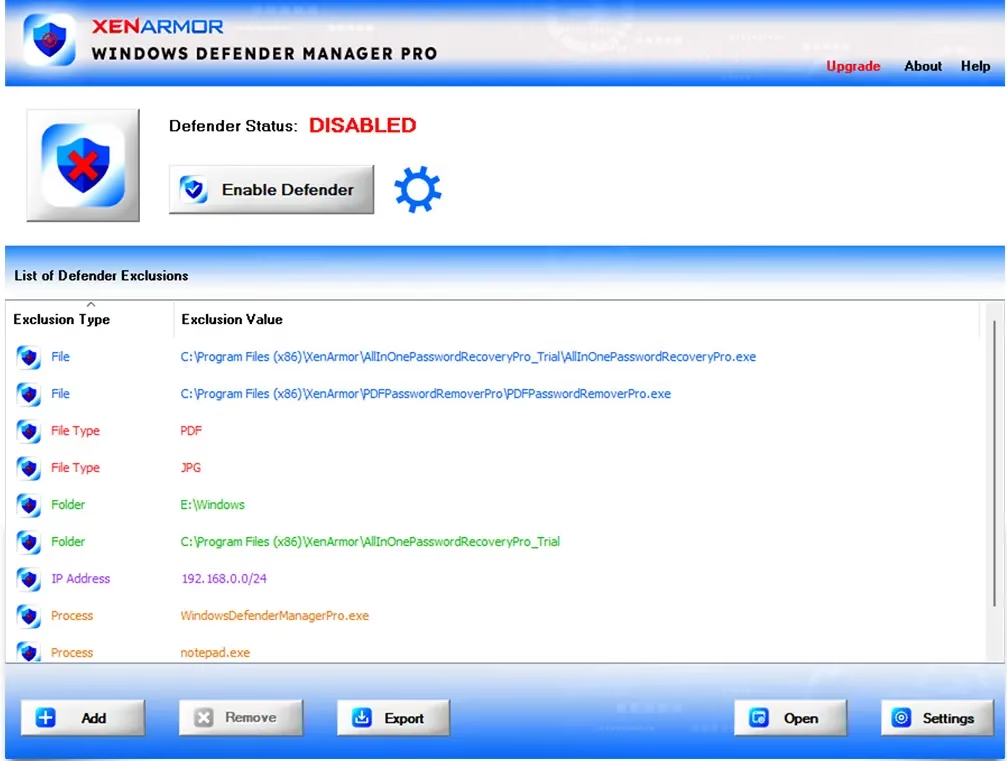
- Bulk exclusion management. Add, remove, and audit file, folder, process, file-type, and even IP-address exclusions from one panel, with colour-coded entries so it’s obvious at a glance what type of exclusion each one is.
- Rogue exclusion cleaner. Spots suspicious exclusions added by other software (or malware) so you can review and remove them.
- Exportable exclusion lists in HTML, PDF, CSV, XML, JSON, or SQLite — handy for backups, audits, or migrating settings to a new PC.
Top Features Explained
1. One-Click Defender ON / OFF
Two large buttons on the main screen turn Defender on or off instantly. No registry tweaks, no Group Policy edits, no reboot required. The Pro version respects whatever protection modules you have selected, so disabling Defender does exactly what you expect — no more, no less.
2. Real-Time Status Monitor
Set an interval and the app will continuously verify Defender is in your chosen state. If something flips it back, the monitor flips it again. This solves the common annoyance of Windows Update silently re-enabling features you’ve deliberately turned off.
3. Performance Boost Mode
Targeted at gamers and creative pros, this mode kills the heaviest background scans without leaving you completely unprotected. Real-time scanning of files you actually open can stay on while scheduled deep scans get suspended.
4. Granular Protection Manager
This is the feature that punches above the price tag. Toggle any of these independently:
- Real-time monitoring
- Behaviour monitoring
- Cloud protection
- PUA (Potentially Unwanted Application) protection
- Email scanning
- Script scanning
- Archive scanning
- Network file scanning
- Removable drive scanning
- Network (mapped) drive scanning
- Downloaded file scanning
- Automatic sample submission to Microsoft
5. Exclusion Manager + Right-Click Integration
Add a file, folder, or process to the Defender exclusion list directly from Windows Explorer’s right-click menu. The exclusion panel itself uses colour codes so file, folder, process, file-type, and IP-address exclusions are visually distinct.
6. Command-Line Automation (Pro / Premium editions)
Enable, disable, and query Defender, plus add or remove exclusions, all via CLI. This is what makes the tool genuinely useful for IT administrators deploying a consistent baseline across a fleet of PCs.
7. Portable Edition (paid tier)
An unlimited portable edition runs straight from a USB stick on any number of PCs without installation or per-machine activation—exactly what bench technicians need.
8. EV Code-Signed Binaries
The installer is signed with an EV (Extended Validation) certificate from SECTIGO, which means Microsoft SmartScreen and most third-party antivirus products trust it out of the box. You won’t fight a “publisher unverified” warning every time you push it to a new machine.
System Requirements
- Operating System: Windows 10 or Windows 11 (32-bit or 64-bit)
- Privileges: Administrator account required to change Defender state
- Disk Space: Minimal — under 50 MB
- Optional: A USB drive if you plan to use the Portable Edition (paid tier)
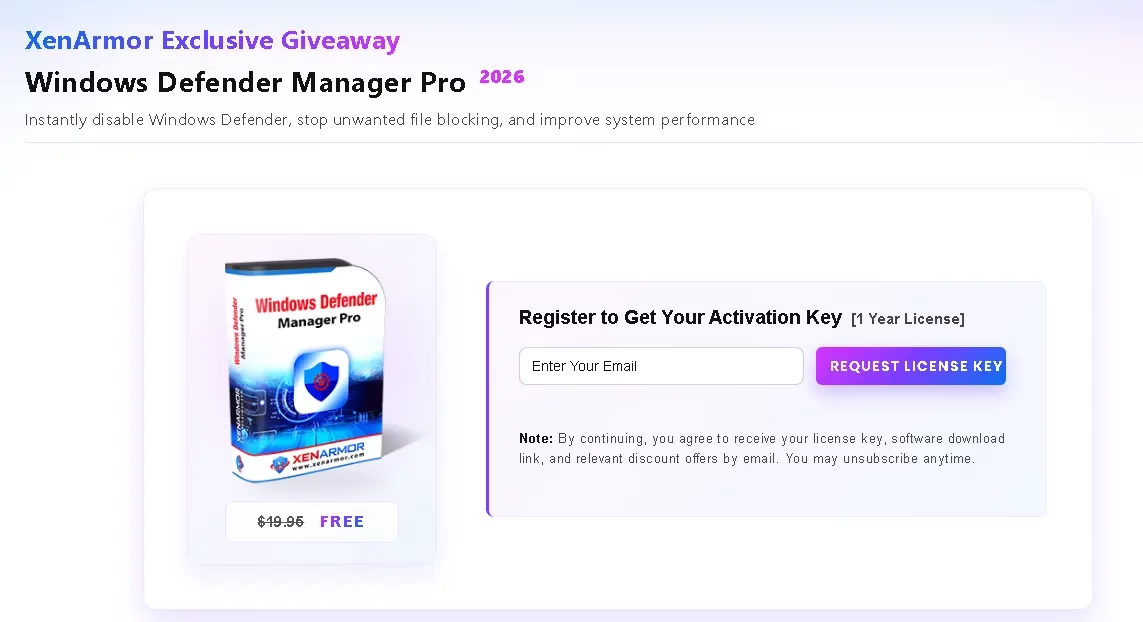
How to Get the XenArmor Windows Defender Manager Pro Free License
The giveaway is hosted directly on the XenArmor website. Follow these steps and you’ll have the activated software running in under five minutes:
- Visit the official giveaway page: XenArmor Windows Defender Manager Pro Giveaway.
- Enter your email address in the registration form and submit it. By doing so, you agree to receive your license key, the download link, and occasional XenArmor offers—you can unsubscribe any time.
- Next, you will receive a confirmation email from XenArmor (info@xenarmor.com)—click the confirmation link in the email.
- Check your inbox for the second email from XenArmor (info@xenarmor.com)—this email contains your 1-year license key and the software download link. If it doesn’t arrive within a few minutes, check your spam or promotions folder.
- Download the installer (the giveaway build is hosted at
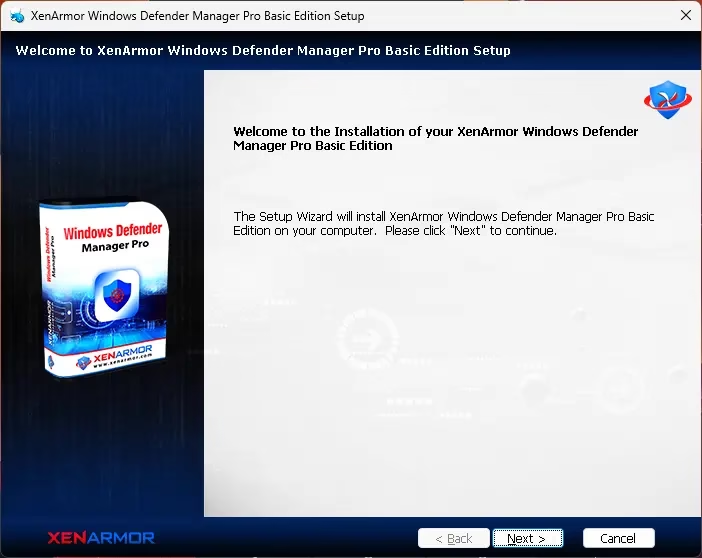
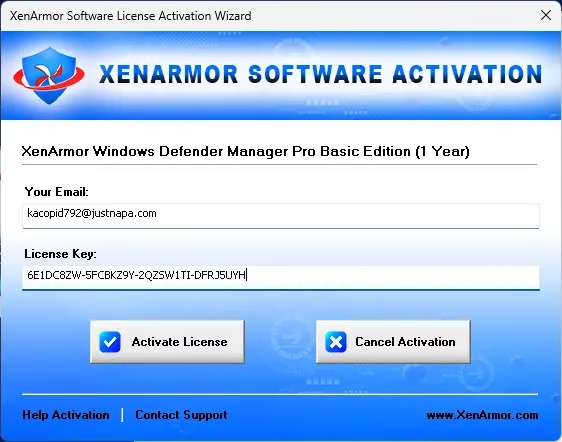
xenarmor.com/download/WindowsDefenderManagerPro_Giveaway.zip), extract the ZIP, and run the setup file as administrator. - Launch the program after installation. Paste your email address and the license key from the email into the activation dialog.
- You’re done — the full Basic Edition unlocks for the next 12 months.
Important Giveaway Terms
- 1-year license, Basic Edition only
- No free updates during the license period
- No free technical support
- Personal, non-commercial use only — businesses need the paid tier
Verdict: Is It Worth Grabbing?
At zero cost, the app is a no-brainer download for any Windows 10 or 11 user who occasionally wrestles with Defender. Even if you only use the exclusion manager and the one-click toggle, you’re getting a faster, less frustrating workflow than navigating the built-in Windows Security app.
The granular protection toggles, status enforcement, and rogue-exclusion cleaner push it from “convenient” into “genuinely useful” territory—especially for technicians who handle other people’s PCs.
The only caveat to keep in mind: disabling Defender modules reduces your protection. The smart play is to use Performance Boost Mode and exclusions for the specific situations you need them, and let Defender keep doing its job the rest of the time. Used that way, this tool sits comfortably in any Windows power user’s toolbox.
Claim your free 1-year license here: XenArmor Windows Defender Manager Pro 2026 Giveaway →
Frequently Asked Questions
Is XenArmor Windows Defender Manager Pro safe to use?
Yes. The installer is digitally signed with an EV (Extended Validation) certificate from SECTIGO, recognised by Microsoft SmartScreen and most major antivirus products. XenArmor is an established Indian-headquartered security vendor (with a UAE office) operating since 2007.
Will disabling Windows Defender leave my PC unprotected?
If you fully disable Defender and don’t install another antivirus, yes. The tool is designed for selective control — most users should keep real-time monitoring on and only disable specific modules (or pause Defender briefly) when running trusted heavy tasks like big file copies, compilations, or games.
Does the giveaway include the Portable Edition or command-line tools?
No. The free 1-year giveaway covers the Basic Edition. The Unlimited Portable Edition and full command-line automation features are part of the paid Pro and Premium tiers.
Can I install this on multiple PCs?
The Basic giveaway license is intended for a single PC, personal/home use only. For multi-PC or commercial deployment you need the Premium or Portable tier.
What happens after the 1-year license expires?
The software will stop working until you renew or upgrade to a paid edition. Your Defender settings remain unchanged on the underlying Windows installation — only Defender Manager Pro itself becomes inactive.
Does Windows Defender Manager Pro work with third-party antivirus installed?
The tool only manages Windows Defender (Microsoft Defender Antivirus). If you have a different antivirus active and Defender is already in passive mode, this utility offers limited value. It’s designed for systems where Defender is the primary security solution.
How is this different from just using Windows Security settings?
Windows Security spreads Defender controls across multiple panels and hides several useful options behind PowerShell or Group Policy. Defender Manager Pro consolidates all of them in one window, adds status enforcement, IP-based exclusions, exclusion exports, a rogue-exclusion cleaner, and (in paid tiers) command-line automation.
Will the giveaway license auto-renew?
No. The 1-year license is one-time only. You will not be charged automatically when it expires.


Discover more from Techno360
Subscribe to get the latest posts sent to your email.
You must be logged in to post a comment.