
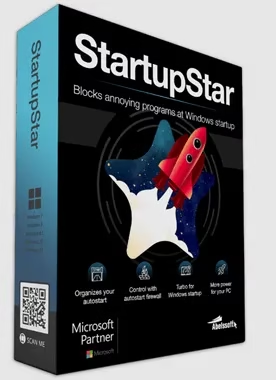
🚀 Abelssoft StartupStar 2026 – Full Version Free Giveaway
🎁 Worth $29.95 – Get it FREE Today!
Limited time giveaway – Pre-activated full version
Has your computer’s startup time increased recently? Can you remember a time when it launched quickly? An ever-expanding collection of startup programs might be the culprit. These programs can decimate your boot time, slow down your PC performance, and consume valuable system resources.
I have some excellent news! Get your PC up and running like new again with the help of Abelssoft StartupStar, a powerful program that will give you complete control over your Windows startup process.
Take control of your Windows startup programs with StartupStar. Optimize boot times, block unwanted auto-starts, and enjoy a lightning-fast PC experience.
What is Abelssoft StartupStar?
Abelssoft StartupStar is a professional Windows optimization tool designed to manage startup programs efficiently. Every time you install new software, many programs add themselves to your Windows startup sequence, causing your PC to boot slower and slower over time. StartupStar puts you back in control.
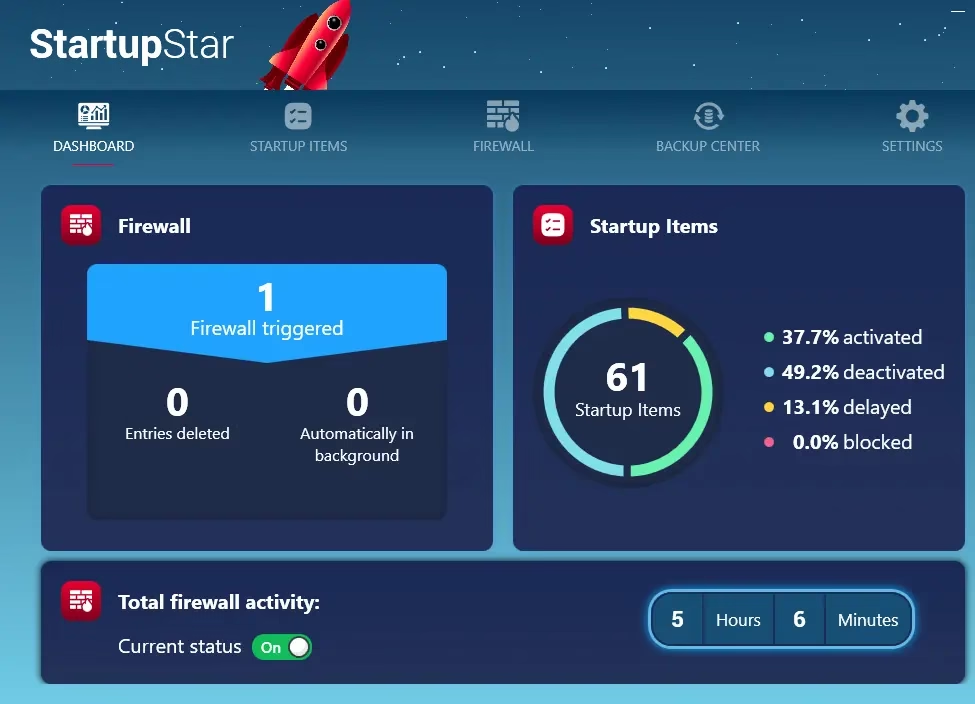
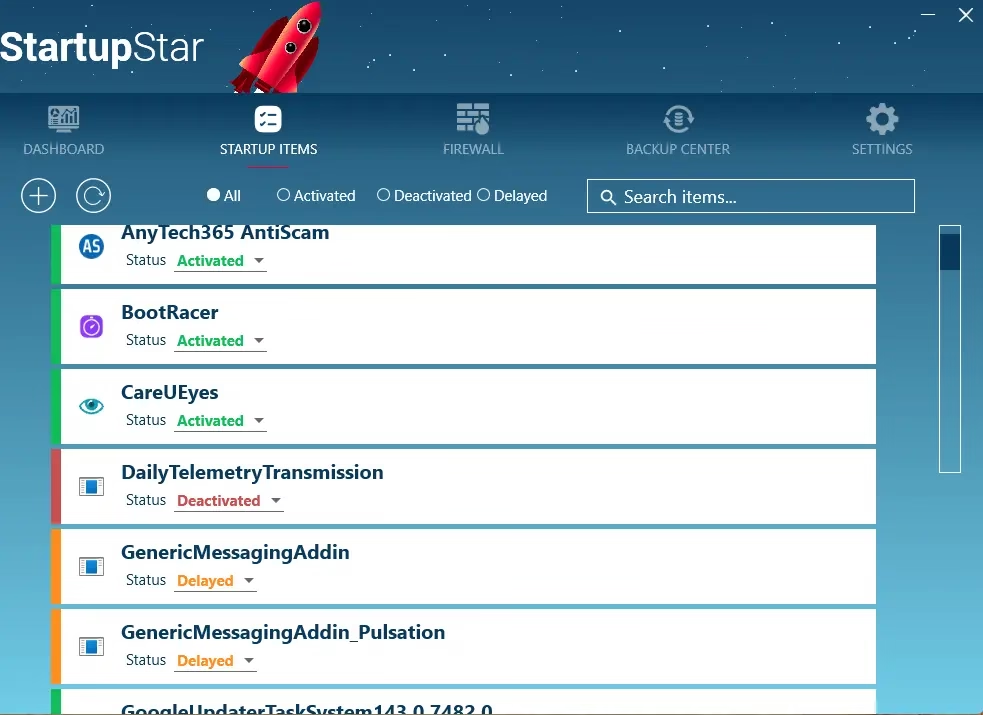
With StartupStar, you can easily enable, disable, block, or delay programs from launching at startup with just one click. The software provides a comprehensive view of all startup entries and helps you identify which programs are essential and which are slowing down your system.
⚡ Key Features of StartupStar
🎯 Smart Startup Management
Enable, disable, block, or delay startup programs with one click. Gain complete control over which applications launch when Windows starts.
🛡️ Autostart Firewall
Advanced firewall monitors and alerts you when new programs try to add themselves to startup without your permission. Block unwanted auto-starts instantly.
⏱️ Delay Function
Postpone non-essential programs to speed up initial boot time. Let critical programs start first, then load others gradually.
💾 Backup & Restore
Built-in Backup Centre allows you to undo changes and restore previous startup configurations if needed. Experiment risk-free!
📊 Real-Time Monitoring
View detailed statistics showing what programs are loading, memory usage, and comprehensive startup analysis.
🖥️ User-Friendly Interface
No technical expertise required. Intuitive design makes startup management simple for everyone. Clear recommendations help you make informed decisions.
Why Choose StartupStar Over Built-in Windows Tools?
While Windows Task Manager offers basic startup management, StartupStar provides advanced features that Microsoft’s built-in tools simply can’t match:
- Autostart Firewall: Windows has no protection against programs adding themselves to startup. StartupStar blocks unauthorized entries.
- Delay Feature: Smart delay options allow you to prioritize critical programs while postponing less important ones.
- Backup System: Unlike Windows tools, StartupStar lets you safely experiment with a full backup and restore capability.
- Better Visibility: See exactly what’s consuming your boot time with detailed analysis and recommendations.
Performance Benefits You’ll Notice
After using StartupStar to optimize your startup programs, you’ll experience:
- ⚡ Faster Boot Times: Reduce Windows startup time by up to 70% by disabling unnecessary programs
- 🚀 Improved Responsiveness: Your PC will be more responsive immediately after boot-up
- 💪 Better System Performance: Free up RAM and CPU resources for programs you actually use
- 🔋 Extended Battery Life: Less background programs mean better battery performance on laptops
- 🎮 Gaming Performance: More system resources available for demanding applications and games
System Requirements
StartupStar 2026 works seamlessly on all modern Windows versions:
- ✅ Windows 11 (all versions)
- ✅ Windows 10 (32-bit & 64-bit)
- ✅ Windows 8.1
- ✅ Windows 8
- ✅ Windows 7
- 💾 Minimal disk space required (~50 MB)
- 🖥️ Works on both desktops and laptops
🎁 How to Get Abelssoft StartupStar Full Version FREE
📋 Giveaway Details
💰 Regular Price: $29.95
🎉 Giveaway Price: FREE (100% Discount)
⚡ Version: StartupStar 2026 (Latest)
✨ License: Full Version – Pre-Activated
⏰ Validity: Lifetime license for this version
📥 Download & Installation Steps
Step 1: Download StartupStar
Choose any download link below (all links contain the same pre-activated version):
Step 2: Install the Software
Run the downloaded installer. The software is pre-activated – no serial key needed!
Step 3: First-Time Registration (Optional)
If this is your first Abelssoft app, a registration window may appear. Enter your name and email, then click “Get free unlock e-mail now.”
Step 4: Confirm Your Email
Check your email for a confirmation message from Abelssoft and click the link to unlock the full version. That’s it!
⚠️ Important: This giveaway version is pre-activated. No need to search for serial keys or cracks. Just download, install, and enjoy!

How to Use StartupStar Effectively
Once installed, here’s how to get the most out of StartupStar:
- Launch the Dashboard: Open StartupStar to see your complete startup analysis
- Review Startup Items: Check all programs currently loading at boot
- Identify Unnecessary Programs: Look for programs you don’t need at startup (Skype, iTunes Helper, Adobe Update, etc.)
- Disable or Delay: Choose to completely disable programs or delay their startup
- Enable Autostart Firewall: Activate the firewall to prevent new unauthorized entries
- Create a Backup: Save your current configuration before making major changes
- Restart and Test: Reboot your PC to experience the speed improvement
Pro Tips for Maximum Performance
- 🎯 Don’t disable everything: Keep essential services like antivirus and system utilities
- ⏱️ Use the delay feature: Instead of disabling, delay programs you occasionally need
- 🛡️ Keep firewall active: The Autostart Firewall will alert you about sneaky programs trying to auto-start
- 💾 Regular backups: Create new backups before major system changes
- 📊 Monitor performance: Track your boot time improvements over weeks
⭐ Final Verdict
Is Abelssoft StartupStar Worth It?
Absolutely YES! Abelssoft StartupStar is an essential tool for anyone experiencing slow boot times or wanting to optimize their Windows PC performance. The software is incredibly user-friendly, even for non-technical users, and delivers real, measurable improvements.
✅ PROS
- Extremely easy to use interface
- Powerful Autostart Firewall protection
- Smart delay feature for optimized loading
- Comprehensive backup and restore
- Noticeable performance improvements
- Works on all Windows versions
- Lightweight and doesn’t slow down PC
❌ CONS
- Paid software (but FREE in this giveaway!)
- Some advanced users might prefer manual control
⭐⭐⭐⭐⭐
Rating: 9.5/10
Highly Recommended for All Windows Users!
Bottom Line: At the regular price of $29.95, StartupStar is already worth every penny. But with this FREE giveaway, there’s absolutely no reason not to grab it! Download it today and experience the joy of a lightning-fast PC startup again. Your future self will thank you every morning when you power on your computer!
Frequently Asked Questions
Q: Is this giveaway version the full version?
A: Yes! This is the complete, pre-activated full version of StartupStar 2026 worth $29.95.
Q: Will I receive updates?
A: You’ll receive updates for the 2026 version. Major version upgrades may require a new license.
Q: Is it safe to disable startup programs?
A: Yes, but be cautious with system programs. StartupStar provides descriptions to help you decide. You can always restore from backup.
Q: Can I use this on multiple PCs?
A: The giveaway license is typically for one PC. Check the terms in the registration email.
Q: What if I accidentally disable something important?
A: Use the Backup Centre to restore your previous configuration. That’s why creating backups is important!
Conclusion
Don’t let slow startup times ruin your productivity! Abelssoft StartupStar is the ultimate solution for taking back control of your PC’s boot process. With powerful features like the Autostart Firewall, smart delay options, and comprehensive backup system, it’s far superior to Windows’ built-in tools.
This limited-time FREE giveaway won’t last forever, so grab your copy now while it’s still available. Transform your sluggish PC into a speed demon and enjoy lightning-fast boot times every single day!
👉 Download your FREE copy now and experience the difference! 🚀


Discover more from Techno360
Subscribe to get the latest posts sent to your email.
You must be logged in to post a comment.