
11 Best Free Open Source Programs That Actually Replace Paid Software
Forget monthly subscriptions and trial-ware. These community-built tools cover every software category you need — and most of them outshine their commercial rivals in real-world use.
Quick Read — What You’ll Get
- LibreOffice → Microsoft Office replacement
- Firefox → Chrome with actual privacy
- GIMP → Photoshop-level photo editing, free
- Shotcut → 4K video editing, zero watermark
- Audacity → Pro audio recording & editing
- BleachBit → CCleaner without the spyware
- PeaZip → Opens every archive format
- Strawberry → Audiophile music management
- Syncthing → Dropbox without the cloud
- VirtualBox → Run any OS in a VM for free
- ClamAV → Lightweight open source antivirus
Every few months, another subscription software sends you a “price increase” email. Another app nags you to upgrade. Another free trial expires right before you need it most. It’s exhausting — and completely unnecessary.
The open source world has quietly produced some genuinely exceptional software. We’re not talking about clunky compromises that “sort of work.” These are mature, actively maintained programs that millions of people use daily — many of which are indistinguishable from (or better than) what you’d pay good money for.
Here’s the curated rundown, category by category.
The 11 Best Free & Open Source Programs (By Category)
📝 Office Suite
LibreOffice — The Microsoft Office You Never Paid For
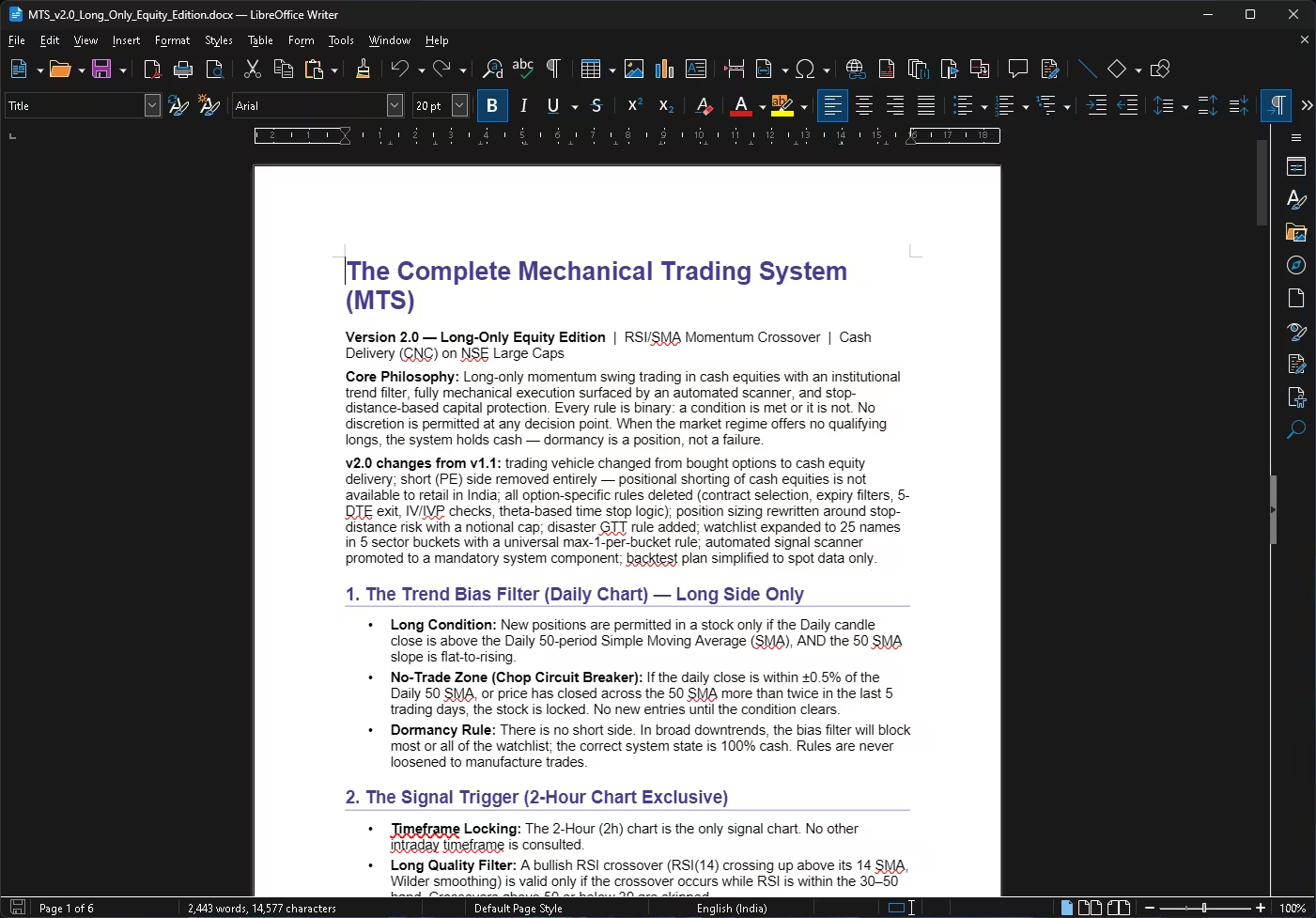
If there’s one open source program that every Windows user should have installed, it’s LibreOffice. It ships with a full suite covering word processing, spreadsheets, presentations, databases, drawing tools and formula editing — all under one roof. Open a .docx someone emailed you? No problem. Edit a corporate .xlsx report? Done. Export anything as a PDF in two clicks? Absolutely.
What makes LibreOffice genuinely impressive is how far it’s come with compatibility. Files open cleanly, formatting holds up well, and the suite runs smoothly even on older machines that would choke on a modern Microsoft 365 install. For home users and small businesses alike, it’s a no-brainer.
🌐 Web Browser
Mozilla Firefox — Fast, Private, and Not Built by Google
In a world where most browsers run on Google’s Chromium engine, Firefox stands alone as a fully independent open source alternative. Mozilla builds Firefox from scratch, which means it doesn’t hand your browsing data to the world’s largest advertising company just by default.
Speed has improved dramatically over the last few years. Firefox handles multi-tab heavy browsing well, extension support is excellent, and its built-in Enhanced Tracking Protection actually works. If you’ve ever felt uncomfortable knowing Chrome knows exactly what you browse, this is your exit ramp.
🛡️ Antivirus / Security
ClamAV — The Antivirus That Respects Your System (and Your Privacy)
ClamAV won’t replace Windows Defender as your primary real-time protection layer, but it earns its place for a very specific use case: on-demand scanning without bloat. It’s lightweight, command-line friendly, and particularly well-suited for server environments where a full-blown antivirus suite would be overkill.
For power users who want to audit downloads, run scheduled scans, or verify files before sharing them, ClamAV delivers exactly that — no upsell pop-ups, no telemetry, no background processes eating your RAM.
🛠️ How to Install & Use ClamAV on Windows
1. Installation & Setup
- Download the latest ZIP or MSI package from the official site.
- If using the ZIP, extract it to a directory (e.g.,
C:\ClamAV). - Navigate to the
conf_examplesfolder and copyclamd.conf.sampleandfreshclam.conf.sampleinto your mainClamAVdirectory. - Rename both copied files to remove the
.sampleextension.
2. Configure the Definitions
- Open
freshclam.confin a text editor (like Notepad). - Locate the line that says
Exampleand add a#at the beginning to comment it out. - Un-comment (remove the
#from) theDatabaseDirectoryline so the database knows where to store virus definitions. - Open the Windows Command Prompt as an Administrator, navigate to your ClamAV folder, and run:
freshclam.exe(This downloads the latest virus database.)
3. Running a Scan
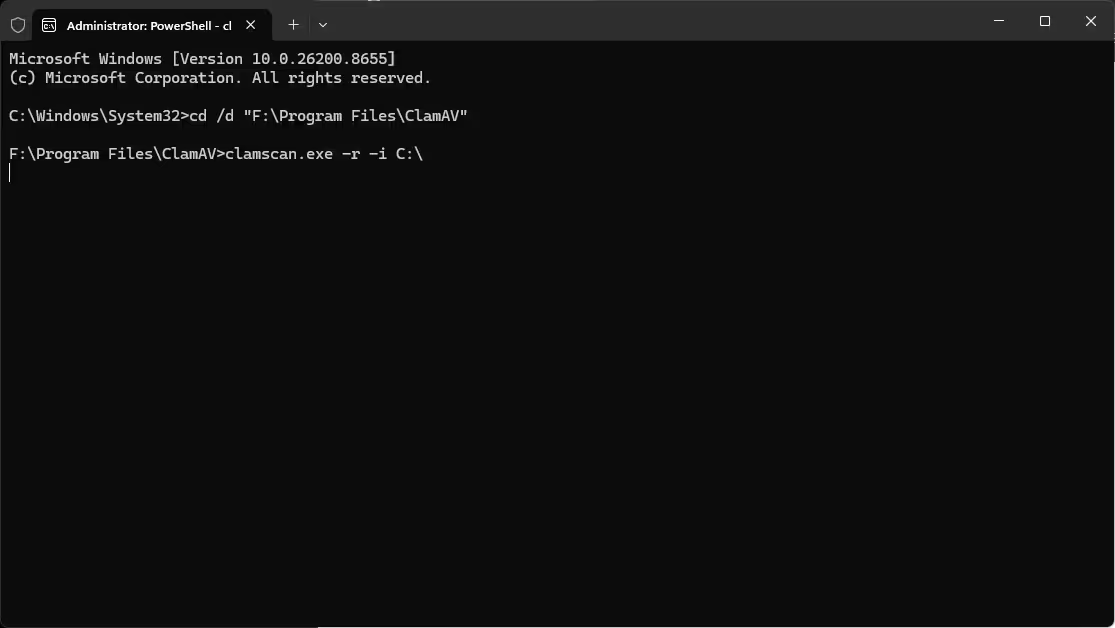
ClamAV is a command-line tool on Windows. To run a scan:
- Open Command Prompt and change to your ClamAV folder.
- Use the
clamscancommand with the-r(recursive) flag to scan a specific folder. Example to scan the Downloads folder:
clamscan.exe -r "C:\Users\YourUsername\Downloads" - To scan and automatically remove any infected files found, add the
--removeflag:
clamscan.exe -r --remove "C:\Users\YourUsername\Downloads"
🎨 Image Editing
GIMP — Photoshop-Level Editing Without the £25/Month Price Tag
Adobe Photoshop costs over $20 a month. GIMP costs nothing. And for the vast majority of image editing tasks — resizing, retouching, masking, compositing, batch processing — GIMP handles them all with professional-grade tools. Layers, channels, custom brushes, script-fu automation, plugin support… it’s all there.
The interface has its own logic (it’s not trying to look like Photoshop), which means there’s a genuine learning curve if you’re coming from Adobe’s world. But once you’re past that initial friction, GIMP is remarkably capable. Third-party plugins like G’MIC add even more firepower.
🎬 Video Editing
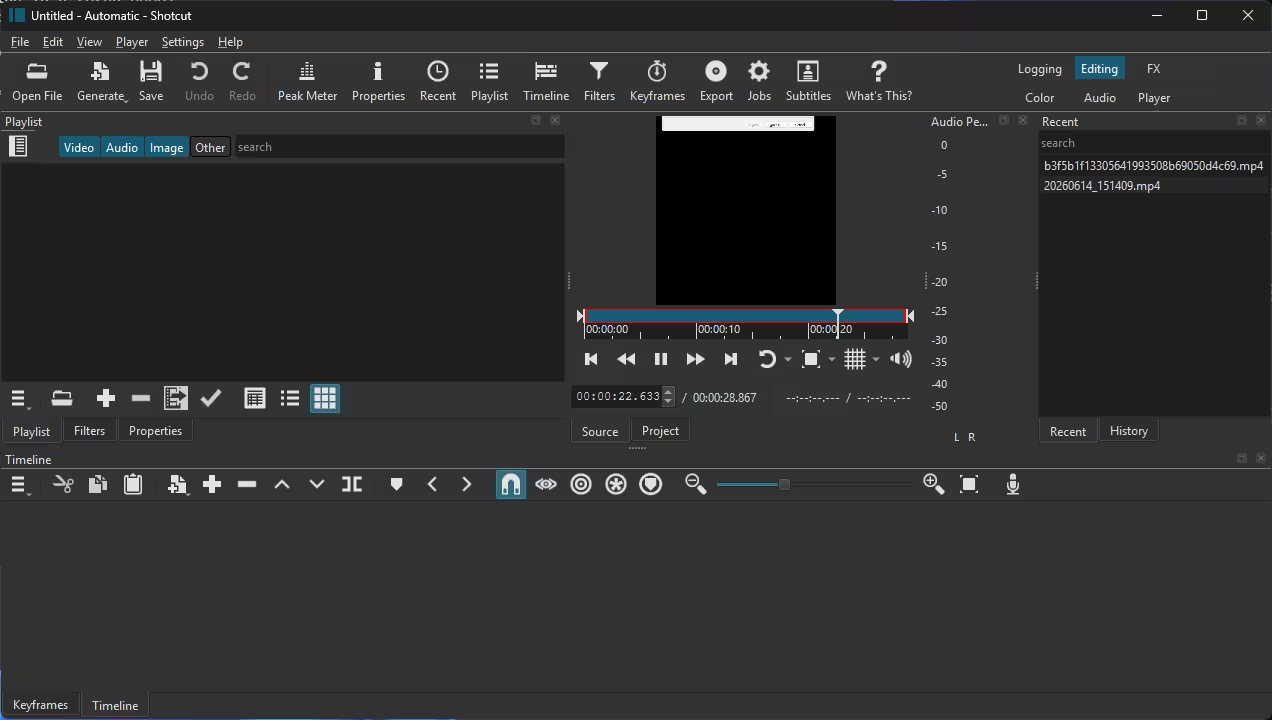
Shotcut — 4K Video Editing With Zero Watermarks (Seriously)
Most “free” video editors either slap a watermark on your exports or lock you out of core features without a paid upgrade. Shotcut does neither. It’s fully open source, actively maintained (the v25.12 release landed in December 2025 with 10-bit video support improvements), and handles timelines up to 4K resolution natively without requiring you to convert your footage first.
Filters, transitions, multi-track editing, hardware acceleration — it’s all included. The recently added Speech to Text feature even uses a local Whisper.cpp model to auto-generate captions. For YouTubers, content creators or anyone making videos without a professional budget, Shotcut is an easy recommendation.
🎙️ Audio Editing
Audacity — The Podcast Editor That Never Needed a Subscription
Audacity has been around for over two decades and it keeps getting better. Whether you’re cleaning up a podcast recording, editing vocals, removing background noise, or converting audio between formats, Audacity handles it all in a clean multi-track interface. The noise reduction tool alone saves hours of manual cleanup work.
VST plugin support means you can load professional-grade effects and instruments straight into the editor. It imports and exports virtually every audio format you’ll encounter — MP3, WAV, FLAC, OGG and more. If you record anything on your PC and aren’t already using Audacity, you’re making things unnecessarily complicated for yourself.
🧹 System Maintenance
BleachBit — Spring-Clean Your PC Without Installing the Spyware
CCleaner used to be the go-to system cleaner — until it was caught bundling unwanted software and phoning home with telemetry. BleachBit does everything CCleaner does (clears temp files, browser caches, logs, broken registry entries) without any of the baggage. No bundled offers, no ads, no data collection.
It’s also open source, so you can literally inspect every line of code and confirm exactly what it’s doing to your system. The shredding feature securely overwrites deleted files, which is genuinely useful if you’re passing on or selling an old machine.
📦 File Archiver
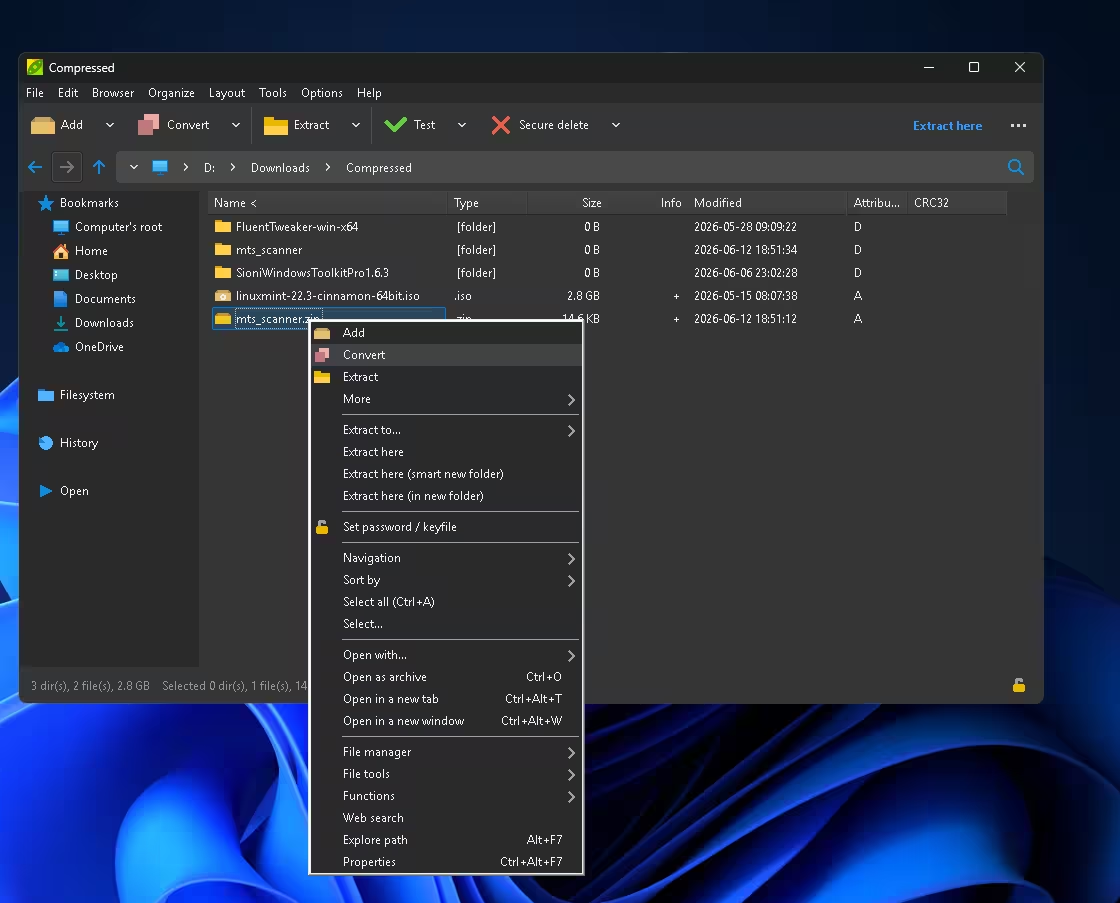
PeaZip — Every Archive Format, One Free App
ZIP, RAR, 7Z, TAR, GZ, BZ2, ISO — PeaZip opens them all. The latest version (11.0, released in 2026) brought significant performance gains: large archive navigation is up to 94% faster, tree view rendering is 30% quicker, and you can now run batch integrity checks across multiple archives in one pass. Drag-and-drop works directly on the path bar too.
It comes in both a portable build (no install needed) and a standard installer, with a choice of Qt6 or GTK2 interface. Unlike WinRAR (which nags you forever) or 7-Zip (which has no right-click integration out of the box), PeaZip gives you a polished experience that just works.
🎵 Music Player
Strawberry Music Player — For People Who Actually Own Their Music
If your music collection lives on your hard drive rather than a streaming service, Strawberry is made for you. It’s built for audiophiles and music collectors — meaning it handles large local libraries gracefully, lets you organise and tag tracks properly, and outputs audio with care for quality rather than just “playing a file.”
Strawberry supports streaming radio too, and its album art management is among the best of any free player. It’s the spiritual successor to the old Clementine player but actively maintained and compatible with modern systems. Think of it as iTunes done right, without the bloat or the Apple ID requirement.
☁️ File Sync
Syncthing — Cloud Sync Without Handing Your Files to Someone Else’s Server
Dropbox, Google Drive and OneDrive all sync your files through someone else’s cloud. That means a corporation holds copies of your data, subject to their terms of service, their data breaches, and their pricing decisions. Syncthing takes a completely different approach: it syncs files directly between your own devices, peer-to-peer, with no intermediary server involved.
Set it up between your desktop and laptop and your files stay in sync automatically. Add your phone and they sync there too. Everything is encrypted in transit. The service is free, the source code is public, and there’s no storage limit beyond what your own drives can hold. It genuinely is Dropbox without Dropbox.
💻 Virtual Machines
VirtualBox — Try Any Operating System Without Touching Your Main Setup
Want to test Linux without dual-booting? Run an old Windows XP program that won’t install on Windows 11? Spin up a sandboxed environment for testing suspicious software? VirtualBox lets you do all of that by creating isolated virtual computers that run inside a window on your actual desktop.
Oracle’s VirtualBox is free, surprisingly capable, and regularly updated — the April 2026 v7.2.8 update added Linux 7.0 kernel support and fixed a cursor display glitch on Ubuntu guests. For developers, IT professionals and curious users who want to explore other operating systems risk-free, it’s an invaluable tool.
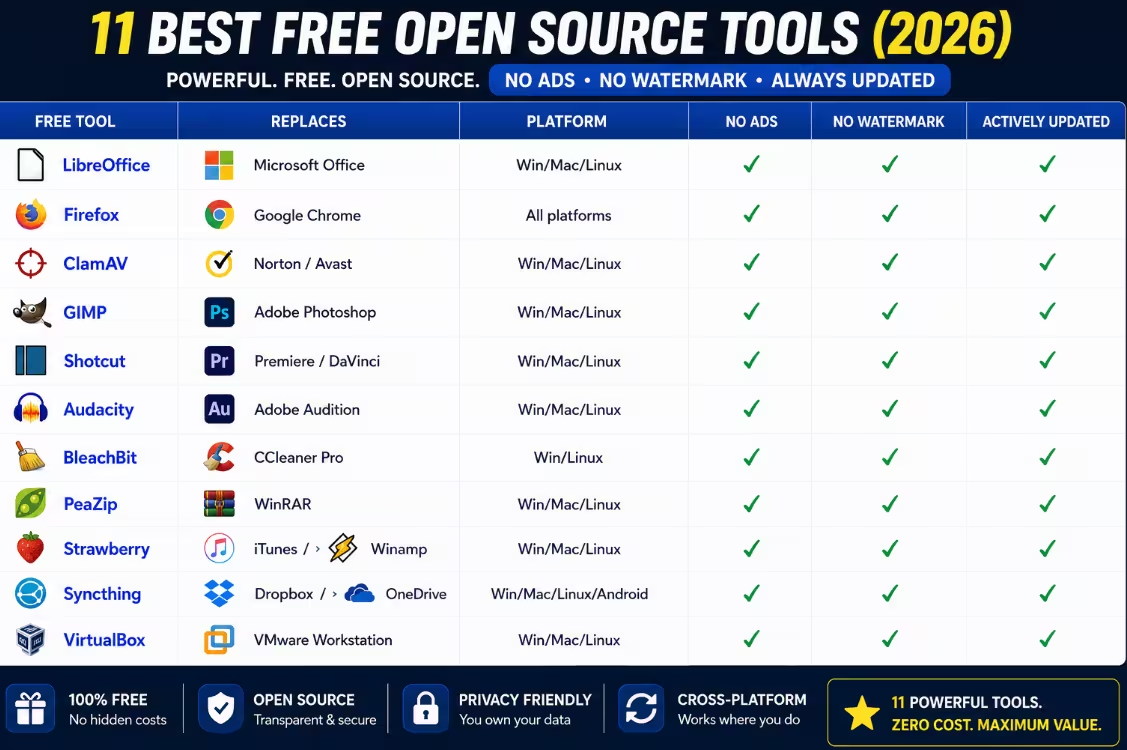
Quick Reference: Open Source vs. Paid Alternatives
| Free Tool | Replaces | Platform | No Ads | No Watermark | Actively Updated |
|---|---|---|---|---|---|
| LibreOffice | Microsoft Office | Win/Mac/Linux | ✔ | ✔ | ✔ |
| Firefox | Google Chrome | All platforms | ✔ | ✔ | ✔ |
| ClamAV | Norton / Avast | Win/Mac/Linux | ✔ | ✔ | ✔ |
| GIMP | Adobe Photoshop | Win/Mac/Linux | ✔ | ✔ | ✔ |
| Shotcut | Premiere / DaVinci | Win/Mac/Linux | ✔ | ✔ | ✔ |
| Audacity | Adobe Audition | Win/Mac/Linux | ✔ | ✔ | ✔ |
| BleachBit | CCleaner Pro | Win/Linux | ✔ | ✔ | ✔ |
| PeaZip | WinRAR | Win/Mac/Linux | ✔ | ✔ | ✔ |
| Strawberry | iTunes / Winamp | Win/Mac/Linux | ✔ | ✔ | ✔ |
| Syncthing | Dropbox / OneDrive | Win/Mac/Linux/Android | ✔ | ✔ | ✔ |
| VirtualBox | VMware Workstation | Win/Mac/Linux | ✔ | ✔ | ✔ |
Why Open Source Software Is Worth Trusting
It’s a fair question: why should you trust software built by volunteers and community contributors over products from established companies with dedicated QA teams?
The honest answer is: because the code is readable by anyone. When a company ships closed-source software, you’re trusting them not to do anything shady in the background. With open source, you don’t have to take anyone’s word for it — thousands of developers, security researchers and enthusiasts can (and do) inspect the code regularly.
This doesn’t mean open source is automatically safer, but it does mean problems get caught and fixed faster. The Firefox browser, for example, has a dedicated security team and a public bug bounty program. GIMP has been maintained and improved for nearly 30 years. These aren’t hobby projects — they’re serious, production-quality tools.
Beyond security, open source software wins on longevity. A commercial app can be discontinued overnight if the company gets acquired or goes under. Open source projects live on as long as the community cares about them — and many of the tools in this list have been around longer than some of the companies charging you for their alternatives.
Frequently Asked Questions
5.0 / 5.0
This isn’t a list of “good enough” alternatives. LibreOffice, GIMP, Shotcut, Audacity, Firefox, Syncthing and the rest are genuinely excellent pieces of software that have earned their places through years of development, community trust, and real-world use by millions of people.
If your software budget is zero — or you simply don’t want to keep feeding subscription fees to companies that got comfortable — this list gives you everything you need to cover every major category. Download them, use them, and share them freely. That’s rather the point.
- Zero cost, forever — no trial expiry
- Full source code is publicly available
- No telemetry, no bundled adware
- Active communities & regular updates
- Cross-platform: Windows, Mac, Linux
- Covers every everyday software category
Looking for More Free Software Picks?
We cover free giveaways, open source tools and Windows tips regularly on Techno360 — bookmark us so you never miss a deal.


Discover more from Techno360
Subscribe to get the latest posts sent to your email.
You must be logged in to post a comment.